

 Zyntra OS
 Zyntra Legal
 Zyntra Real Estate
 Zyntra Hotel
 Zyntra E-commerce
 Zyntra Appointments
 Zyntra Repair
 Zyntra Garage
 Zyntra Concierge
 Zyntra Contracting
 Zyntra Clinic
 Zyntra Call Center
 Zyntra OTA
Where
Accounting › Money › RegistersWho
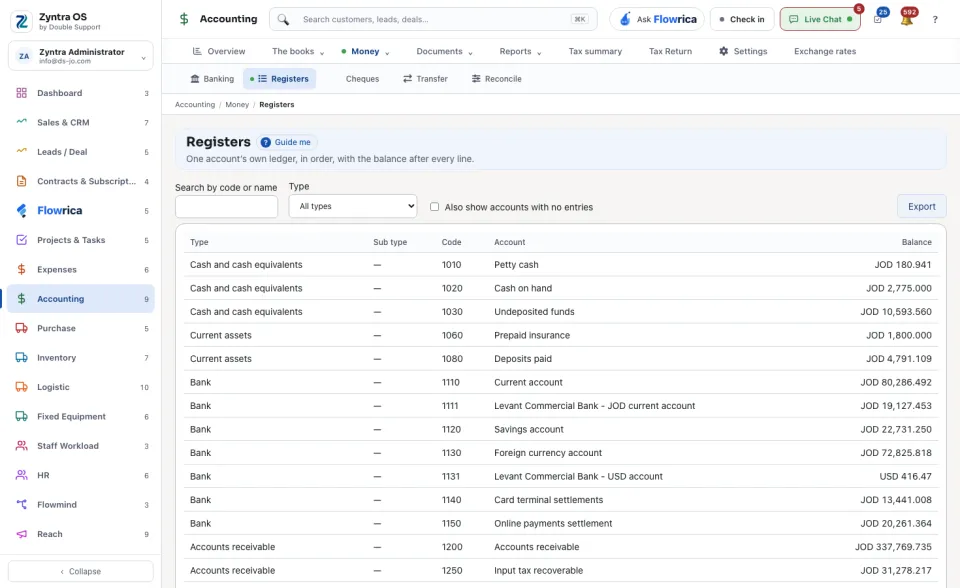
People whose role may see the chart of accounts.The screen opens on the list of accounts that have entries: Type, Sub type, Code, Account and Balance.
1
Find the account: type in Search by code or name, or choose a Type. Tick Also show accounts with no entries to see the quiet ones too.
2
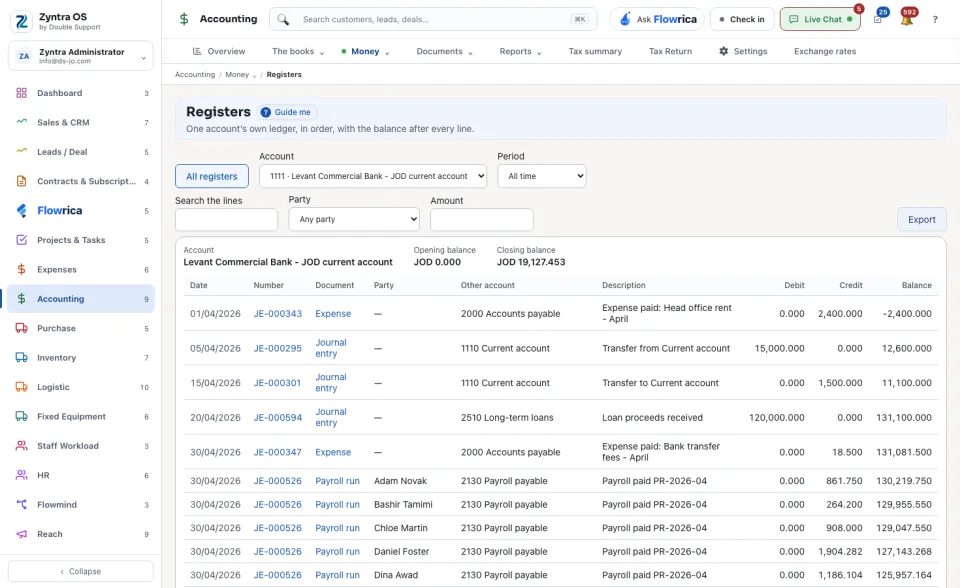
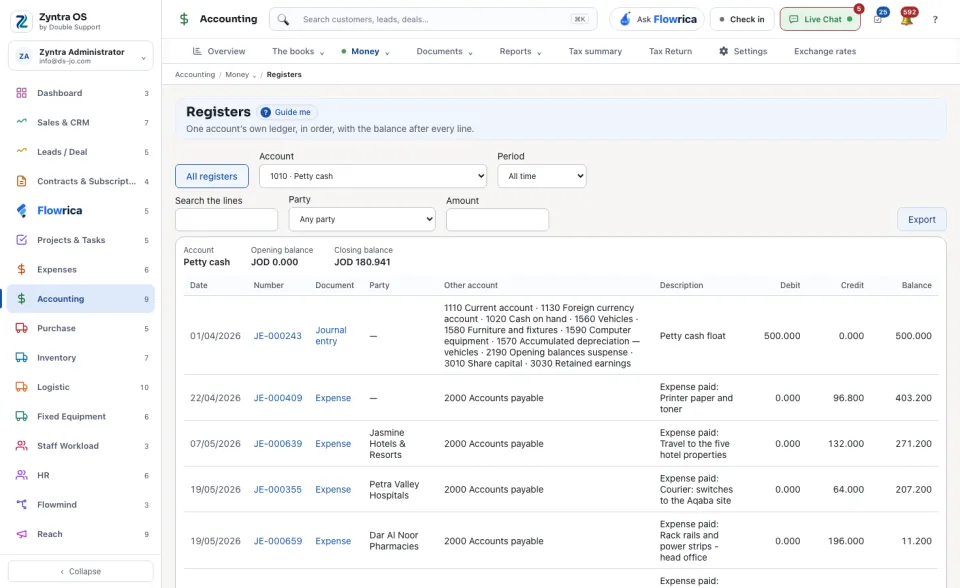
Press the account. Its register opens: every posted line with its Date, Number, Document, Party, Other account, Description, Debit, Credit and the Balance after it, between the Opening balance and the Closing balance.
3
Narrow it by Period (or From and To), by Party, or with Search the lines. The balances stay those of the whole period.
4
Export downloads the list or the open register. All registers takes you back to the list.
The running balance is worked out as you read down. It is not stored anywhere, which is why it cannot disagree with the chart.