

 Zyntra OS
 Zyntra Legal
 Zyntra Real Estate
 Zyntra Hotel
 Zyntra E-commerce
 Zyntra Appointments
 Zyntra Repair
 Zyntra Garage
 Zyntra Concierge
 Zyntra Contracting
 Zyntra Clinic
 Zyntra Dental
 Zyntra School
 Zyntra University
 Zyntra Social
 Zyntra Call Center
 Zyntra OTA

Where
Sales & CRM › Reports › ReturnsWho
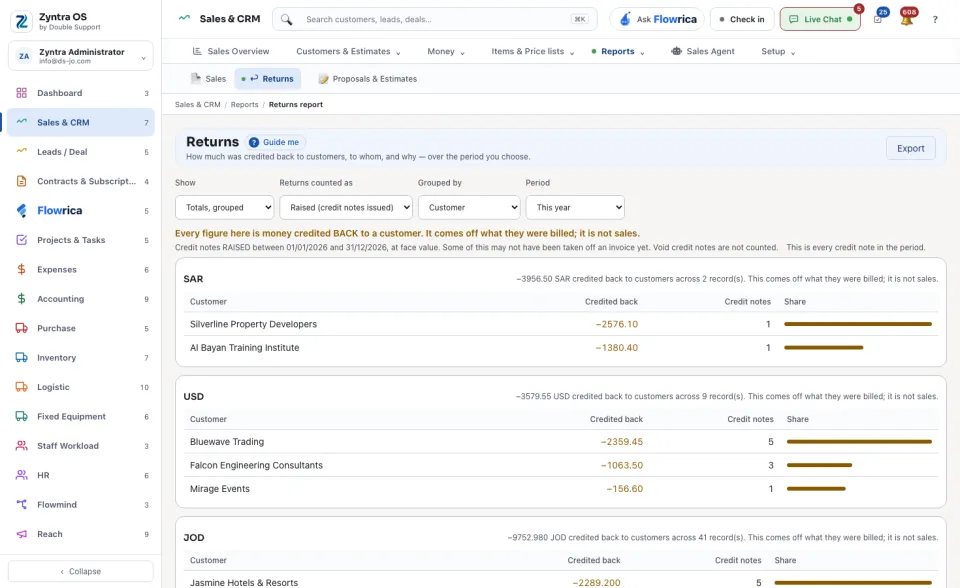
Anyone allowed to see this screen.Choose what to Show, what the Returns counted as, what the rows are Grouped by and the Period. For each currency a line says how much was credited back and across how many records, and the table shows each group's Credited back amount, its number of Credit notes and its Share. Export downloads it.
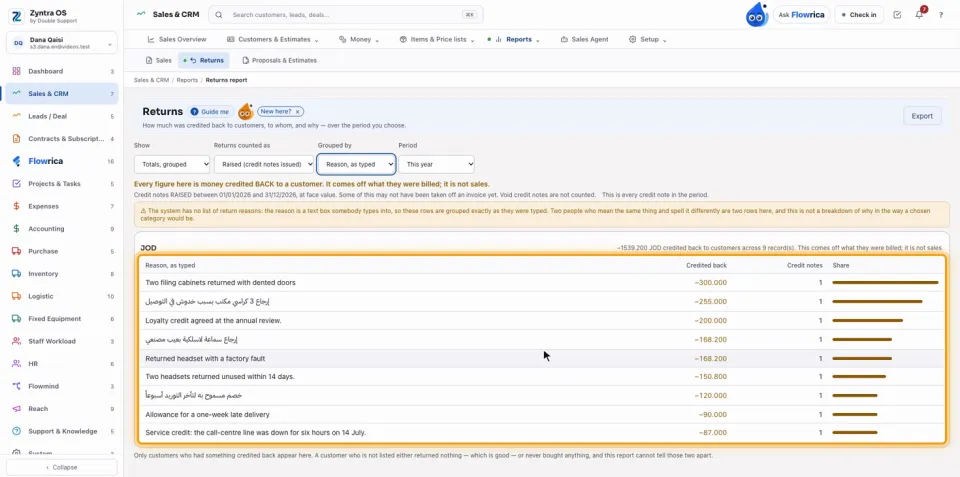
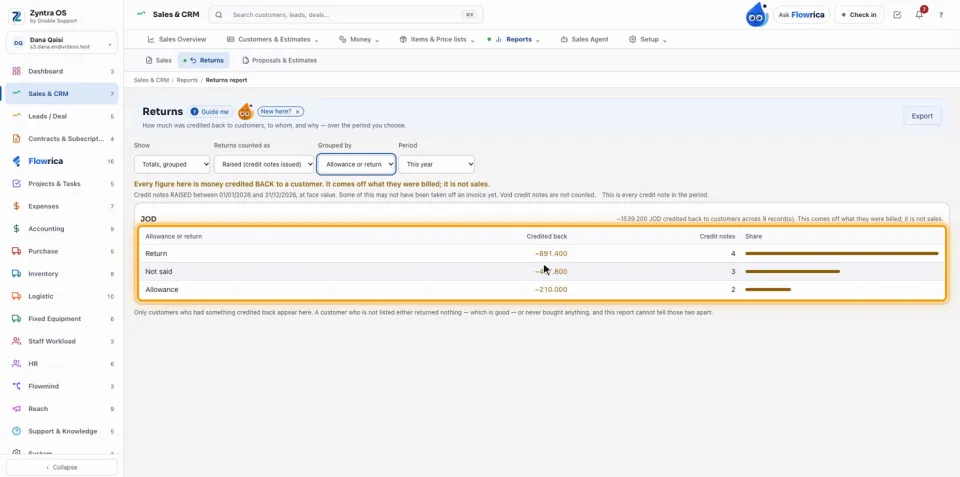
Under Grouped by choose Customer, Month, Reason, as typed or Allowance or return. Reason, as typed shows why money went back, each reason exactly as it was typed: reasons are free text, so two ways of writing the same reason are two rows, as the warning above the table says. Allowance or return shows how much was an allowance, how much goods returned, and how much Not said.
Under Returns counted as, Raised (credit notes issued) counts the credit notes issued in the period; Applied (taken off invoices) shows what was really taken off invoices in it, including credit raised before.
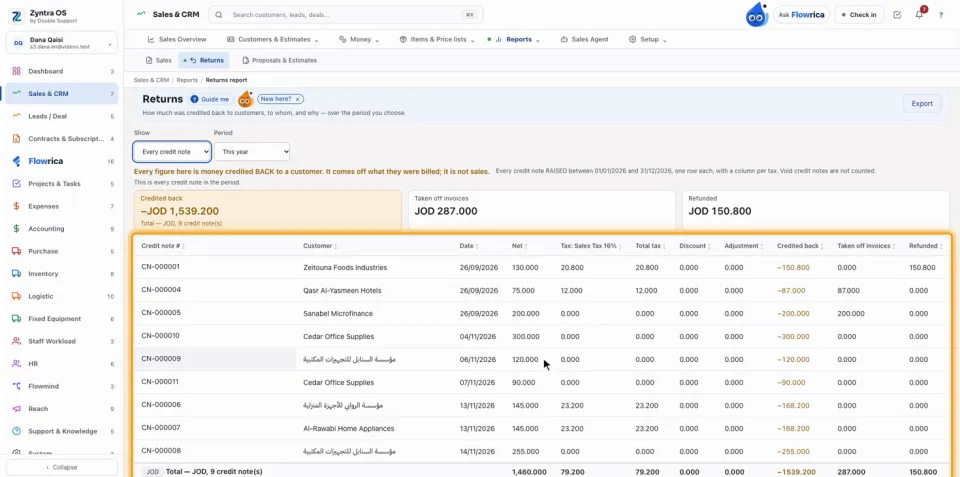
Under Show choose Every credit note: three totals stand on top, Credited back, Taken off invoices and Refunded, and each credit note has its own line: Credit note #, Customer, Date, Net, each tax, Discount, Adjustment, Credited back, Taken off invoices and Refunded, with a total for each currency. Choose the Period: this year, the last 3 months, or your own dates.
Questions
Where is “Returns report” in Zyntra OS?
Sales & CRM › Reports › Returns
Who can use “Returns report”?
Anyone allowed to see this screen.