

 Zyntra OS
 Zyntra Legal
 Zyntra Real Estate
 Zyntra Hotel
 Zyntra E-commerce
 Zyntra Appointments
 Zyntra Repair
 Zyntra Garage
 Zyntra Concierge
 Zyntra Contracting
 Zyntra Clinic
 Zyntra Call Center
 Zyntra OTA
Where
Sales & CRM › Money › Credit Notes · the invoice › More ▾ › Create credit noteWho
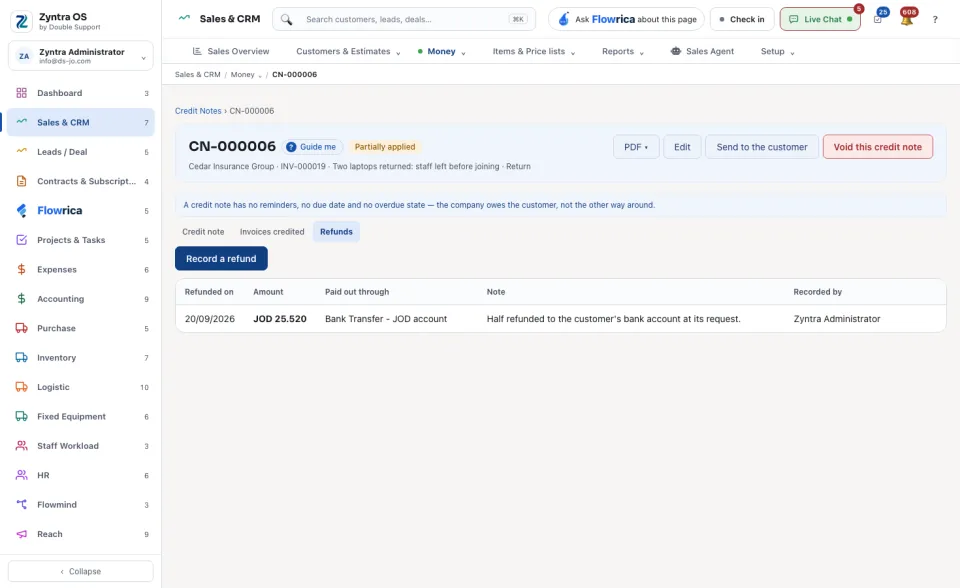
Anyone allowed to issue credit notes.To use the credit, open an issued invoice of the same customer and press Apply credits (see Record a payment). To pay it back instead, open the Refunds tab of the credit note, press Record a refund, type the Amount refunded, Refunded on and Paid out through, and press Save the refund.
A credit note is Open, Partially applied, Closed or Void.
The list
For each currency the screen shows what was Issued, what is Remaining and how many Credit notes there are. All, Linked to invoice and Not linked narrow the list; Show archived, ▾ Filters and Export work as on every list.
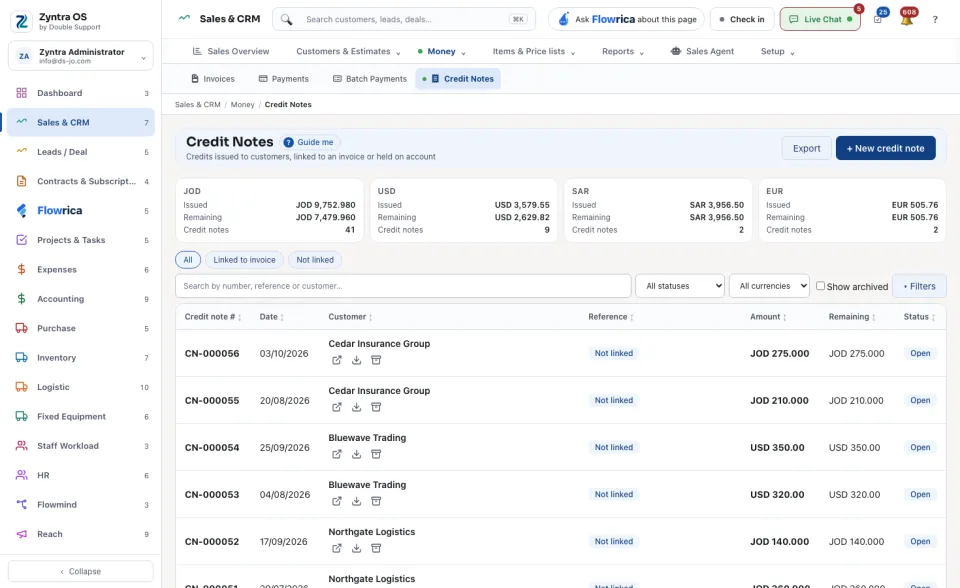
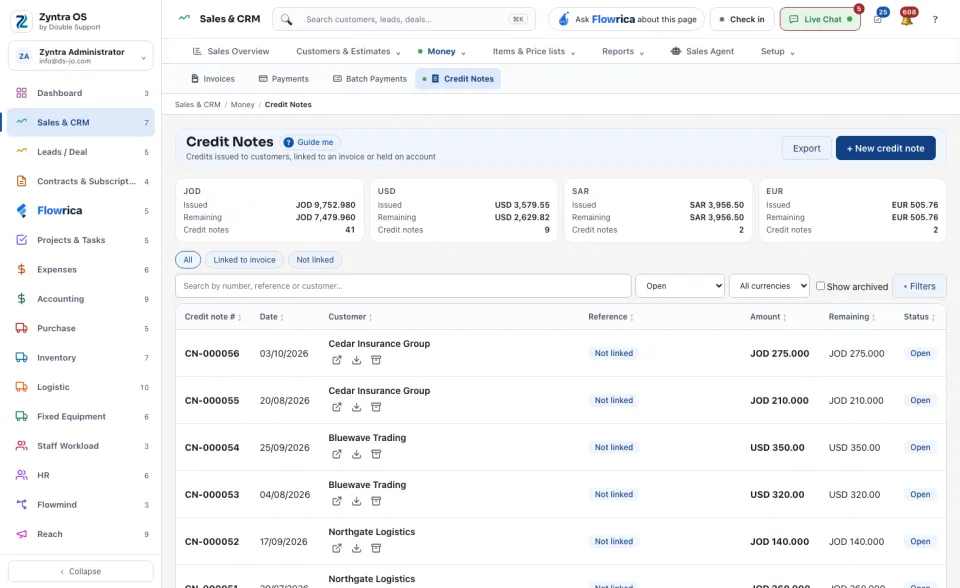
The credit note’s page
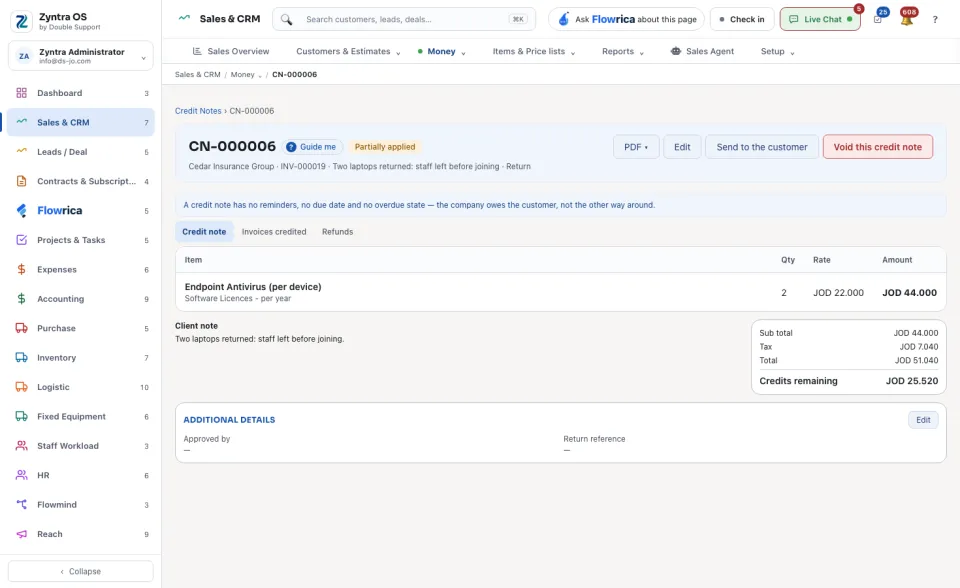
The head offers PDF ▾ (View PDF, Download), Edit, Send to the customer and Void this credit note. A credit note has no reminders and no due date: the company owes the customer.
| Tab | What it is for | What you can do there |
|---|---|---|
| Credit note | The lines, totals and the Credits remaining. | — |
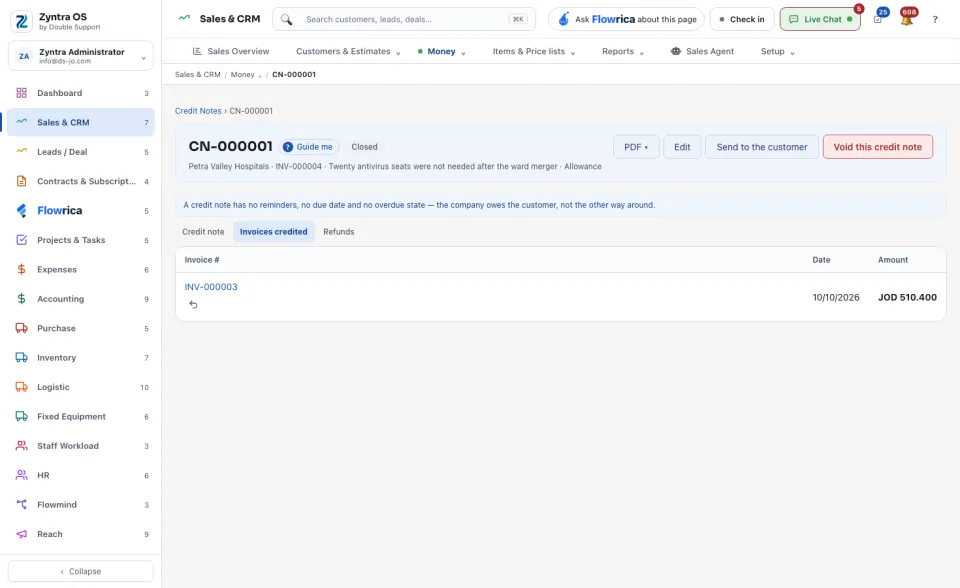
| Invoices credited | The invoices the credit was used on. | Take back. |
| Refunds | Money paid back to the customer from this credit. | Record a refund; Take back this refund. |
What Flowrica does here
On the list she can make the credit note with you, one question at a time (Create a credit note); nothing is saved until you press the form's own button.