Zyntra OS
 Zyntra Legal
 Zyntra Real Estate
 Zyntra Hotel
 Zyntra E-commerce
 Zyntra Appointments
 Zyntra Repair
 Zyntra Garage
 Zyntra Concierge
 Zyntra Contracting
 Zyntra Clinic
 Zyntra Call Center
 Zyntra OTA
Where
Purchase › Insights › ReportsWho
Anyone allowed to see this screen.1
Choose a report from the row under the title.
2
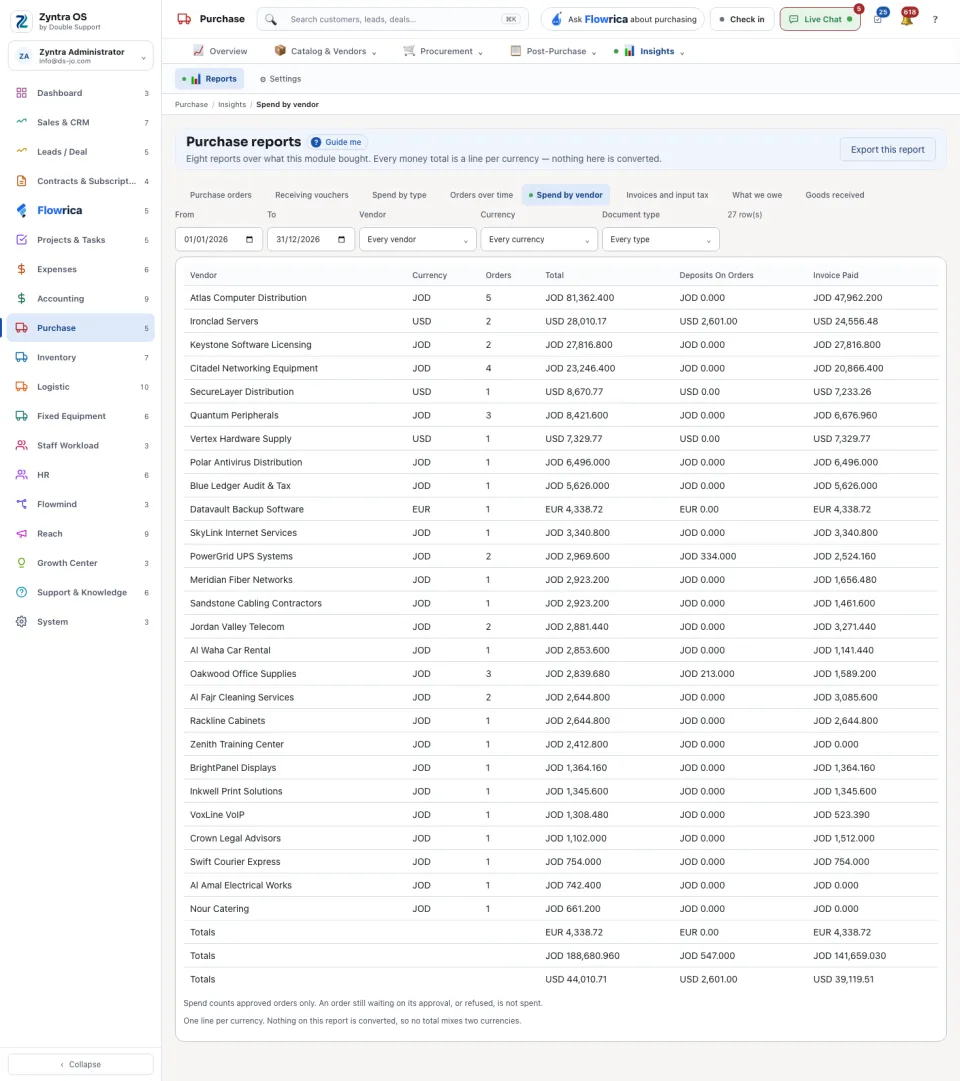
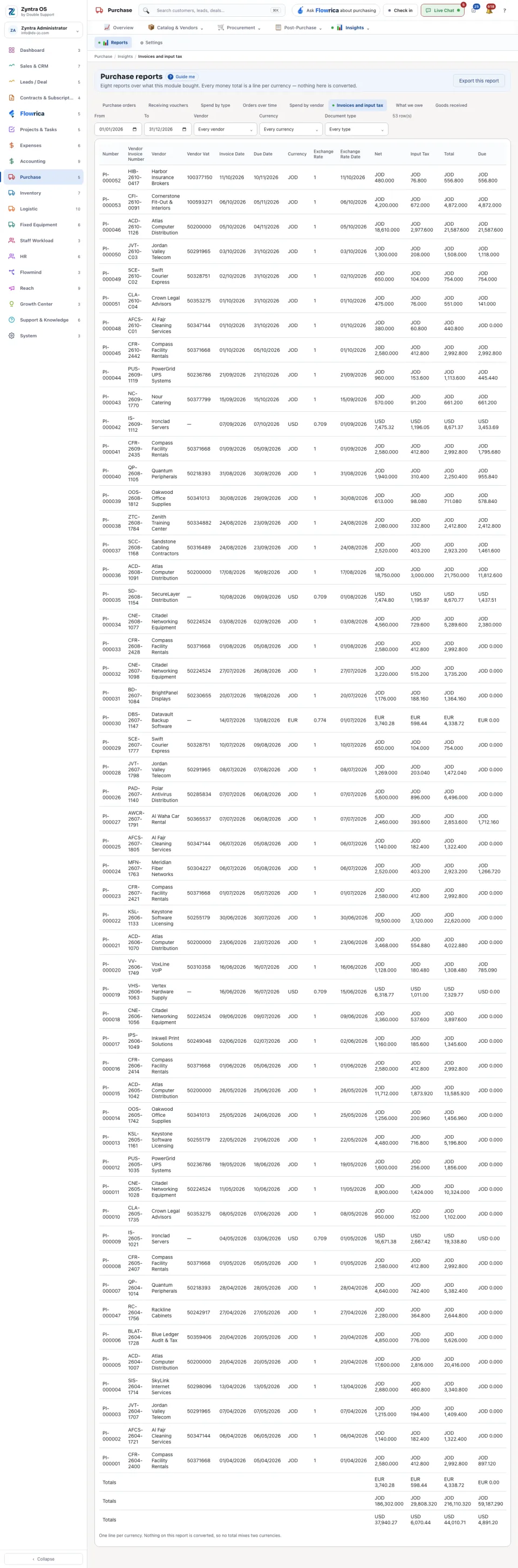
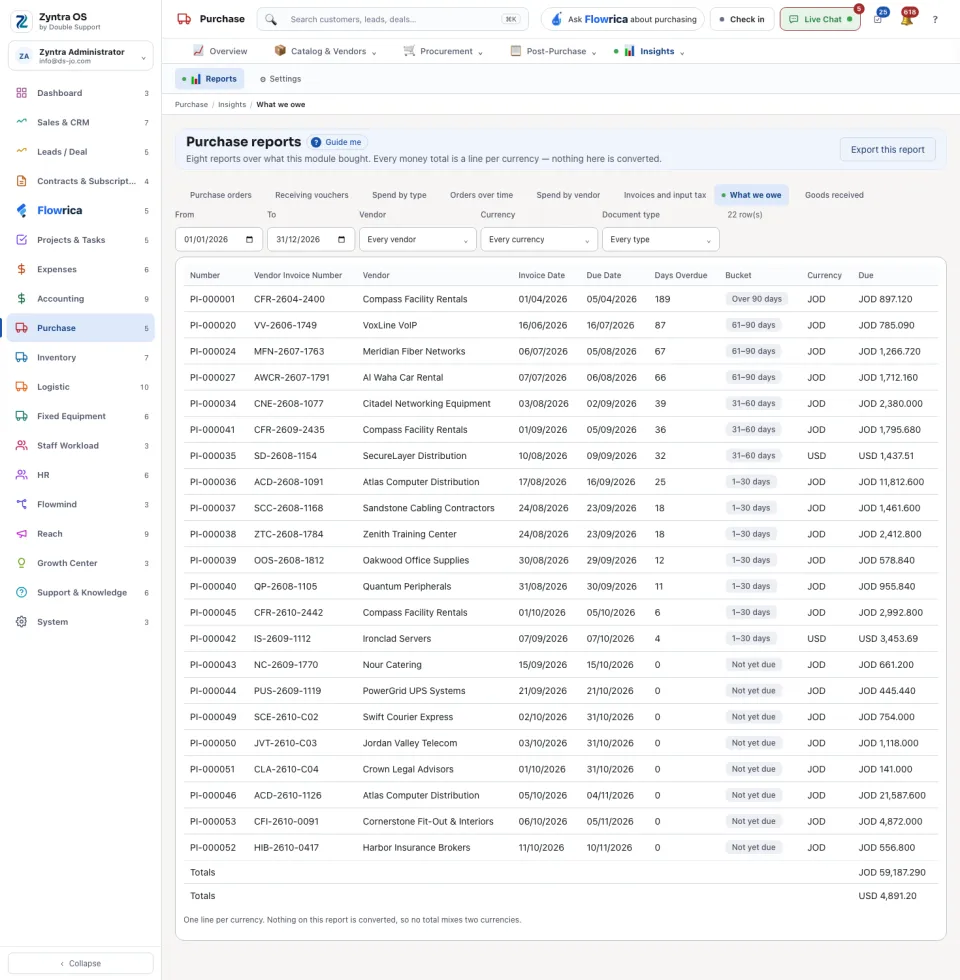
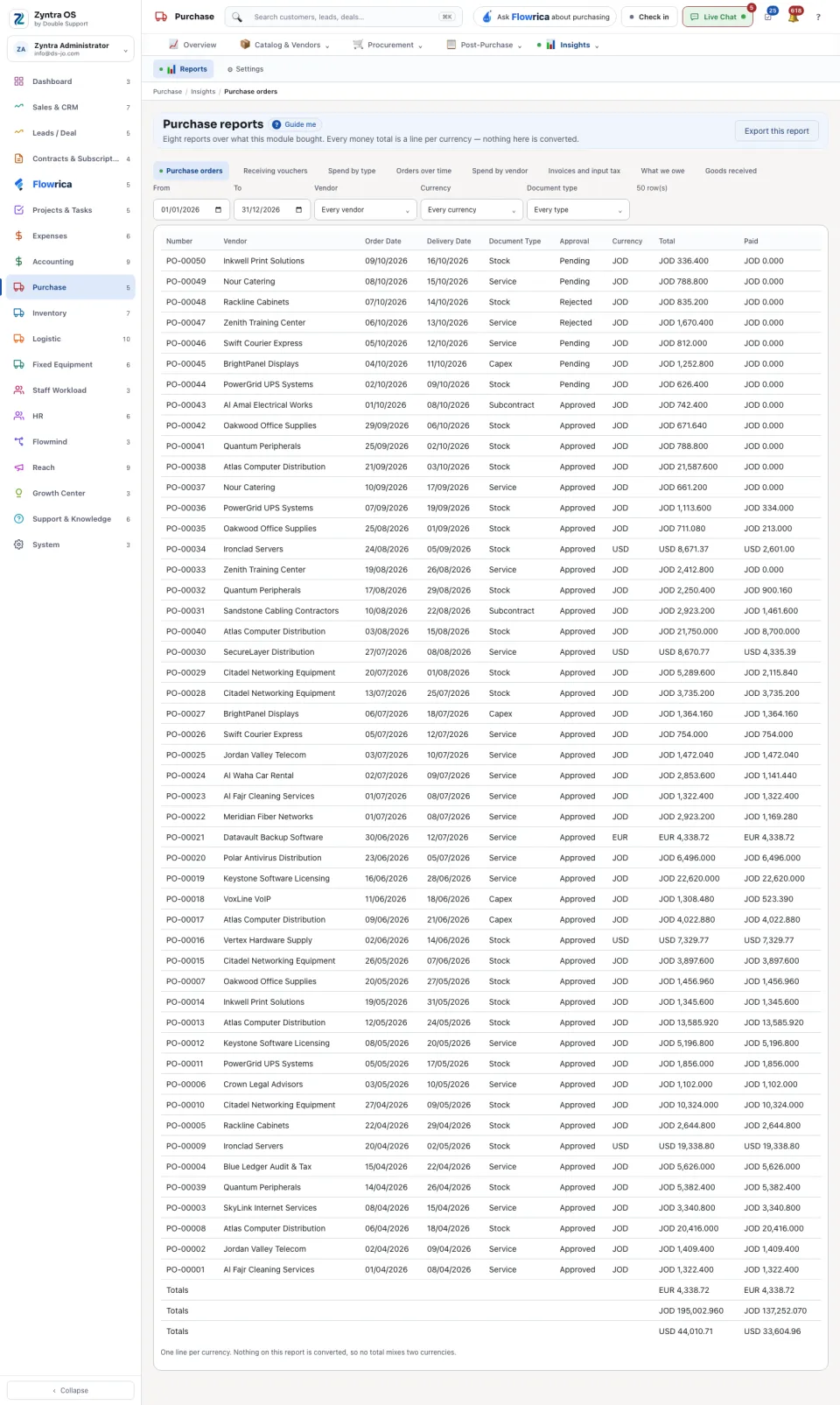
Set the period in From and To, and narrow it with the row of choices: by vendor, by currency and by type.
3
Press Export this report to take what you see as a file.
| Report | What it shows |
|---|---|
| Purchase orders | Every order with its dates, document type, approval, total and what was paid. |
| Receiving vouchers | What was received into the warehouses. |
| Spend by type | Orders and their total for each document type. |
| Orders over time | Orders and vendors month by month. |
| Spend by vendor | For each vendor: orders, total, deposits on orders and what was paid on invoices. |
| Invoices and input tax | Vendor invoices with their net, input tax and total, and the exchange rate used. |
| What we owe | Unpaid vendor invoices by how late they are. |
| Goods received | The goods received in the period. |
When nothing matches, the report says that nothing in this period matches these filters: widen the dates or clear a choice.