

 Zyntra OS
 Zyntra Legal
 Zyntra Real Estate
 Zyntra Hotel
 Zyntra E-commerce
 Zyntra Appointments
 Zyntra Repair
 Zyntra Garage
 Zyntra Concierge
 Zyntra Contracting
 Zyntra Clinic
 Zyntra Call Center
 Zyntra OTA
Where
Purchase › OverviewWho
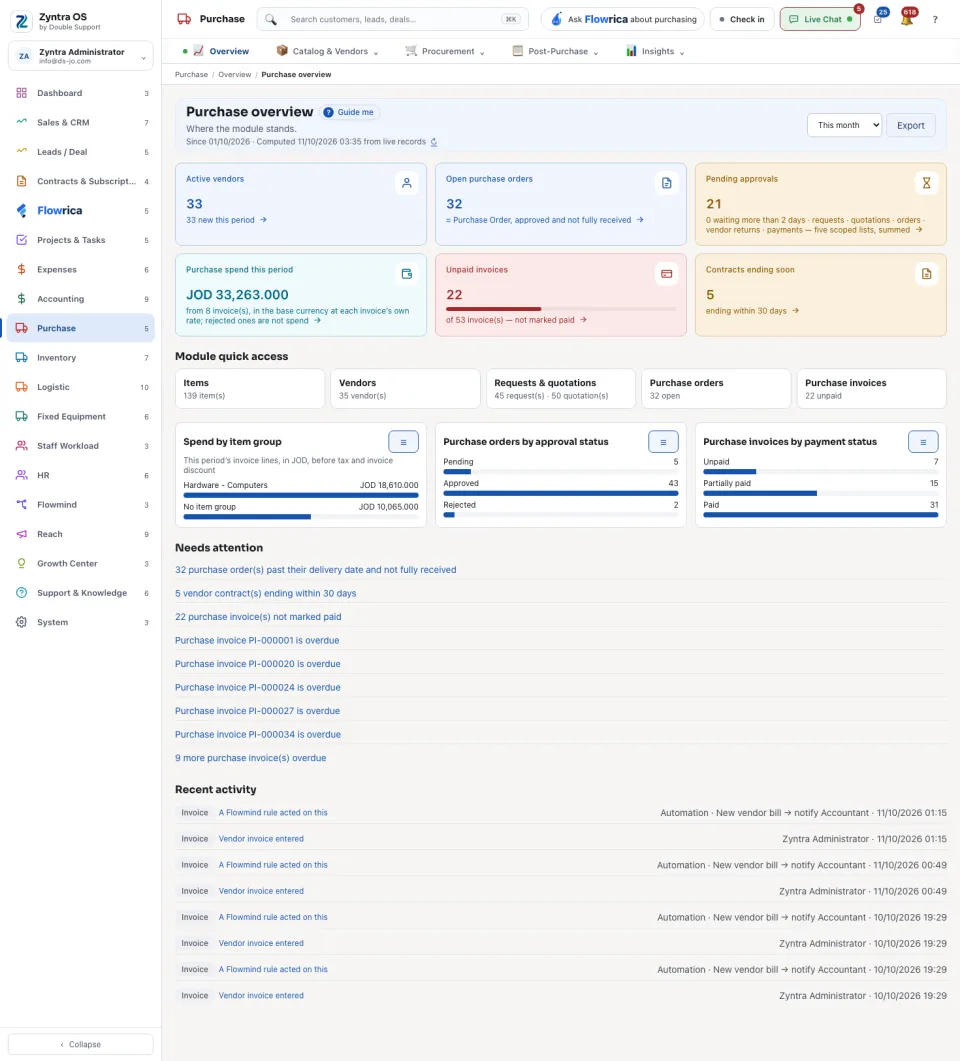
Anyone allowed to see this screen.Choose the period at the top: This week, This month or This quarter. Under the title the screen says since when it counts and when it was computed; ↻ computes it again and Export gives it to you as a file.
| Figure | What it counts |
|---|---|
| Active vendors | Vendors you can buy from, and how many are new this period. |
| Open purchase orders | Orders that are approved and not fully received. |
| Pending approvals | Requests, quotations, orders, vendor returns and payments waiting for a signature, and how many have waited more than two days. |
| Purchase spend this period | The period’s vendor invoices in the base currency, each at its own invoice’s rate. Rejected ones are not spend. |
| Unpaid invoices | Vendor invoices not marked paid. |
| Contracts ending soon | Vendor contracts ending within 30 days. |
Below the figures: Module quick access (one press to each list of the module), Spend by item group, Purchase orders by approval status, Purchase invoices by payment status, Needs attention and Recent activity. A figure or a row opens the list behind it.
Flowrica on this screen
From the top bar Flowrica offers Raise a purchase order, Raise a purchase request and Record a quotation, and answers questions such as “What is waiting for approval?”.