Zyntra OS
 Zyntra Legal
 Zyntra Real Estate
 Zyntra Hotel
 Zyntra E-commerce
 Zyntra Appointments
 Zyntra Repair
 Zyntra Garage
 Zyntra Concierge
 Zyntra Contracting
 Zyntra Clinic
 Zyntra Call Center
 Zyntra OTA
Where
Purchase › Post-Purchase › ContractsWho
Anyone allowed to see this screen.1
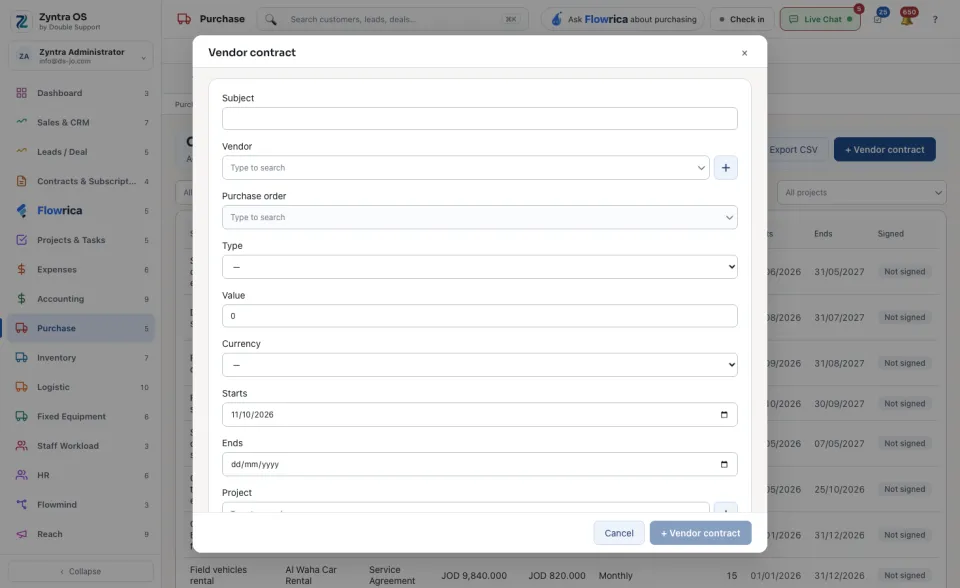
Press + Vendor contract. Type the Subject, choose the Vendor and, if there is one, the Purchase order. Choose the Type, the Value and Currency, and when it Starts and Ends.
2
For a contract paid in parts, give the Payment amount and the Payment cycle: the schedule is worked out from the start date. Add the Payment terms (days) and the Late penalty (% a week) if the contract has them.
3
Write the Content, or press Fill the content to fill it from a template with this form’s vendor, subject, value and dates. It replaces what is there.
4
Press + Vendor contract at the foot of the form to save.
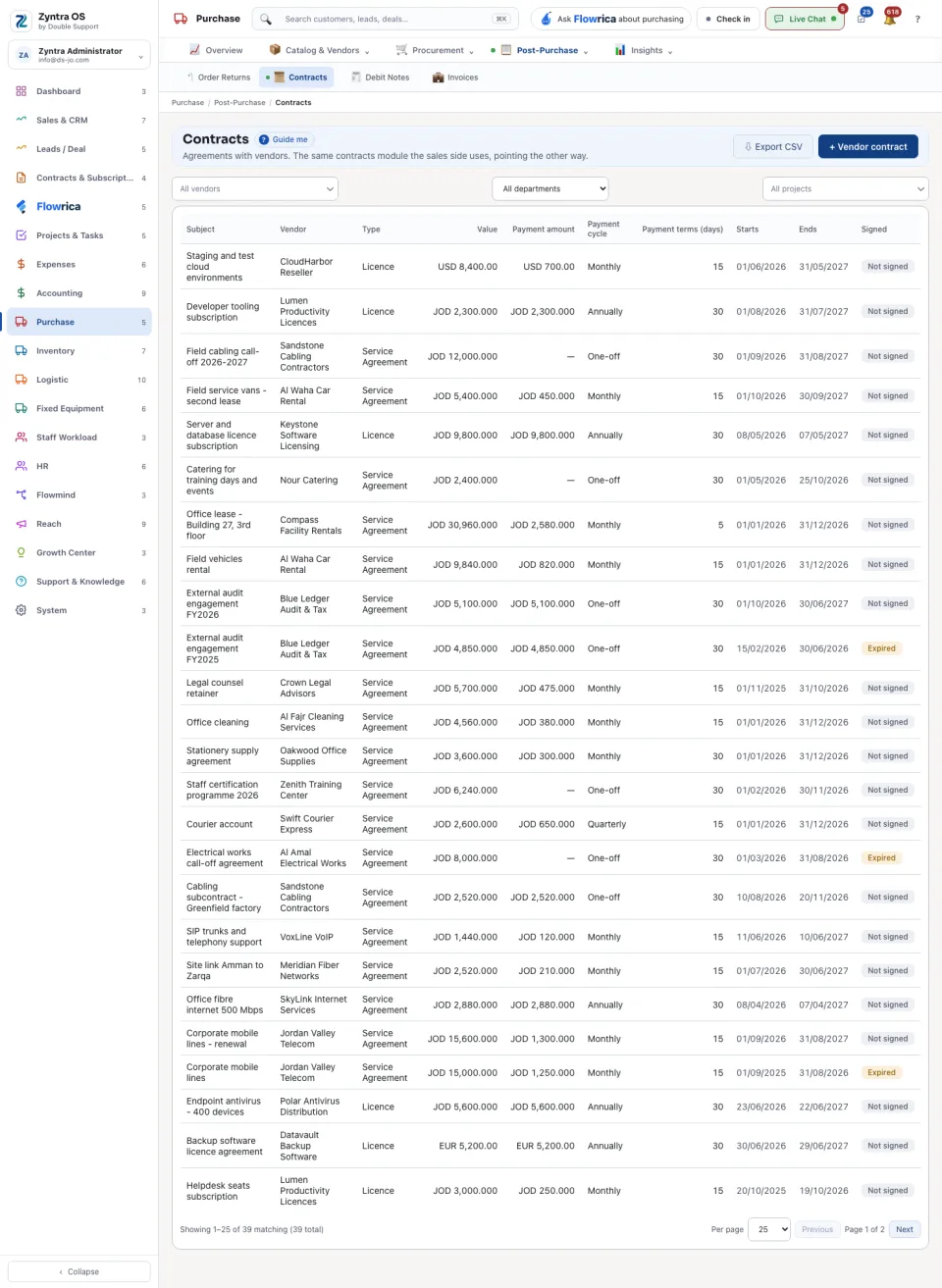
The list shows Subject, Vendor, Type, Value, Payment amount, Payment cycle, Payment terms (days), Starts, Ends and Signed. Narrow it by vendor, project or department.
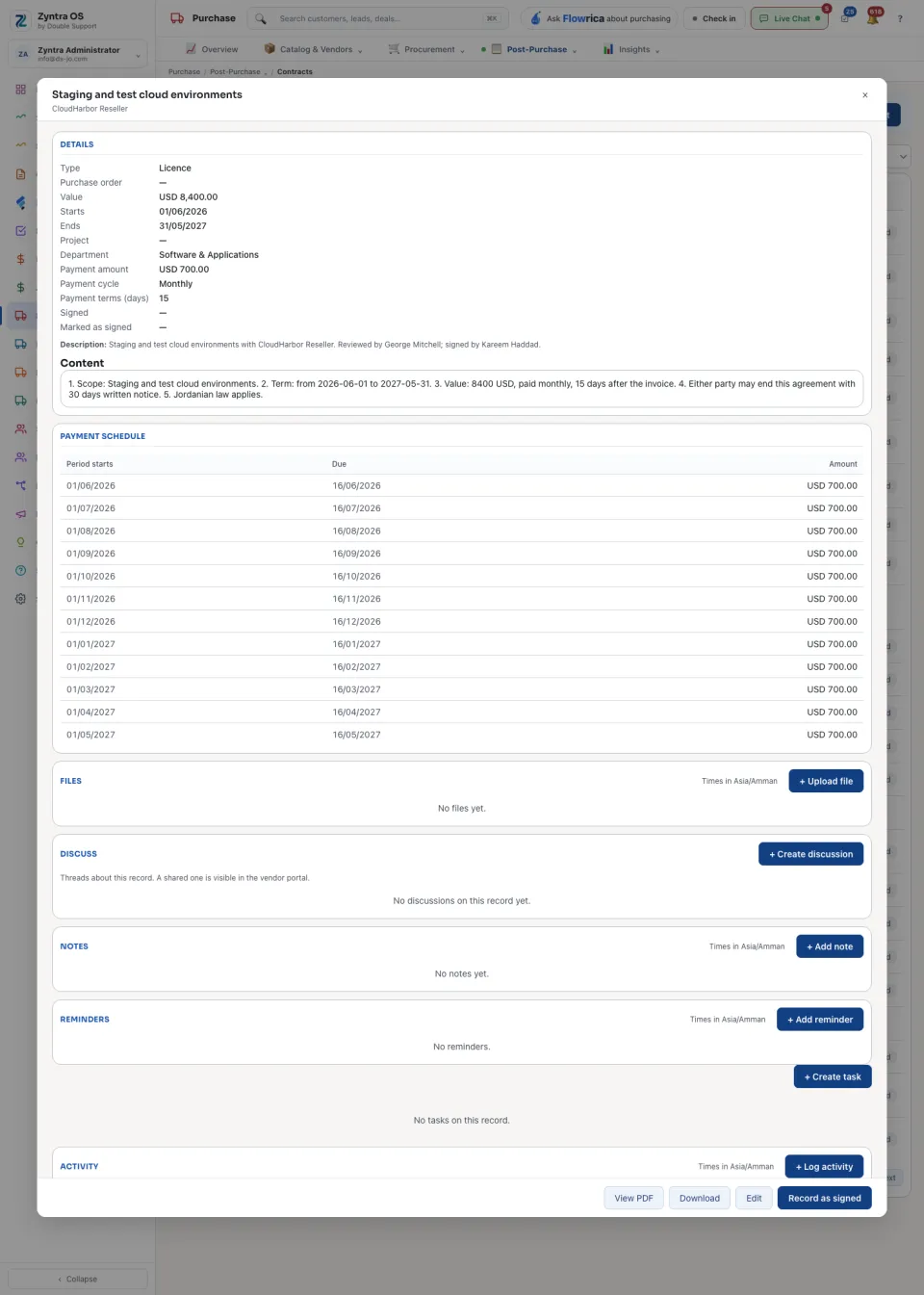
The contract’s page
Press a contract: its page slides in over the list. It has no tabs; it reads top to bottom: Details, Payment schedule, Files, Discuss (a shared thread is visible in the vendor portal), Notes, Reminders and Activity. Its buttons: Record as signed, Edit, View PDF and Download.