

 Zyntra OS
 Zyntra Legal
 Zyntra Real Estate
 Zyntra Hotel
 Zyntra E-commerce
 Zyntra Appointments
 Zyntra Repair
 Zyntra Garage
 Zyntra Concierge
 Zyntra Contracting
 Zyntra Clinic
 Zyntra Call Center
 Zyntra OTA
Where
Purchase › Procurement › Financial ApprovalWho
Anyone who signs a step of an approval chain.1
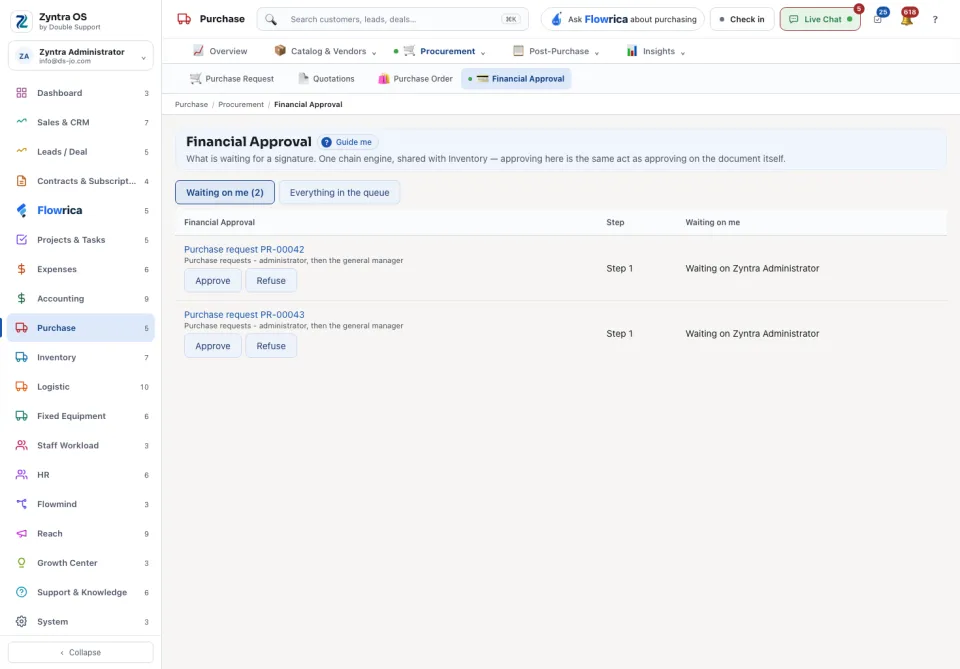
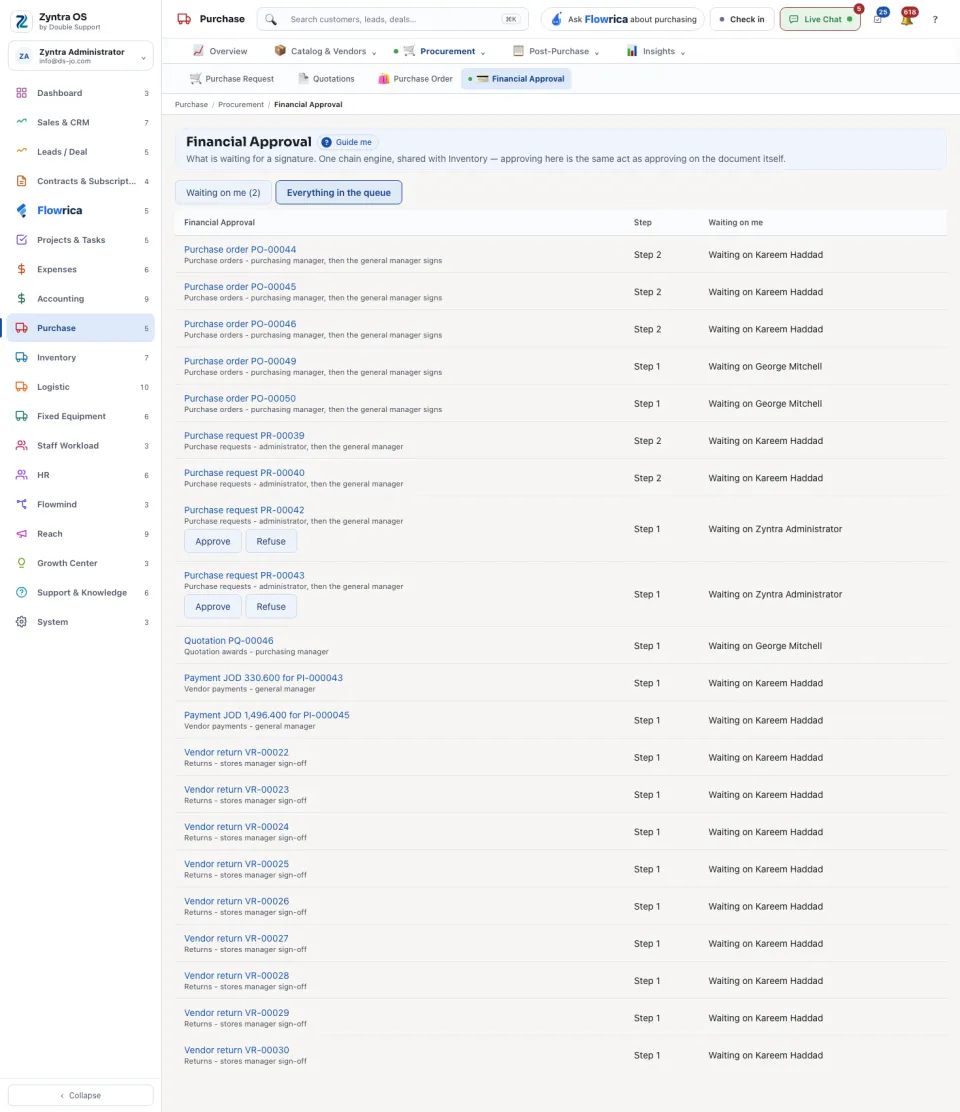
The screen opens on Waiting on me, with the count beside it: the documents whose current step is yours. Everything in the queue shows every document that is waiting, whoever it waits on.
2
Each row names the document (for example a purchase order and its number), its Step and who it is waiting on. Press the document to read it before you decide.
3
Press Approve or Refuse on the row.
Who signs which kind of document, and in what order, is set under Inventory › Settings › Approvals: one place for every module.
Flowrica on this screen
Ask Flowrica from the top bar, for example “What is waiting for approval?”.