

 Zyntra OS
 Zyntra Legal
 Zyntra Real Estate
 Zyntra Hotel
 Zyntra E-commerce
 Zyntra Appointments
 Zyntra Repair
 Zyntra Garage
 Zyntra Concierge
 Zyntra Contracting
 Zyntra Clinic
 Zyntra Dental
 Zyntra School
 Zyntra University
 Zyntra Call Center
 Zyntra OTA
Where
Manufacturing › Kanban boardWho
«Read kanban cards and the board» reads the board and prints the cards. «Set up kanban cards» makes, changes and puts away cards. «Scan a kanban card empty or refilled» scans them.The board
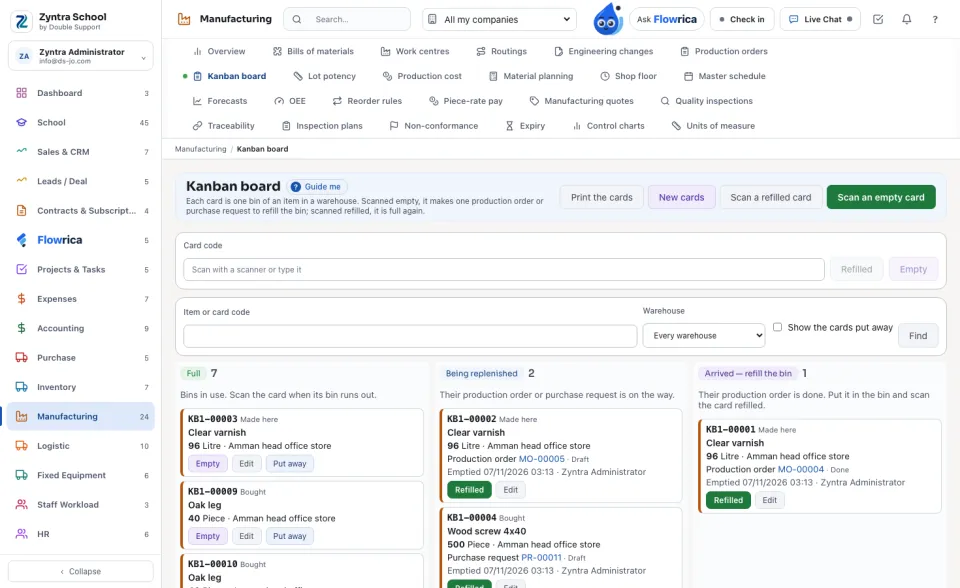
Each card is in its column: Full (a bin in use), Being replenished (its production order or purchase request is on the way, opened from the card) and Arrived — refill the bin (its production order is done). Each card shows its code, its item, what one bin holds and its warehouse.
Make the cards
1
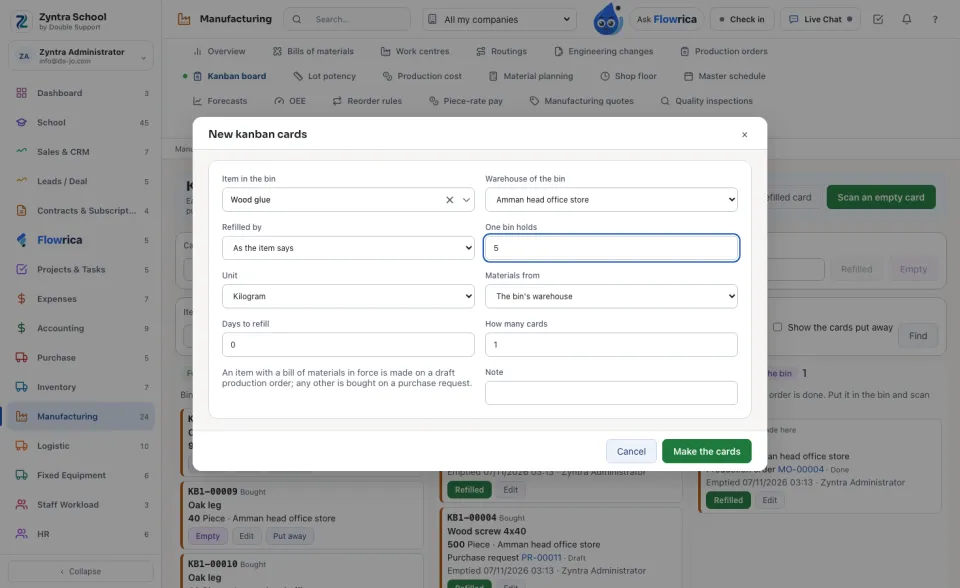
Press New cards. Choose the Item in the bin and the Warehouse of the bin, and type what One bin holds.
2
Choose how it is Refilled by: As the item says (made here when it has a bill of materials in force, else bought), Made here or Bought. For a made item, choose where its Materials from. Type the Days to refill: the document asks for it that many days after the scan.
3
Type How many cards (one a bin) and press Make the cards. Then press Print the cards: each card carries its code as a QR code the camera reads.
Scan a card
1
When a bin runs out, press Scan an empty card and point the device's camera at its card, or scan or type its code in Card code and press Empty. The card makes its document and moves to Being replenished.
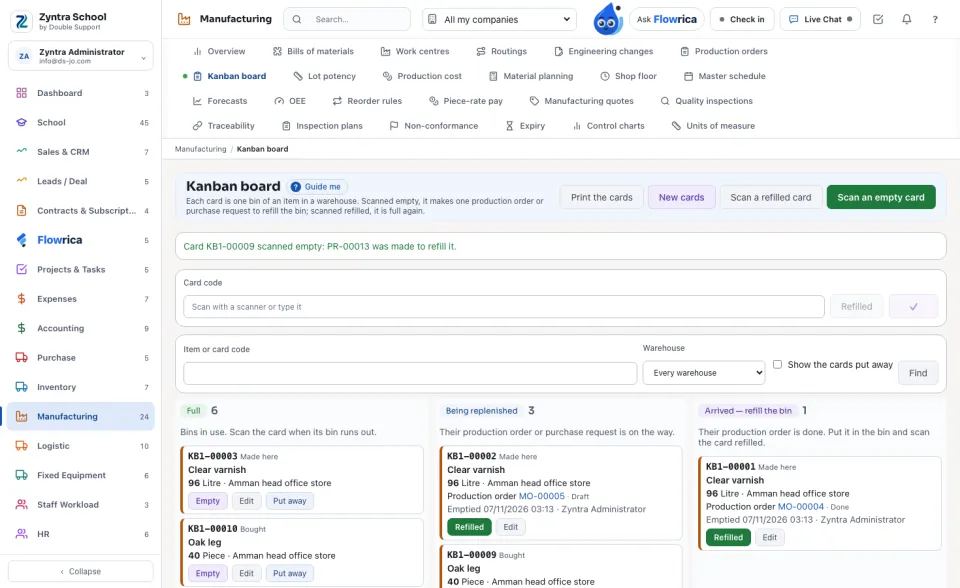
A card scanned empty again while it waits makes nothing new: it says which document already refills it.
2
When the bin is refilled, press Scan a refilled card, or Refilled on the card. It is full again and counts one more refill.
Bins by item
Under the board, each item and warehouse with what one bin holds, how many cards it has, how many are full and how many are on the way, and what is on hand now.
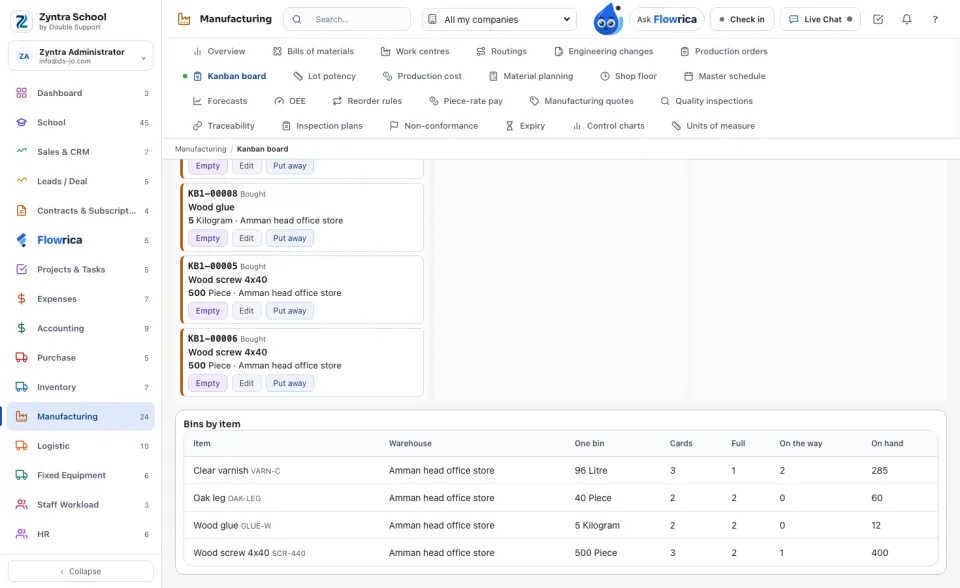
A card is never deleted. A full card is put away with Put away and brought back with Bring back; a card waiting for its document is not put away. Every scan is kept.
Questions
Where is “Kanban board” in Zyntra OS?
Manufacturing › Kanban board
Who can use “Kanban board”?
«Read kanban cards and the board» reads the board and prints the cards. «Set up kanban cards» makes, changes and puts away cards. «Scan a kanban card empty or refilled» scans them.