

 Zyntra OS
 Zyntra Legal
 Zyntra Real Estate
 Zyntra Hotel
 Zyntra E-commerce
 Zyntra Appointments
 Zyntra Repair
 Zyntra Garage
 Zyntra Concierge
 Zyntra Contracting
 Zyntra Clinic
 Zyntra Dental
 Zyntra School
 Zyntra University
 Zyntra Call Center
 Zyntra OTA
Where
Accounting › Money › Vendor paymentsWho
People whose role may see vendor payments. Making, editing and reversing one are rights of their own.1
Press + Vendor payment and choose the Vendor by typing part of the name. The vendor's bills that still owe are listed under Bills it pays.
2
Fill the Amount paid, the Payment mode and the Reference. Out of is the payment mode's own account unless you choose another bank or cash account of the company.
3
Under Pays give what this payment pays on each bill, or press Pay every bill in full. Applied to bills and Held as an advance say how the amount is split; the advance waits on the Advance account.
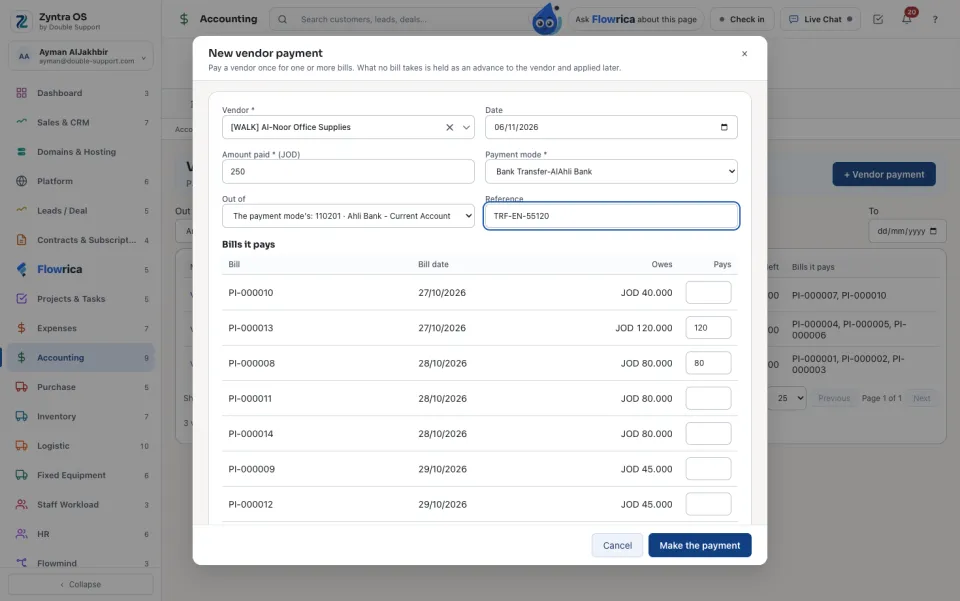
4
Press Make the payment. Each bill it pays is paid, and the payment opens: PDF or PDF (Arabic) prints it, Add a file keeps the transfer slip with it.
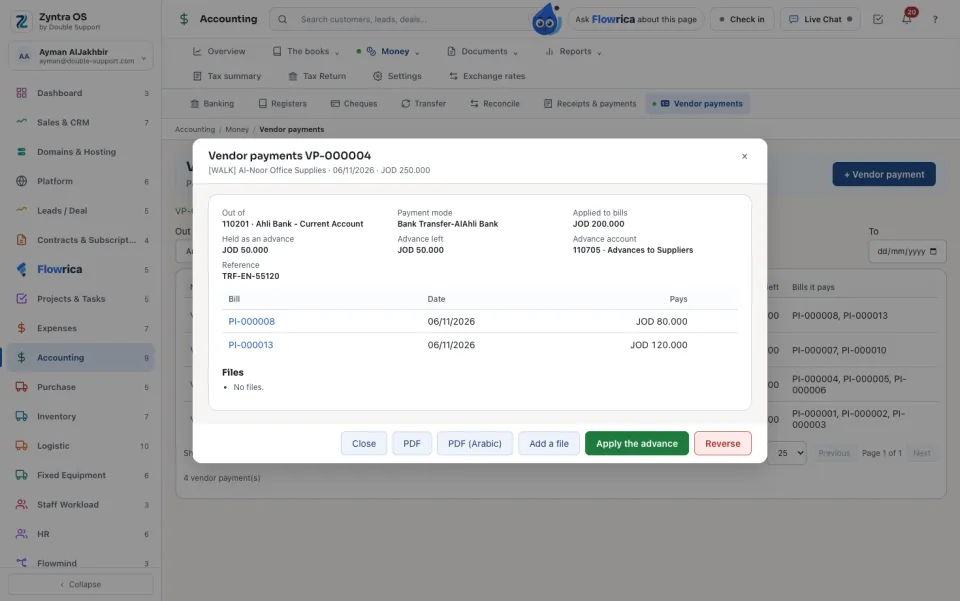
5
When a new bill of the same vendor comes, open the payment and press Apply the advance: choose the Bill and what it takes. No money moves again.
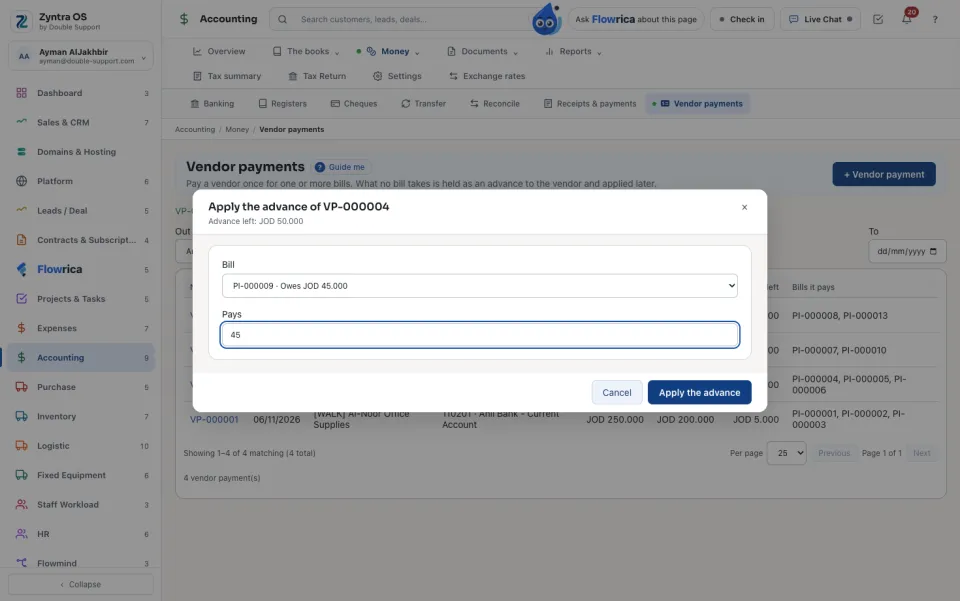
The list shows every vendor payment: Number, Date, Vendor, Out of, Amount paid, Applied to bills, Advance left and the bills it paid. The vendor's statement shows the payment, and the advance as money the vendor holds.
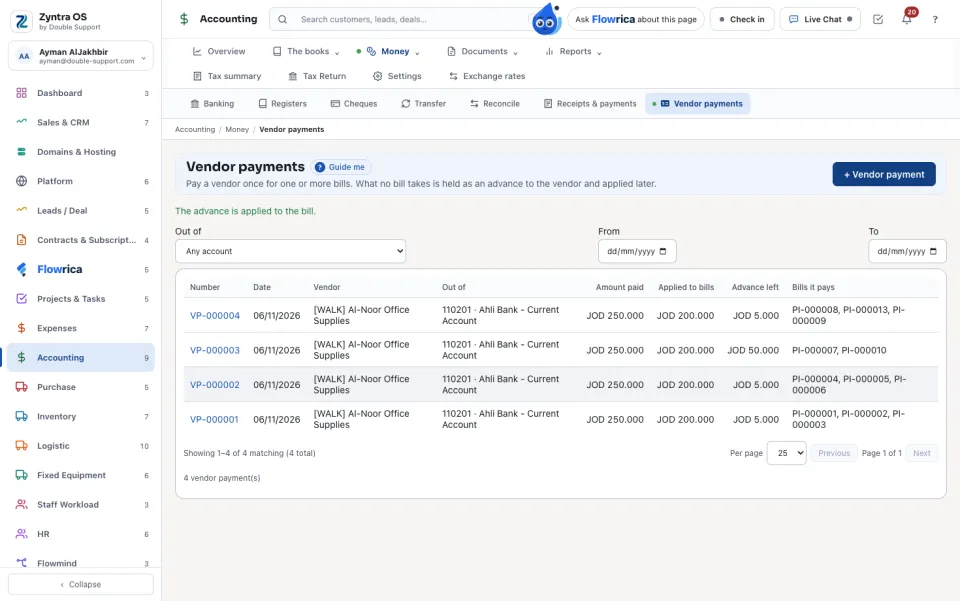
Reverse in an open payment asks Why it is reversed: every bill it paid owes again and its advance is taken back, each by a second entry dated today. Nothing is deleted.
Recording a payment on an invoice or on a bill, and Pay bills, carry the same Bank or cash account box: empty, the money moves through the payment mode's account as before.
With Flowrica: press Guide me and she points at + Vendor payment. The press is yours.
Questions
Where is “Vendor payments” in Zyntra OS?
Accounting › Money › Vendor payments
Who can use “Vendor payments”?
People whose role may see vendor payments. Making, editing and reversing one are rights of their own.