

 Zyntra OS
 Zyntra Legal
 Zyntra Real Estate
 Zyntra Hotel
 Zyntra E-commerce
 Zyntra Appointments
 Zyntra Repair
 Zyntra Garage
 Zyntra Concierge
 Zyntra Contracting
 Zyntra Clinic
 Zyntra Dental
 Zyntra School
 Zyntra University
 Zyntra Social
 Zyntra Call Center
 Zyntra OTA
Where
HR › HR Payroll › Payslips › Payslip templateWho
Anyone allowed to manage payroll.1
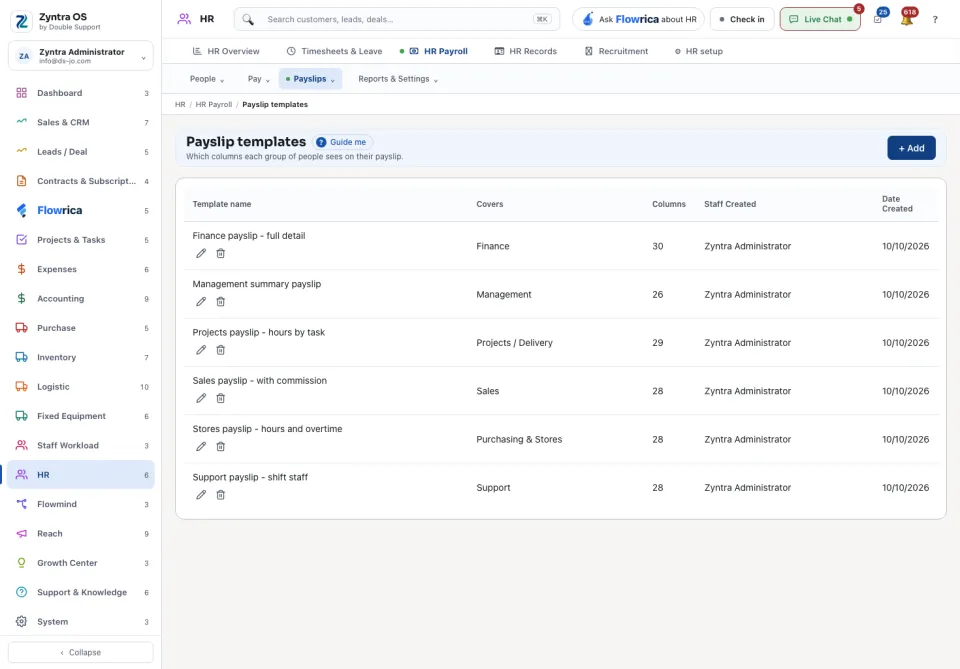
Press + Add.
2
Name the template, choose the columns it shows, and choose who it covers: a department, a role or named people.
3
Save. Those people's payslips then show the template's columns.
With no template, every payslip shows the columns chosen in Payslip columns.
+ Add is shown to people who hold «HR payroll PDF payslip templates · Create», Edit on a row to those who hold its Edit, and the bin to those who hold its Delete.
Questions
Where is “Payslip templates” in Zyntra OS?
HR › HR Payroll › Payslips › Payslip template
Who can use “Payslip templates”?
Anyone allowed to manage payroll.