Zyntra OS
 Zyntra Legal
 Zyntra Real Estate
 Zyntra Hotel
 Zyntra E-commerce
 Zyntra Appointments
 Zyntra Repair
 Zyntra Garage
 Zyntra Concierge
 Zyntra Contracting
 Zyntra Clinic
 Zyntra Call Center
 Zyntra OTA
Where
Sales & CRM › Setup › SettingsWho
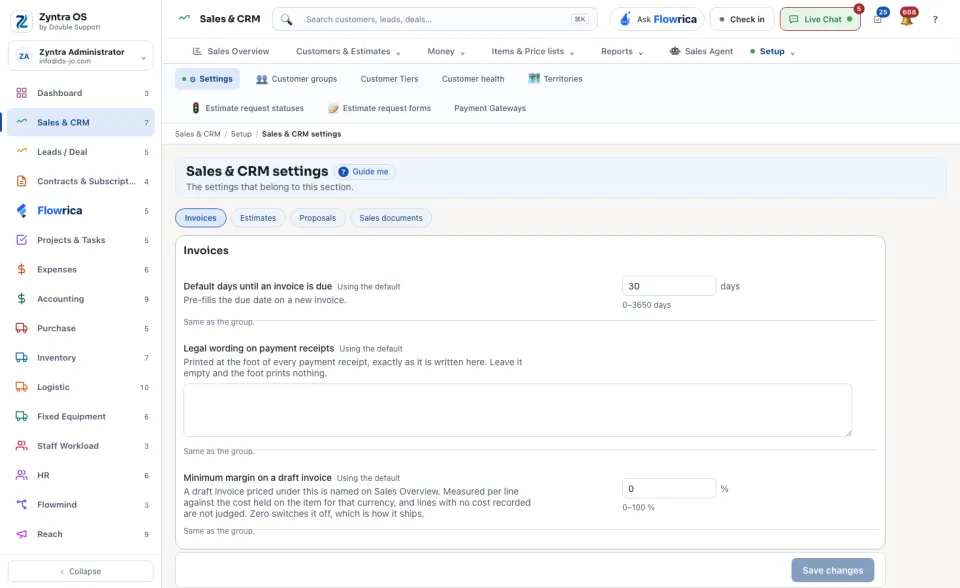
Anyone allowed to see this screen.The settings are grouped under Invoices, Estimates, Proposals and Sales documents. Each one explains itself in a line under its name and says Using the default until you change it; for example Default days until an invoice is due fills the due date on a new invoice. Change what you need and press Save changes.
Under Document numbering each document (invoice, credit note, estimate, proposal, payment receipt) has a default shape: its Prefix, Digits and Number format, and when to Restart the count. Each company keeps its own series; the table shows the number it has used up to and its Next number. An empty box follows the default. Each row has its own Save.