

 Zyntra OS
 Zyntra Legal
 Zyntra Real Estate
 Zyntra Hotel
 Zyntra E-commerce
 Zyntra Appointments
 Zyntra Repair
 Zyntra Garage
 Zyntra Concierge
 Zyntra Contracting
 Zyntra Clinic
 Zyntra Dental
 Zyntra School
 Zyntra University
 Zyntra Social
 Zyntra Call Center
 Zyntra OTA


Where
Sales & CRM › Reports › SalesWho
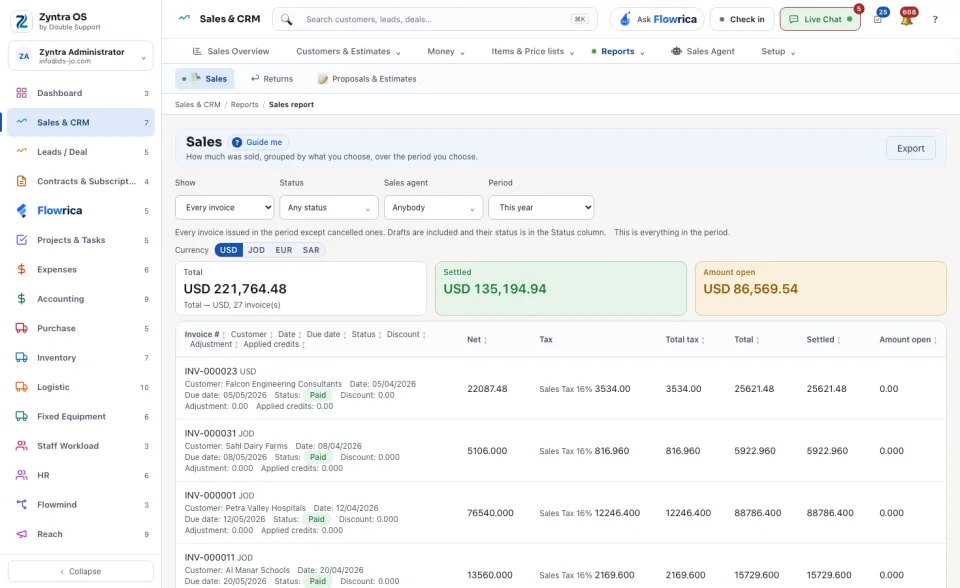
Anyone allowed to see this screen.Under Show, choose every invoice or totals grouped by what you pick. Narrow by Status, Sales agent and Period, and choose the Currency. Three figures then stand above the table: the Total, what is Settled and the Amount open. The table lists each invoice with its dates, status, discount, tax and totals. Export downloads it.
Each currency, each customer, what was received
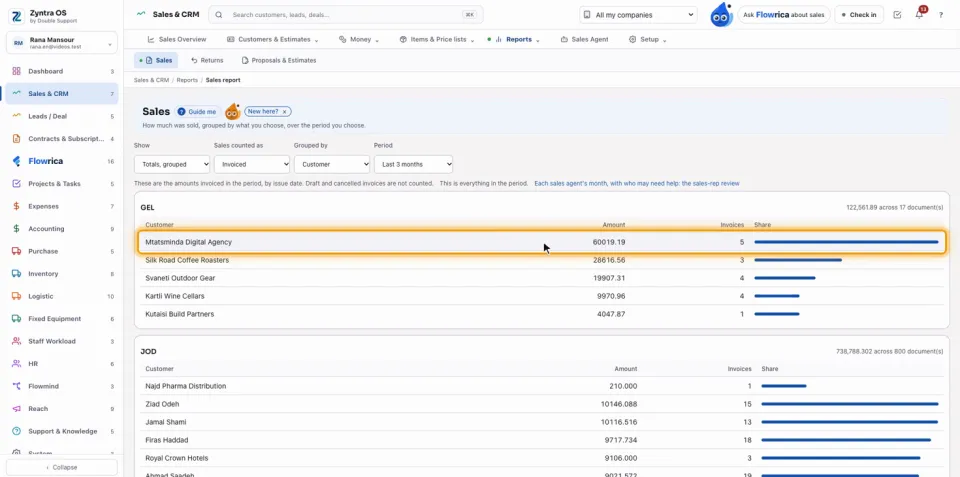
Each currency has its own figures: press USD above the figures to see your sales in dollars, then JOD to go back. To see who bought the most, choose a Period (Last 3 months, for example), under Show choose Totals, grouped, and under Grouped by choose Customer: each customer's amount, invoices and share of your sales, worked out from the invoices themselves.
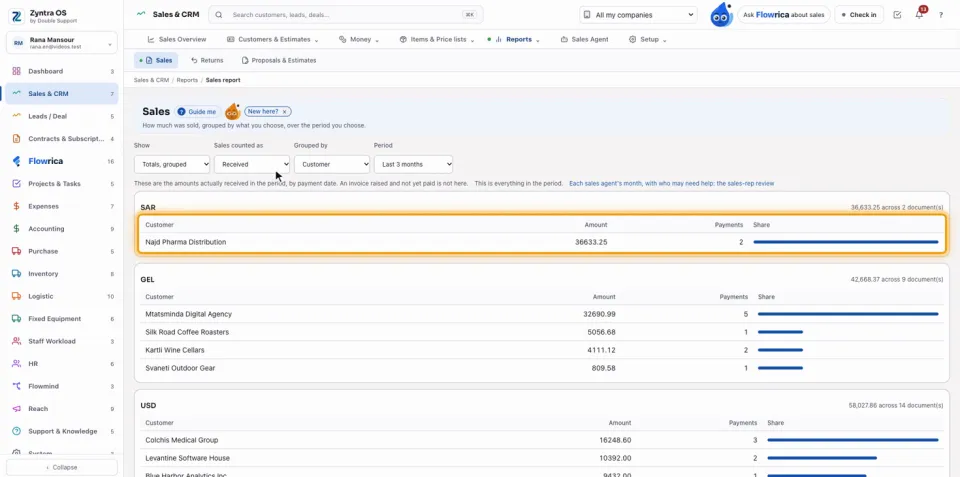
Under Sales counted as choose Received to see what was actually collected: the figures become the amounts received in the period.
Each sales agent, and who may need help
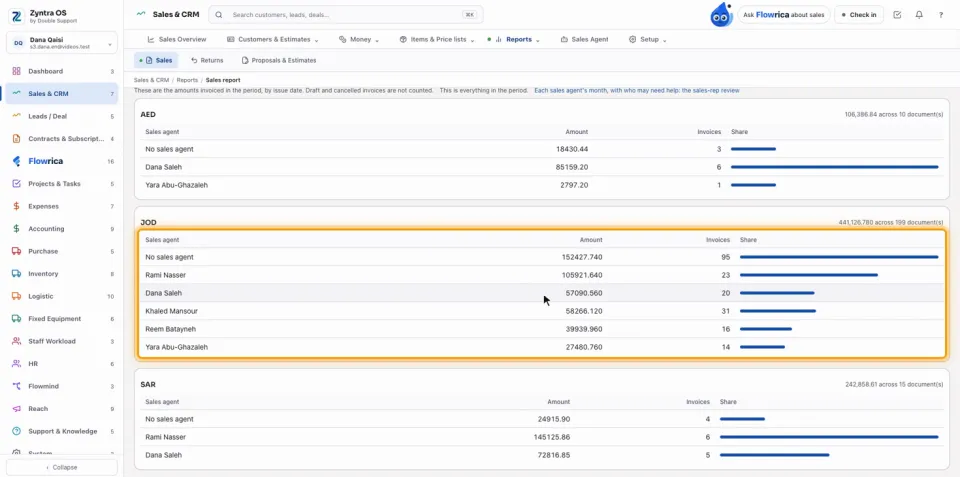
Under Show choose Totals, grouped and under Grouped by choose Sales agent: what each agent invoiced, how many invoices, and their share, each currency on its own. Invoices that name no agent sit together on the No sales agent row.
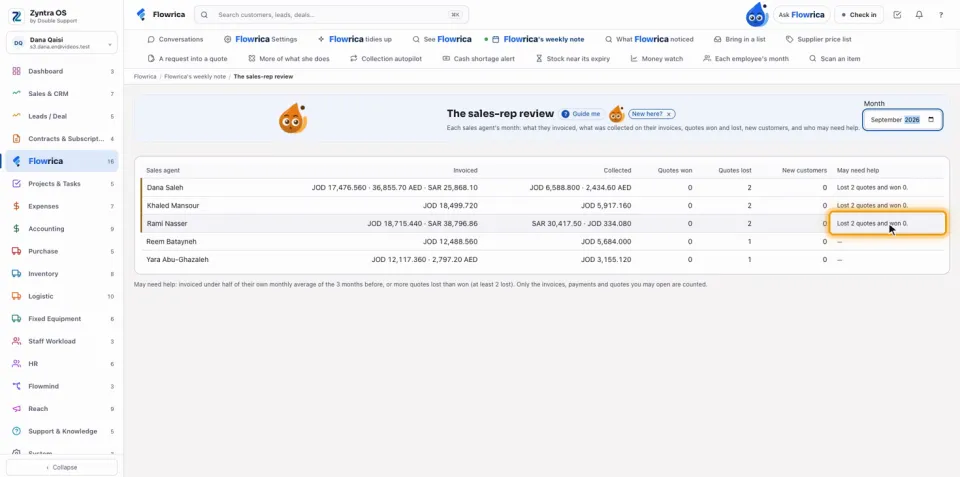
The line above the figures ends with a link: Each sales agent's month, with who may need help: the sales-rep review. It opens The sales-rep review, which Flowrica writes by herself each month (it is also under Flowrica › Flowrica's weekly note). Choose the Month to review.
| Column | What it shows |
|---|---|
| Sales agent | Each agent named on the month's invoices or quotes. |
| Invoiced | What the agent invoiced in the month, each currency on its own. |
| Collected | What was collected on the agent's invoices. |
| Quotes won / Quotes lost | The agent's quotes that were won and lost. |
| New customers | The customers the agent brought in the month. |
| May need help | Flowrica's reason, for example Lost 2 quotes and won 0. An agent who needs no help shows —. |
Questions
Where is “Sales report” in Zyntra OS?
Sales & CRM › Reports › Sales
Who can use “Sales report”?
Anyone allowed to see this screen.