

 Zyntra OS
 Zyntra Legal
 Zyntra Real Estate
 Zyntra Hotel
 Zyntra E-commerce
 Zyntra Appointments
 Zyntra Repair
 Zyntra Garage
 Zyntra Concierge
 Zyntra Contracting
 Zyntra Clinic
 Zyntra Dental
 Zyntra School
 Zyntra University
 Zyntra Call Center
 Zyntra OTA
Zyntra OS features
Tickets, live chat and a help centre your customers can read
Every question your customers ask reaches one desk — from email, the website, the portal or Outlook — with its service level counted, and the answers you write once are read by your website, your portal and Flowrica.
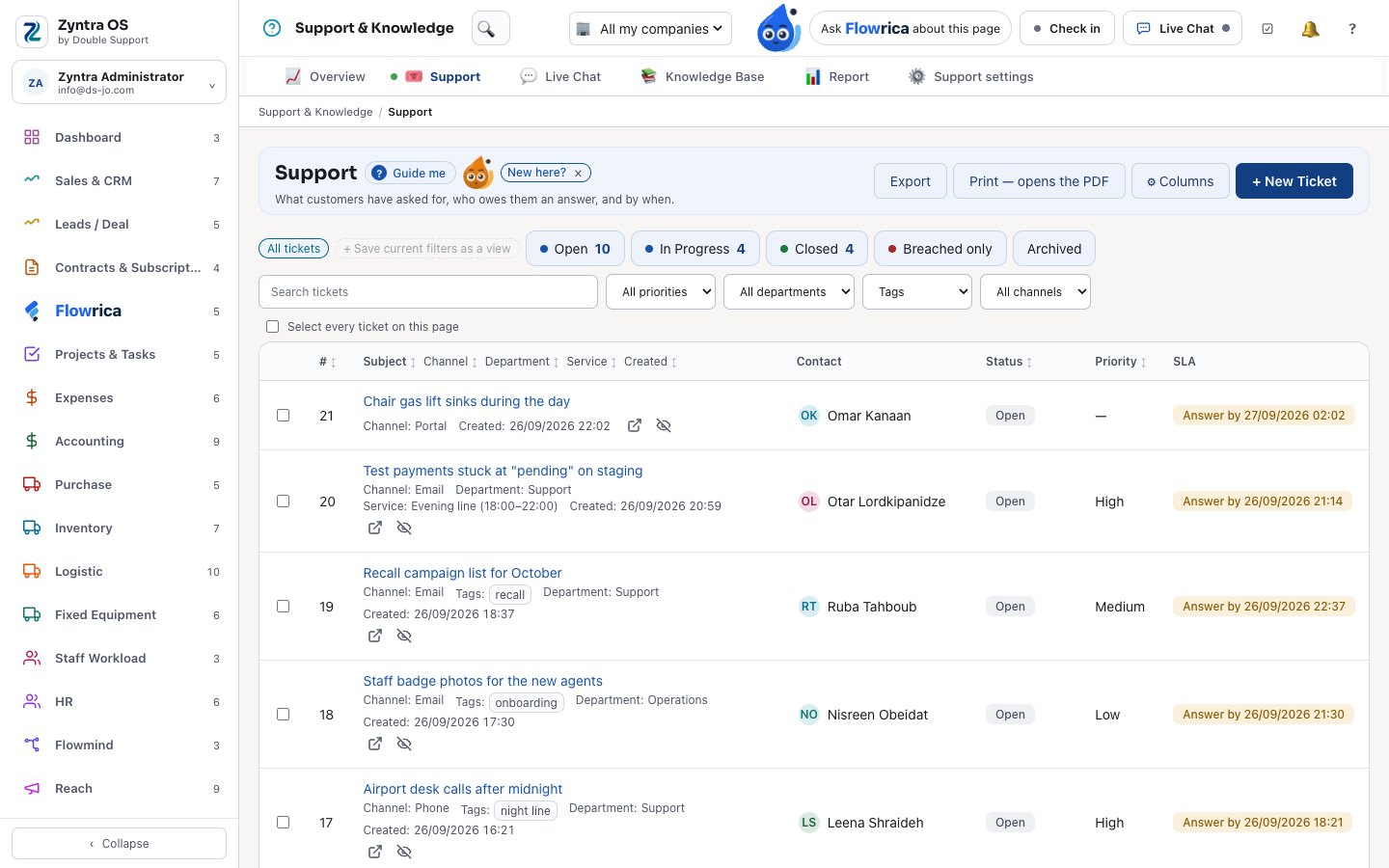
Part of Zyntra OS
Customers find their answer before they open a ticket
One rule for the portal's articles, the new-ticket form and Flowrica in the portal — fewer tickets, and staff-only articles never show.
- The new-ticket form suggests the articles that answer it, by the same rule as the portal
- Service levels in three layers: the customer's tier, then department and priority, then the default
- A closed ticket sends its satisfaction survey by itself, once
- Triage from your own past tickets: department, urgency and the agent with the fewest open — nothing sent outside
- Call Center calls sit on the ticket
Support & Knowledge
Support & Knowledge
Tickets, live chat and a public help centre.
- Tickets with service levels, triage and a spam filter
- Tickets opened from your mailboxes, with a log of every mail read
- Automation rules that escalate a ticket, and a warning when a colleague is already replying to it
- Live chat on your website and in the client portal; a visitor becomes a lead
- A knowledge base with a public help centre — search and votes — and articles kept for staff only
- The same articles read by your website, your portal and Flowrica
- With Flowrica Advance, a ticket summarised and a reply suggested — you check it and send it
- An Outlook add-in: the sender’s records beside the email, the email logged to a ticket
- Support and knowledge base reports
Zyntra OS support desk
Does Zyntra OS have a help desk with tickets and live chat?
Yes. Tickets with service levels, triage and a spam filter, tickets from your mailboxes, live chat on your website and in the client portal, and a knowledge base with a public help centre. Support & Knowledge.
Can my customers read a help centre in Zyntra OS?
Yes. Public articles are read in your help centre, on your website and in the portal, with search and votes; articles kept for staff are never shown to a customer. Support & Knowledge.
How to use it, step by step
Every topic of the user guide for this part of Zyntra OS, with pictures of the real screens.
See it with your own work
Ask for a demo and our team will show you this part of Zyntra OS, in your language — Arabic too.