

 Zyntra OS
 Zyntra Legal
 Zyntra Real Estate
 Zyntra Hotel
 Zyntra E-commerce
 Zyntra Appointments
 Zyntra Repair
 Zyntra Garage
 Zyntra Concierge
 Zyntra Contracting
 Zyntra Clinic
 Zyntra Dental
 Zyntra School
 Zyntra University
 Zyntra Call Center
 Zyntra OTA
Zyntra OS features
A factory run in the same system as its sales, stock and books
From the bill of materials to the finished lot: plan what to buy and make, run each order on the floor, check its quality, trace every lot and know what each order really cost — posted to the books as it happens.
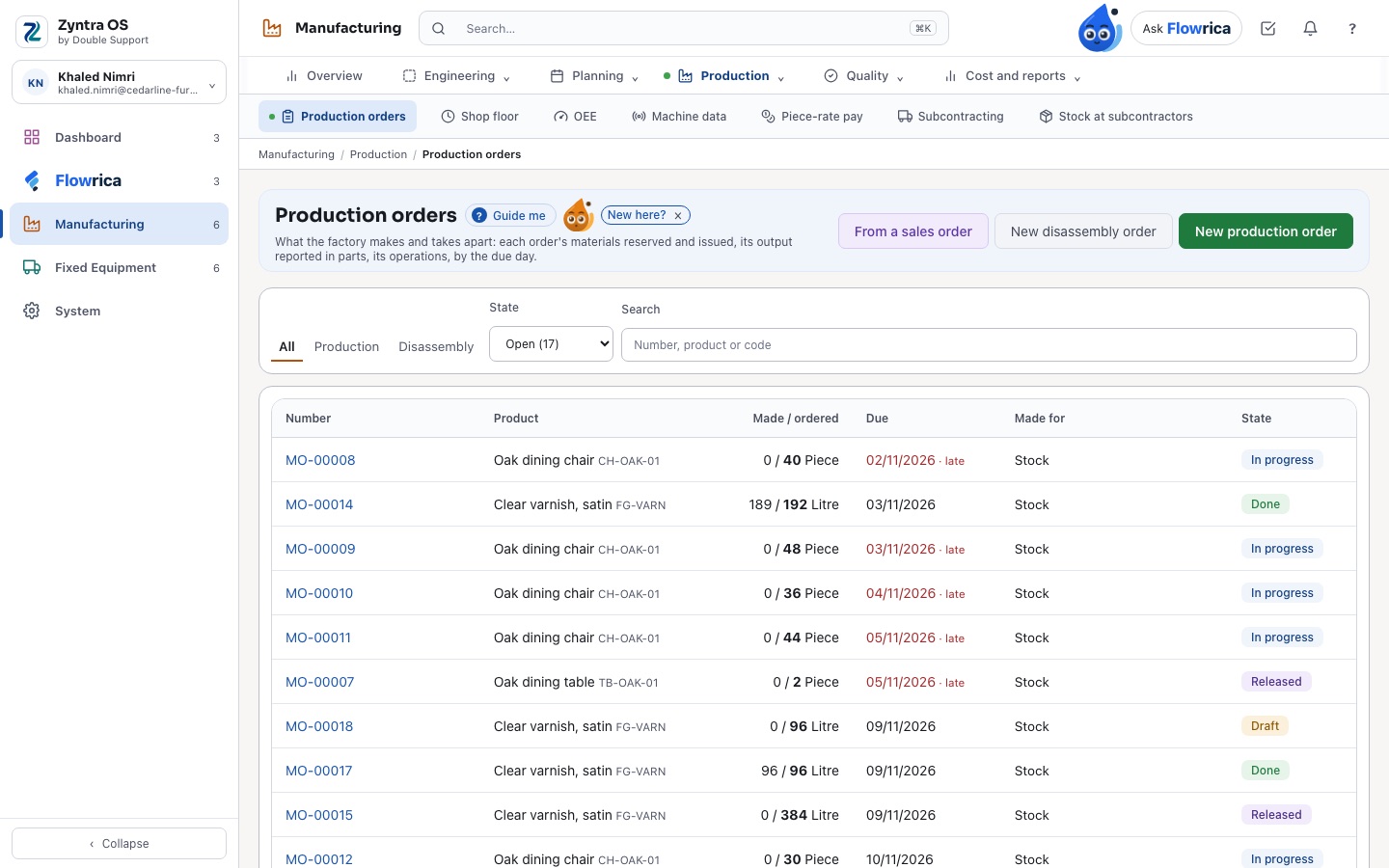
What sets Zyntra OS manufacturing apart
Real screens of a sample furniture factory. Each part works on the same items, warehouses, people and books as the rest of Zyntra OS.
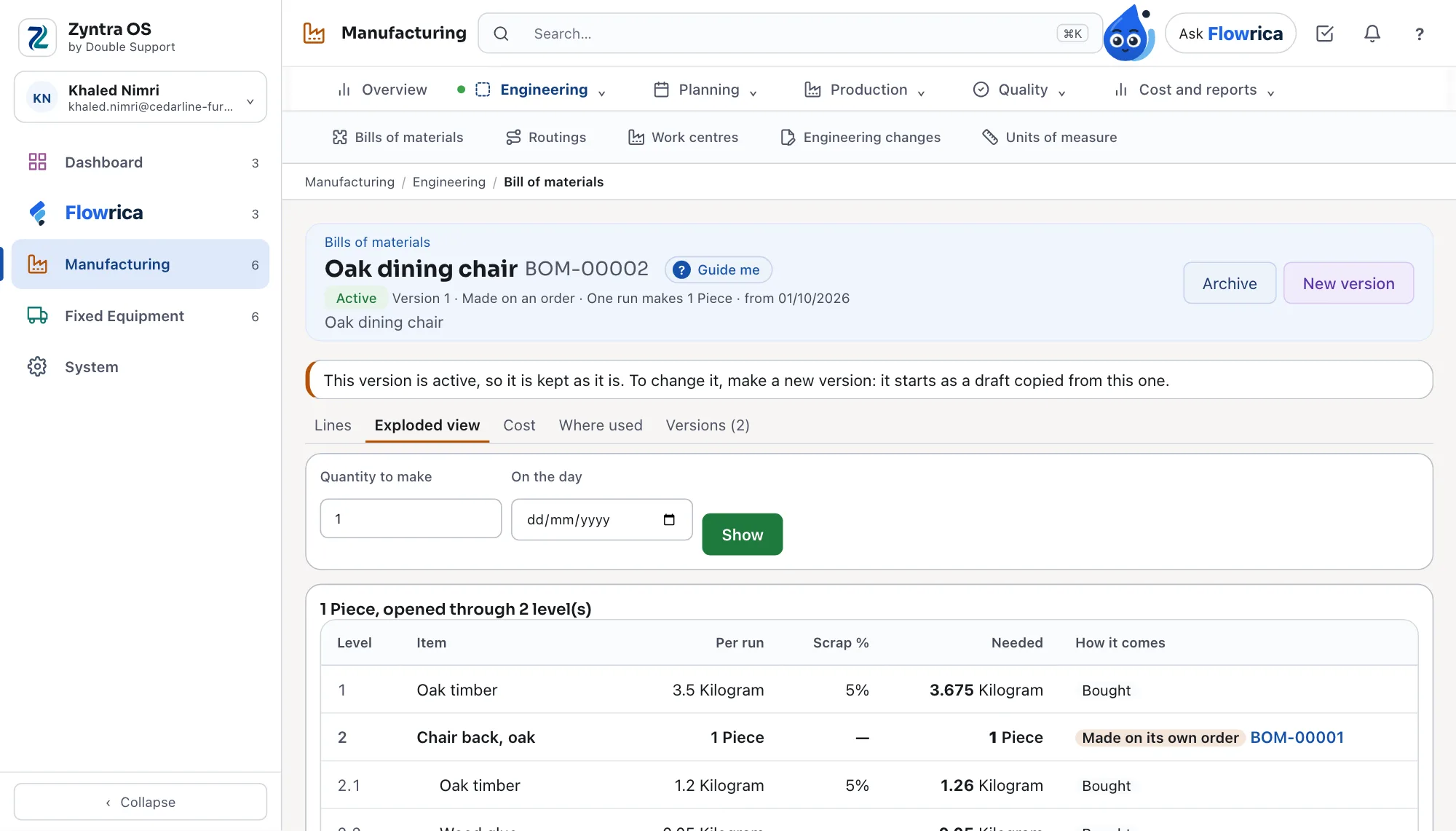
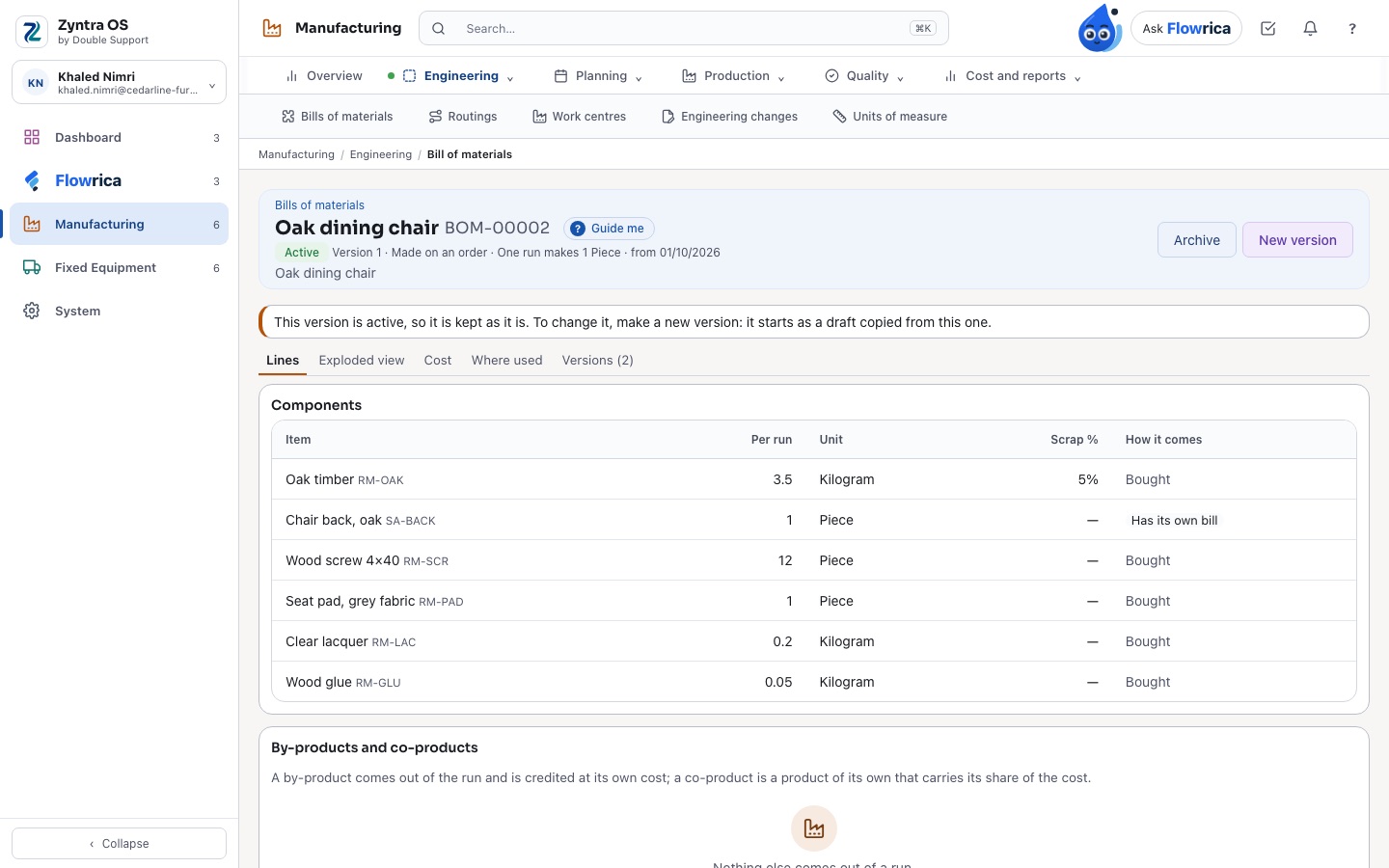
A bill of materials you can open level by level
What a product is made of, down to the last screw, before you make one.
- Versions: a draft, the active one, the archived ones — an active version is kept as it is, and a change starts as a new draft copied from it
- Each line with its quantity per run, its unit, its scrap percentage and how it comes: bought, made on its own bill or on its own order
- The exploded view through every level for any quantity, the cost of the bill, and where each item is used
- By-products and co-products, such as the sawdust a cut leaves
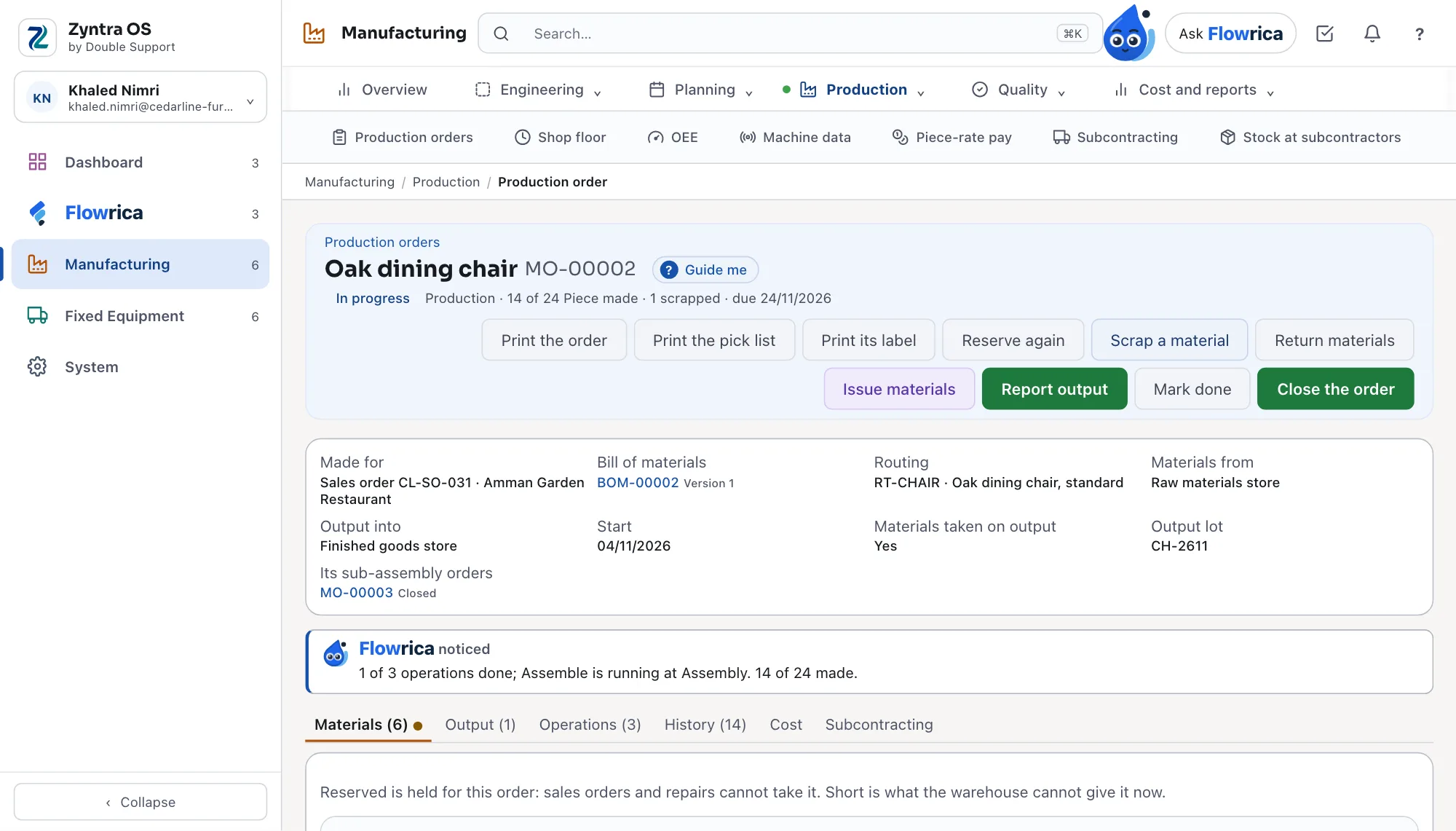
A production order that tells you where it is
Flowrica reads the order with you: what is done, what is running and what is short.
- Flowrica on the order — «1 of 3 operations done; Assemble is running at Assembly. 14 of 24 made.» — and why it is late when it is
- Each material required, reserved, issued, scrapped, free and short, with the lots on the shelf and their expiry
- Made for a sales order, a project or stock; its sub-assembly orders linked to it
- Materials taken on output, the soonest expiry first, and an expired lot skipped
- The order, its pick list and its label printed from the order itself
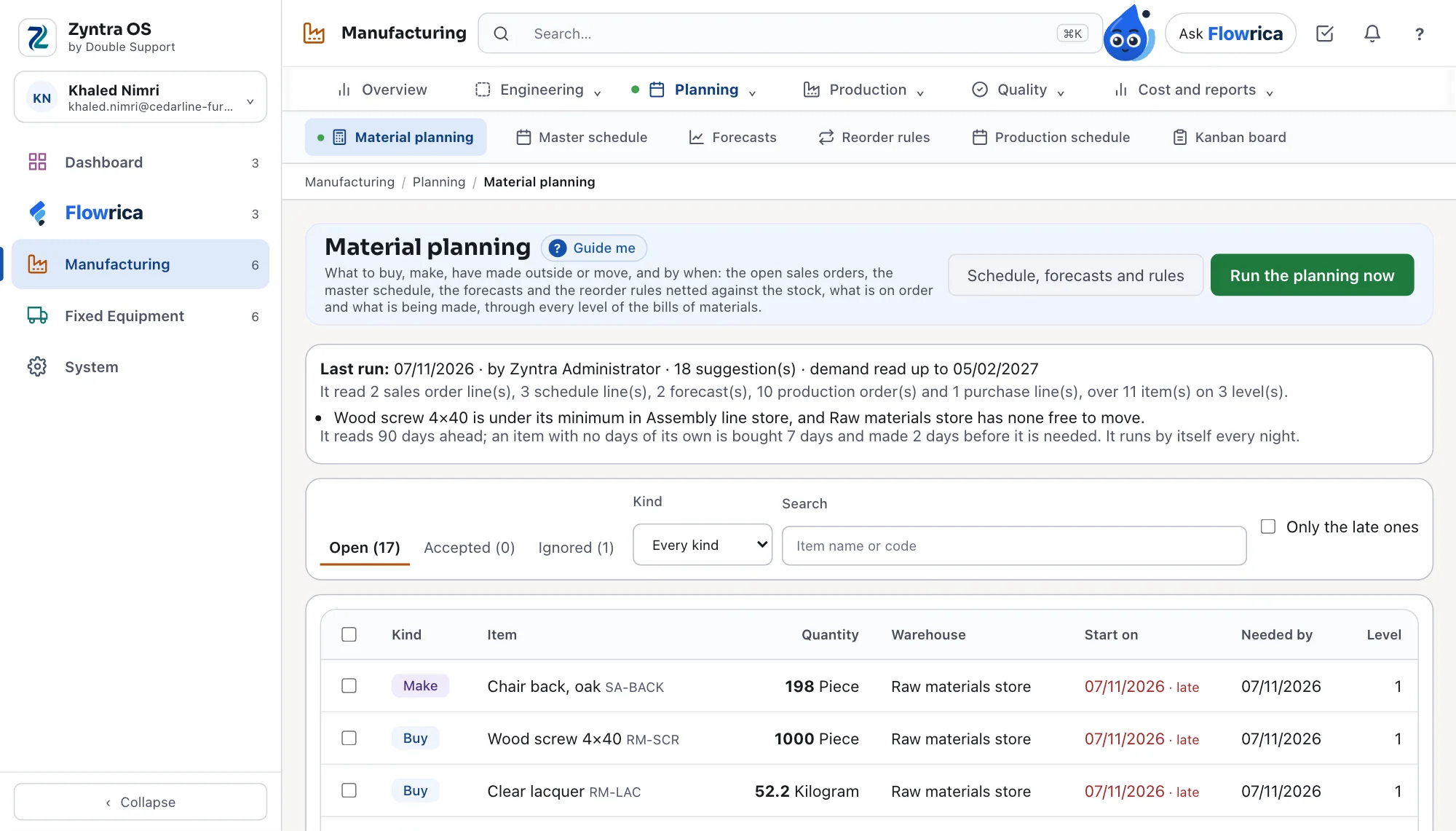
Material planning that says why
What to buy, make, have made outside or move — and by when — with what the plan read written above it.
- It reads the open sales orders, the master schedule, the forecasts and the reorder rules, against stock, what is on order and what is being made
- Through every level of the bills, by warehouse, with the late ones marked
- Each run says what it read and what it found — «Wood screw is under its minimum in the assembly line store»
- Accept a suggestion to make the order or the purchase request, or ignore it; the plan runs by itself every night
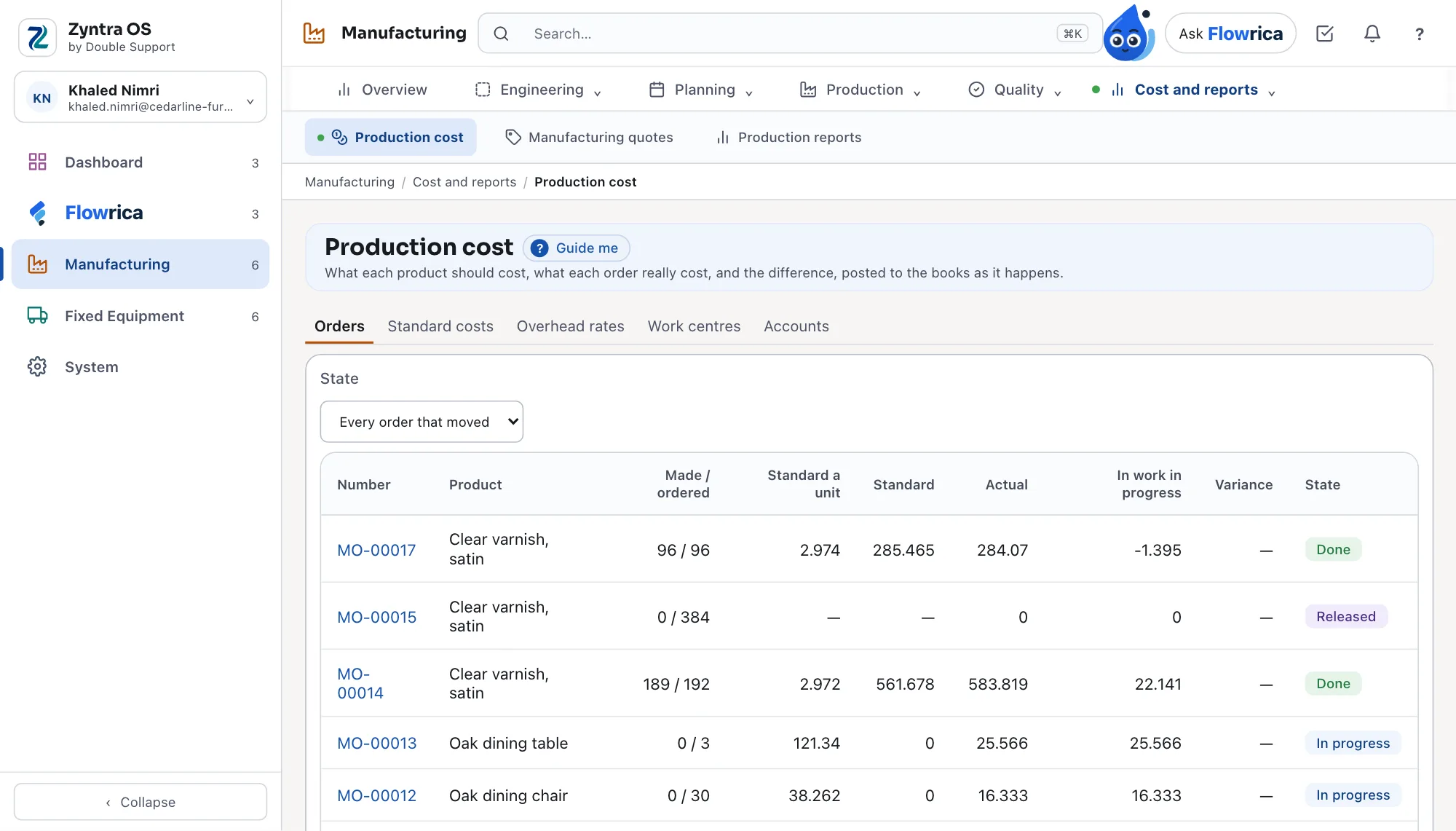
A tablet on every work centre
The floor records its own work, as it happens, in the operator’s language.
- Operators sign in with a PIN or a badge; the work centre’s queue shows what to do next
- Set-up, start, pause with its reason, good and scrap with its reason, finish — or scan an order’s label
- Each tablet has its own key, made by the foreman and changed when needed
- The counts feed the order, OEE and piece-rate pay
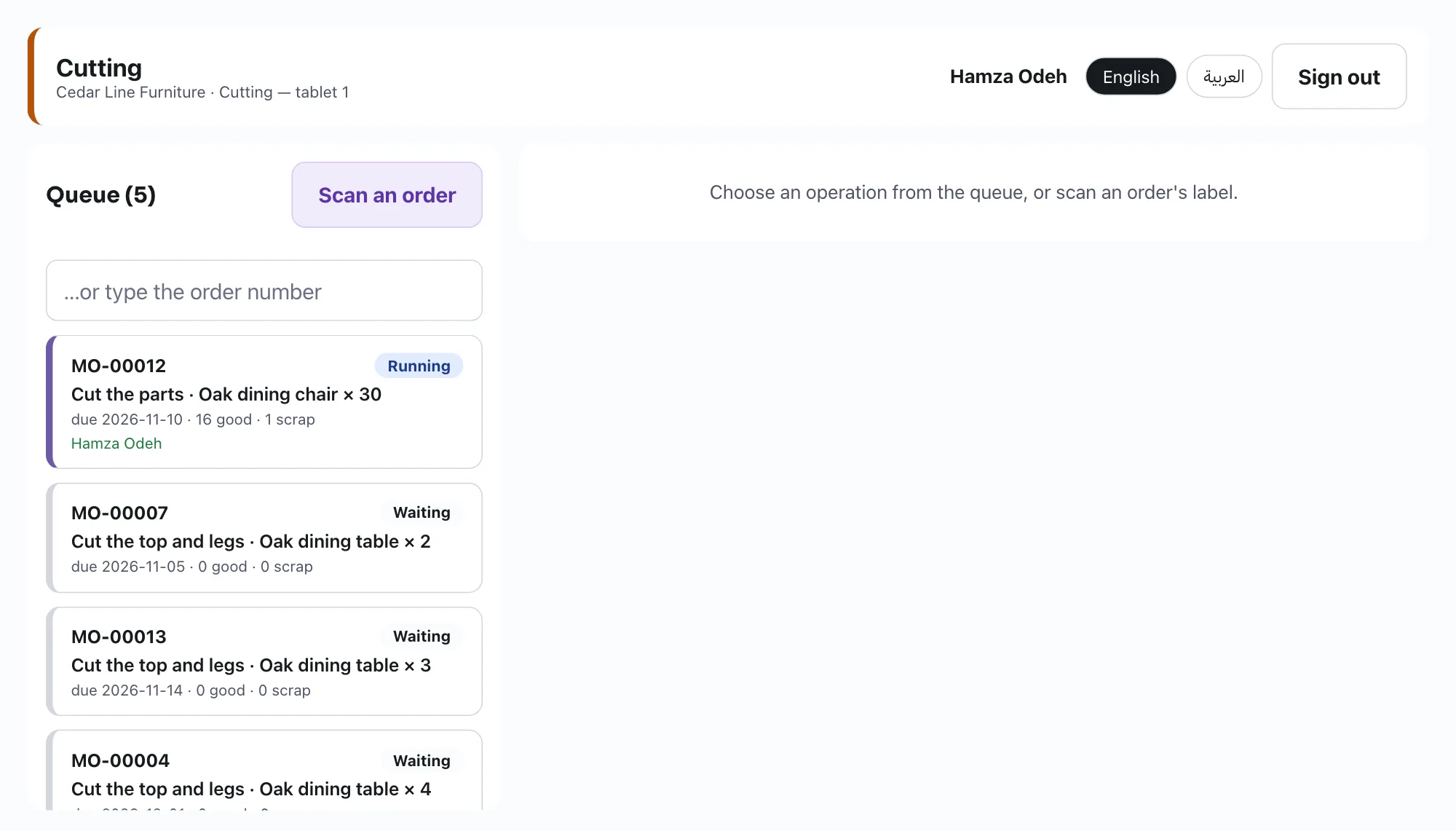
OEE for each machine, day by day
Not a feeling about the floor: how much each machine really gave.
- Availability × performance × quality, from the hours it was meant to run, its stops and its counts
- By work centre and by dates, and day by day for each machine
- The hours down said beside each figure
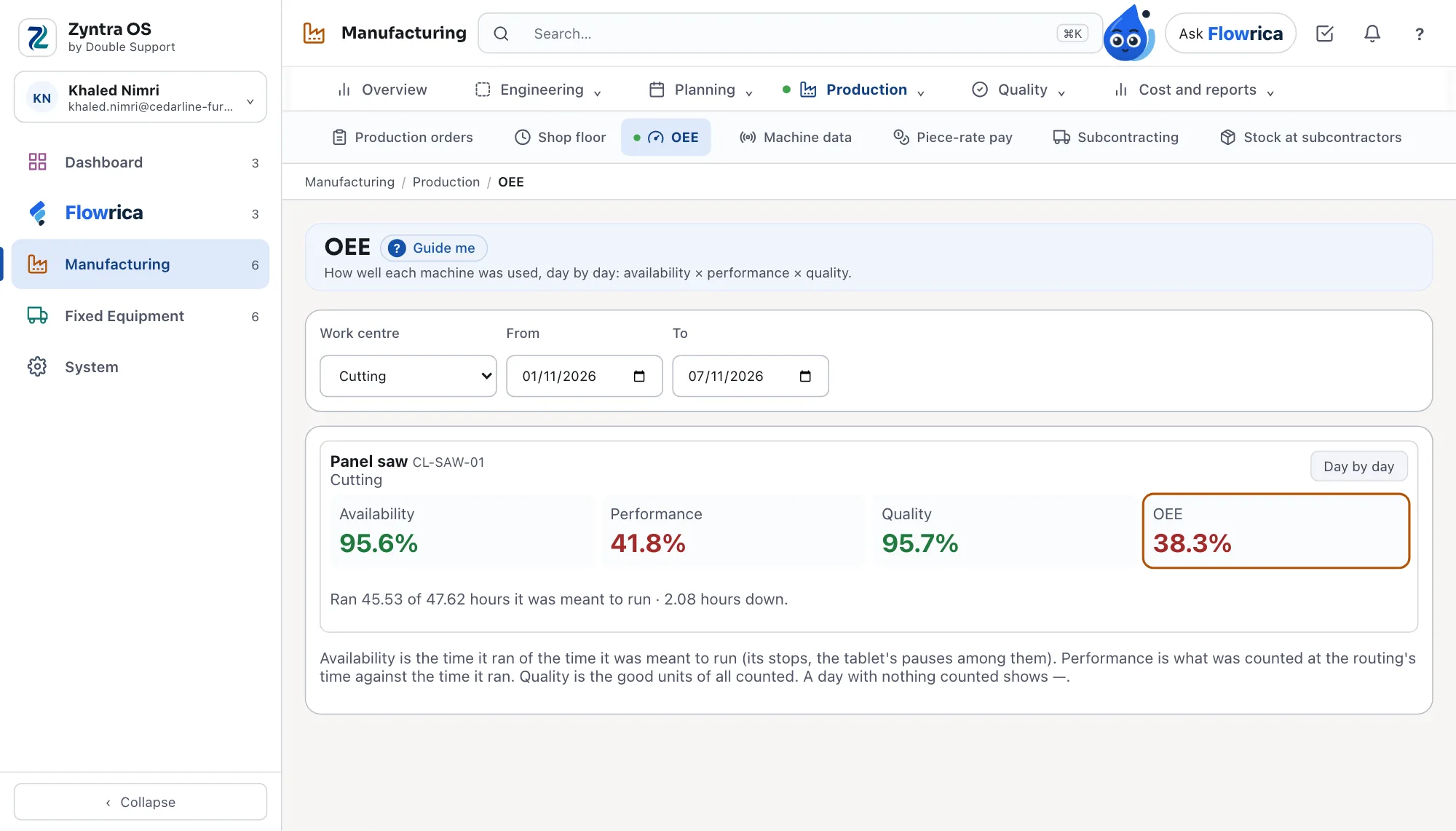
Machines that report themselves
A machine sends its counts, its run or stop state and its energy; nobody types them.
- Each machine is an asset of the company, registered with its serial number and a secret shown once and kept hashed
- Its counts go to the shop floor counts and OEE; a stop it sends is a breakdown on the asset
- Energy per machine per day, in kWh
- A reading sent twice is kept once; nothing is ever sent to a machine
- Preventive maintenance plans by date or by meter, breakdowns and planned stops, and repairs with their spare parts
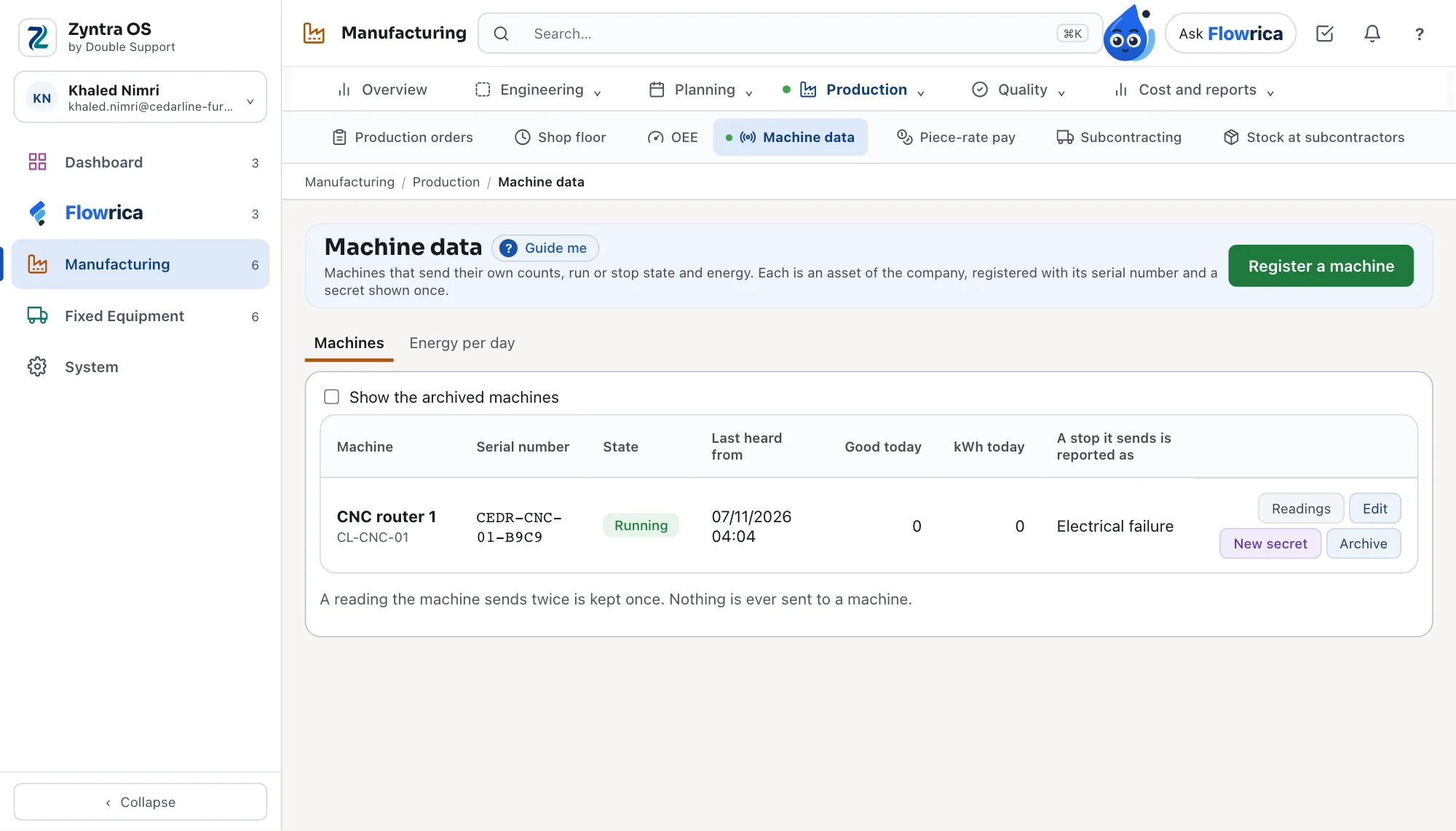
What each order really cost
The standard, the actual and the difference — in the books, not in a spreadsheet beside them.
- A standard cost per product from its bill and its routing, frozen when you choose
- Each order’s actual materials, machine and labour time and overheads, with its work in progress
- The variance against the standard, posted to the books as it happens
- Overhead rates per work centre by machine hour, labour hour or a share of materials
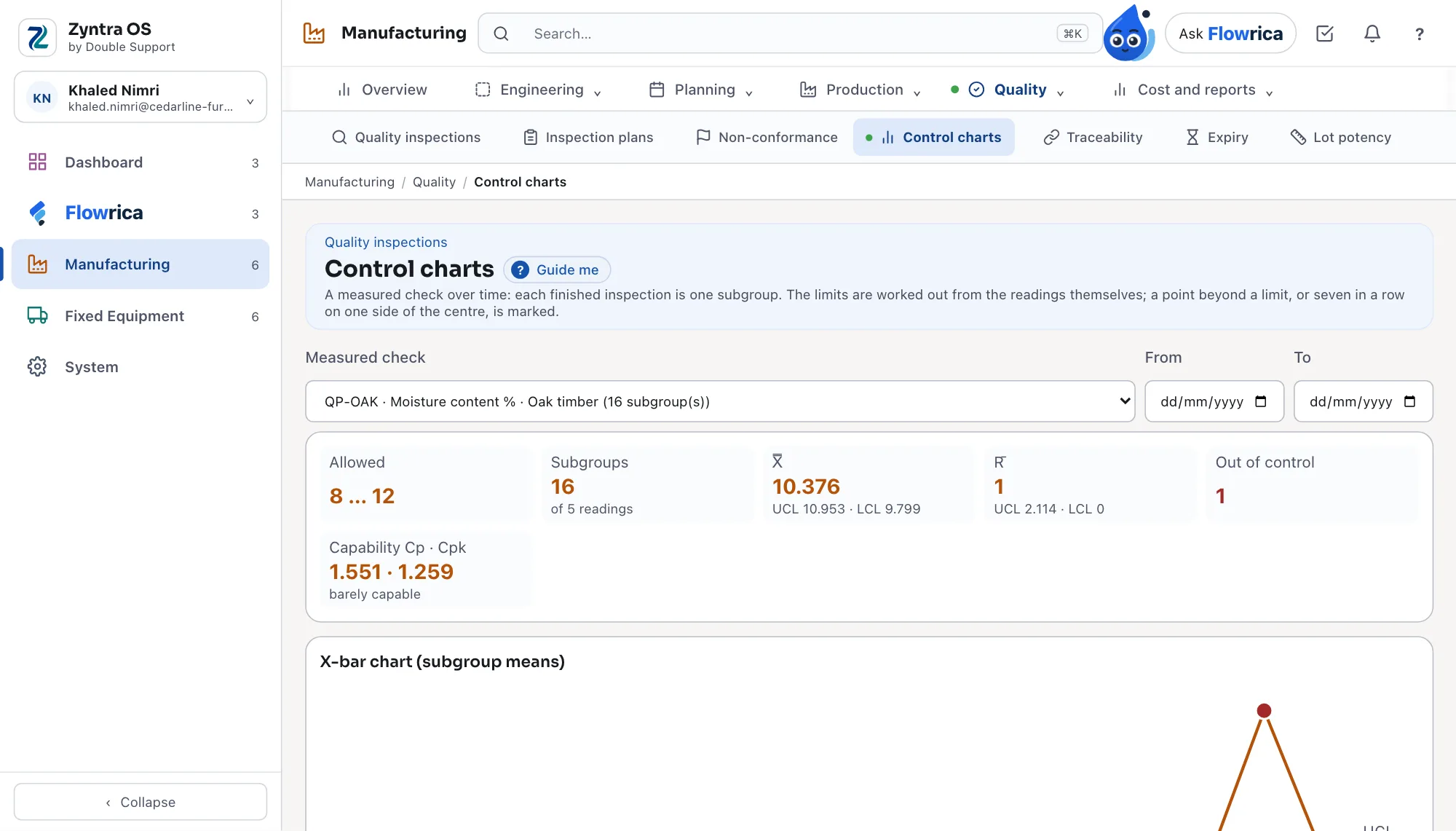
Quality you can see on a chart
Every finished inspection is a point; a process drifting is marked before the lot fails.
- Inspection plans on receipts and on production; a lot that fails is held in quarantine
- X-bar and R charts with their limits worked out from the readings themselves
- A point beyond a limit, or seven in a row on one side of the centre, is marked
- Cp and Cpk said in words — capable, barely capable or not
- Non-conformances with their actions, and a certificate of analysis for a lot
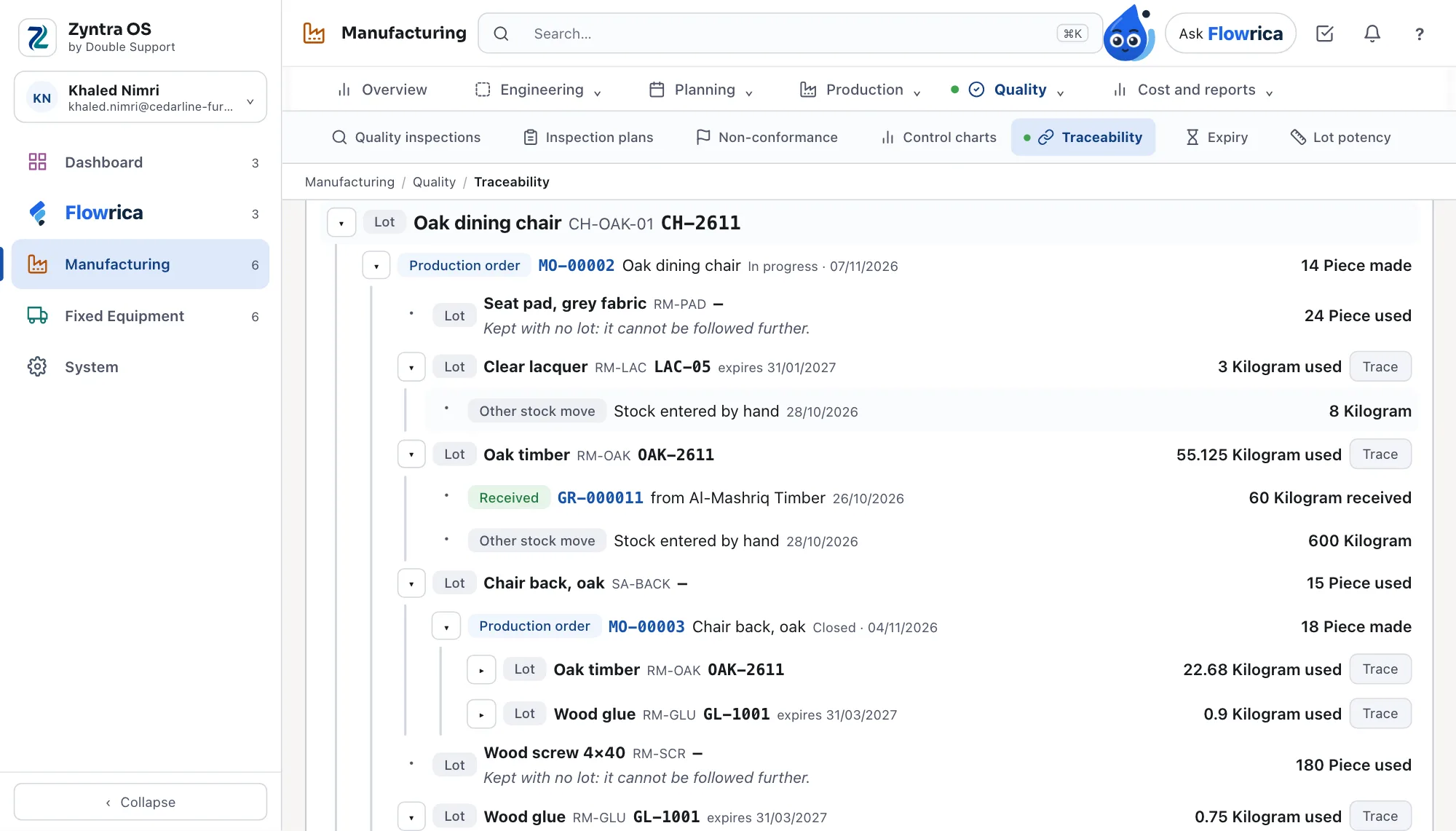
Every lot traced both ways
When a supplier calls about a bad lot, you know in one screen which products and which customers it reached.
- A lot or serial number, backward to every component lot, supplier and receipt it came from
- Forward to every product lot made from it and every customer it reached
- Found by typing it or by scanning its label
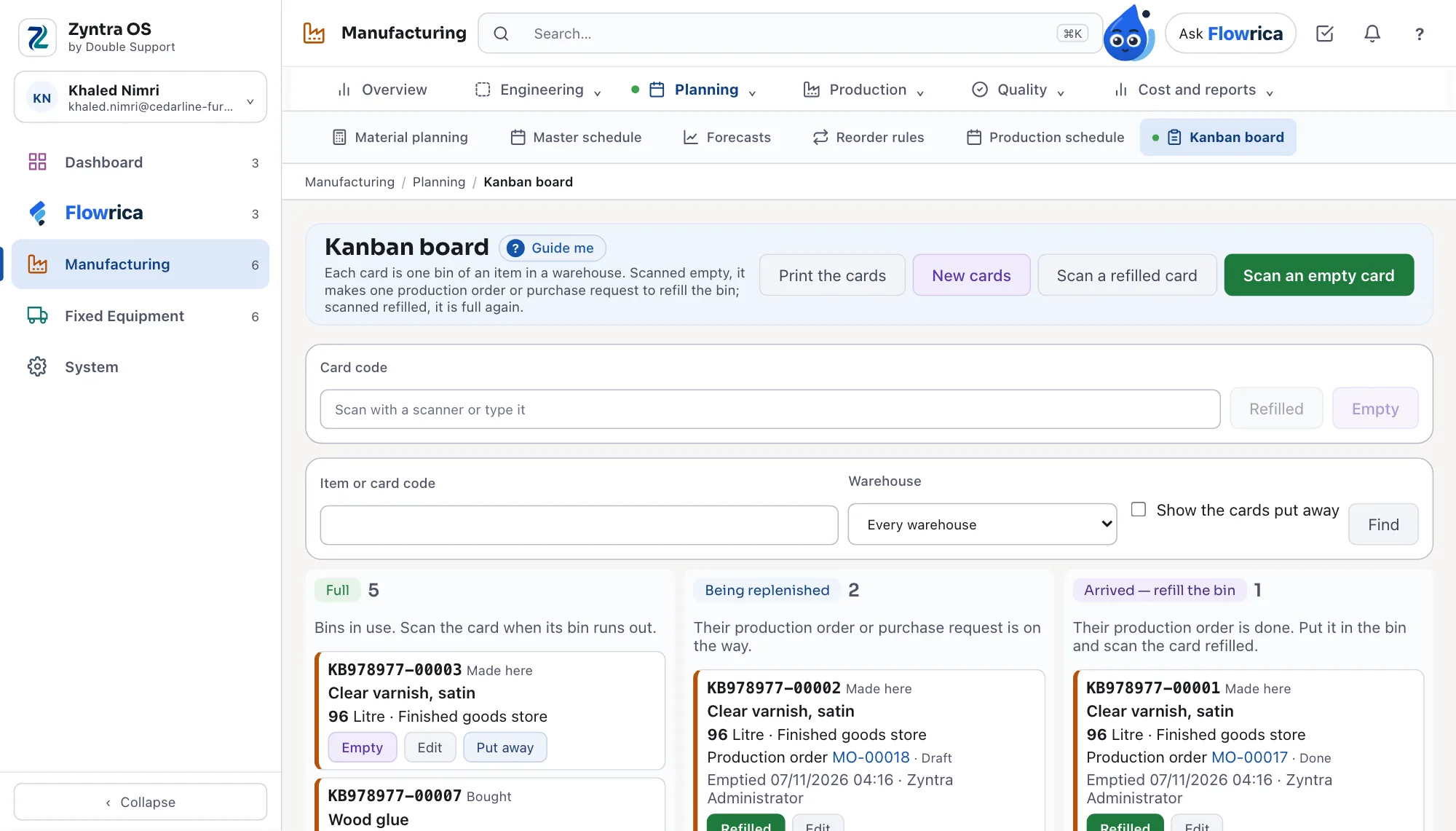
Kanban bins that refill themselves
A bin runs out, its card is scanned, and the refill is already ordered.
- Each card is one bin of an item in a warehouse
- Scanned empty, it makes one production order or one purchase request — never two
- Scanned refilled, it is full again; a bought bin shows arrived from the receipt of its purchase order
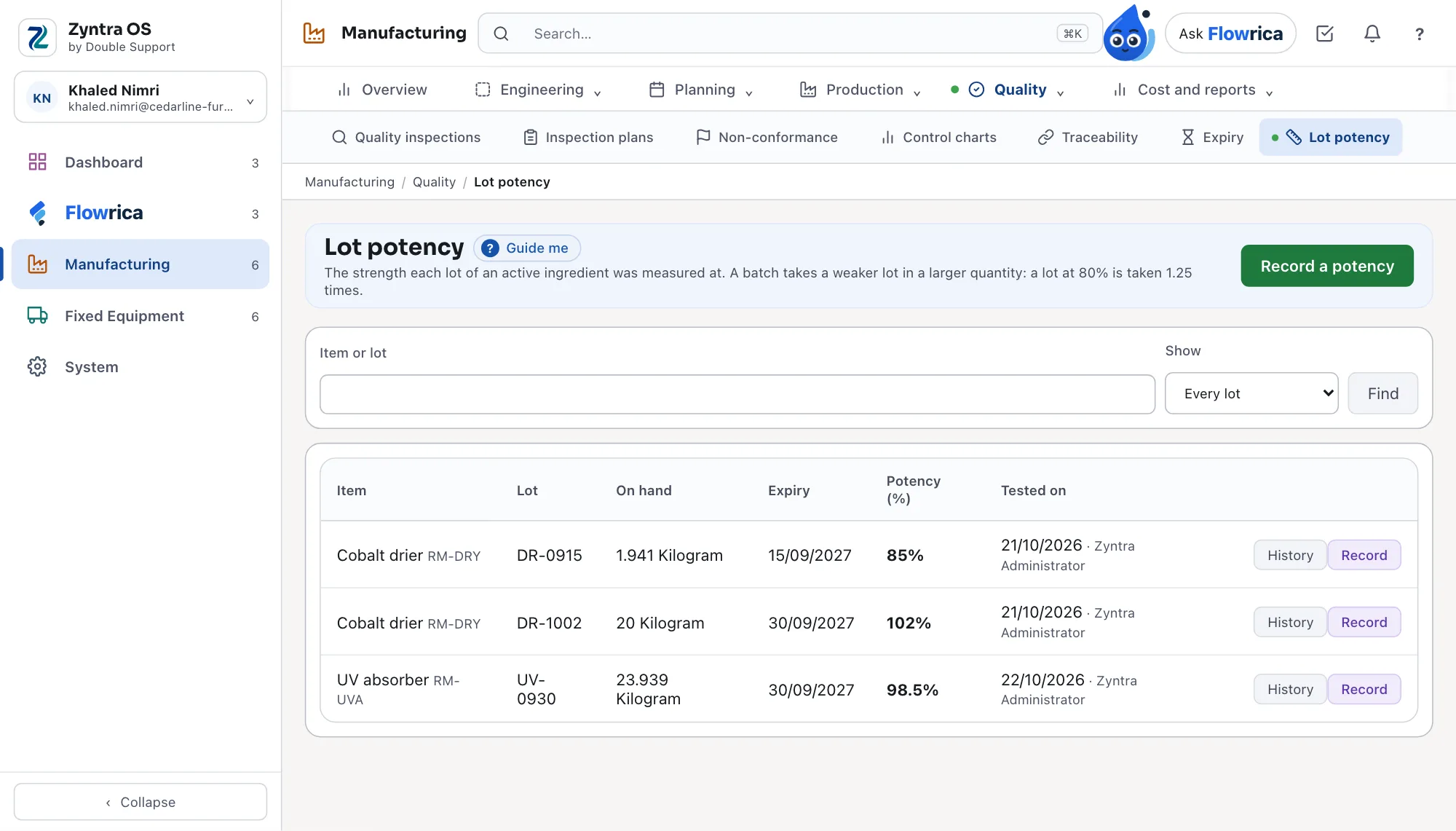
Formulas made by the batch, lots by their potency
For paint, food, chemicals and the like: a weaker lot is taken in a larger quantity.
- A formula is planned and costed by its batch and its expected yield
- Each lot of an active ingredient measured at its potency — a lot at 80% is taken 1.25 times
- Quantities shown with at most three decimals
Manufacturing
Production
Every order from draft to closed, on the floor and on the machines.
- Production orders from draft to confirmed, released, in progress, done and closed; materials reserved, issued, scrapped and returned, and what is short said on each line
- A part with its own bill is made on its own order, linked to the order that needs it; disassembly orders take a product back into its parts
- Materials taken on output when you choose, the soonest expiry first — an expired lot is skipped
- A tablet per work centre: operators sign in with a PIN or a badge, start, pause with a reason, and count good and scrap
- OEE for each machine, day by day: availability × performance × quality
- Machines that send their own counts, run or stop state and energy, each with a secret shown once
- Work sent to a subcontractor and received back, with the stock held at each subcontractor
- Piece-rate pay from the counts the floor records
Engineering
What a product is made of, where and how.
- Bills of materials in versions — draft, active, archived — with scrap per line, by-products and co-products, an exploded view through every level and where each item is used
- Units of measure and their conversions, per item where it needs its own
- Work centres with their machines, people and an alternative centre; routings with set-up, run and wait times between operations
- Engineering changes raised, sent for approval and applied on their day — or refused with the reason
- Formulas made by the batch, with their yield, and lots of an active ingredient taken by their measured potency
Planning
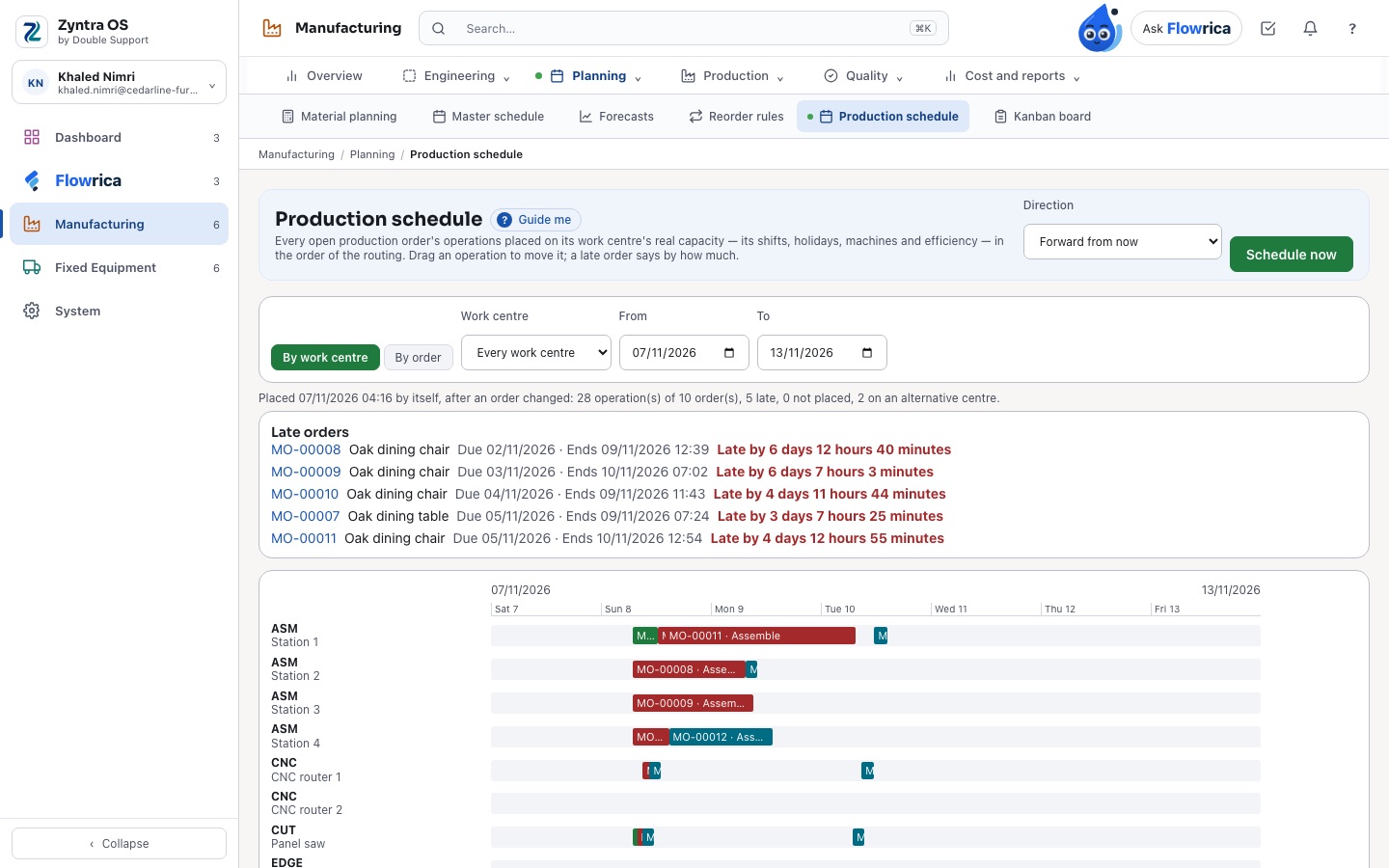
What to buy, make, have made outside or move, and when.
- Material planning through every level of the bills: open sales orders, the master schedule, forecasts and reorder rules netted against stock, what is on order and what is being made
- Each suggestion says what it read and why; accept it to make the order or the purchase request, or ignore it
- A finite-capacity schedule of every operation on every work centre, moved by hand with what moves with it shown first
- Kanban cards: a bin scanned empty makes one production order or purchase request, and a bought bin shows when it arrived
Quality and traceability
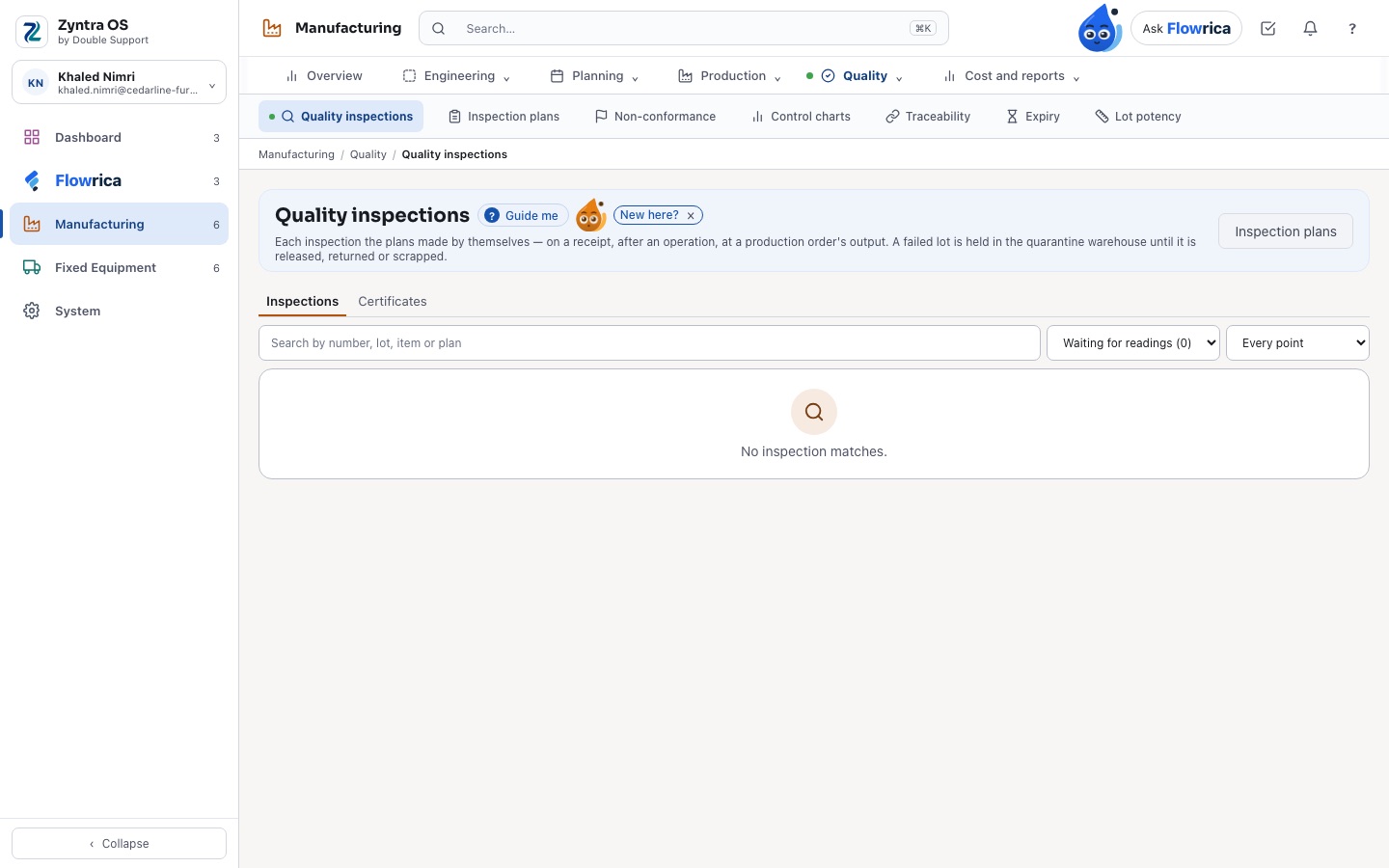
Each lot checked, held when it fails, and traced both ways.
- Inspection plans on receipts and on production; a lot that fails is held in quarantine
- Non-conformances with their actions, and a certificate of analysis for a lot
- Control charts with limits worked out from the readings, Cp and Cpk
- A lot or serial number traced back to every component lot and supplier, and forward to every customer it reached
- Expiry dates on lots, the soonest used first
Cost and reports
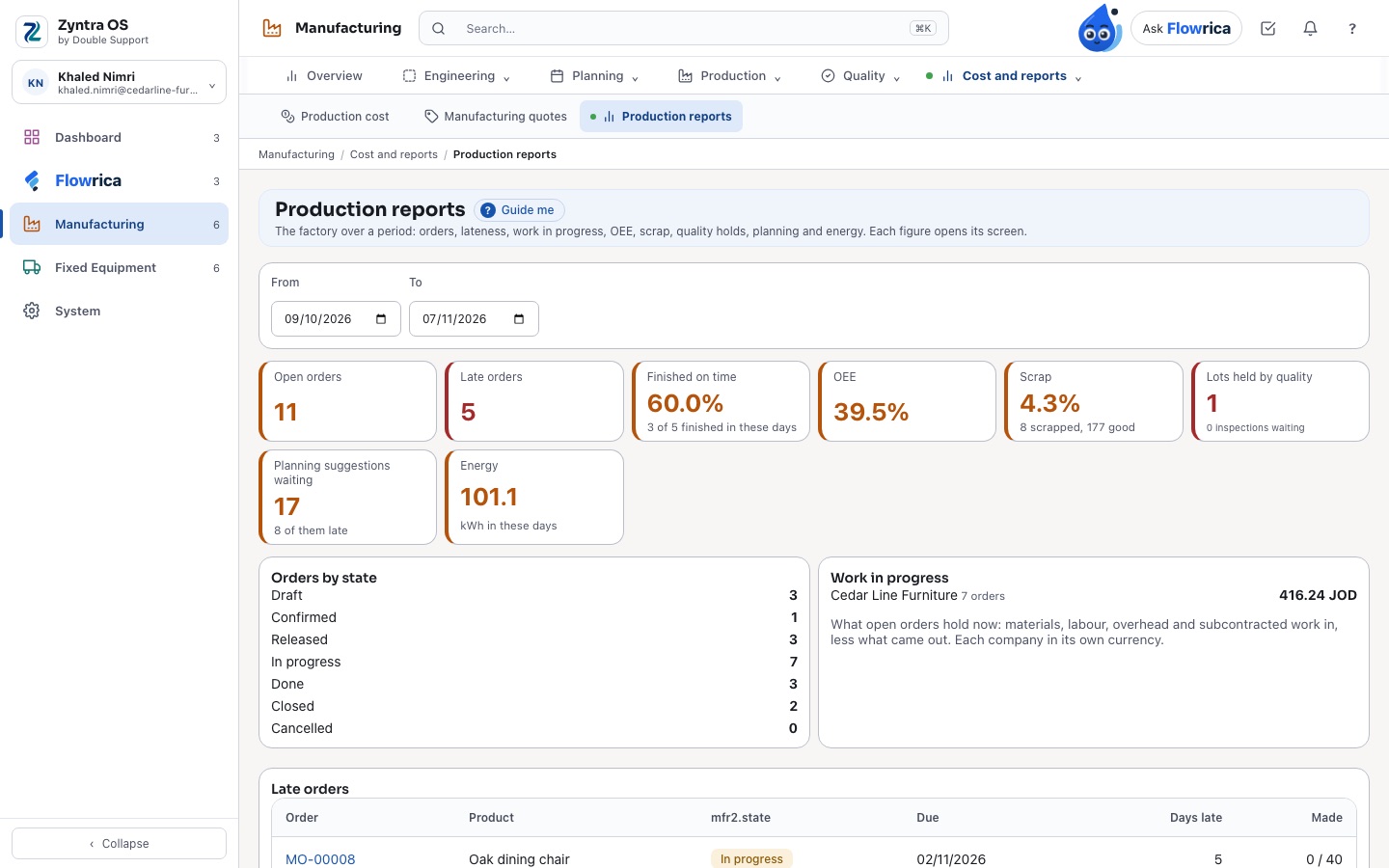
What each product should cost and what each order really cost.
- Standard costs per product from its bill and routing, with overhead rates per work centre
- The actual cost of each order and its variance, posted to the books as it happens
- Manufacturing quotes worked out from the bill and the routing, made into a sales quote
- Production reports and the Manufacturing overview: open and late orders, OEE, scrap, lots held by quality and planning suggestions waiting
Also in Manufacturing
Switched on per company
Manufacturing is a module of Zyntra OS: a company switches it on when it makes things, and each right is given per action — nobody sees a cost or approves a change unless their role says so.
Engineering changes with their day
A change to a bill or a routing is raised, sent for approval and applied on the day it names — or refused with its reason — and the bill keeps every version.
Work sent to a subcontractor
An operation done outside: the materials sent, the stock held at each subcontractor, and the work received back onto the order.
Zyntra OS manufacturing
Does Zyntra OS have manufacturing with bills of materials and MRP?
Yes. Manufacturing is a module of Zyntra OS you switch on per company: bills of materials in versions, work centres and routings, production orders from draft to closed, material planning through every level of the bills, a finite-capacity schedule, a tablet for each work centre, quality and traceability — on the same items, warehouses and books as the rest of Zyntra OS. Manufacturing.
Can Zyntra OS trace a lot back to its supplier and forward to its customers?
Yes. Type a lot or a serial number and Zyntra OS shows every component lot, supplier and receipt it came from, and every product lot made from it and every customer it reached. Manufacturing.
Does Zyntra OS work out the real cost of a production order?
Yes. Each product has a standard cost from its bill and routing; each order gathers what it really used — materials, machine and labour time, overheads — and its variance against the standard, posted to the books as it happens. Manufacturing.
How does Zyntra OS decide what to buy and what to make?
Material planning reads the open sales orders, the master schedule, the forecasts and the reorder rules, sets them against stock, what is on order and what is being made, through every level of the bills, and suggests what to buy, make, have made outside or move, and by when. Each run says what it read; you accept or ignore each suggestion, and it runs by itself every night.
Can operators record their work on a tablet?
Yes. Each work centre has its own tablet: an operator signs in with a PIN or a badge, picks the next operation from the queue or scans the order’s label, and records set-up, start, pauses with their reason, good and scrap with its reason, and the finish. The counts feed the order, OEE and piece-rate pay.
Can machines send their counts and stops to Zyntra OS?
Yes. A machine is registered as an asset with its serial number and a secret shown once; it sends its counts, its run or stop state and its energy. The counts go to the shop floor and OEE, a stop becomes a breakdown on the asset, and energy is reported per machine per day. Nothing is ever sent to a machine.
What does Flowrica say about a production order?
On a production order Flowrica says where it is — how many operations are done, which one is running and at which work centre, how many are made — what is short, and why it is late when it is. She reads the order; she changes nothing.
See it with your own work
Ask for a demo and our team will show you this part of Zyntra OS, in Arabic or in English.