Zyntra OS
 Zyntra Legal
 Zyntra Real Estate
 Zyntra Hotel
 Zyntra E-commerce
 Zyntra Appointments
 Zyntra Repair
 Zyntra Garage
 Zyntra Concierge
 Zyntra Contracting
 Zyntra Clinic
 Zyntra Call Center
 Zyntra OTA
Where
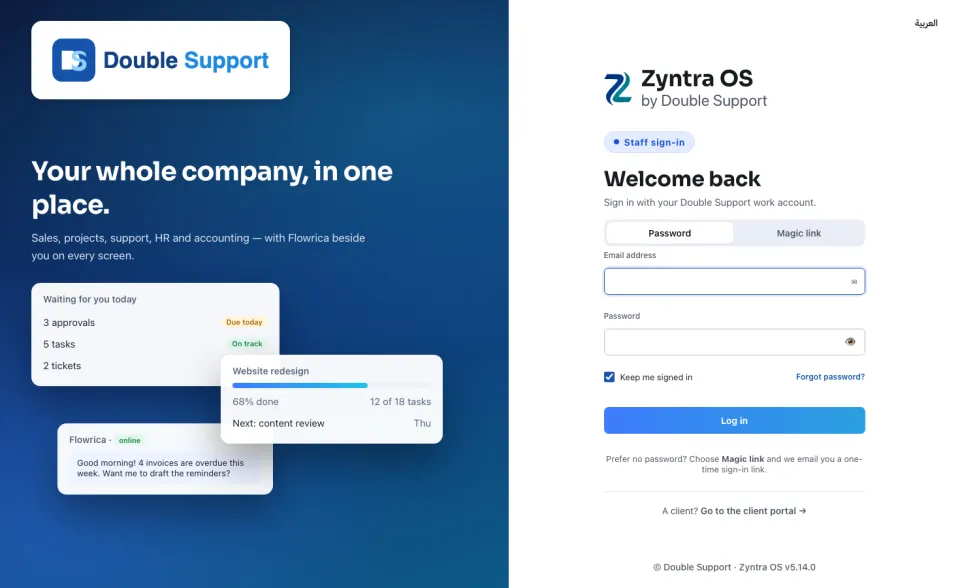
Your company's Zyntra address › Staff sign-inWho
Every member of staff. Customers use the client portal instead.1
With a password: stay on the Password tab, type your Email address and your Password, and press Log in. The eye at the end of the password box shows what you typed.
2
Without a password: press the Magic link tab, type your Email address and press Email me a sign-in link. Open the email and press the link in it. The link works once.
3
With your work account: where your company has connected Microsoft, a Sign in with Microsoft button stands above the two tabs. Press it and choose your account.
Leave Keep me signed in ticked on your own computer; untick it on a shared one. If you have forgotten your password, press Forgot password? and a link to choose a new one is sent to your email.
The word العربية at the top of the form turns the page to Arabic; English turns it back. Customers do not sign in here: Go to the client portal → at the bottom of the form takes them to their own page.