

 Zyntra OS
 Zyntra Legal
 Zyntra Real Estate
 Zyntra Hotel
 Zyntra E-commerce
 Zyntra Appointments
 Zyntra Repair
 Zyntra Garage
 Zyntra Concierge
 Zyntra Contracting
 Zyntra Clinic
 Zyntra Dental
 Zyntra School
 Zyntra University
 Zyntra Call Center
 Zyntra OTA
Where
School › FeesWho
School Fees — View reads them; School Fees — Create adds a fee; School Fees — Edit changes fees, the schedule and the rules.Fee items lists every fee: Tuition, Registration, Books, Uniform, School bus, Activities. Each fee is an item, and its Tax is that item's tax, so every line of a bill carries the right tax. Discounts apply says which fees a discount comes off (tuition, to start); Credited on withdrawal says which fees a withdrawn student gets back for the part of the year not used.
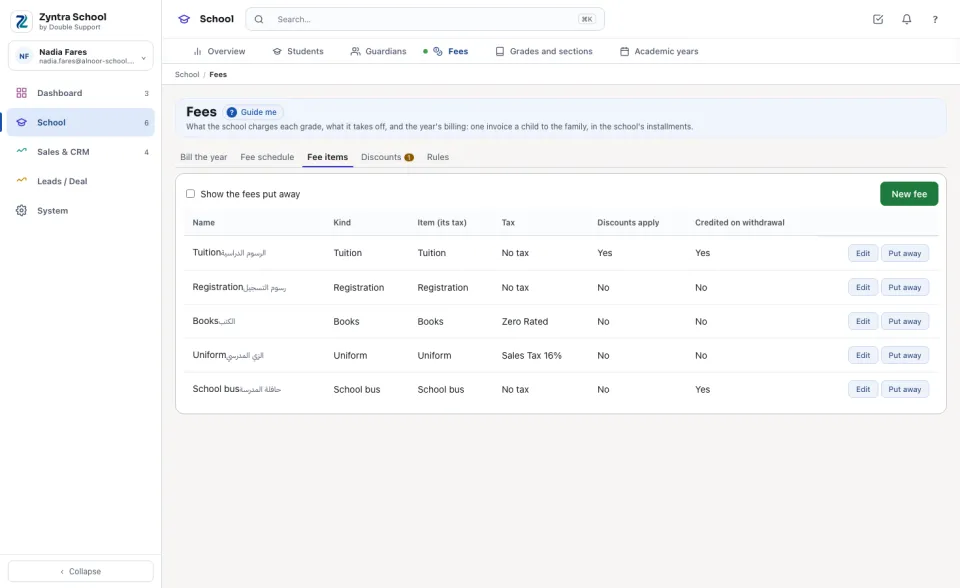
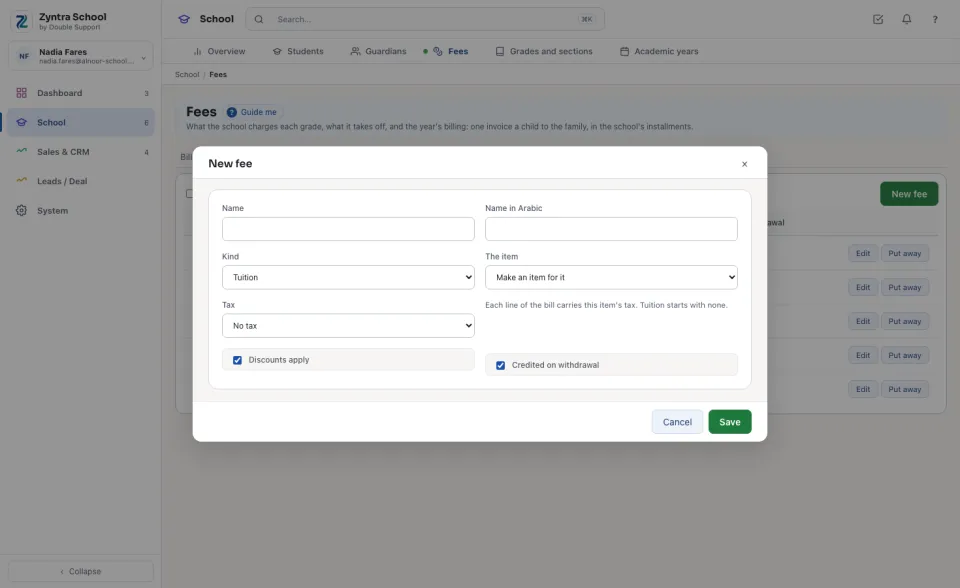
Add a fee
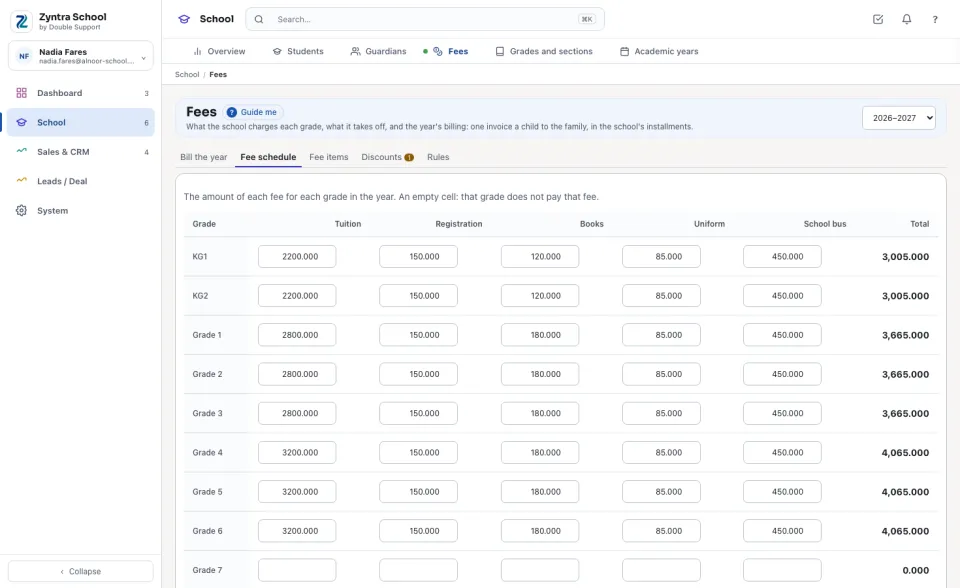
Fill in the fee schedule
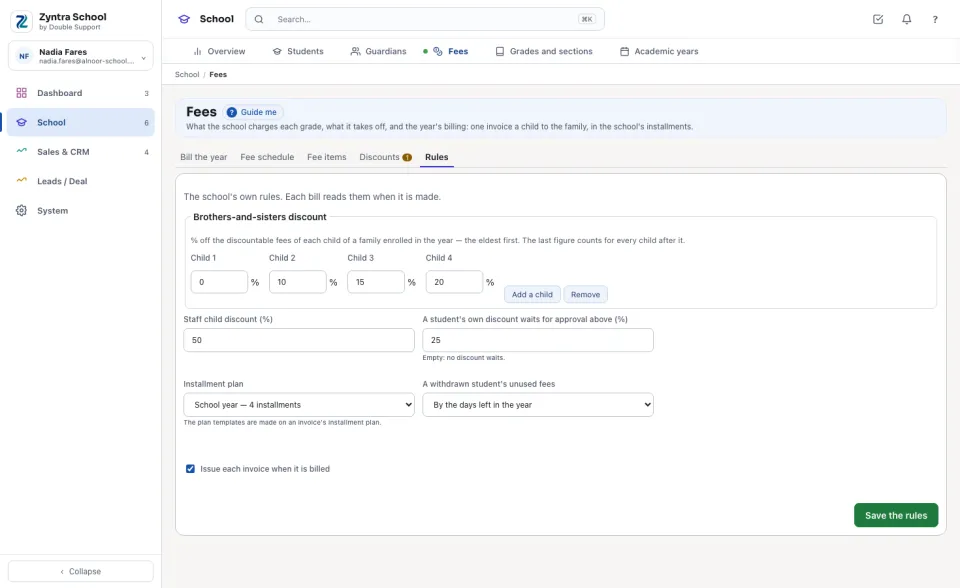
Set the school's rules
Open Rules. Brothers-and-sisters discount is the % taken off the discountable fees of each child of a family enrolled in the year, the eldest first; the last figure counts for every child after it. Staff child discount (%) is the school's own staff rule. A student's own discount above A student's own discount waits for approval above (%) waits for a second person. Installment plan is the plan every bill takes. A withdrawn student's unused fees is worked out By the days left in the year, By the whole terms left or By hand. Press Save the rules.
Questions
Where is “Fees — items, schedule and rules” in Zyntra OS?
School › Fees
Who can use “Fees — items, schedule and rules”?
School Fees — View reads them; School Fees — Create adds a fee; School Fees — Edit changes fees, the schedule and the rules.