

 Zyntra OS
 Zyntra Legal
 Zyntra Real Estate
 Zyntra Hotel
 Zyntra E-commerce
 Zyntra Appointments
 Zyntra Repair
 Zyntra Garage
 Zyntra Concierge
 Zyntra Contracting
 Zyntra Clinic
 Zyntra Dental
 Zyntra School
 Zyntra University
 Zyntra Call Center
 Zyntra OTA
Where
University › Grade scaleWho
University — Grade scale and standing rules changes it; University — Grades and standing reports reads it.Start from a ready scale
1
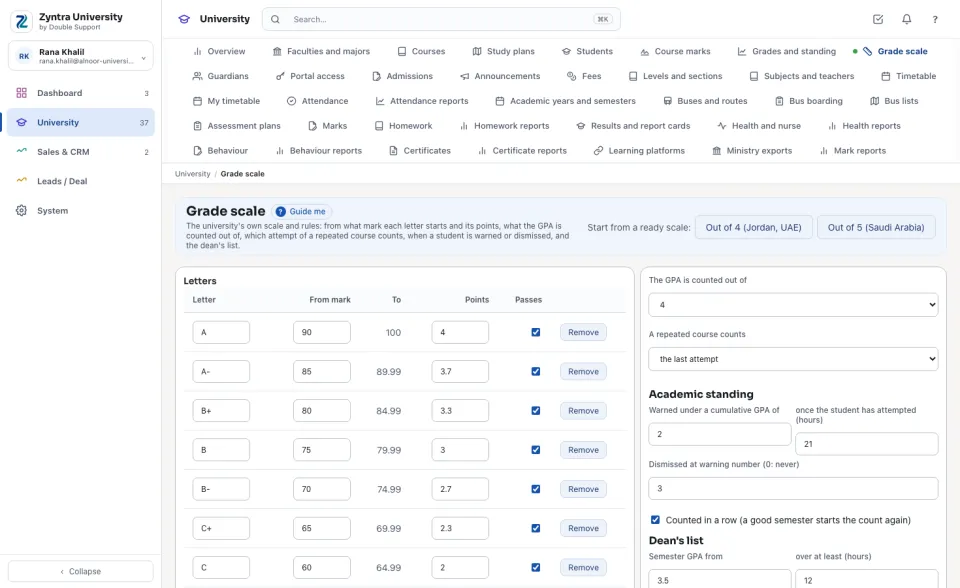
A new university starts with the scale out of 4 (A from 90 is 4.0, down to D from 50 at 1.0; F under 50 is 0).
2
Press Out of 4 (Jordan, UAE) or Out of 5 (Saudi Arabia) to start again from a ready scale (out of 5: A+ from 95 is 5.0, A from 90 is 4.75 … D from 60 is 2.0, F is 1.0). Its warning and dismissal figures come with it.
Change the letters and the rules
1
Under Letters, change a letter's From mark, its Points or Passes; Add a letter or Remove one. One letter starts from 0, and a lower letter is never worth more points than a higher one.
2
Choose what The GPA is counted out of and whether A repeated course counts the last attempt or the best.
3
Under Academic standing, type the cumulative GPA a student is warned under, after how many attempted hours, at which warning they are dismissed (0: never) and whether the warnings are counted in a row. Under Dean's list, type the semester GPA and the hours.
4
Tick Tell the student by email when their standing changes if the university wants it, and press Save the scale.
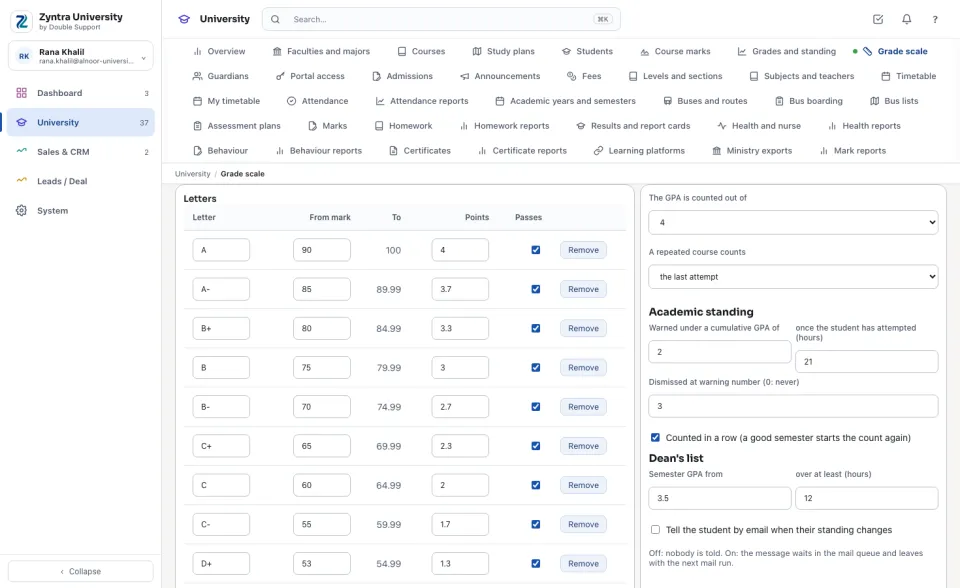
Saving reads every grade again by the new scale: each letter and its points come from the mark, and each student's GPA and standing are counted again. Nobody is told when only a rule changed.
P and NP (a pass-or-fail course), W (withdrawn), I (incomplete) and TR (transfer credit) are never in the GPA. The message to the student starts off; when it is on, it waits in the mail queue and leaves with the next mail run.
Next: Course marks
Questions
Where is “The grade scale and the standing rules” in Zyntra OS?
University › Grade scale
Who can use “The grade scale and the standing rules”?
University — Grade scale and standing rules changes it; University — Grades and standing reports reads it.