Zyntra OS
 Zyntra Legal
 Zyntra Real Estate
 Zyntra Hotel
 Zyntra E-commerce
 Zyntra Appointments
 Zyntra Repair
 Zyntra Garage
 Zyntra Concierge
 Zyntra Contracting
 Zyntra Clinic
 Zyntra Call Center
 Zyntra OTA
Where
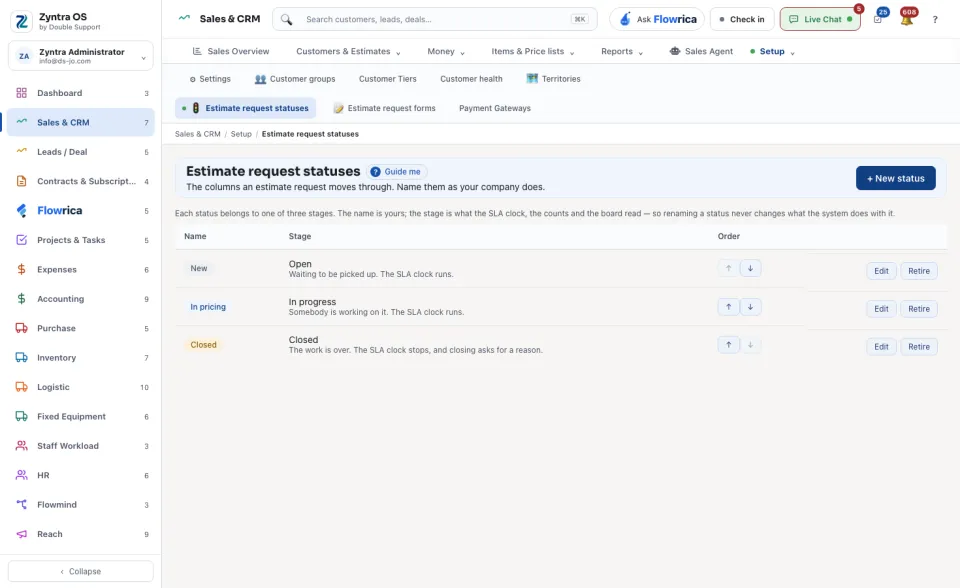
Sales & CRM › Setup › Estimate request statusesWho
Anyone allowed to see settings; changes need permission to edit settings.Press + New status and give it its Name, its Stage and its colour. The table shows each status with its stage and what that stage means. Change the Order with the arrows; Edit renames a status and Retire takes it out of use.
Each status belongs to one of three stages. The name is yours; the stage is what the clock, the counts and the board read. So renaming a status never changes what the system does with it.