Zyntra OS
 Zyntra Legal
 Zyntra Real Estate
 Zyntra Hotel
 Zyntra E-commerce
 Zyntra Appointments
 Zyntra Repair
 Zyntra Garage
 Zyntra Concierge
 Zyntra Contracting
 Zyntra Clinic
 Zyntra Call Center
 Zyntra OTA
Where
Reach › PointsWho
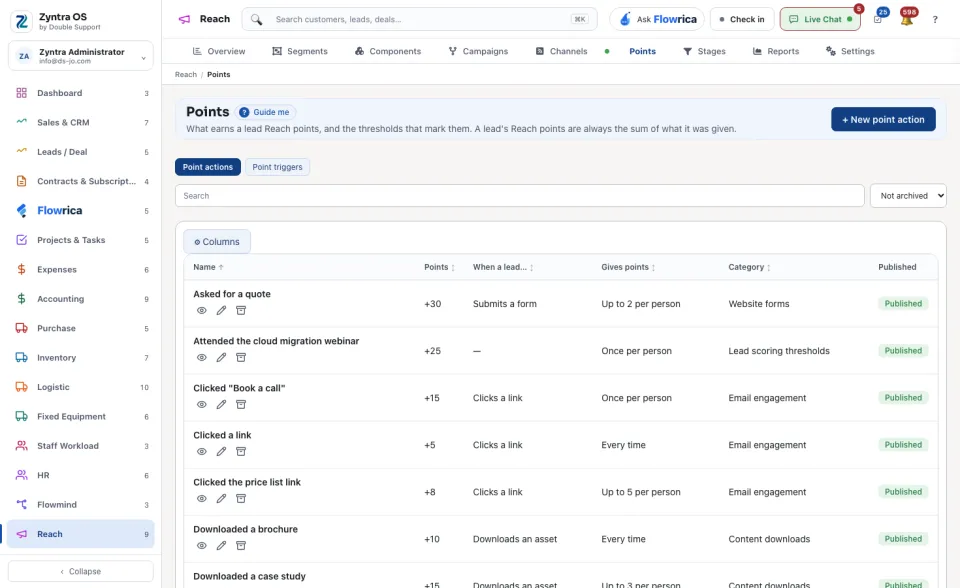
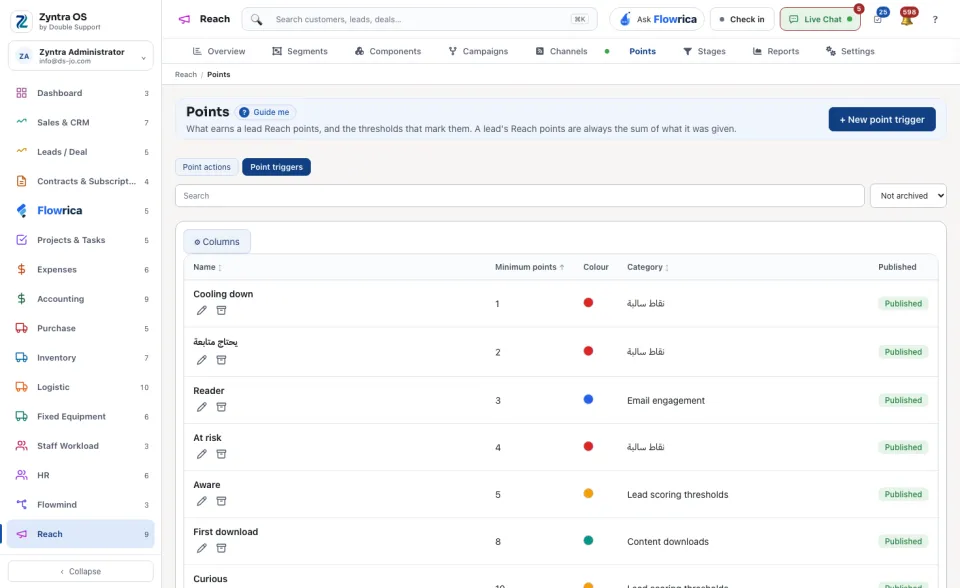
Anyone allowed to manage Reach points.The screen has two lists: Point actions and Point triggers.
| List | What it holds |
|---|---|
| Point actions | What a lead does to earn points, and how many. |
| Point triggers | The number of points at which something happens to the lead. |
1
Press + New point action.
2
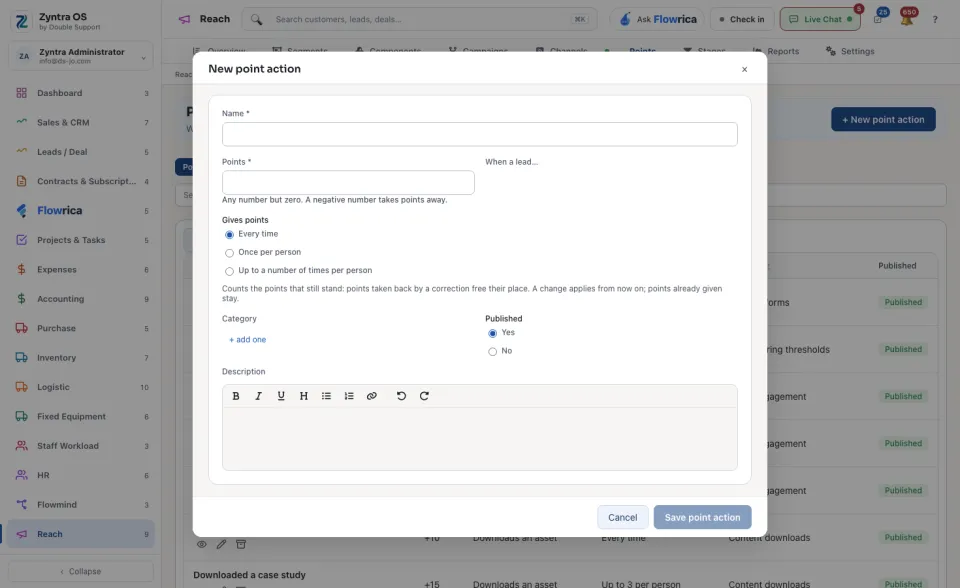
Type the Name and the Points: any number but zero. A negative number takes points away. Choose what the lead does under When a lead…, and how often under Gives points: Every time, Once per person or Up to a number of times per person. Press Save point action.
A point trigger is made the same way, with + New point trigger: its Name, its Minimum points and a Colour. A lead whose points reach that number shows the trigger's name and colour beside its points. Press Save point trigger.
Search finds a row in the list.