

 Zyntra OS
 Zyntra Legal
 Zyntra Real Estate
 Zyntra Hotel
 Zyntra E-commerce
 Zyntra Appointments
 Zyntra Repair
 Zyntra Garage
 Zyntra Concierge
 Zyntra Contracting
 Zyntra Clinic
 Zyntra Call Center
 Zyntra OTA
Where
Reach › Channels › SMSWho
Anyone allowed to create Reach channels.1
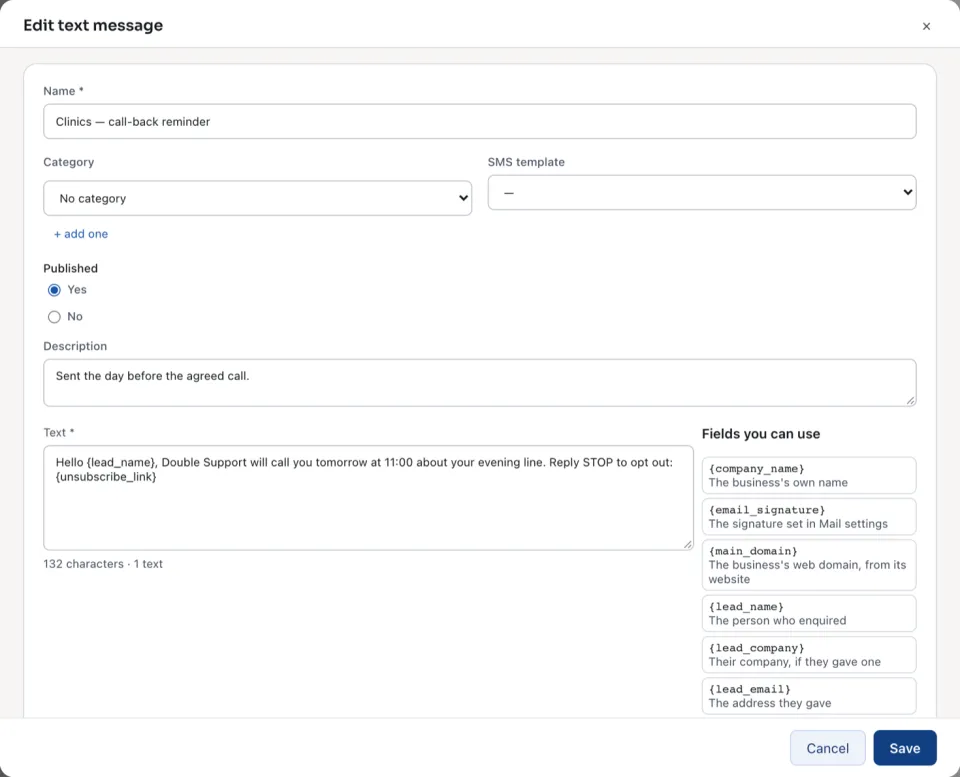
Open SMS and press + New text message.
2
Type the Name. Choose an SMS template to start from if you have one.
3
Write the Text. The fields are the same as in an email, such as
{lead_name}. Under it the screen counts the characters and the texts it takes, for example 62 characters · 1 text.4
Press Save.
| Written in | One text holds | A longer one is split every |
|---|---|---|
| Latin letters and digits only | 160 characters | 153 characters |
| Any Arabic letter (or another sign outside them) | 70 characters | 67 characters |
An open text message shows how many were Sent and how many were not, its text, Send a test to Your own number, or type one, and the Send log.
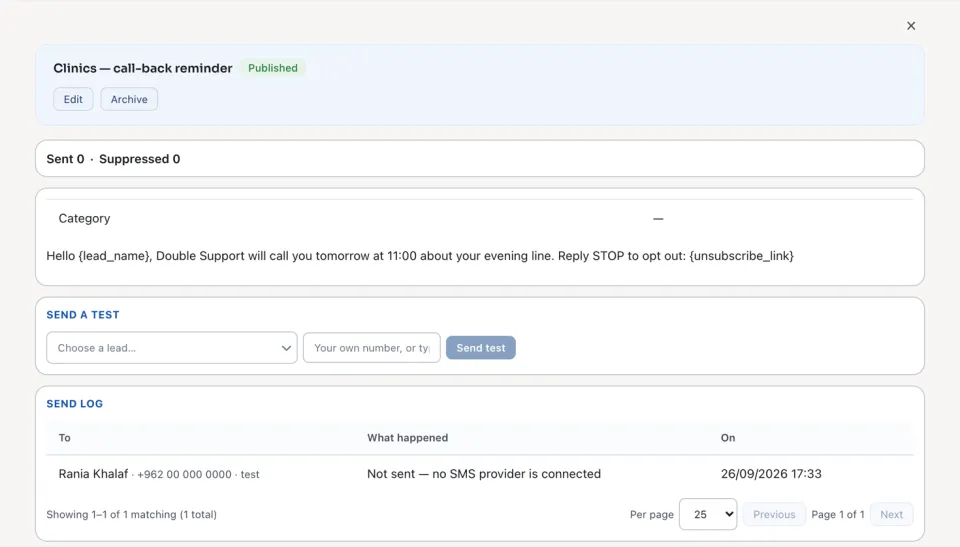
When no SMS provider is connected, text messages are written and kept here, and each send is recorded as Not sent — no SMS provider is connected.
A campaign sends it with its step Reach: send an SMS. See Build a campaign's steps.
Questions
Where is “Reach text messages” in Zyntra OS?
Reach › Channels › SMS
Who can use “Reach text messages”?
Anyone allowed to create Reach channels.