

 Zyntra OS
 Zyntra Legal
 Zyntra Real Estate
 Zyntra Hotel
 Zyntra E-commerce
 Zyntra Appointments
 Zyntra Repair
 Zyntra Garage
 Zyntra Concierge
 Zyntra Contracting
 Zyntra Clinic
 Zyntra Call Center
 Zyntra OTA
Where
Reach › Channels › WhatsAppWho
Anyone allowed to create Reach channels.1
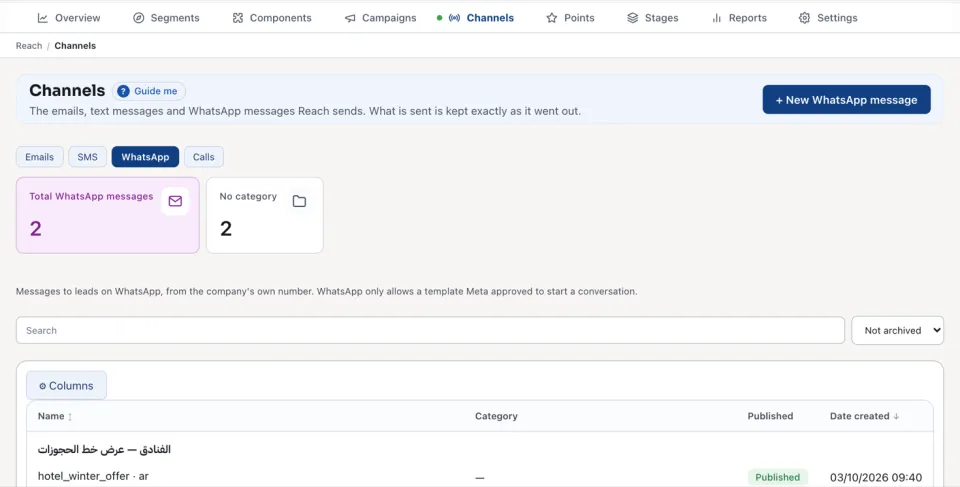
Open WhatsApp and press + New WhatsApp message.
2
Choose the Company first: its approved templates are listed then.
3
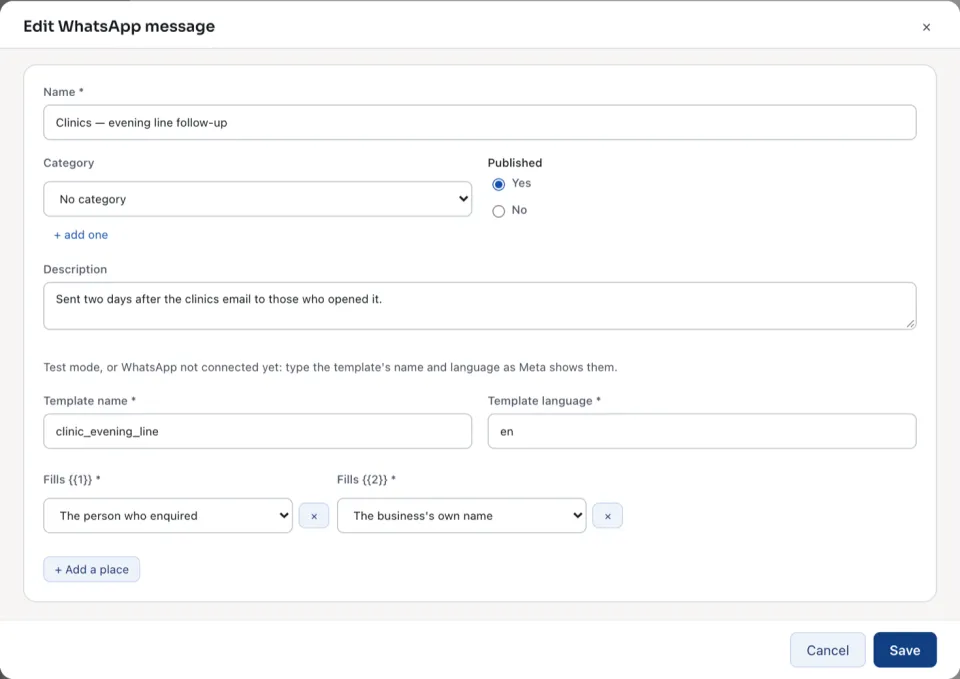
Type the Name, and choose a Category if you use them.
4
Choose the Approved template. In test mode, or before WhatsApp is connected, type the Template name and the Template language as Meta shows them.
5
Each place in the template,
{{1}}, {{2}} and so on, is filled by a field you choose under Fills {{1}}, such as the person's name. An approved template brings its own places, and What the lead reads shows the message as it will arrive. A typed one adds them with + Add a place.6
Press Save.
The list counts the Total WhatsApp messages. An open message counts how many were Sent, Delivered, Read and Failed.
| State | What it means |
|---|---|
| Sent | WhatsApp took the message. |
| Delivered | It reached the lead's phone. |
| Read | The lead opened it. |
| Failed or Refused | WhatsApp did not deliver it; the reason is beside it. |
| Kept in the WhatsApp log — test mode | Nothing left the system: the company is in test mode. |
It is not sent when the company has not connected its WhatsApp Business account, when the number has no country code and cannot be completed from the company's country, when Meta has not approved the template as it is saved, or when the lead opted out of marketing on WhatsApp. A campaign sends it with its step Reach: send a WhatsApp message.
Questions
Where is “Reach WhatsApp messages” in Zyntra OS?
Reach › Channels › WhatsApp
Who can use “Reach WhatsApp messages”?
Anyone allowed to create Reach channels.