

 Zyntra OS
 Zyntra Legal
 Zyntra Real Estate
 Zyntra Hotel
 Zyntra E-commerce
 Zyntra Appointments
 Zyntra Repair
 Zyntra Garage
 Zyntra Concierge
 Zyntra Contracting
 Zyntra Clinic
 Zyntra Call Center
 Zyntra OTA
Where
Reach › Channels › EmailsWho
Anyone allowed to create Reach channels.1
Press + New email.
2
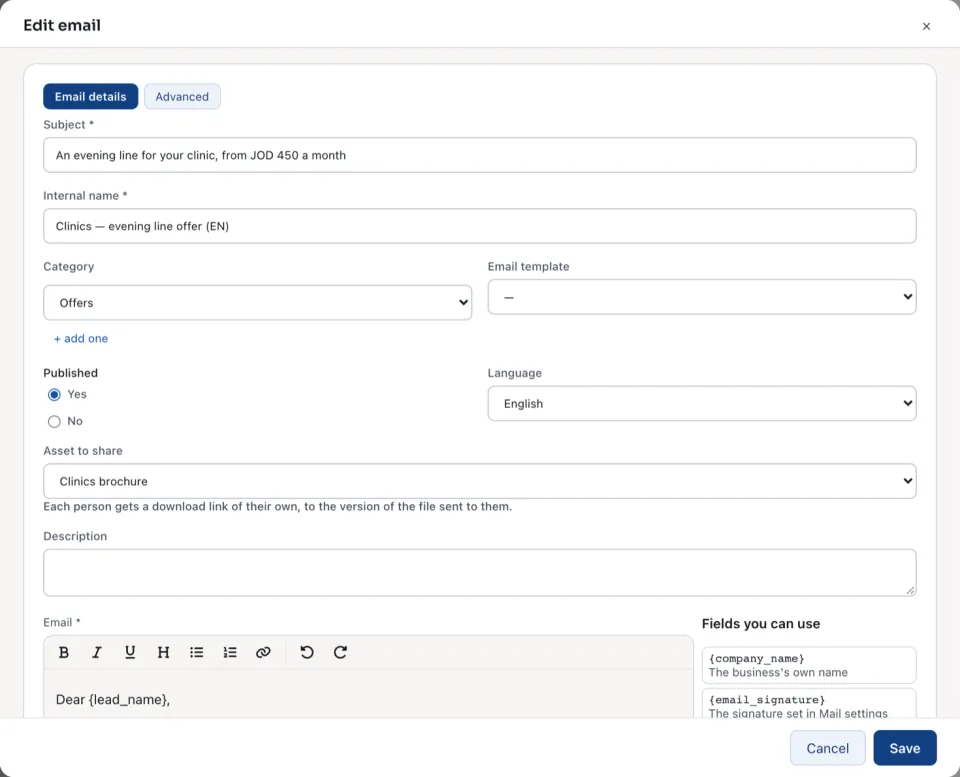
Under Email details, type the Subject the lead reads and the Internal name your team sees in the lists. Choose the Language, and an Email template to start from if you have one.
3
Write the text under Email. Fields you can use lists what is filled in for each lead, such as
{lead_name}. Every Reach email carries {unsubscribe_link}, so its reader can stop them.4
Under Asset to share, choose a file if the email carries one. Each person gets a download link of their own, to the version of the file sent to them. See Reach assets.
5
Open Advanced for the From name, the Reply-to address and a BCC address. Emails go out from your company's sender address; it is set in Settings, not typed here.
6
Press Save. The email opens.
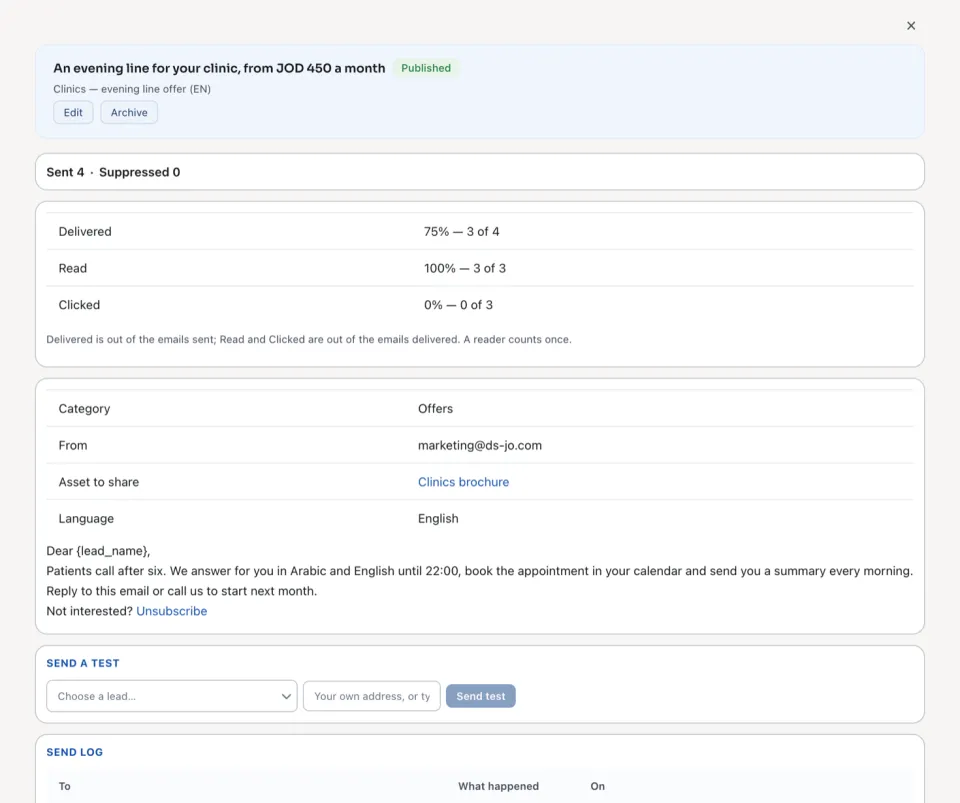
An open email shows how many were Sent and how many were not, how many were Delivered, Read and Clicked, its details and its text.
| Part | What it does |
|---|---|
| Preview | Show it as this lead would read it: choose a lead and read the email with that lead's details filled in. |
| Send a test | Sends the email once to Your own address, or type one. It needs the right to send a test. |
| Send log | Each email that went out: To, What happened and On. View what was sent shows it exactly as it went. |
| Not sent, and why | Each email that did not go, with its reason. |
| Copy | A new email that starts as this one. |
The reasons an email is not sent:
| It says | Because |
|---|---|
| Not sent — unsubscribed | The person pressed the unsubscribe link in an earlier Reach email. |
| Not sent — the address bounced | Mail to that address came back for good. |
| Not sent — the person complained | The person reported the email. |
| Not sent — on the suppression list | Someone added the address by hand. See Who Reach does not write to. |
| Not sent — opted out of marketing email | The lead said no to marketing email. |
| Not sent — no address | The lead has no email address. |
| Not sent — no sender address is set for this company | The company's sender address is still empty. |
| Not sent — the asset it carries is archived, unpublished or has no file | The email waits until its asset is back. |
Nothing is sent from this screen by itself. An email goes to a lead when a campaign reaches its step Reach: send an email. See Build a campaign's steps.
Questions
Where is “Write a Reach email” in Zyntra OS?
Reach › Channels › Emails
Who can use “Write a Reach email”?
Anyone allowed to create Reach channels.