

 Zyntra OS
 Zyntra Legal
 Zyntra Real Estate
 Zyntra Hotel
 Zyntra E-commerce
 Zyntra Appointments
 Zyntra Repair
 Zyntra Garage
 Zyntra Concierge
 Zyntra Contracting
 Zyntra Clinic
 Zyntra Dental
 Zyntra School
 Zyntra University
 Zyntra Social
 Zyntra Call Center
 Zyntra OTA
Where
Reach › StagesWho
Anyone allowed to manage Reach stages.1
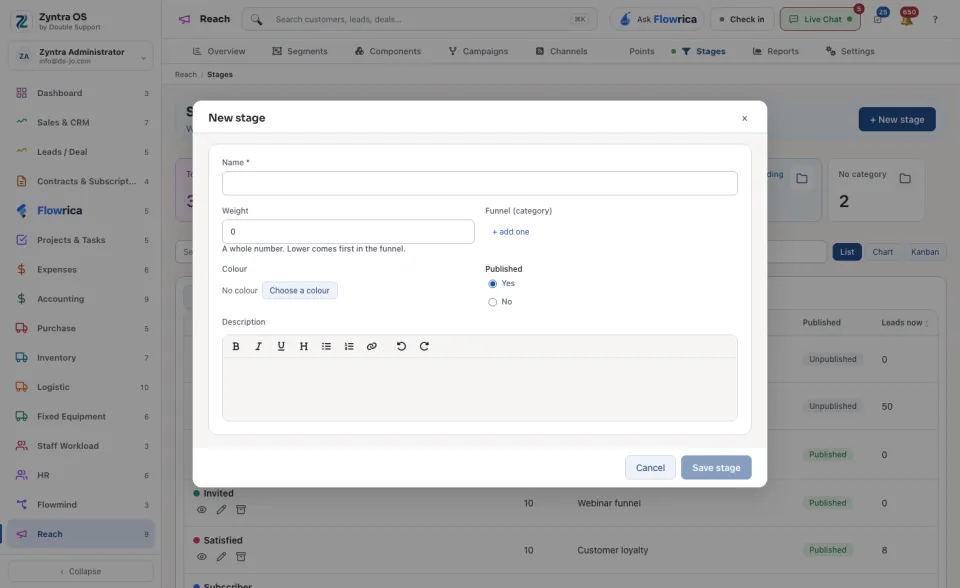
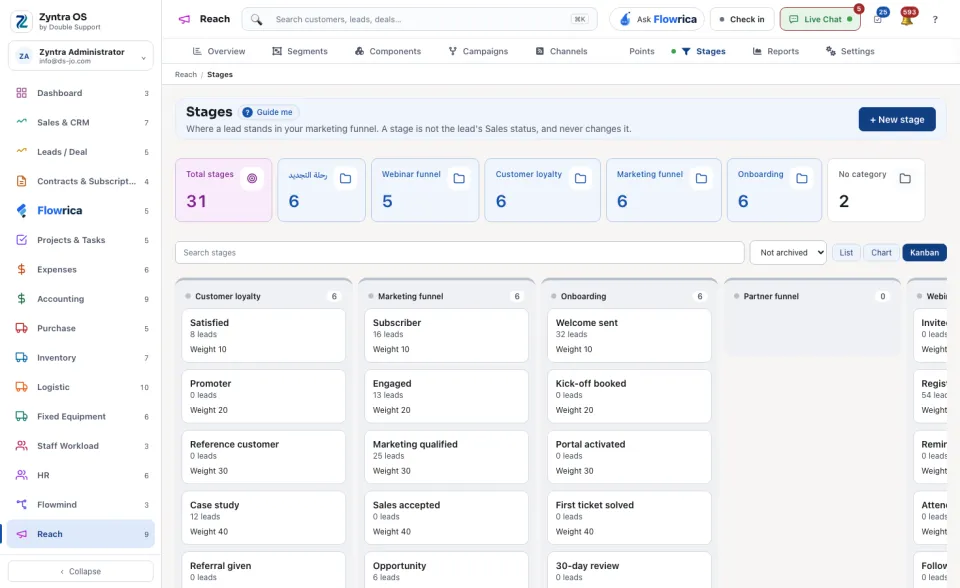
Press + New stage.
2
Type the Name and the Weight: a whole number, and the lower one comes first in the funnel. Choose the Funnel (category) and a Colour if you use them, and press Save stage. A campaign can then move a lead to it as one of its steps.
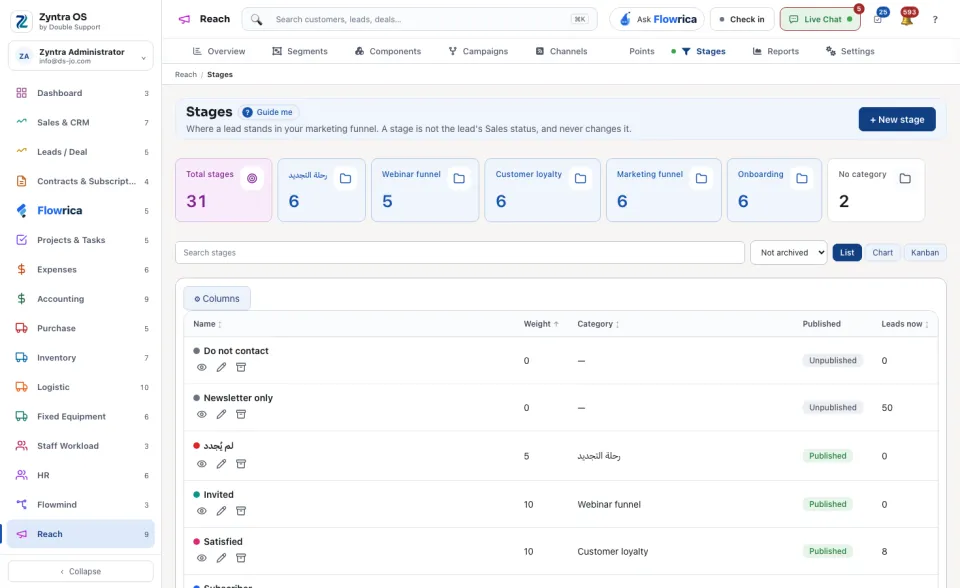
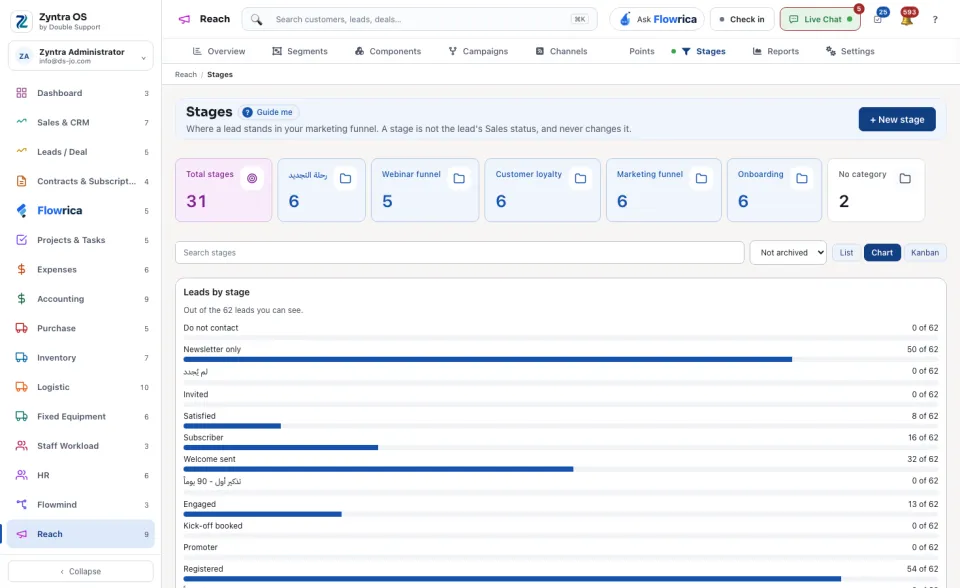
The list counts the Total stages and those in each category. Search stages finds one. See them as a List, a Chart or a Kanban.
Where a stage is used
| Where | What it does |
|---|---|
| A campaign step Reach: move to a stage | Moves each lead that reaches the step. See the campaign's steps. |
| A form's Put the lead in this Reach stage | Moves the lead the form makes or matches, each time it is sent. See Reach forms. |
| A rule's condition Reach stage is equal to | Lets a Flowmind rule, or a check in a campaign, go on only for leads at that stage. |
| A lead's page, Move to a stage | Moves that one lead by hand. See A lead's Reach points. |
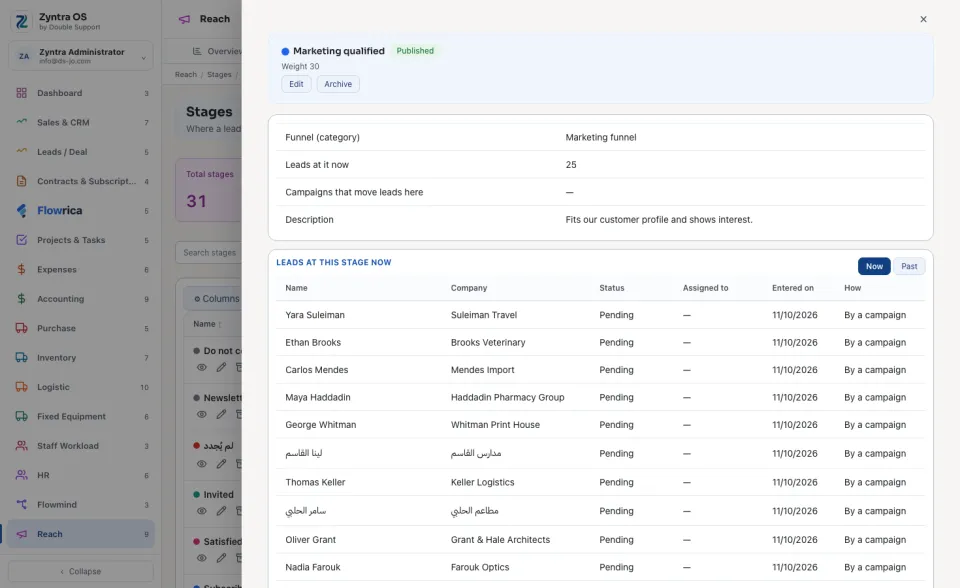
A lead stands at one stage in each funnel: entering a stage leaves the lead's stage in the same funnel. An opened stage lists the Campaigns that move leads here.
When a stage's category is archived, the stage reads In an archived category. It is offered nowhere a stage is chosen, and no lead is moved to it. Leads already at it stay. Bring the category back and the stage is back in use, as it was.
Export and Print — opens the PDF take the rows the list shows, with the columns chosen under ⚙ Columns.
Questions
Where is “Reach stages” in Zyntra OS?
Reach › Stages
Who can use “Reach stages”?
Anyone allowed to manage Reach stages.