

 Zyntra OS
 Zyntra Legal
 Zyntra Real Estate
 Zyntra Hotel
 Zyntra E-commerce
 Zyntra Appointments
 Zyntra Repair
 Zyntra Garage
 Zyntra Concierge
 Zyntra Contracting
 Zyntra Clinic
 Zyntra Dental
 Zyntra School
 Zyntra University
 Zyntra Call Center
 Zyntra OTA
Where
University › CoursesWho
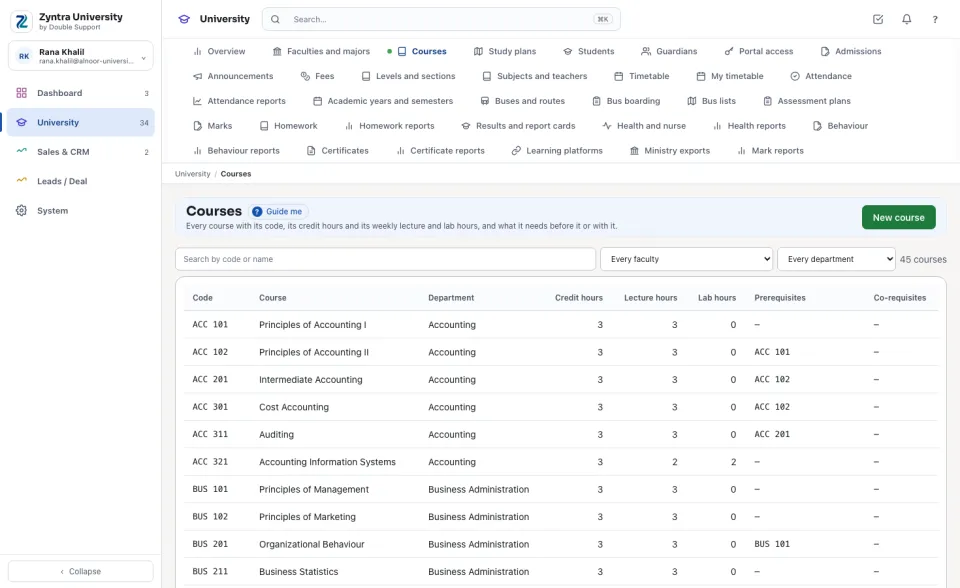
University — View or Manage study plans reads it; Manage faculties, majors and courses makes and changes it.Search by code or name, or choose a faculty and a department. Each row shows the Credit hours, the Lecture hours and Lab hours a week, the Prerequisites and the Co-requisites.
One course
Press a course: it opens above the list with its prerequisites, co-requisites and equivalent courses, the courses it is Needed before, and the study plans it is in, with its semester in each.
1
To link a course, choose Prerequisite, Co-requisite or Equivalent, choose the course, and press Link a course.
2
Remove takes a link off.
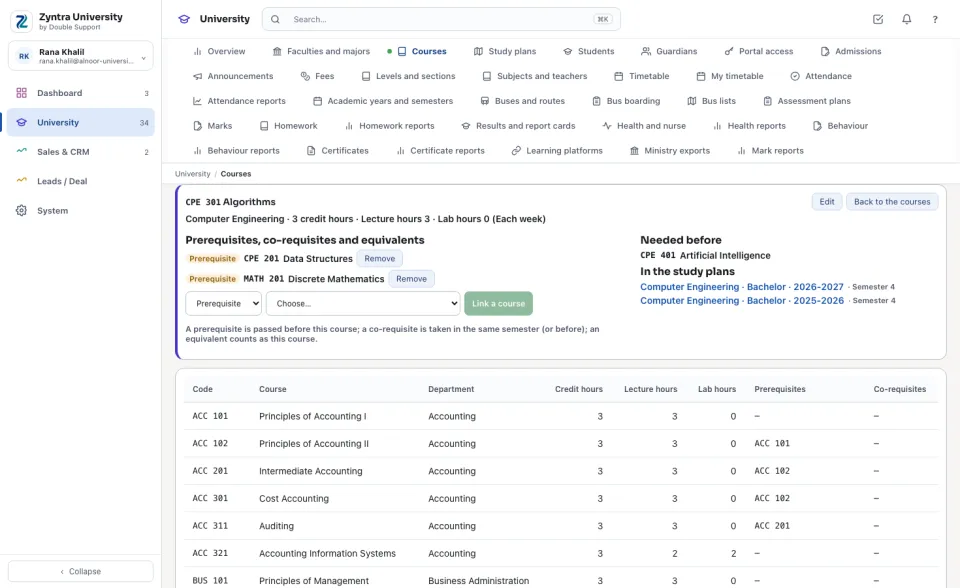
A link that would make a loop is refused: a course is never a prerequisite of a course it needs itself, however far down. A course is never taken with one it needs first, never linked to itself, and never linked twice.
Add a course
1
Press New course.
2
Choose the Department that teaches it, type the Code, the Credit hours, the name in English and Arabic, the Lecture hours and Lab hours, and a description.
3
Press Save.
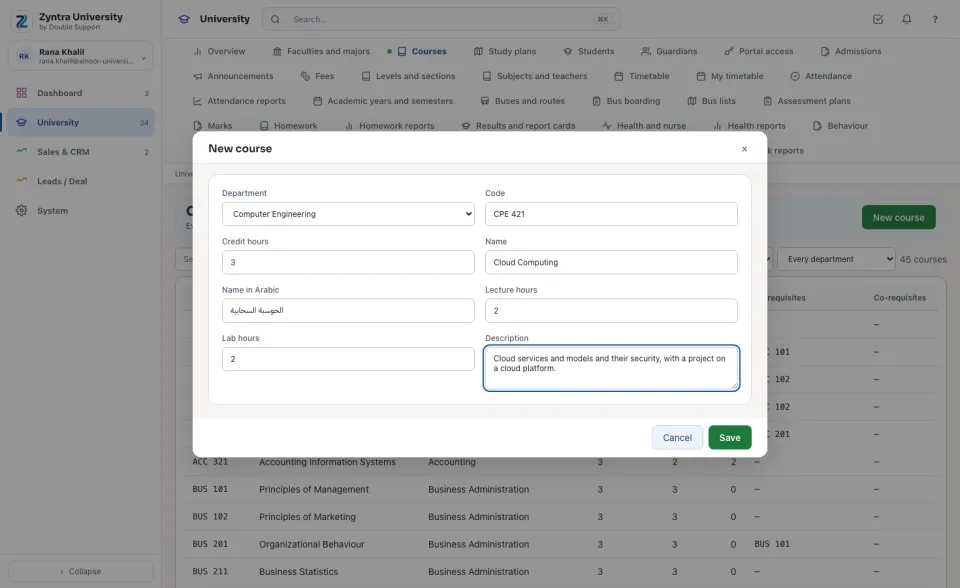
A code is never used twice. A course in a study plan or needed by another course is put away, never deleted.
Before: Faculties and majors · Next: Study plans
Questions
Where is “Courses” in Zyntra OS?
University › Courses
Who can use “Courses”?
University — View or Manage study plans reads it; Manage faculties, majors and courses makes and changes it.