Every released grade counts in the student's GPA by the university's rule: points times credit hours, divided by the hours. The semester GPA reads the semester's courses; the cumulative GPA reads every semester, a repeated course counted once. After each semester the student's standing is good, a warning or dismissed, and the best are on the dean's list.
Where
University › Grades and standing and University › Students › a student › Grades and GPA
Who
University — Grades and standing reports reads the semester's list; School Students — View reads a student's grades; University — Approve and release course marks records a W, an I or transfer credit.
A semester's grades and standing
1
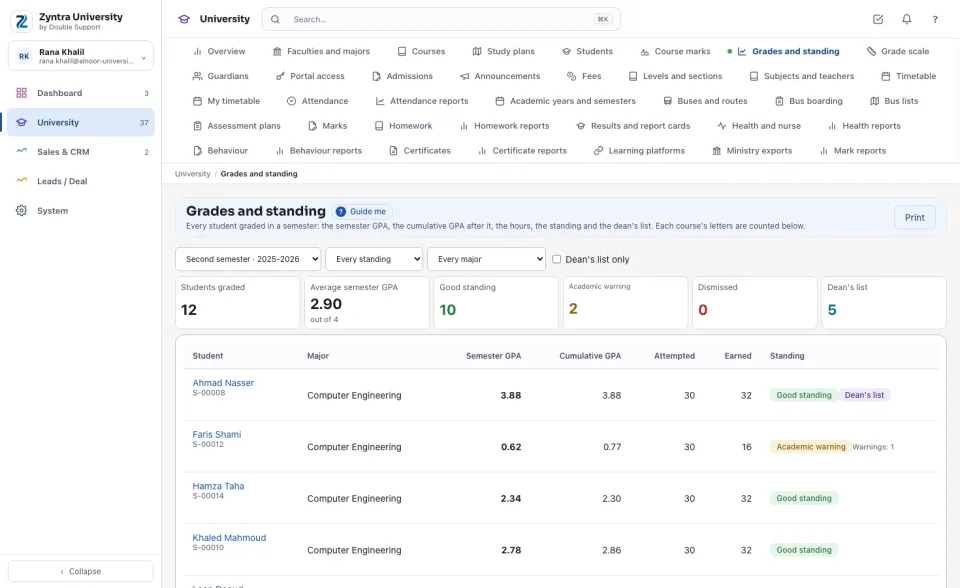
Open Grades and standing and choose the Semester. At the top: the students graded, the average semester GPA, how many are in good standing, warned, dismissed and on the dean's list.
2
Each student shows the Semester GPA, the Cumulative GPA after it, the hours Attempted and Earned, and the Standing. Below, each course's letters are counted.
3
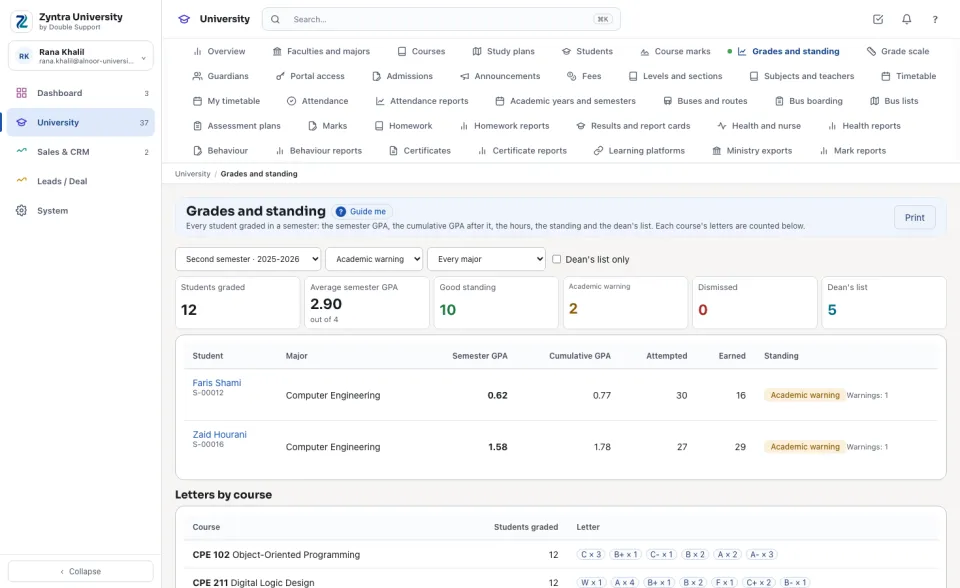
Choose a standing (for example Academic warning), a major, or tick Dean's list only. Press a student to open their grades. Print prints the list.
A student's grades and GPA
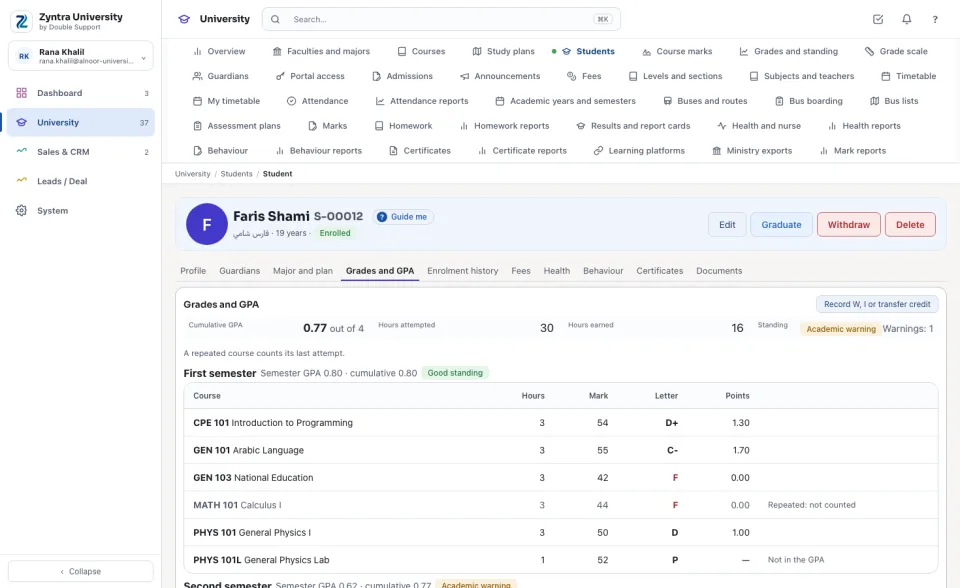
On the student's page, Grades and GPA shows the cumulative GPA (out of 4 or 5), the hours attempted and earned and the standing, then each semester with its courses: the hours, the mark, the letter and the points, the semester GPA and the cumulative GPA after it. A first attempt of a repeated course reads Repeated: not counted.
Record W, I or transfer credit
1
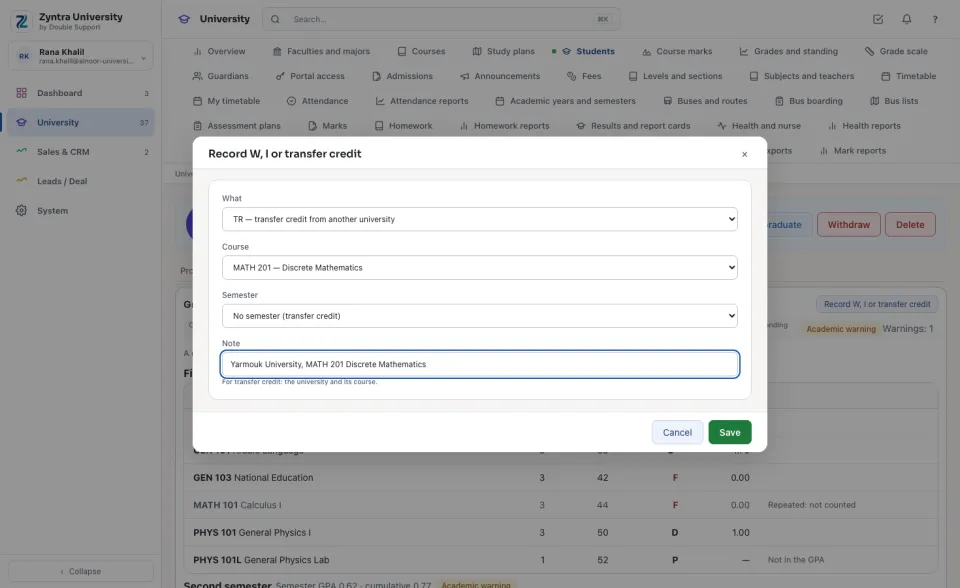
Press Record W, I or transfer credit.
2
Choose W (withdrawn from the course), I (incomplete, until its marks are released) or TR (transfer credit from another university), the Course and the Semester (none for transfer credit), type the Note (for transfer credit: the university and its course) and press Save.
The student reads the same grades, GPA and standing on the university page of the portal, once released, and a guardian reads them for their own child only.
W, I, P, NP and transfer credit never enter the GPA; transfer credit and P count in the hours earned. A dismissed student stays dismissed in the semesters after.
University › Grades and standing and University › Students › a student › Grades and GPA
Who can use “Grades, GPA and standing”?
University — Grades and standing reports reads the semester's list; School Students — View reads a student's grades; University — Approve and release course marks records a W, an I or transfer credit.
FlowricaUsually replies instantly
We’d like to use Google Analytics to see how this site is used. Nothing is set unless you accept.


 Zyntra OS
 Zyntra Legal
 Zyntra Real Estate
 Zyntra Hotel
 Zyntra E-commerce
 Zyntra Appointments
 Zyntra Repair
 Zyntra Garage
 Zyntra Concierge
 Zyntra Contracting
 Zyntra Clinic
 Zyntra Dental
 Zyntra School
 Zyntra University
 Zyntra Call Center
 Zyntra OTA