

 Zyntra OS
 Zyntra Legal
 Zyntra Real Estate
 Zyntra Hotel
 Zyntra E-commerce
 Zyntra Appointments
 Zyntra Repair
 Zyntra Garage
 Zyntra Concierge
 Zyntra Contracting
 Zyntra Clinic
 Zyntra Dental
 Zyntra School
 Zyntra University
 Zyntra Call Center
 Zyntra OTA
Where
University › GraduationWho
University — Approve graduation as the registrar makes a list, adds and approves first; University — Approve graduation as the dean approves after the registrar. Either takes a student off the list.The lists
Each semester's list shows its day and how many students wait for the registrar, wait for the dean, or graduated. Press a list to open it: each student with their audit as it reads now, their step, and who approved and when.
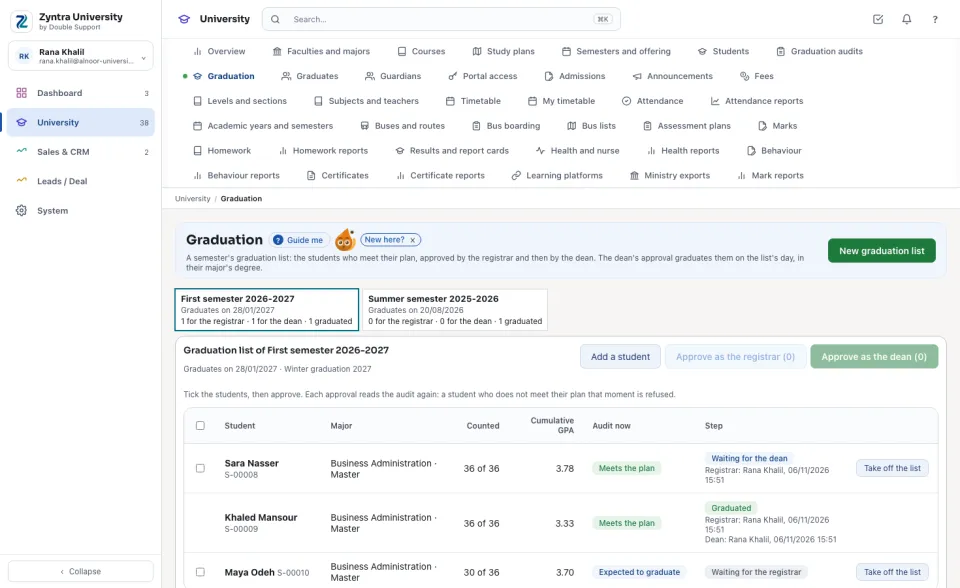
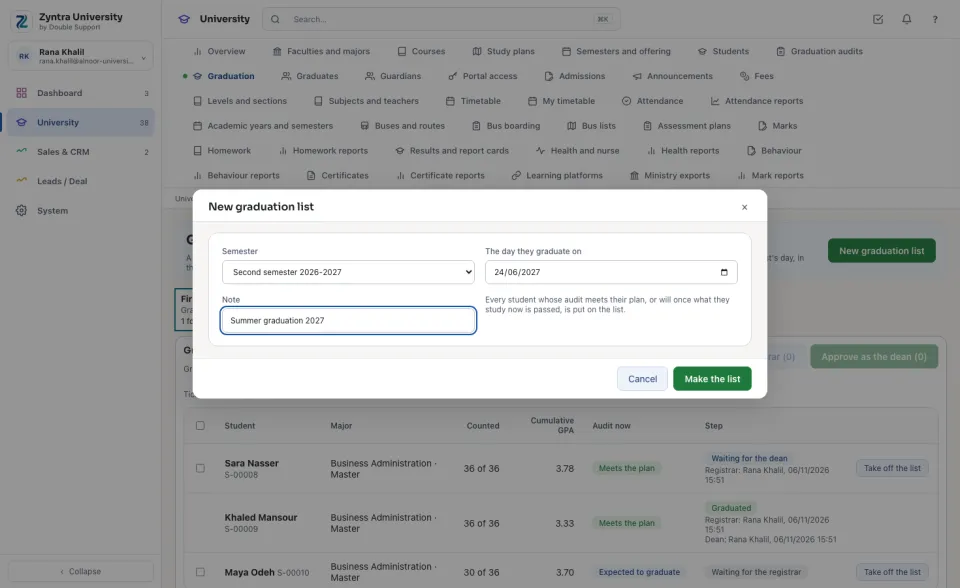
Make a list
Add a student puts one more student on the list, only when their audit meets their plan or will.
Approve: the registrar, then the dean
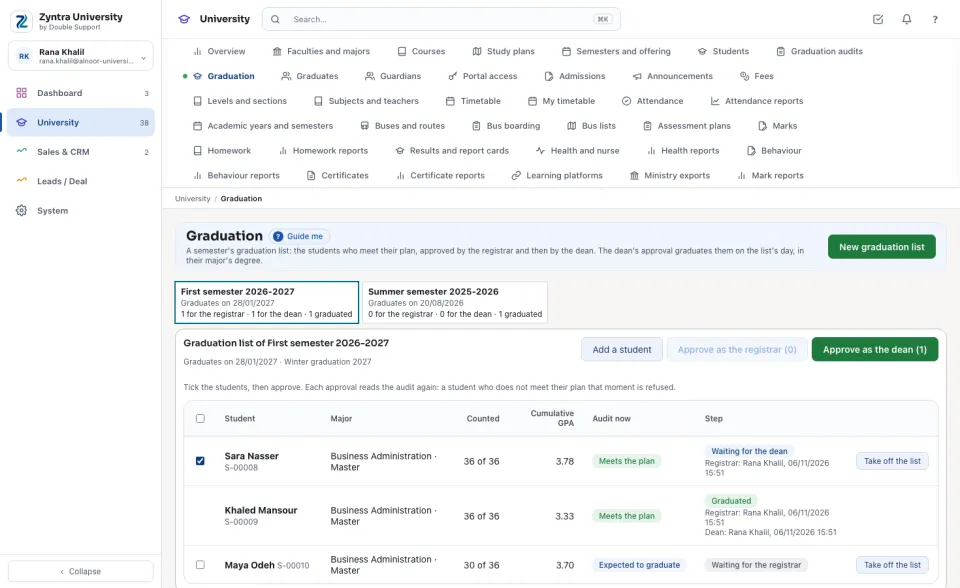
Each approval reads the audit again: a student who does not meet their plan at that moment is refused, and the whole step with them.
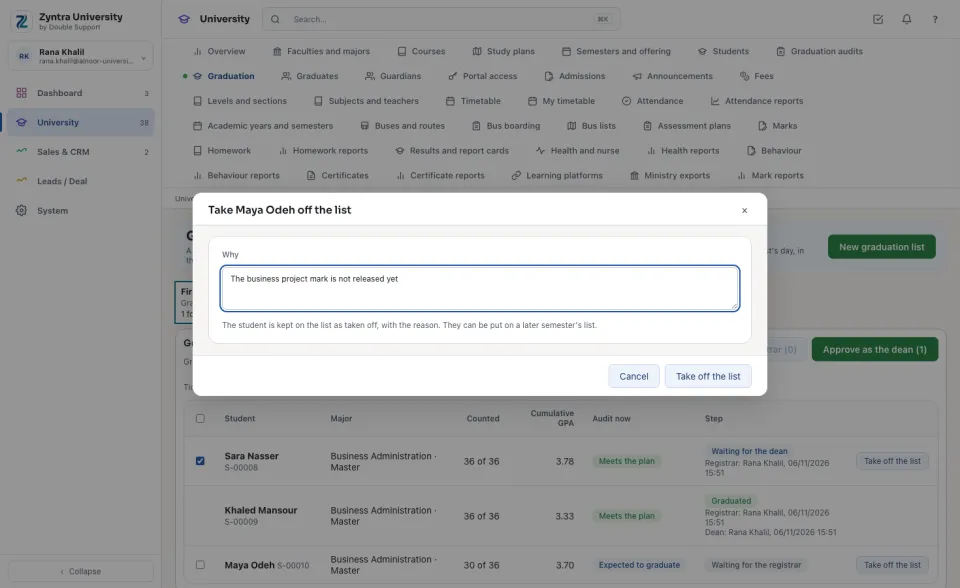
Take a student off the list
Press Take off the list, type Why, and press Take off the list. The student stays on the list as taken off, with the reason; a later semester's list can take them.
Questions
Where is “Graduation” in Zyntra OS?
University › Graduation
Who can use “Graduation”?
University — Approve graduation as the registrar makes a list, adds and approves first; University — Approve graduation as the dean approves after the registrar. Either takes a student off the list.