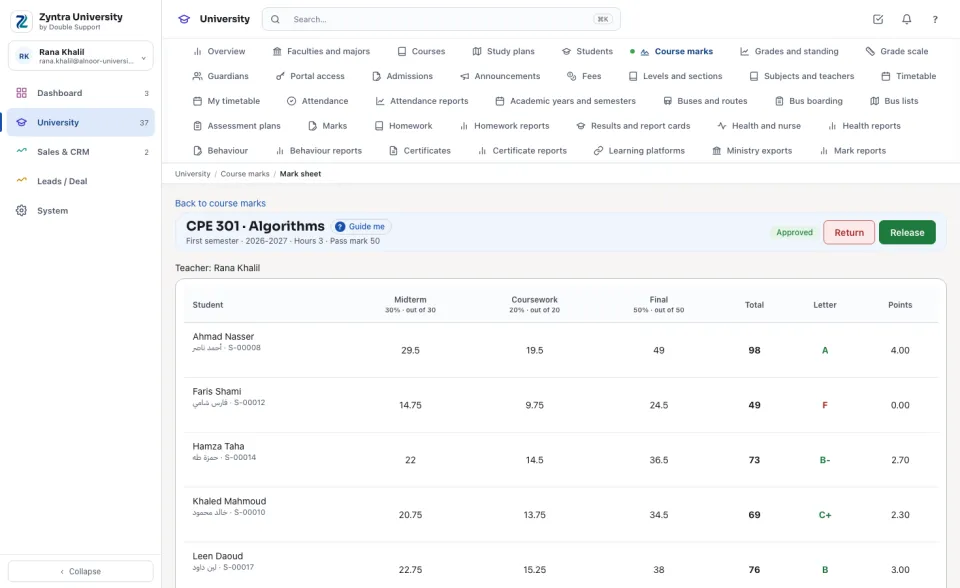
The teacher of a course types its marks for the semester and submits them; the registrar approves, returns or releases them. When the marks are released, each student's total becomes a letter and its points by the university's scale, and the grade is written on the student's record.
Where
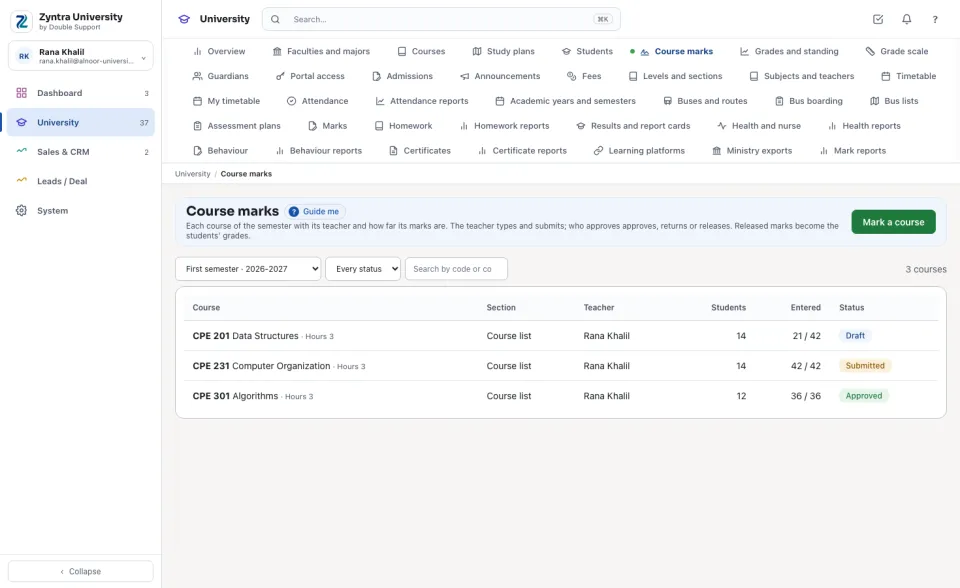
University › Course marks
Who
University — Enter course marks types the marks of the courses the person teaches and submits them; University — Approve and release course marks sees every course, approves, returns, releases, names the teacher and keeps a course's list.
The semester's courses
1
Choose the Semester. Each course shows its section (or its own Course list), its teacher, how many students, how many marks are entered and its status: Not started, Draft, Submitted, Approved or Released.
2
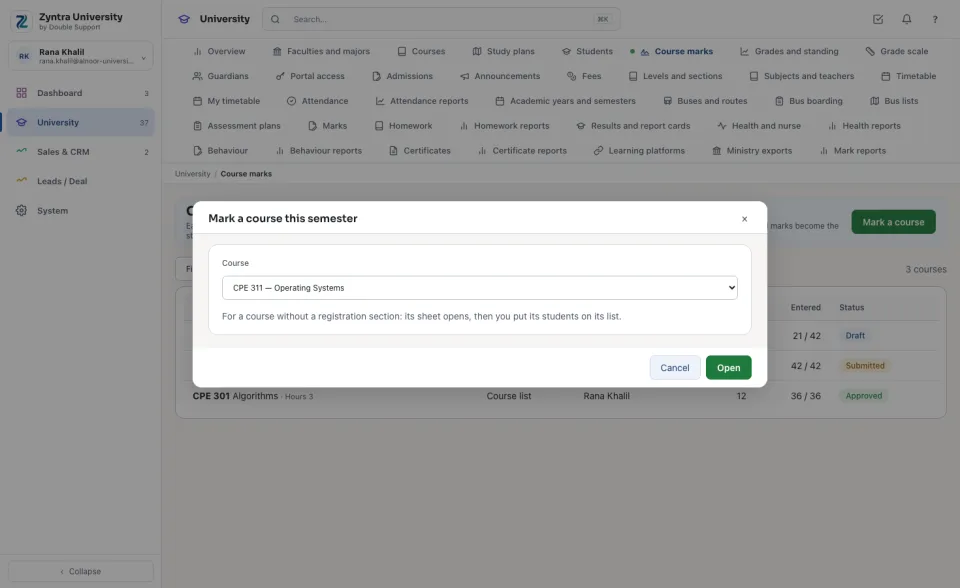
A course without a registration section: press Mark a course, choose the course and press Open. On its sheet choose the Teacher and put the students on its list (type a name or a number, then press the student).
The teacher types the marks
1
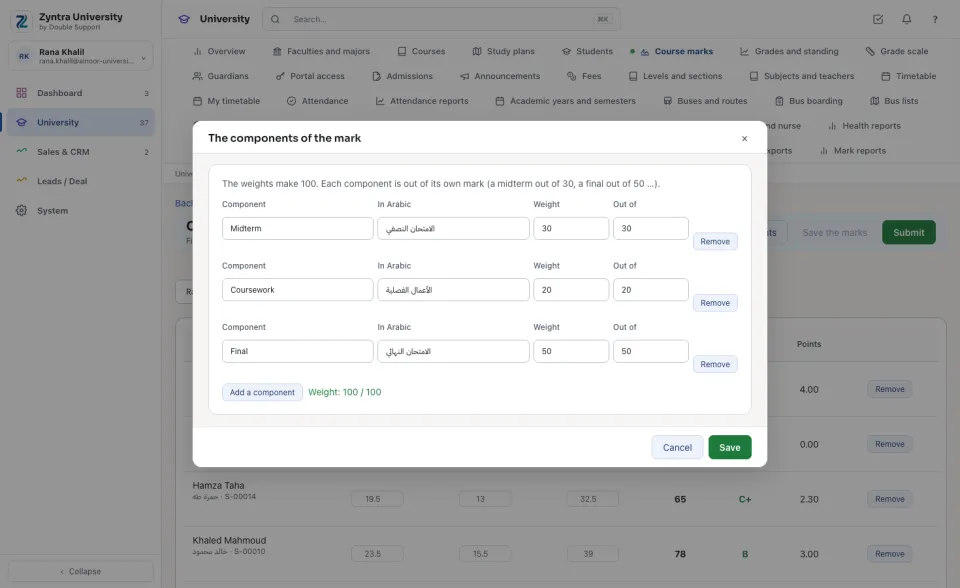
Open the course. A new sheet has one component, Final mark out of 100. Press Set the components to split it (a midterm, the coursework, a final …): the weights make 100, and each component is out of its own mark.
2
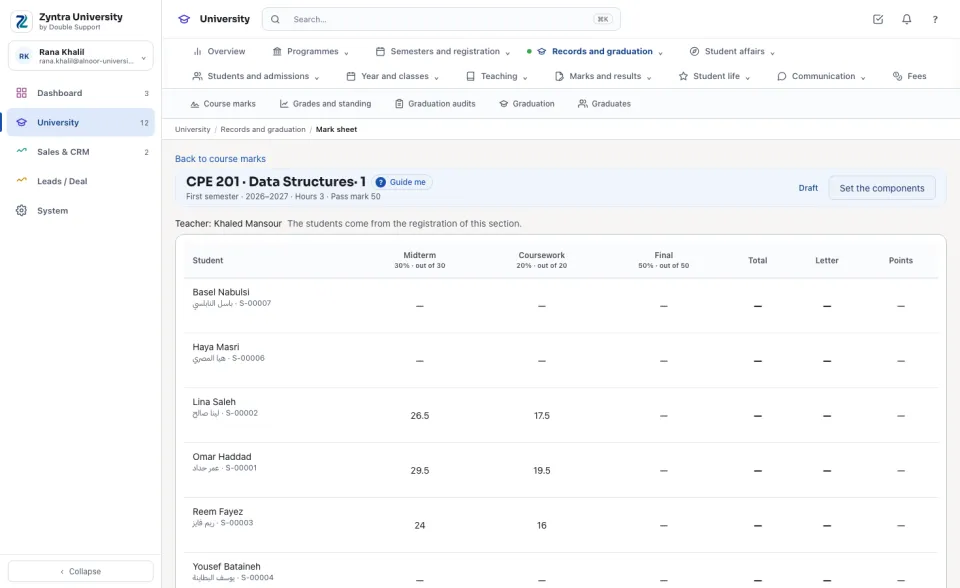
Type each student's marks. The Total, the Letter and the Points are worked out as you type. Press Save the marks.
3
When every student has every mark, press Submit. A submitted sheet is changed only after it is returned.
Approve and release
1
Open a submitted course and press Approve, or Return with the reason (the teacher reads it).
2
Press Release. Each student's grade is written on their record, a W for a student who withdrew, and their GPA and standing are counted again.
A released sheet that is returned takes its grades back to In progress until it is released again. A pass-or-fail course (ticked on the course) reads P or NP and never enters the GPA. When the registration's sections are in, each section's students and teacher come from it.
A component ticked From the learning platform goes to the section's course on Google Classroom, Microsoft Teams or Moodle, and the grades given there come back here as draft marks: see Learning platforms for sections.
Only the course's teacher of the semester types its marks. A teacher sees only the courses they teach.
University — Enter course marks types the marks of the courses the person teaches and submits them; University — Approve and release course marks sees every course, approves, returns, releases, names the teacher and keeps a course's list.
FlowricaUsually replies instantly
We’d like to use Google Analytics to see how this site is used. Nothing is set unless you accept.


 Zyntra OS
 Zyntra Legal
 Zyntra Real Estate
 Zyntra Hotel
 Zyntra E-commerce
 Zyntra Appointments
 Zyntra Repair
 Zyntra Garage
 Zyntra Concierge
 Zyntra Contracting
 Zyntra Clinic
 Zyntra Dental
 Zyntra School
 Zyntra University
 Zyntra Call Center
 Zyntra OTA