

 Zyntra OS
 Zyntra Legal
 Zyntra Real Estate
 Zyntra Hotel
 Zyntra E-commerce
 Zyntra Appointments
 Zyntra Repair
 Zyntra Garage
 Zyntra Concierge
 Zyntra Contracting
 Zyntra Clinic
 Zyntra Dental
 Zyntra School
 Zyntra University
 Zyntra Call Center
 Zyntra OTA
Where
University › Fees and billsWho
University — Bill the semester bills and names the payer; University — Credit refunds brings a bill up to date; University — Lift registration holds lifts a hold; School Fees — Create adds a scholarship.Bill the semester
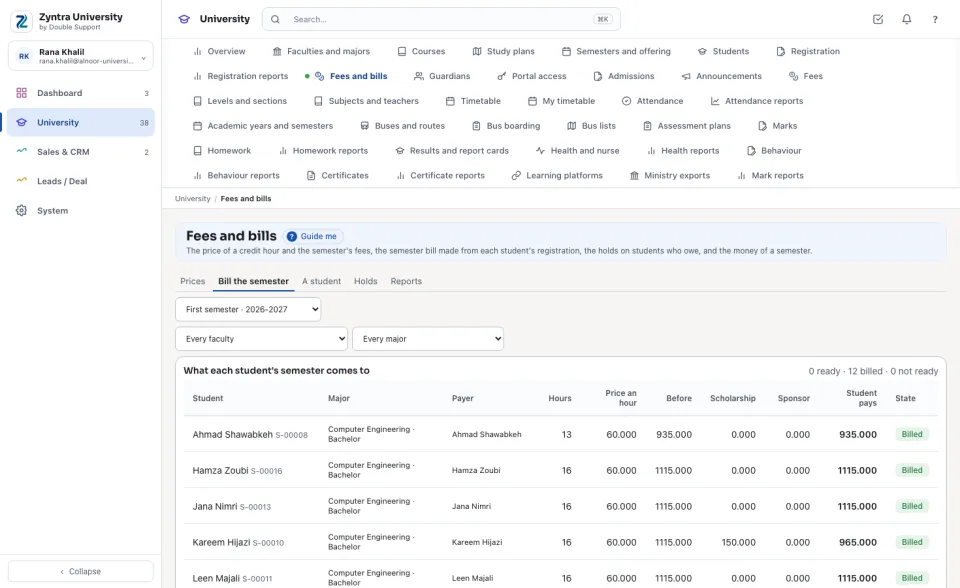
Choose the semester, and a faculty or a major if you like. Each student shows their hours, the price of an hour, the fees before the scholarships, the scholarship, the sponsor's share and what the student pays. A student who cannot be billed says why (no payer, no price, a scholarship waiting for its approval). Press Bill: each student gets one invoice to their payer, on the installment plan, and a sponsor gets its own invoice for its share. Billing again bills nobody twice.
A student's bills
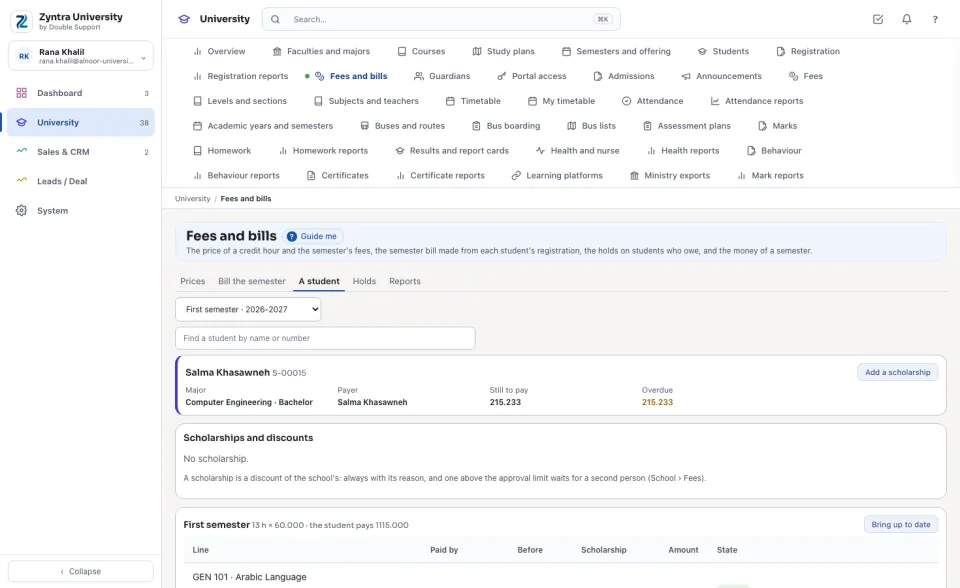
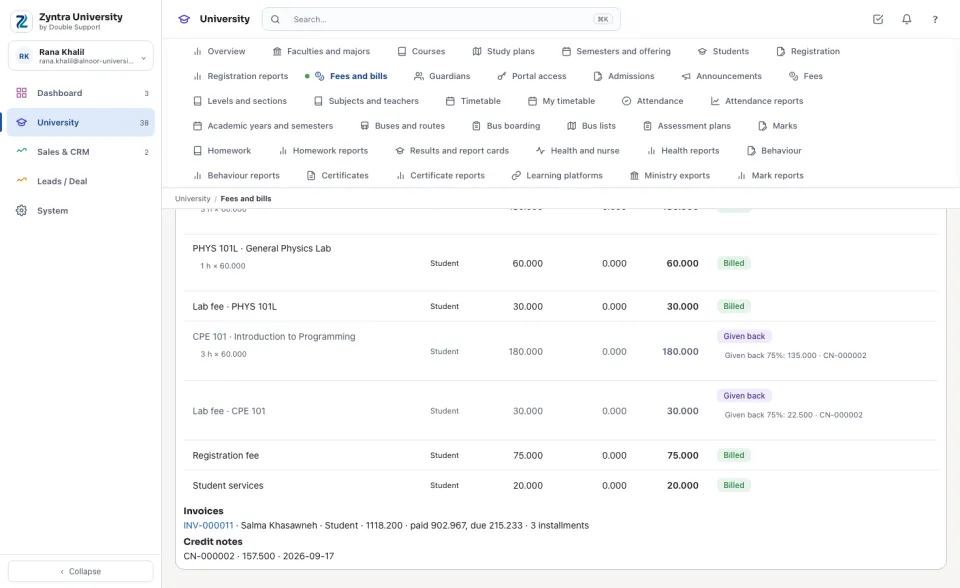
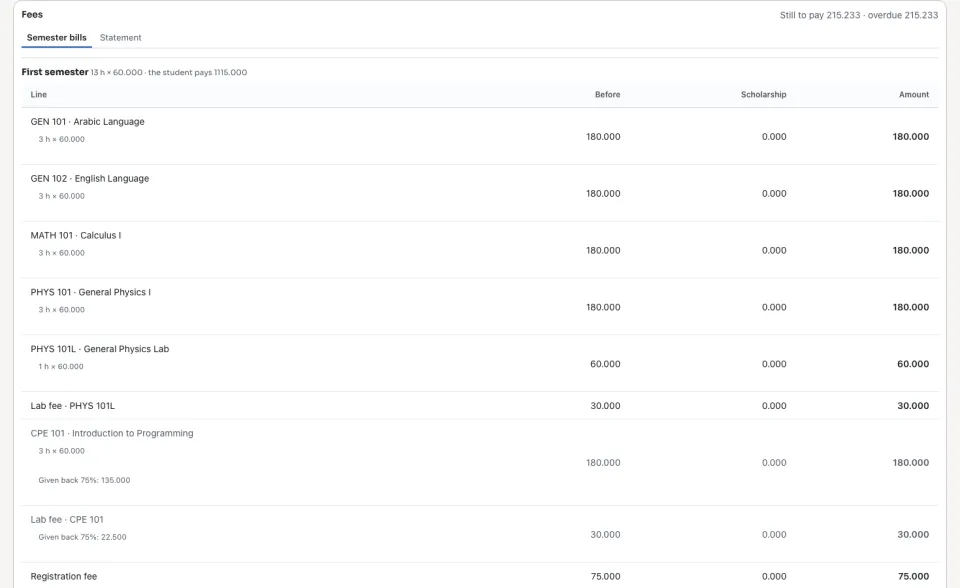
Find the student by name or number. Their payer, what is still to pay and what is overdue, their scholarships, and each semester's bill line by line: each course's hours × the price, the lab fee, the semester's fees, who pays each line, the invoices with their installments, and what was given back. A student with no payer yet can be made to pay for themself with The student pays; a family pays when a guardian is added on the student's file.
Adding, dropping and withdrawing
When a billed student's registration changes, the bill follows. An added course is a line on the semester's invoice while that invoice can still change (a draft, for example); once it is issued, the course is billed on an invoice of its own. A course dropped in the add and drop window is given back in full; a course withdrawn (W) is given back by the week of the semester it was withdrawn in, at the university's own percent. Each is a credit note on the invoice, taken off what it still owes, and each line is given back once. If a change could not reach the bill, the bill says To bring up to date: press Bring up to date.
Scholarships and sponsors
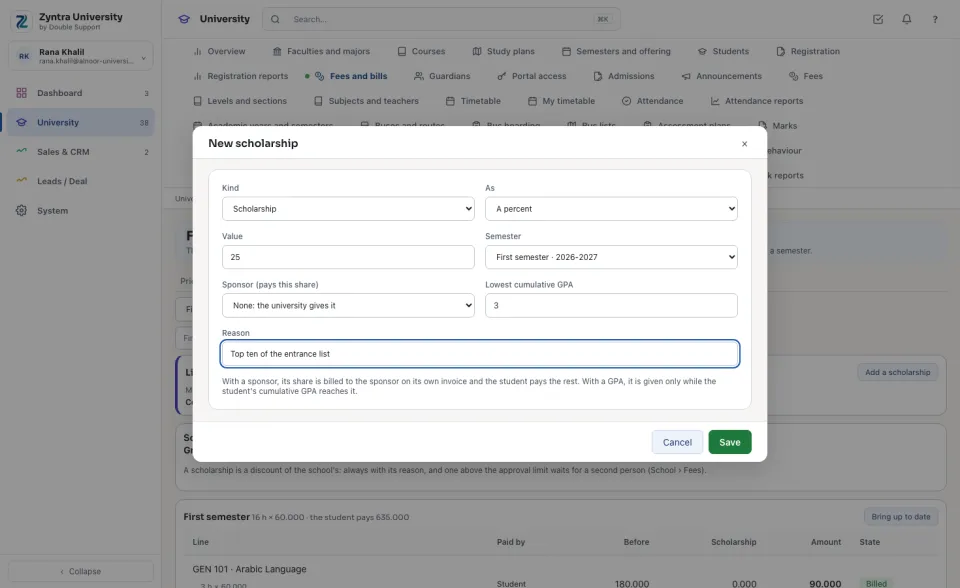
Press Add a scholarship: a percent or an amount, the semester (or every semester), always with its reason. With a sponsor, its share is billed to the sponsor on its own invoice and the student pays the rest. With a lowest cumulative GPA, it is given only while the student's GPA reaches it. A scholarship above the school's approval limit waits for a second person in School › Fees.
Holds
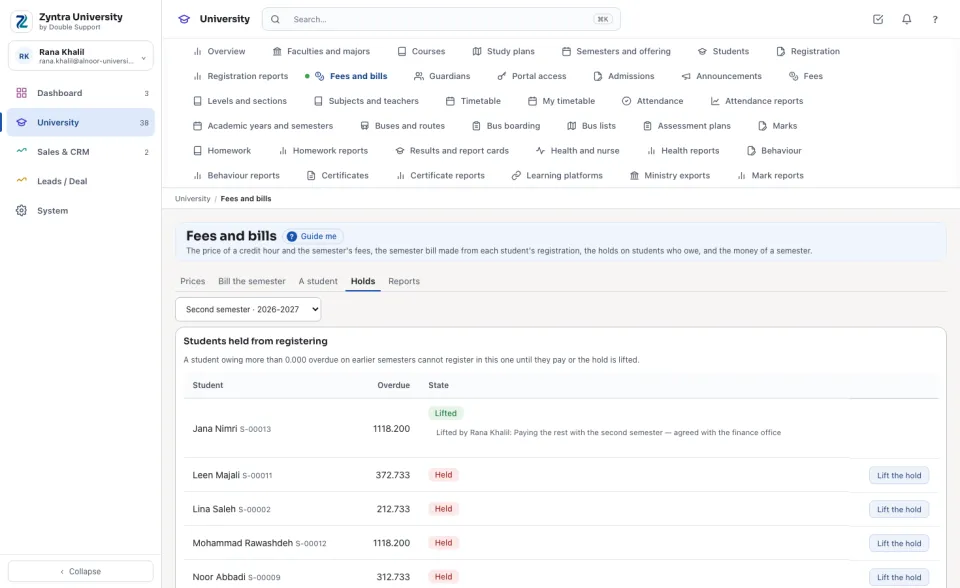
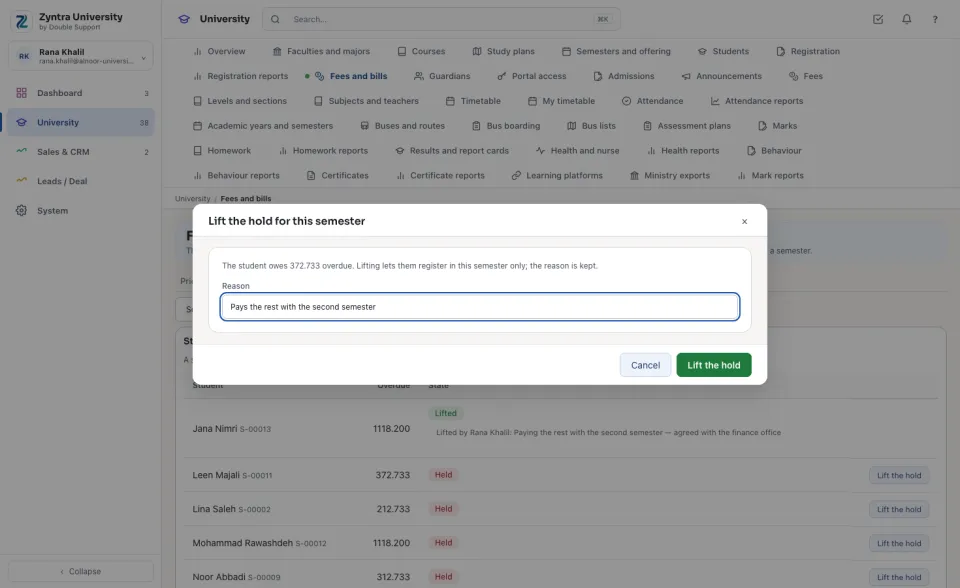
A student who owes more than the university's figure, overdue on an earlier semester, cannot register in the semester chosen, from the portal or by the registrar. The list shows how much each one owes. Press Lift the hold and type the reason to let one register in this semester; the reason is kept.
In the student portal
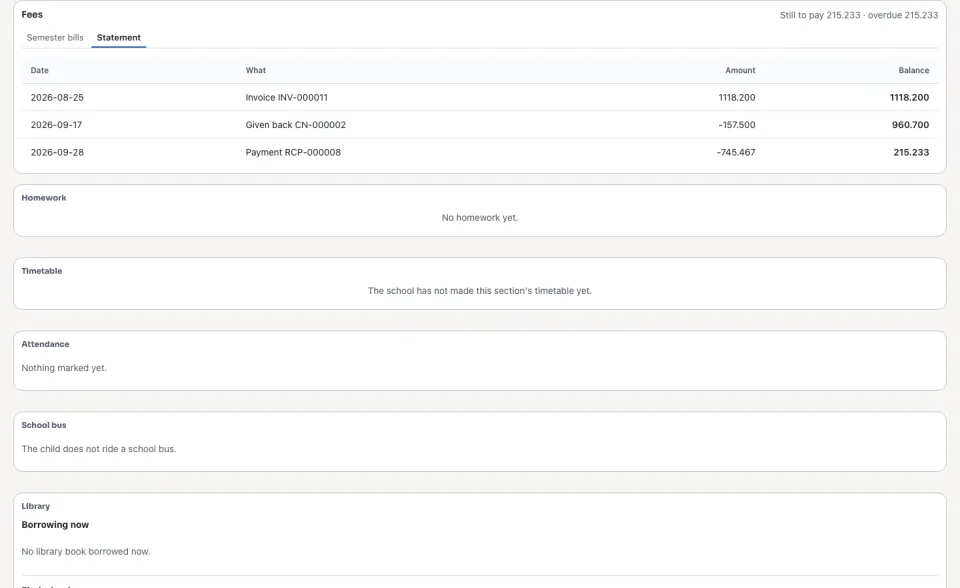
The student, and a guardian of theirs, see each semester's bill with its lines and installments, and pay what is due through the university's online payment when it takes payments online. The sponsor's invoice is never shown to the student. Statement lists each invoice, each amount given back and each payment, with the balance after each.
Questions
Where is “Billing the semester” in Zyntra OS?
University › Fees and bills
Who can use “Billing the semester”?
University — Bill the semester bills and names the payer; University — Credit refunds brings a bill up to date; University — Lift registration holds lifts a hold; School Fees — Create adds a scholarship.