

 Zyntra OS
 Zyntra Legal
 Zyntra Real Estate
 Zyntra Hotel
 Zyntra E-commerce
 Zyntra Appointments
 Zyntra Repair
 Zyntra Garage
 Zyntra Concierge
 Zyntra Contracting
 Zyntra Clinic
 Zyntra Dental
 Zyntra School
 Zyntra University
 Zyntra Call Center
 Zyntra OTA
Where
University › Registration reportsWho
University — Registration reports reads every tab; University — Offer sections reads the class list and the teaching load.Class list
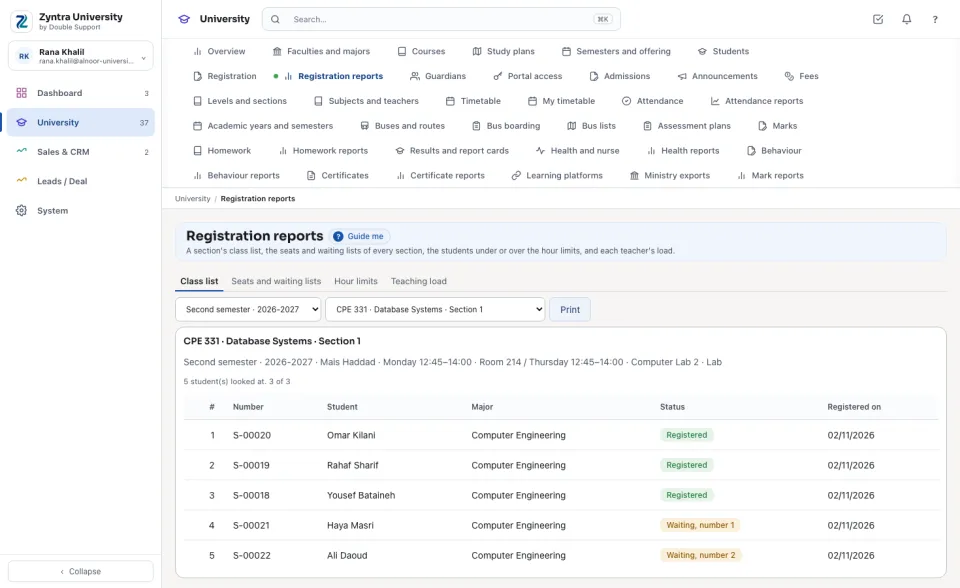
Choose the semester and the section. The list shows the course, the teacher and the times, then every student registered, those withdrawn, and those waiting in their order, with their number, major and the day they registered. Print prints it without the screen around it. A section's page on Semesters and offering opens its class list too.
Seats and waiting lists
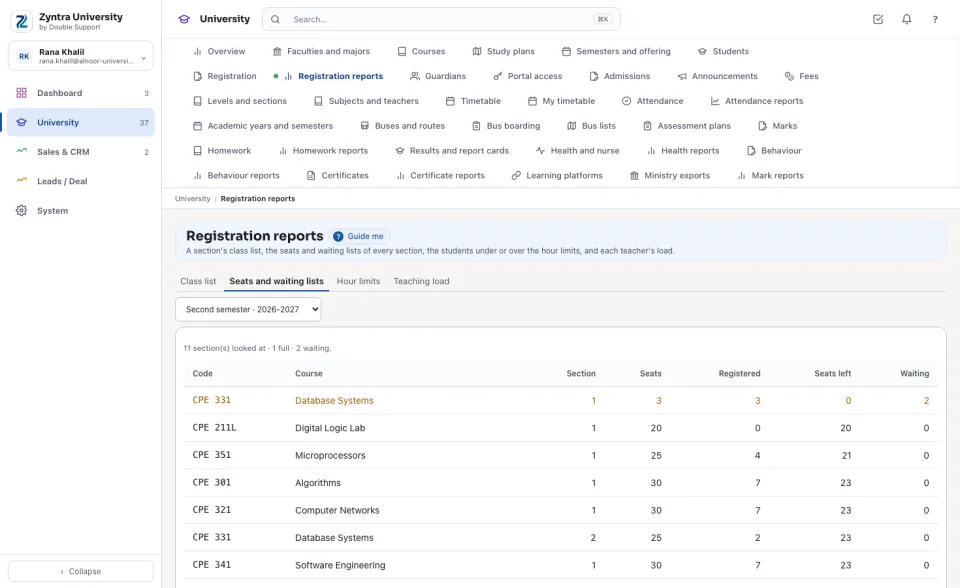
Every section of the semester with its seats, registered, seats left and waiting, the full ones first.
Hour limits
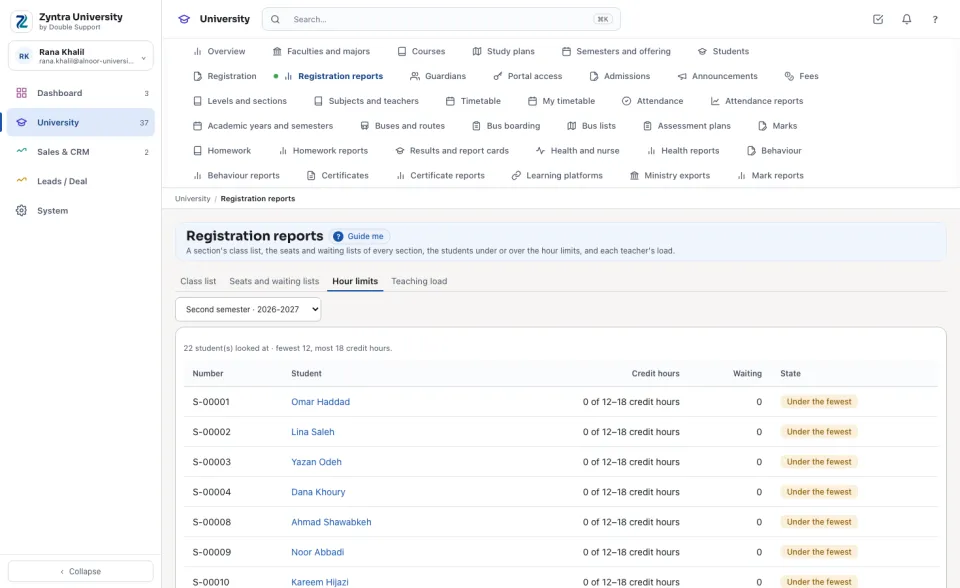
The students studying a major whose credit hours this semester are under the fewest or over the most (a dean's raise read), each opening their registration.
Teaching load
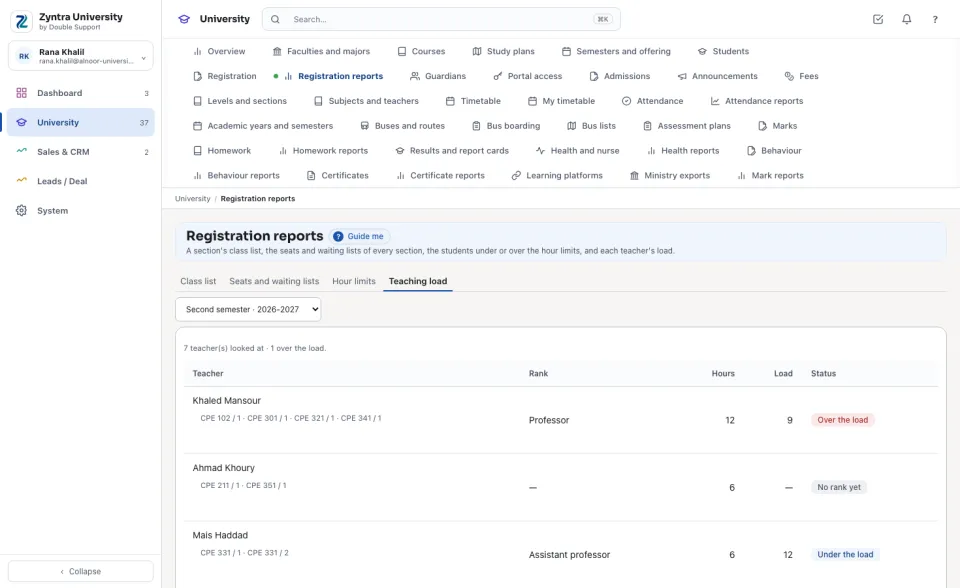
Each teacher's credit hours this semester against the load of their rank, the ones over the load first.
Questions
Where is “Registration reports” in Zyntra OS?
University › Registration reports
Who can use “Registration reports”?
University — Registration reports reads every tab; University — Offer sections reads the class list and the teaching load.