

 Zyntra OS
 Zyntra Legal
 Zyntra Real Estate
 Zyntra Hotel
 Zyntra E-commerce
 Zyntra Appointments
 Zyntra Repair
 Zyntra Garage
 Zyntra Concierge
 Zyntra Contracting
 Zyntra Clinic
 Zyntra Dental
 Zyntra School
 Zyntra University
 Zyntra Call Center
 Zyntra OTA
Where
University › Exam timetableWho
University — Build the exam timetable places the exams, their rooms and invigilators, and keeps the exam rooms. University — Lift exam bars and University — Attendance and exam reports read the timetable and the seating lists.The timetable
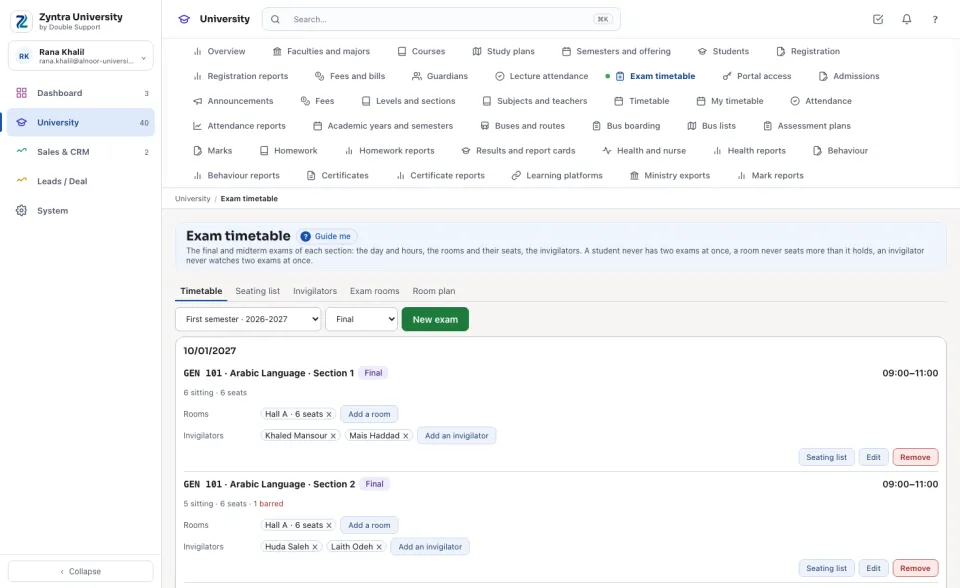
Choose the semester, and the final or the midterm exams. The exams are listed by day, each with its hours, its rooms, its invigilators, the students sitting it and the seats, and how many are barred or still have no seat. Under them, the sections with no exam yet: press Set its exam.
A new exam
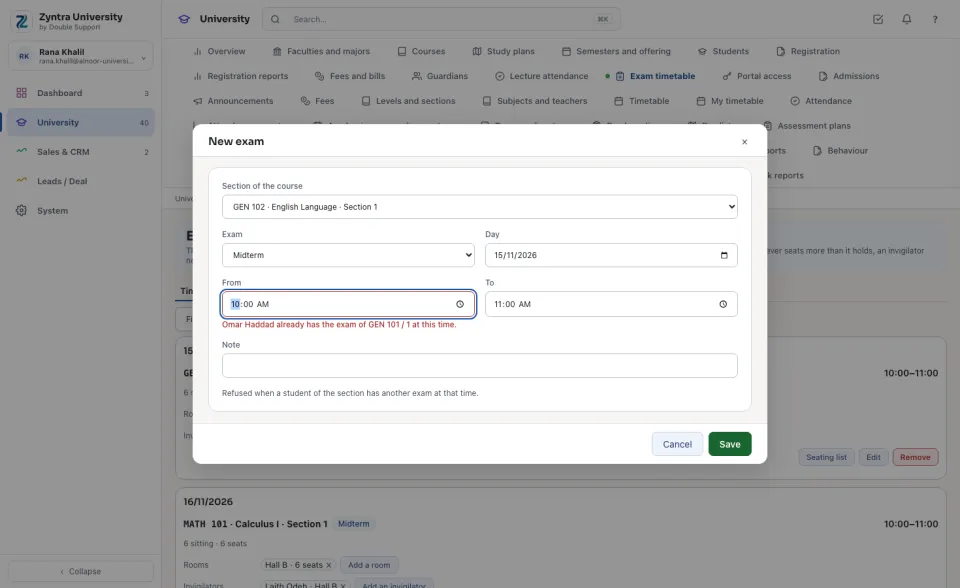
Press New exam: the section, final or midterm, the day and the hours. A student of the section who has another exam at that time refuses it, and the message names the student and the other exam. An exam moved to another day or hour is checked again for its students, its rooms and its invigilators.
Rooms and seats
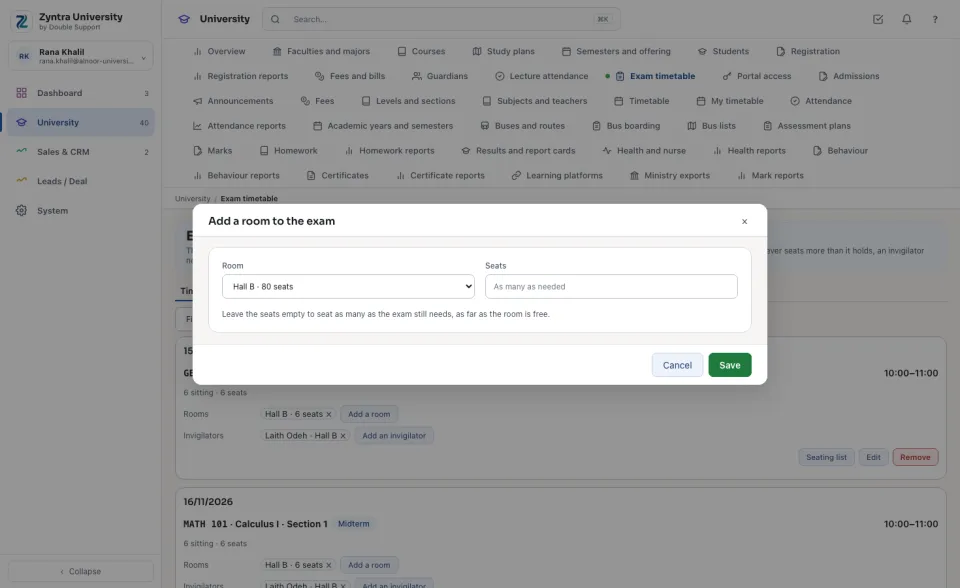
Press Add a room and choose the room. Leave the seats empty to seat as many as the exam still needs. A room never seats more than its seats across the exams sat in it at the same time; the message says how many seats are free.
Invigilators
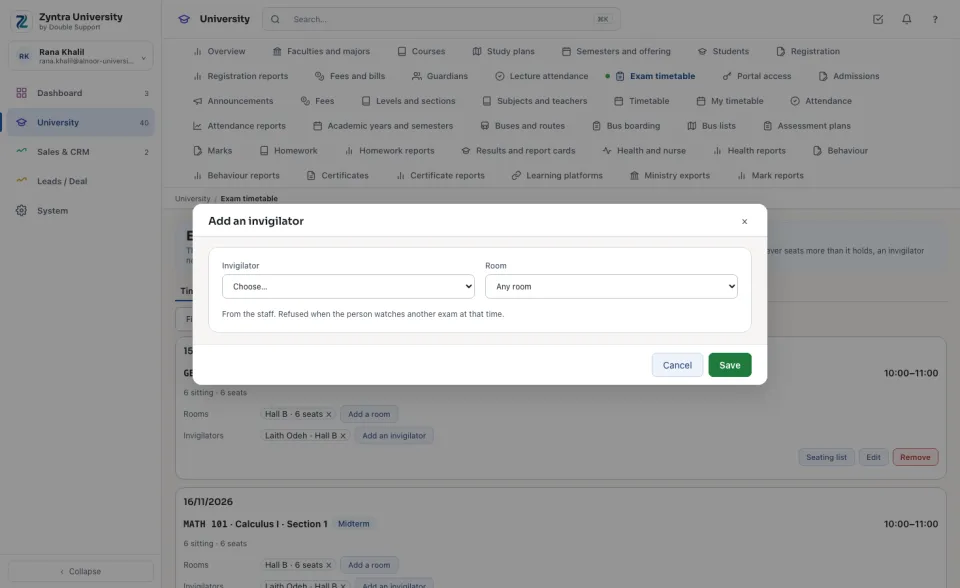
Press Add an invigilator and choose a person of the staff, and the room they watch if you like. A person already watching another exam at that time is refused.
The seating list
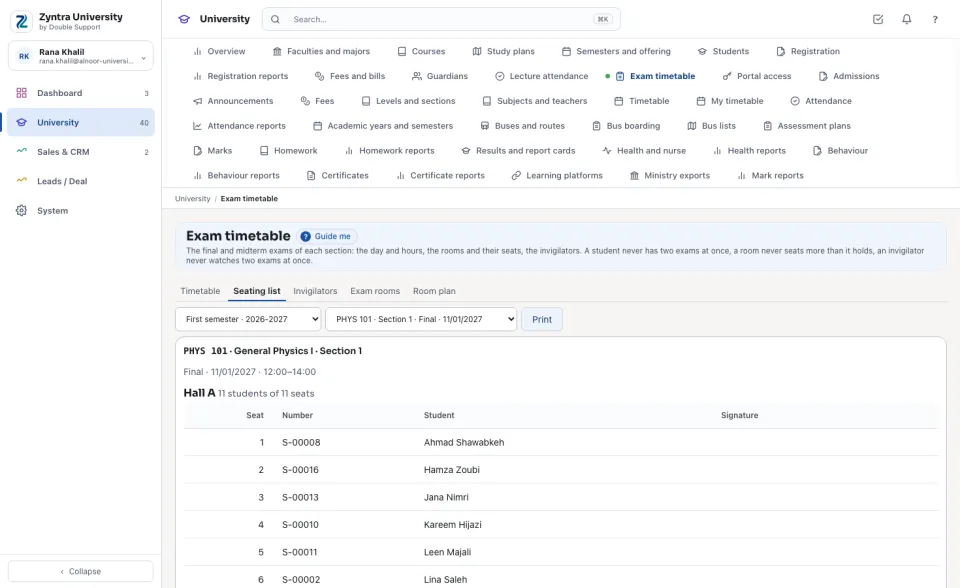
Press Seating list: each room with its seat numbers and its students by name, with a column to sign, then those with no seat yet and those barred from the exam. Press Print.
The invigilators' list
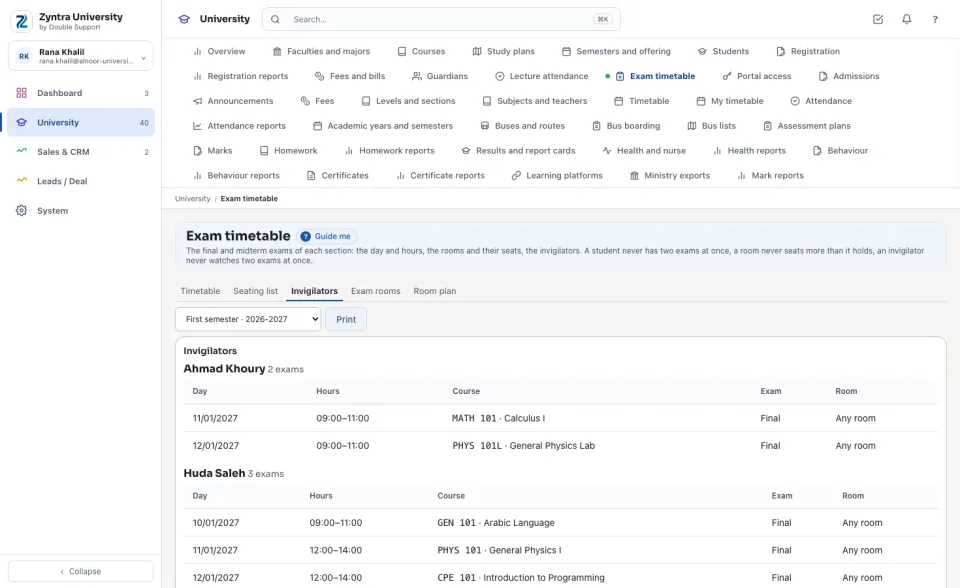
Each invigilator with the exams they watch, by day and hour, and the room. Press Print to hand it out.
Exam rooms
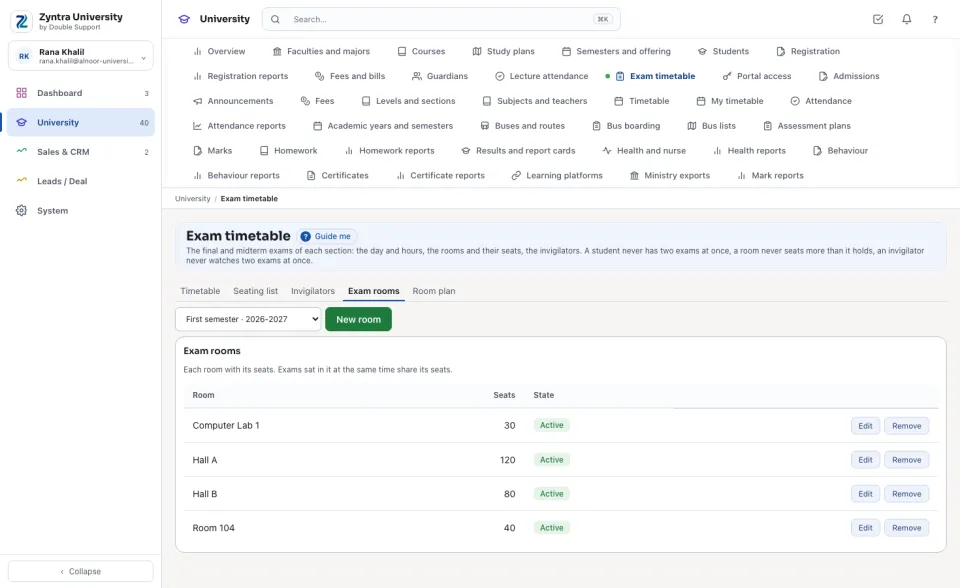
Keep the rooms exams are sat in, each with its seats. A room an exam is sat in is put away, never deleted.
Questions
Where is “Exam timetable” in Zyntra OS?
University › Exam timetable
Who can use “Exam timetable”?
University — Build the exam timetable places the exams, their rooms and invigilators, and keeps the exam rooms. University — Lift exam bars and University — Attendance and exam reports read the timetable and the seating lists.