

 Zyntra OS
 Zyntra Legal
 Zyntra Real Estate
 Zyntra Hotel
 Zyntra E-commerce
 Zyntra Appointments
 Zyntra Repair
 Zyntra Garage
 Zyntra Concierge
 Zyntra Contracting
 Zyntra Clinic
 Zyntra Dental
 Zyntra School
 Zyntra University
 Zyntra Call Center
 Zyntra OTA
Where
University › Academic advisingWho
University — Assign advisors gives students their advisor and names the heads of departments and the deans. University — Advise students reads one's own students and keeps notes. University — Requests and advising reports reads every advisor's list.My students
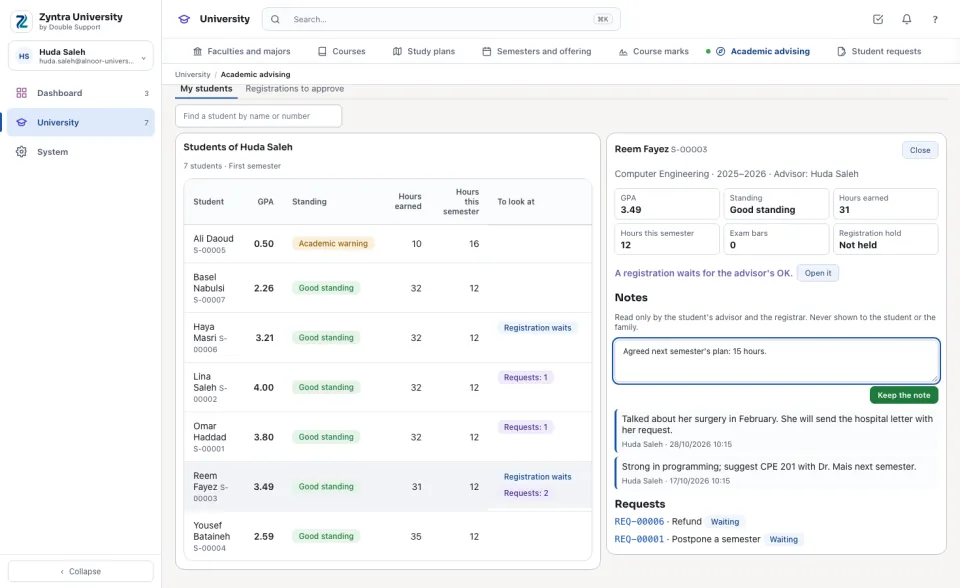
The advisor's students, each with the cumulative GPA, the academic standing, the hours earned and those registered this semester. To look at shows an exam bar, a registration hold, a registration waiting for the advisor and the requests waiting. Press a student to open them beside the list.
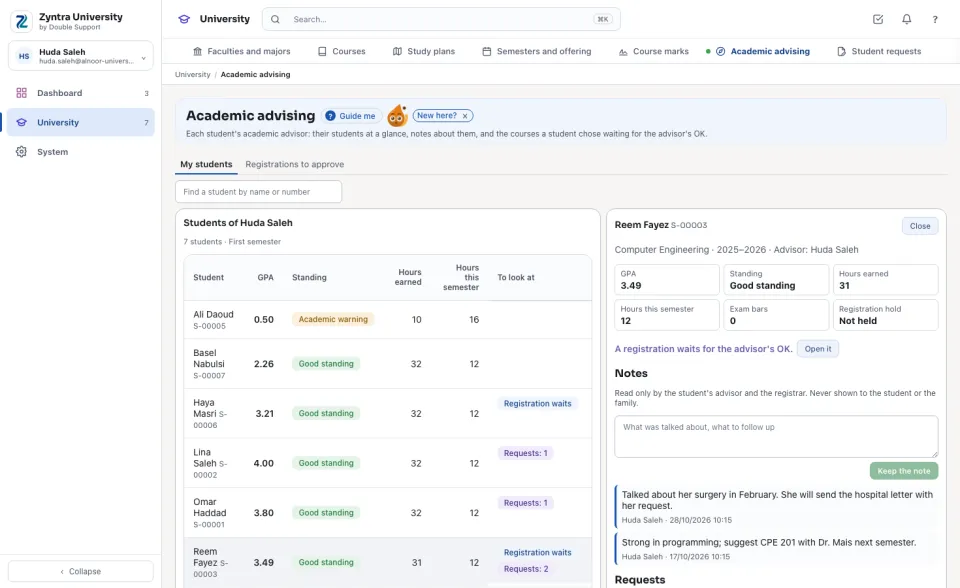
Notes about a student
Type what was talked about and press Keep the note. Notes are read only by the student's advisor and the registrar; they never show to the student or the family. Under them, the student's requests, each opening its page.
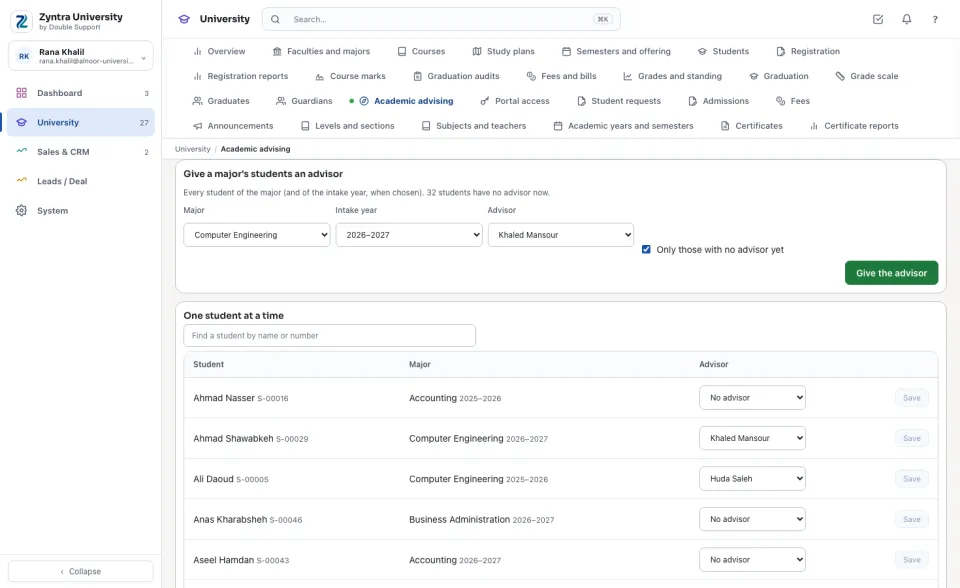
Giving students an advisor
In Assign advisors, choose the major, the intake year (or every year) and the advisor, and press Give the advisor: every student of that major is given the advisor. With Only those with no advisor yet ticked, a student who already has one keeps them. Under it, give one student at a time: choose the advisor on their line and press Save.
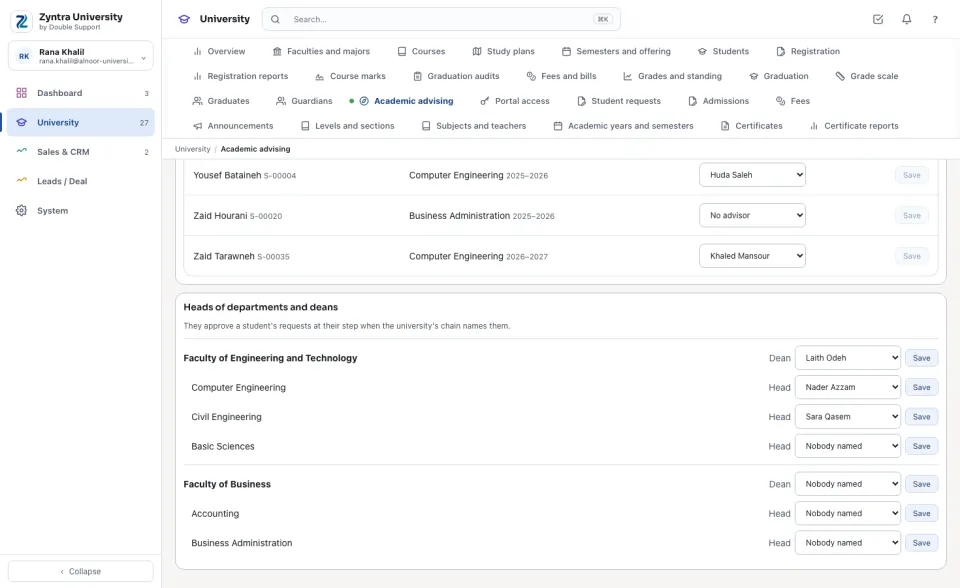
Heads of departments and deans
Choose the head of each department and the dean of each faculty and press Save. They decide a student's request at their own step when the university's chain names them (Student requests).
Questions
Where is “Academic advising” in Zyntra OS?
University › Academic advising
Who can use “Academic advising”?
University — Assign advisors gives students their advisor and names the heads of departments and the deans. University — Advise students reads one's own students and keeps notes. University — Requests and advising reports reads every advisor's list.