

 Zyntra OS
 Zyntra Legal
 Zyntra Real Estate
 Zyntra Hotel
 Zyntra E-commerce
 Zyntra Appointments
 Zyntra Repair
 Zyntra Garage
 Zyntra Concierge
 Zyntra Contracting
 Zyntra Clinic
 Zyntra Dental
 Zyntra School
 Zyntra University
 Zyntra Call Center
 Zyntra OTA
Where
University › Academic advising › Registrations to approveWho
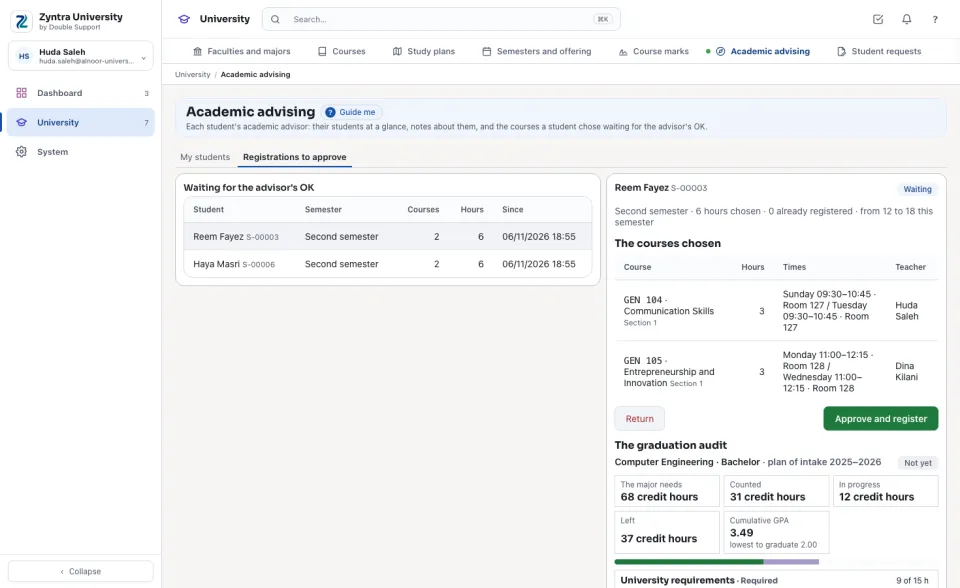
University — Advise students decides the registrations of one's own students. A student with no advisor is decided by who holds University — Assign advisors.The registrations waiting
Each student waiting, the semester, the courses and hours chosen and since when. Press one to open it: each course chosen with its section, times and teacher, the hours chosen against the semester's fewest and most, and the courses already registered.
The audit beside it
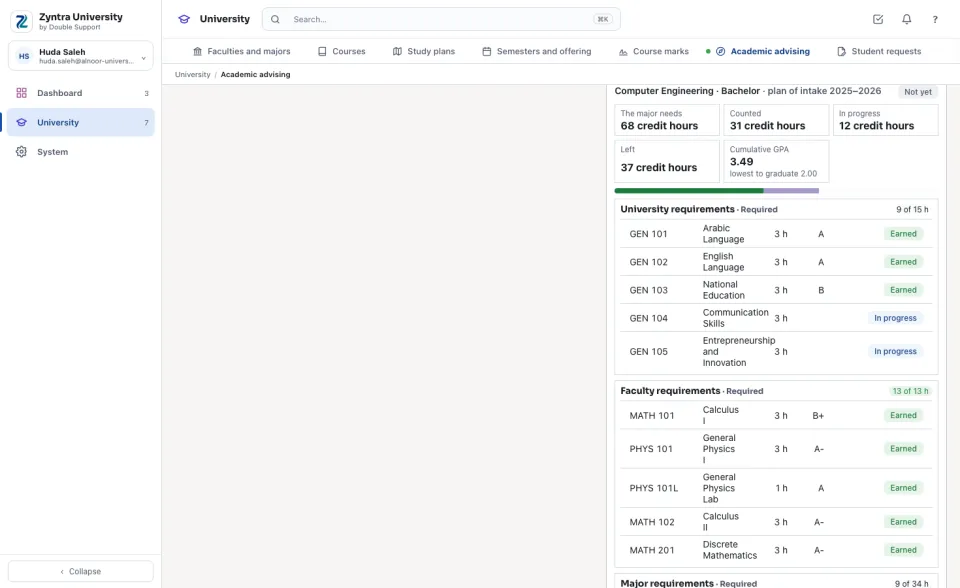
Under the choice, the student's graduation audit: the hours the major needs, counted, in progress and left, and each group of the plan with each course's state.
Approving or returning
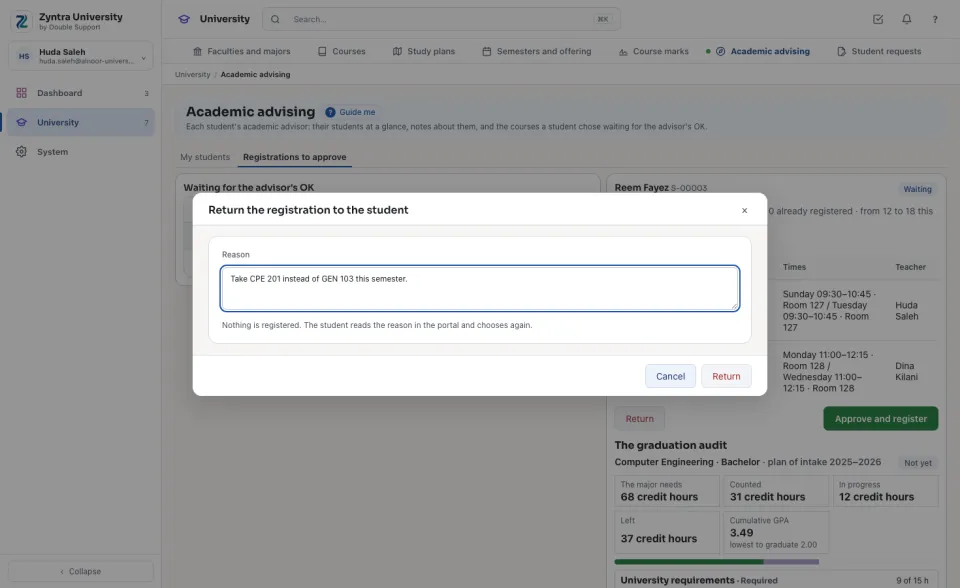
Press Approve and register: the courses are registered at once through registration's own checks (the window, the prerequisites, the clashes, the seats, the hours, the hold); a full section puts the student on its waiting list. If a check refuses, nothing is registered and the refusal shows. Press Return and type why: nothing is registered and the student reads the reason.
What the student reads
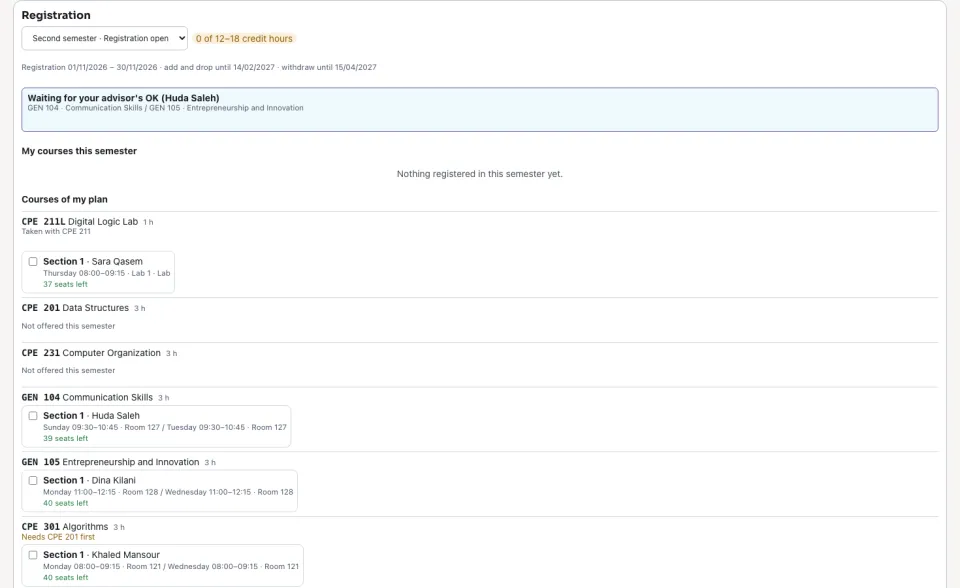
In the portal the student's choice shows as waiting for their advisor, or returned with the advisor's reason; they choose again from the same page.
Questions
Where is “The advisor's OK on a registration” in Zyntra OS?
University › Academic advising › Registrations to approve
Who can use “The advisor's OK on a registration”?
University — Advise students decides the registrations of one's own students. A student with no advisor is decided by who holds University — Assign advisors.