

 Zyntra OS
 Zyntra Legal
 Zyntra Real Estate
 Zyntra Hotel
 Zyntra E-commerce
 Zyntra Appointments
 Zyntra Repair
 Zyntra Garage
 Zyntra Concierge
 Zyntra Contracting
 Zyntra Clinic
 Zyntra Dental
 Zyntra School
 Zyntra University
 Zyntra Call Center
 Zyntra OTA
Where
University › Lecture attendanceWho
University — Mark lecture attendance marks the lectures of the sections the person teaches. School Attendance — Reopen a locked day opens a closed lecture again. University — Lift exam bars and University — Attendance and exam reports read every section and never mark.The sections
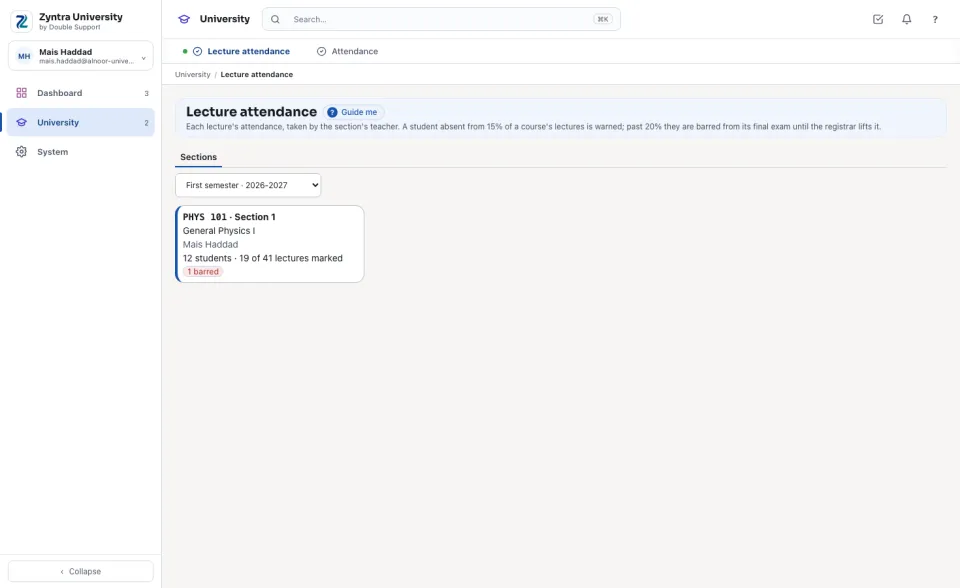
Choose the semester. Each section shows its teacher, its students, how many of its lectures are marked of all it gives in the semester, and how many students are warned or barred. A teacher sees only their own sections.
A lecture's sheet
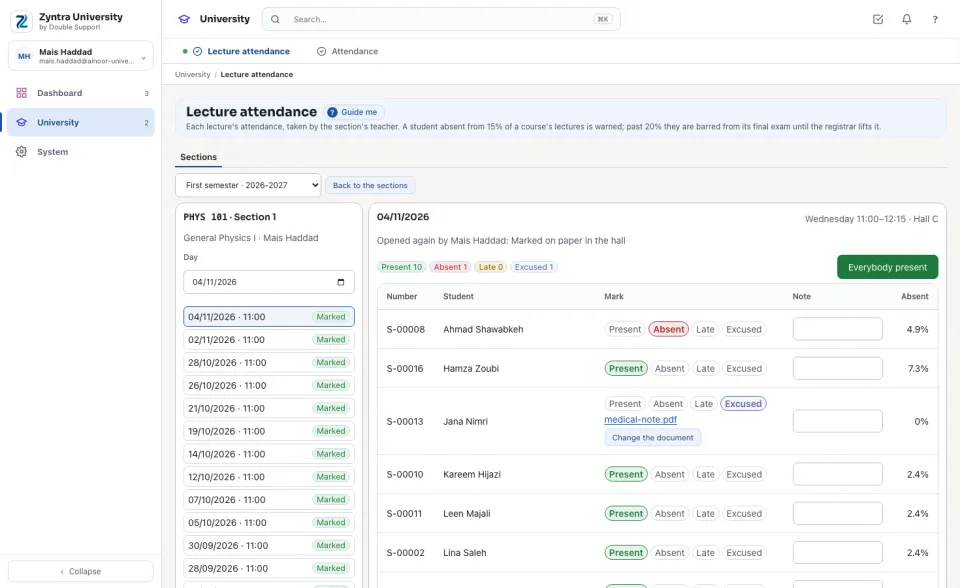
Open a section. Its lectures are listed from the latest, each Marked or Not marked; or choose a day. A lecture is one of the section's weekly times on that day. Press Everybody present, change the few who were absent, late or excused, add a note, then press Save the attendance. Beside each student is their absence so far.
A closed lecture
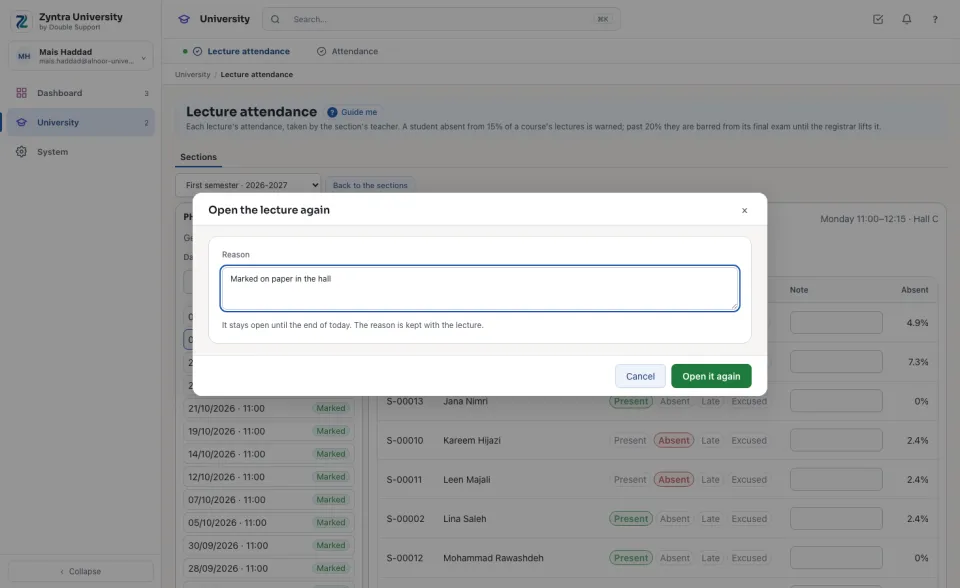
A lecture closes at the school's closing time (Setup › Settings › School). A teacher who may reopen a locked day presses Open it again and types the reason: it stays open until the end of the day, and the reason is kept with the lecture.
An excused absence and its document
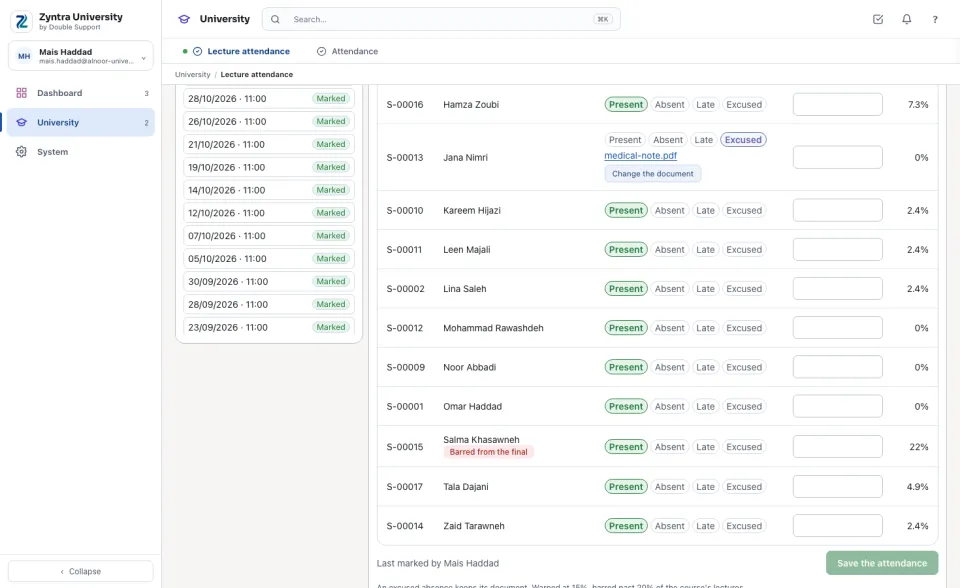
Mark the student Excused and save. Press Add the document to keep the medical note or the letter with that absence; its name opens it. Only an excused absence keeps a document.
With Attendance devices at the lecture rooms, a student's punch in the room during the lecture marks them on this sheet; the teacher still marks the lecture, and the teacher's mark wins.
Questions
Where is “Lecture attendance” in Zyntra OS?
University › Lecture attendance
Who can use “Lecture attendance”?
University — Mark lecture attendance marks the lectures of the sections the person teaches. School Attendance — Reopen a locked day opens a closed lecture again. University — Lift exam bars and University — Attendance and exam reports read every section and never mark.