

 Zyntra OS
 Zyntra Legal
 Zyntra Real Estate
 Zyntra Hotel
 Zyntra E-commerce
 Zyntra Appointments
 Zyntra Repair
 Zyntra Garage
 Zyntra Concierge
 Zyntra Contracting
 Zyntra Clinic
 Zyntra Dental
 Zyntra School
 Zyntra University
 Zyntra Call Center
 Zyntra OTA
Where
University › Lecture attendance › A student · BarredWho
University — Lift exam bars lifts a bar and names a student's academic advisor. University — Attendance and exam reports reads the lists.A student's courses
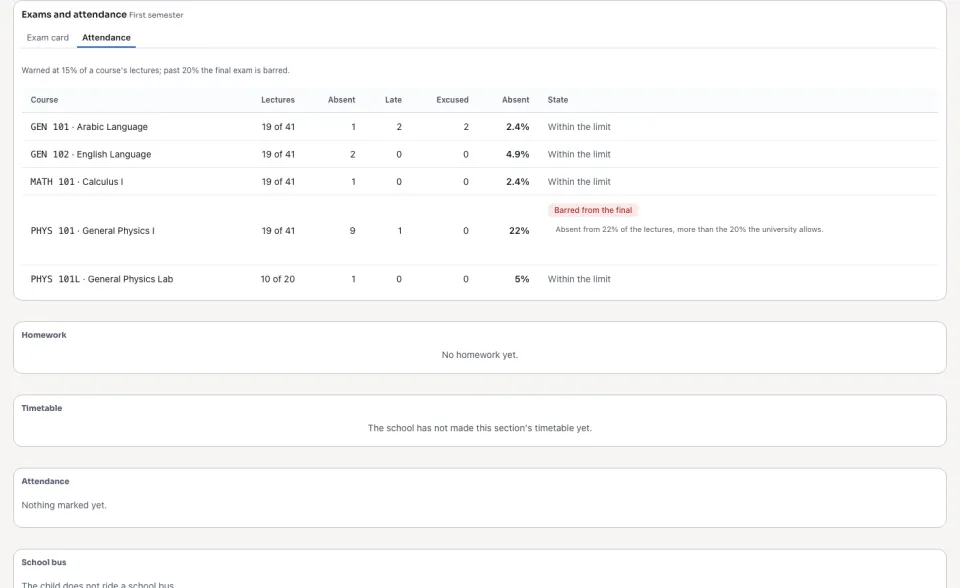
Find the student by name or number. Each course of the semester shows its lectures given, the absences, the lates and the excused, the share attended and the share missed, and whether the student is warned, barred or the bar lifted, with why. Choose the student's Academic advisor and press Save: the advisor is told with the student.
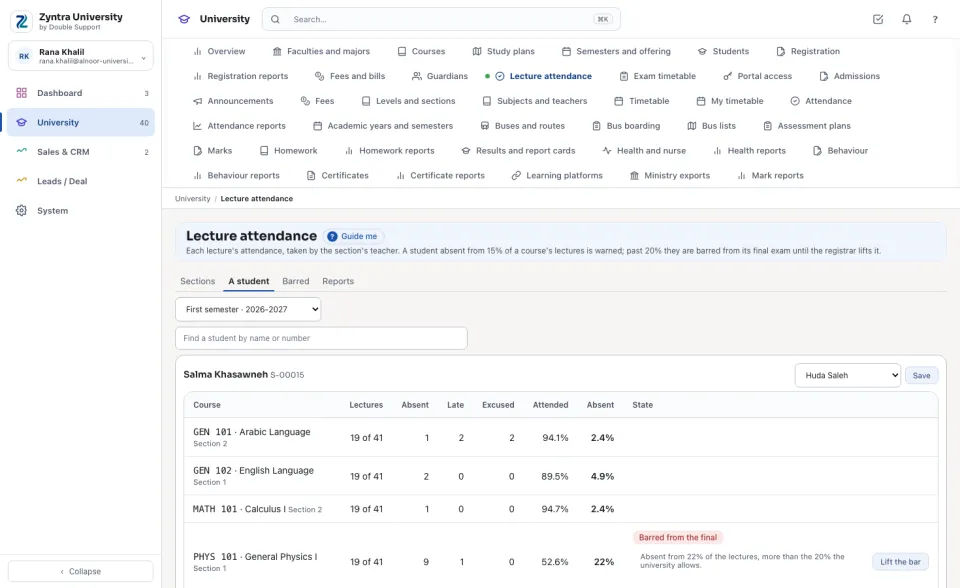
Lifting a bar
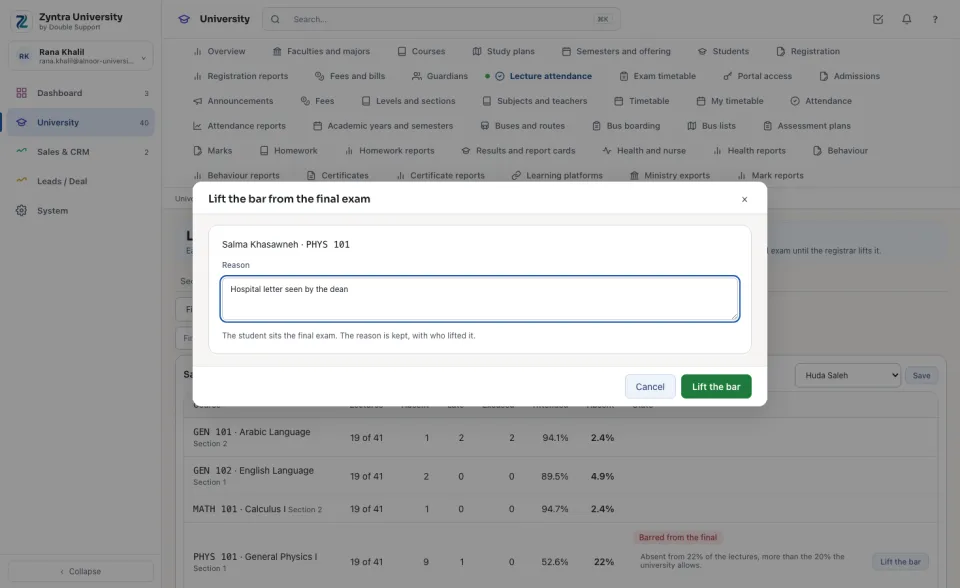
Press Lift the bar and type the reason. The student sits the final exam; who lifted it and why stay on the list. A lifted bar stays lifted for the semester.
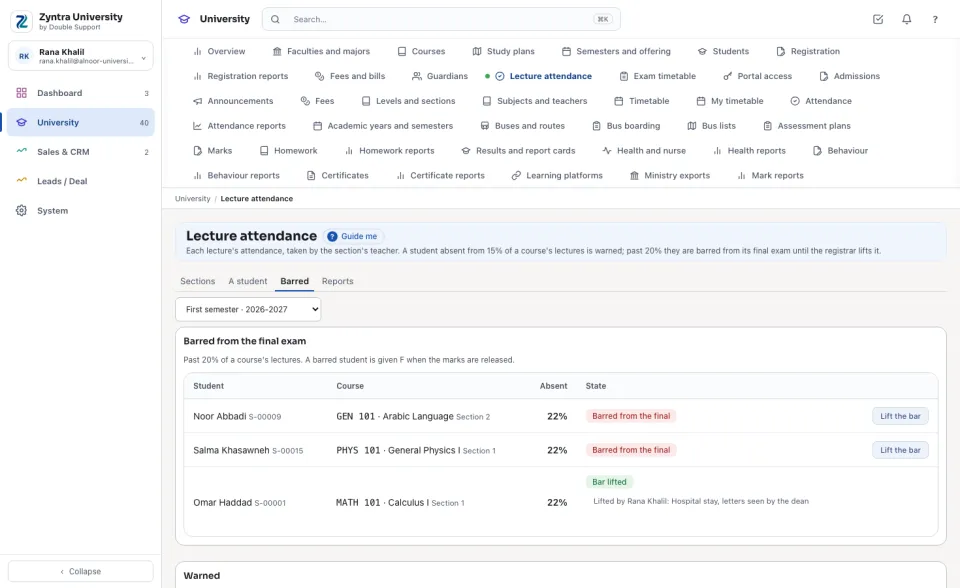
Who is barred, and who is warned
The Barred tab lists every student barred this semester, the course and the share missed, then those whose bar was lifted. Under it, those who reached the warning.
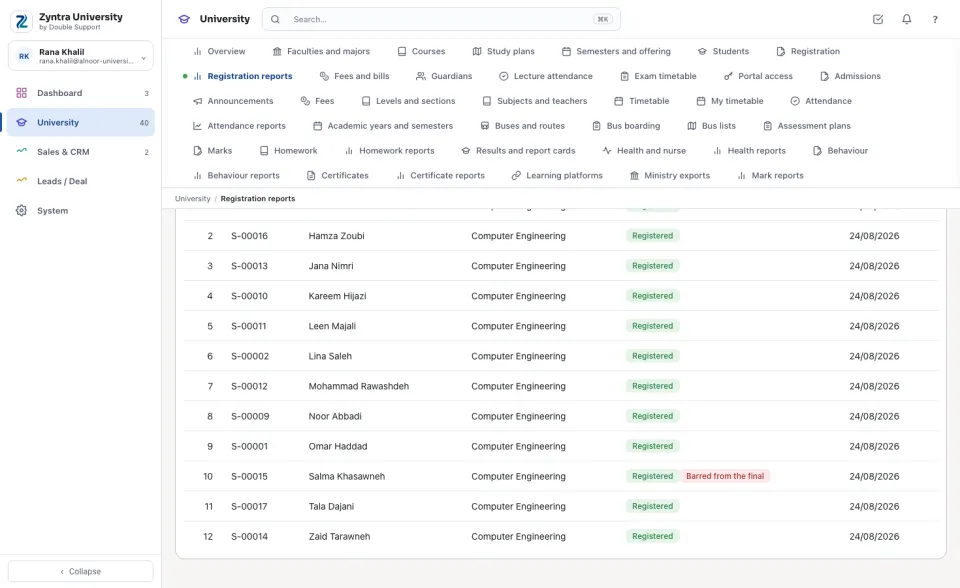
On the class list
A barred student stays registered: the class list (Registration reports) shows the bar beside the status, and the seating list of the final names them as barred, with no seat.
What the student reads
In the portal the student, and a guardian of theirs, read each course's attendance and the share missed against the warning and the limit.
Questions
Where is “Exam bars” in Zyntra OS?
University › Lecture attendance › A student · Barred
Who can use “Exam bars”?
University — Lift exam bars lifts a bar and names a student's academic advisor. University — Attendance and exam reports reads the lists.