

 Zyntra OS
 Zyntra Legal
 Zyntra Real Estate
 Zyntra Hotel
 Zyntra E-commerce
 Zyntra Appointments
 Zyntra Repair
 Zyntra Garage
 Zyntra Concierge
 Zyntra Contracting
 Zyntra Clinic
 Zyntra Dental
 Zyntra School
 Zyntra University
 Zyntra Call Center
 Zyntra OTA
Where
University › Admissions and University › Students › a student › Major and planWho
The admissions rights make and decide applications; School Students — View reads a student's major, Edit sets it.An application for a major
1
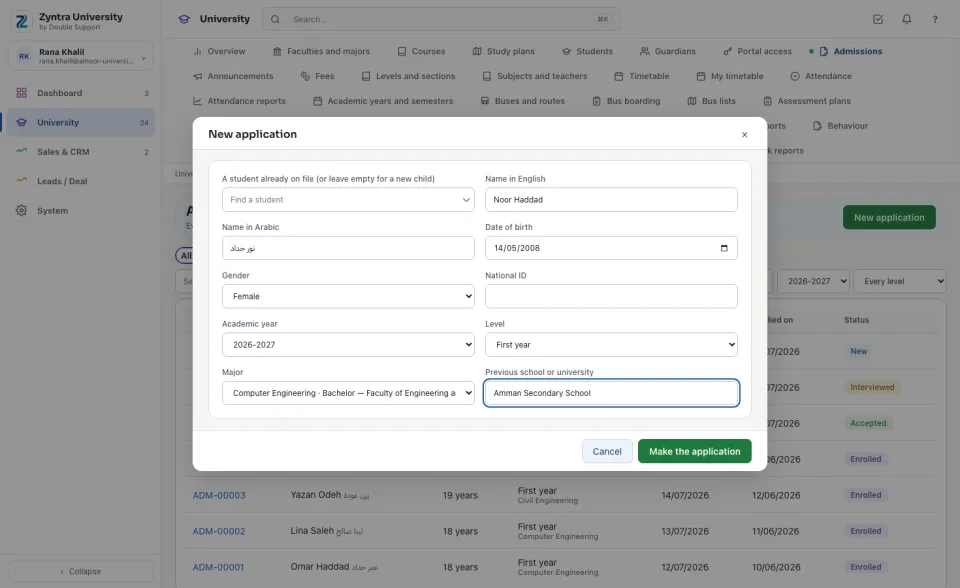
On Admissions press New application. Type the student's names, date of birth and gender (or find a student already on file).
2
Choose the Academic year, the Level and the Major, type the Previous school or university, and press Make the application.
3
The application walks as at a school: the interview or test, then Accept or Reject, then Enrol. Its page and the admissions list show the major.
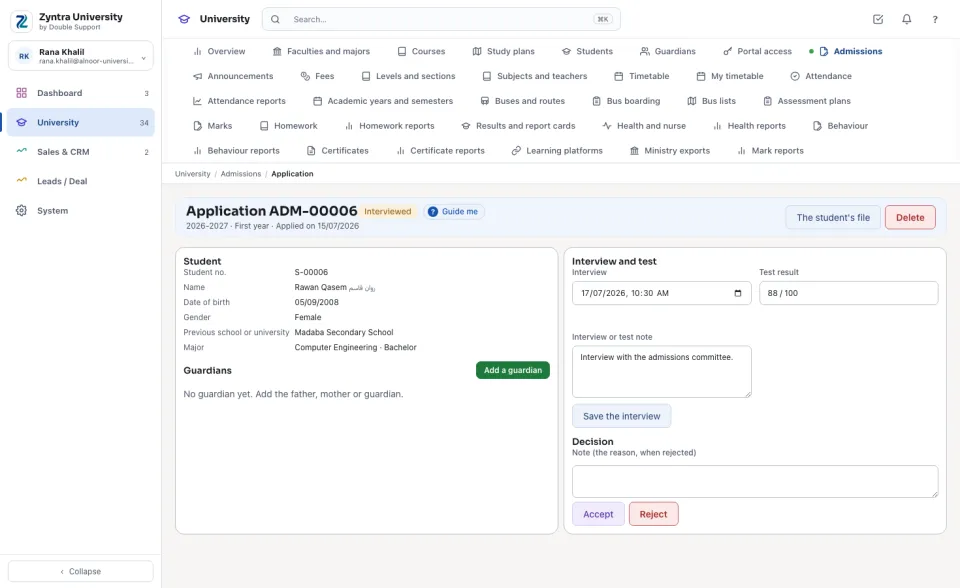
When the application is enrolled, the student is admitted to its major from the application's year, on the day of the enrolment.
The student's major and plan
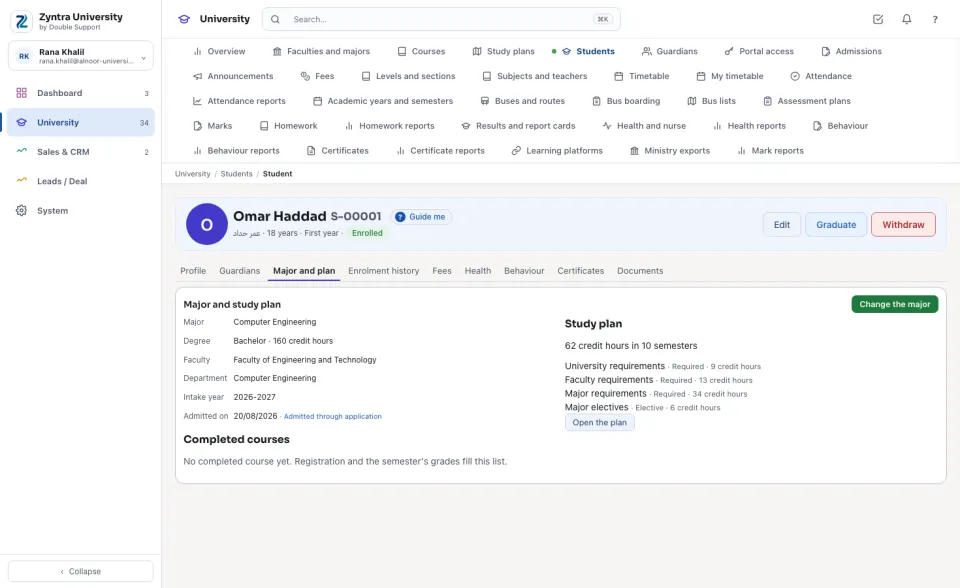
On the student's page, Major and plan shows the Major, its Degree and hours, the Faculty and Department, the Intake year and the day of admission (with the application that admitted them), and the Study plan of that intake year with its groups; Open the plan opens it. Completed courses is filled by registration and the semester's grades.
Set or change the major
1
Press Set the major (or Change the major).
2
Choose the Major and the Intake year, type the day of admission, and press Save. The major before is kept under Majors before.
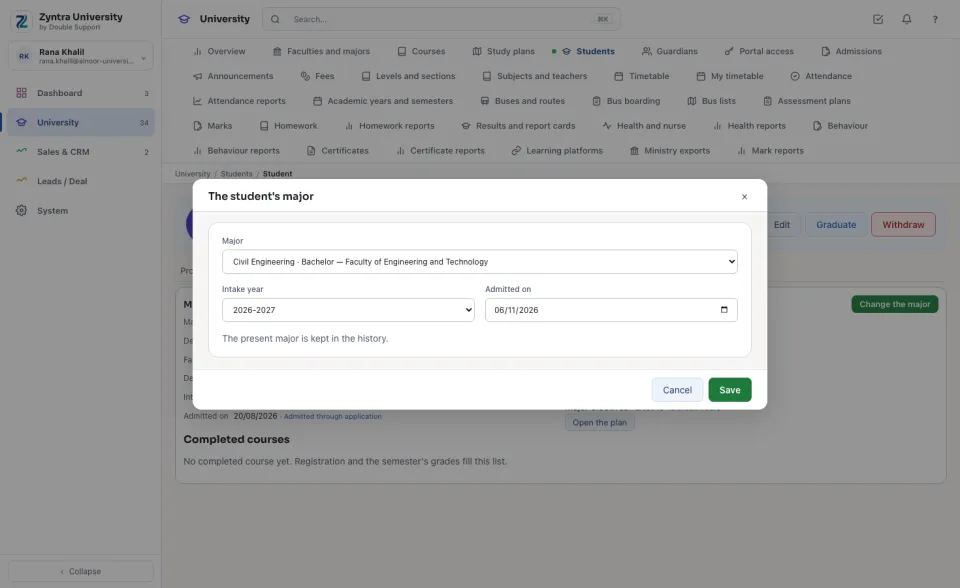
A student studies one major at a time. Only a major still taught, of the student's own company, is chosen.
Before: Study plans · Next: Semesters and offering
Questions
Where is “A student's major” in Zyntra OS?
University › Admissions and University › Students › a student › Major and plan
Who can use “A student's major”?
The admissions rights make and decide applications; School Students — View reads a student's major, Edit sets it.