Zyntra OS
 Zyntra Legal
 Zyntra Real Estate
 Zyntra Hotel
 Zyntra E-commerce
 Zyntra Appointments
 Zyntra Repair
 Zyntra Garage
 Zyntra Concierge
 Zyntra Contracting
 Zyntra Clinic
 Zyntra Call Center
 Zyntra OTA
- Add a lead
- Convert a lead into a customer and a deal
- Win or lose a deal
- Make and send an estimate
- Turn it into an invoice
- Issue the invoice
- Record the payment
Along the way you can also add a customer directly, give a contact the portal, and keep your items ready to pick.
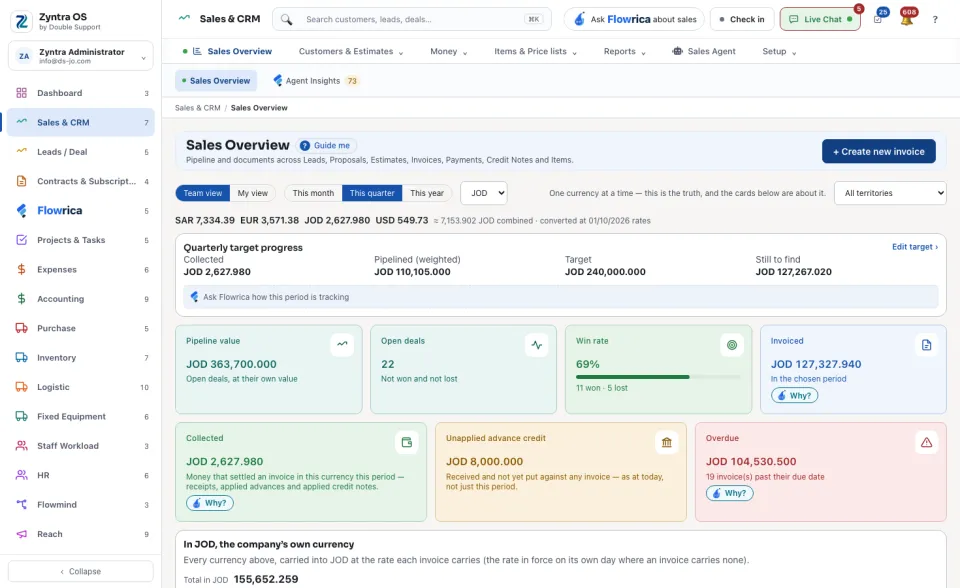
On every one of these screens, press Guide me beside the screen's name: Flowrica walks you through the screen itself, step by step. She only points; you press.