

 Zyntra OS
 Zyntra Legal
 Zyntra Real Estate
 Zyntra Hotel
 Zyntra E-commerce
 Zyntra Appointments
 Zyntra Repair
 Zyntra Garage
 Zyntra Concierge
 Zyntra Contracting
 Zyntra Clinic
 Zyntra Dental
 Zyntra School
 Zyntra University
 Zyntra Call Center
 Zyntra OTA
Where
School › Fees › Bill the year · School › Students › a student › FeesWho
School Fees — Bill the year bills and credits; School Fees — Approve discounts approves a discount above the school's limit.Bill the year
1
Open Bill the year, choose the academic year at the top, then under Who is billed choose The whole year, A grade or A section.
2
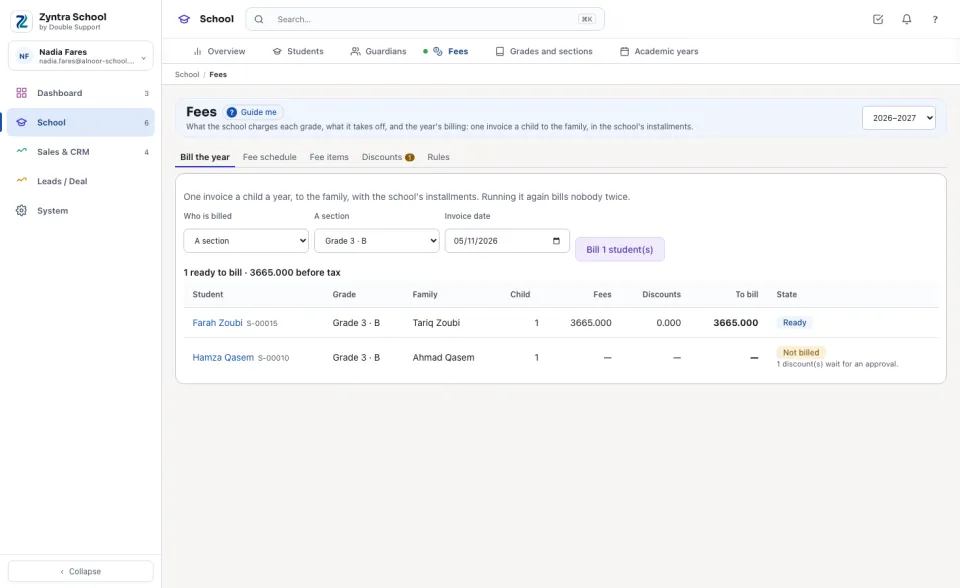
Read what each student's year comes to: Fees, Discounts and To bill, with the child's place in the family. A student who cannot be billed yet says why (no family account, no fees for the grade, a discount waiting for approval).
3
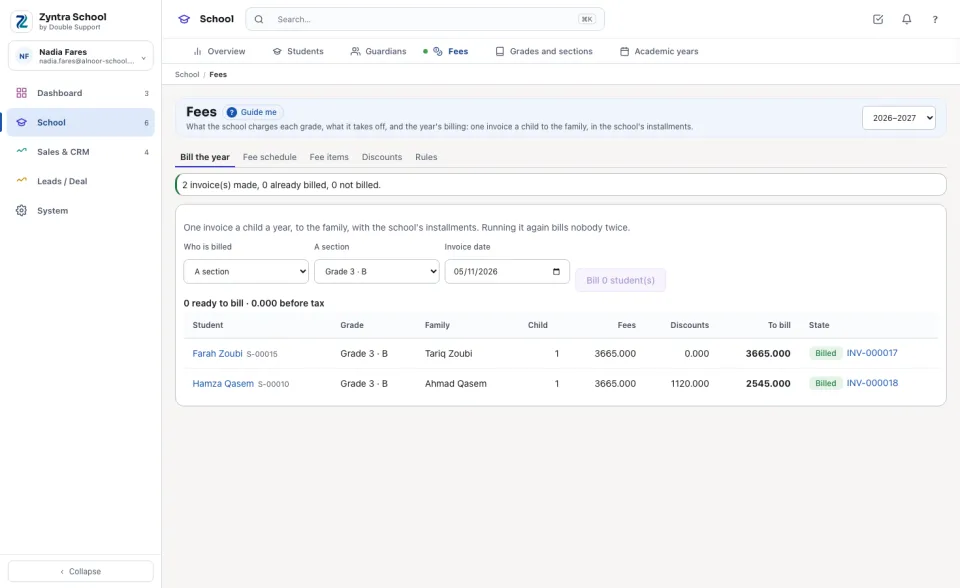
Press Bill 2 student(s). Each student gets one invoice to the family, its lines the fees with their taxes, its payment schedule the school's installment plan. Running it again bills nobody twice.
A student's own discount
1
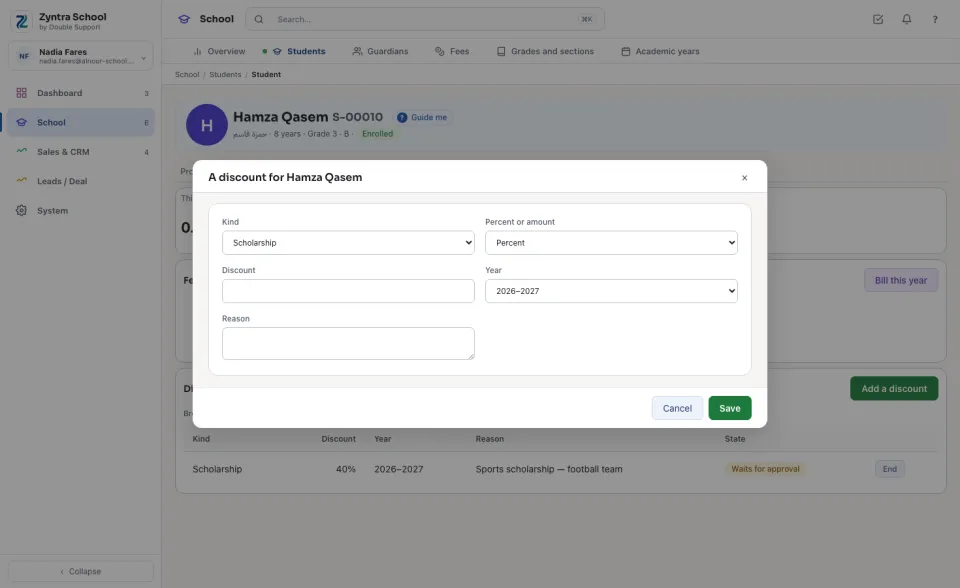
On the student's Fees tab press Add a discount: choose the Kind (staff child, scholarship, grant), a percent or a fixed amount, the year, and always type the Reason. Press Save.
2
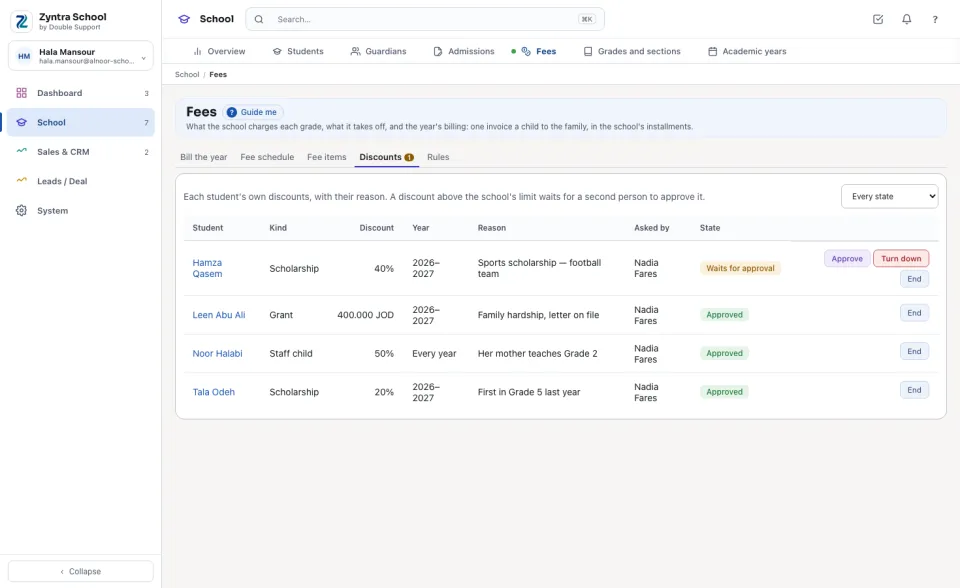
A discount above the school's limit shows Waits for approval under Discounts; the student is not billed until it is decided. A second person holding the approval right presses Approve, or Turn down with the reason.
The student's Fees tab
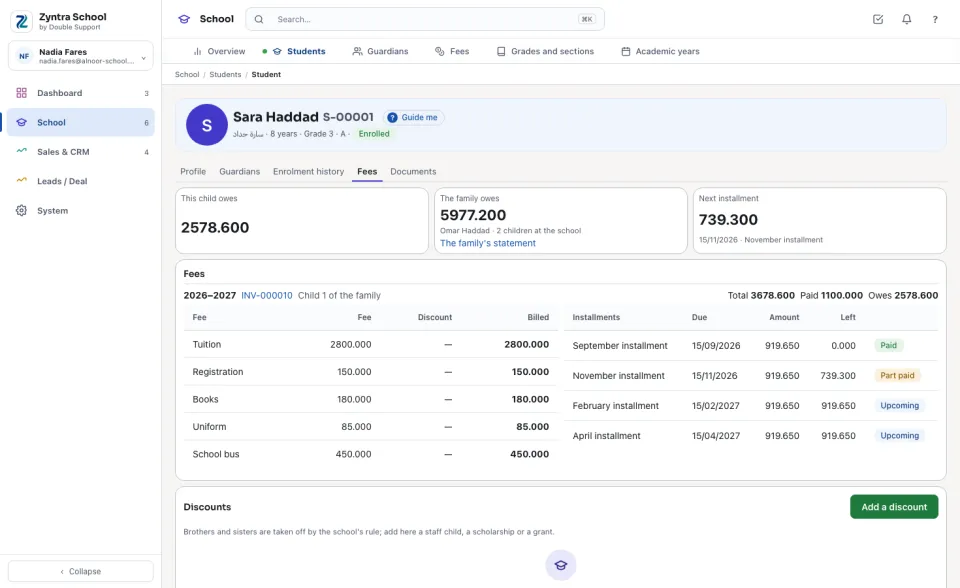
This child owes, The family owes with The family's statement, and Next installment; then each year billed: its invoice, each fee with its discount, and its installments with what is left of each.
A withdrawn student
1
Withdraw the student under Enrolment history first. The Fees tab then shows the unused part by the school's rule.
2
Press Credit the unused part, type an amount if the school credits by hand, and press it again. A credit note is made on the year's invoice and applied to what it still owes; the invoice is kept.
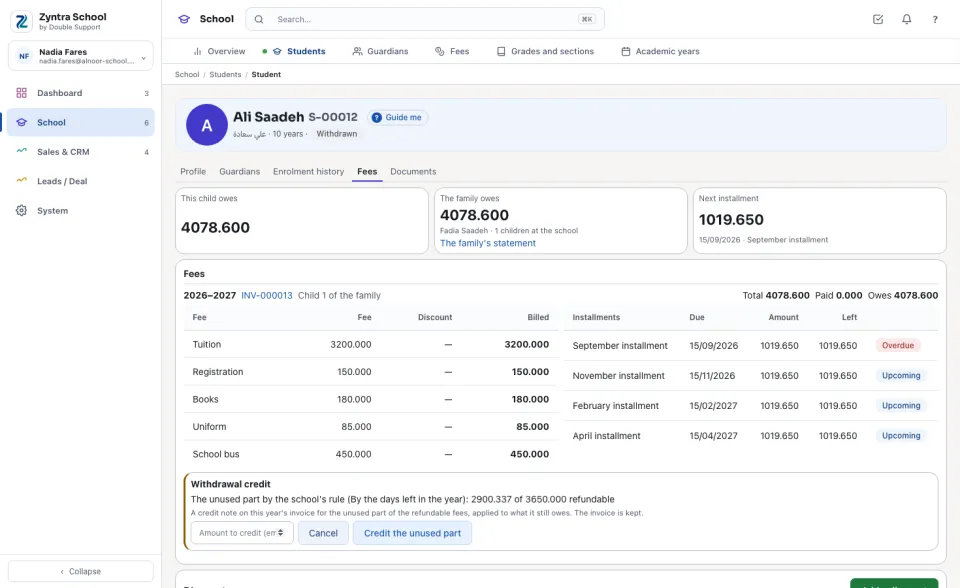
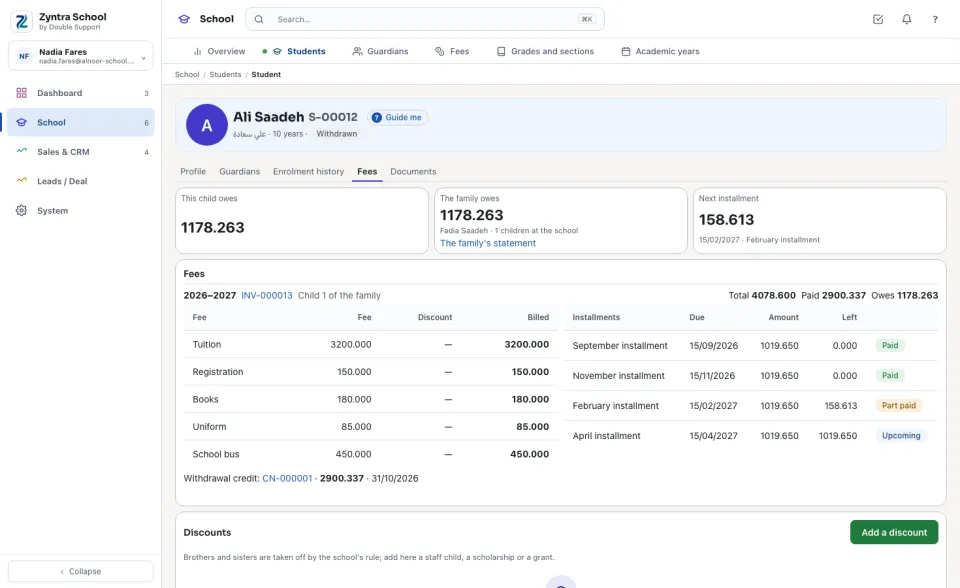
A year is billed once a child. A credit is made once a year billed, and never for more than the refundable fees billed. A discount is ended, never deleted; a bill already made keeps it.
Before: Fees — items, schedule and rules · See also: Let a customer pay an invoice in installments
Questions
Where is “Bill the year, discounts and withdrawals” in Zyntra OS?
School › Fees › Bill the year · School › Students › a student › Fees
Who can use “Bill the year, discounts and withdrawals”?
School Fees — Bill the year bills and credits; School Fees — Approve discounts approves a discount above the school's limit.