

 Zyntra OS
 Zyntra Legal
 Zyntra Real Estate
 Zyntra Hotel
 Zyntra E-commerce
 Zyntra Appointments
 Zyntra Repair
 Zyntra Garage
 Zyntra Concierge
 Zyntra Contracting
 Zyntra Clinic
 Zyntra Dental
 Zyntra School
 Zyntra University
 Zyntra Call Center
 Zyntra OTA
Where
Manufacturing › ExpiryWho
«Trace lots and serials».Read the warnings
1
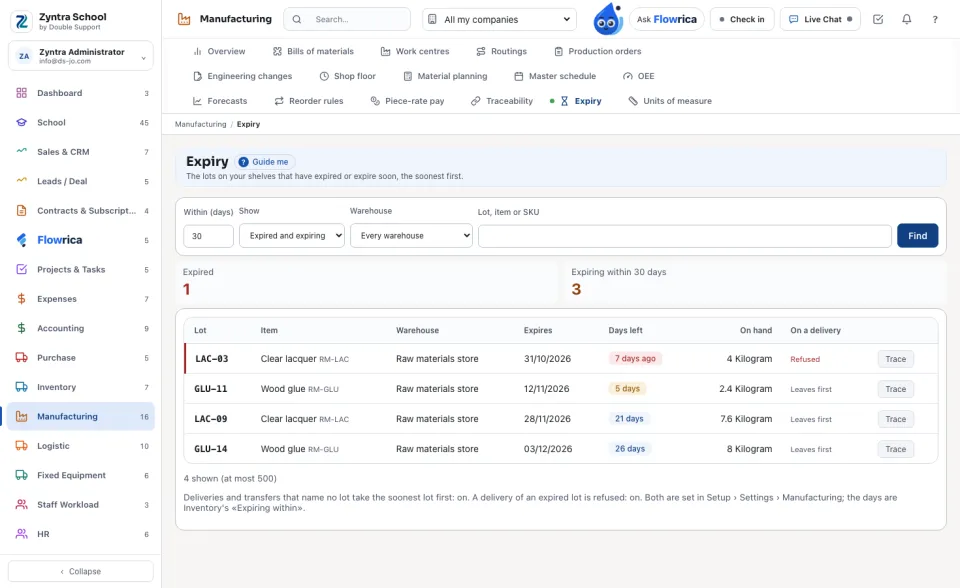
The two figures count the lots Expired and those expiring within the days shown. Within (days) starts at Inventory's own «Expiring within» setting; change it to look further.
2
Each row says the lot, the item, the warehouse, the day it expires, the days left (or how long ago it expired), what is on hand, and what a delivery does with it: Leaves first or Refused. Trace opens where the lot went.
3
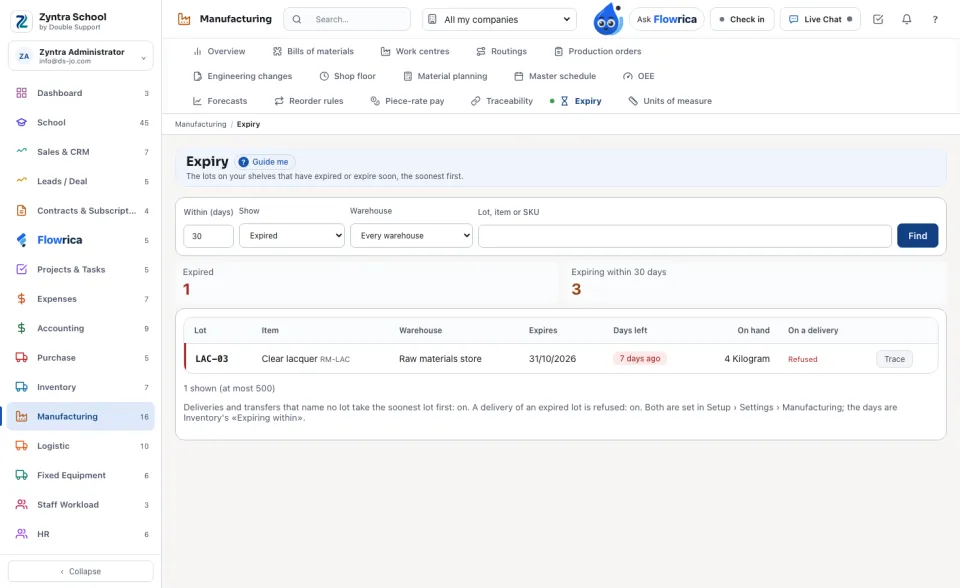
Show narrows the list to the expired lots or to those expiring soon; a warehouse or a lot, item or SKU narrows it further.
What deliveries and transfers do
1
A delivery or transfer line that names no lot is split into one line per lot, the lot that expires soonest first. An expired lot is never taken this way.
2
A delivery line naming a lot that has expired on the delivery's day is refused, naming the line and the lot. It is checked again when the goods leave.
Both are set per company in Setup › Settings › Manufacturing: «Take the soonest-to-expire lot first» and «Refuse an expired lot on a delivery».
An expired lot can still be moved by a transfer that names it, for example to a quarantine warehouse.
Questions
Where is “Expiry” in Zyntra OS?
Manufacturing › Expiry
Who can use “Expiry”?
«Trace lots and serials».