

 Zyntra OS
 Zyntra Legal
 Zyntra Real Estate
 Zyntra Hotel
 Zyntra E-commerce
 Zyntra Appointments
 Zyntra Repair
 Zyntra Garage
 Zyntra Concierge
 Zyntra Contracting
 Zyntra Clinic
 Zyntra Dental
 Zyntra School
 Zyntra University
 Zyntra Call Center
 Zyntra OTA
Where
Manufacturing › Bills of materialsWho
View reads them and their exploded view; Create makes a draft or a new version; Edit changes a draft; Activate and Archive do what they say; See costs opens the Cost tab.The list
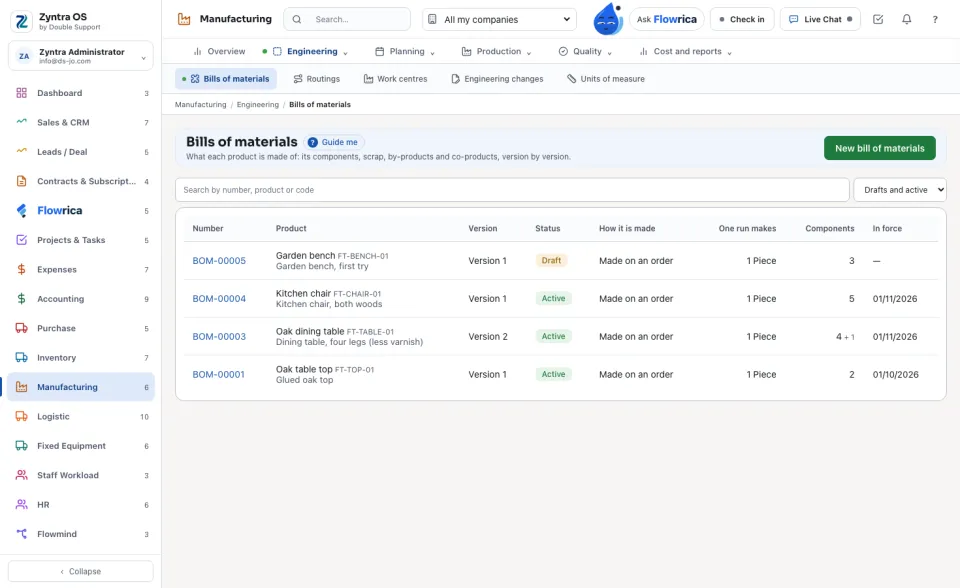
Each row is one version: its Number, the Product, the Version, its Status (Draft, Active or Archived), how it is made, what one run makes, how many components it has and the days it is in force. Search by number, product or code; the status list shows the archived ones when chosen.
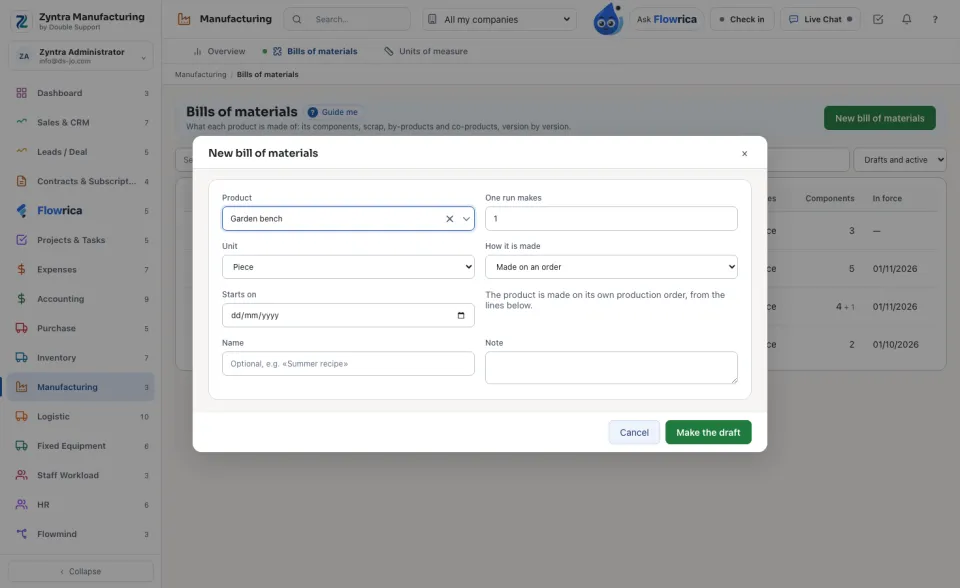
Make a bill
Its lines
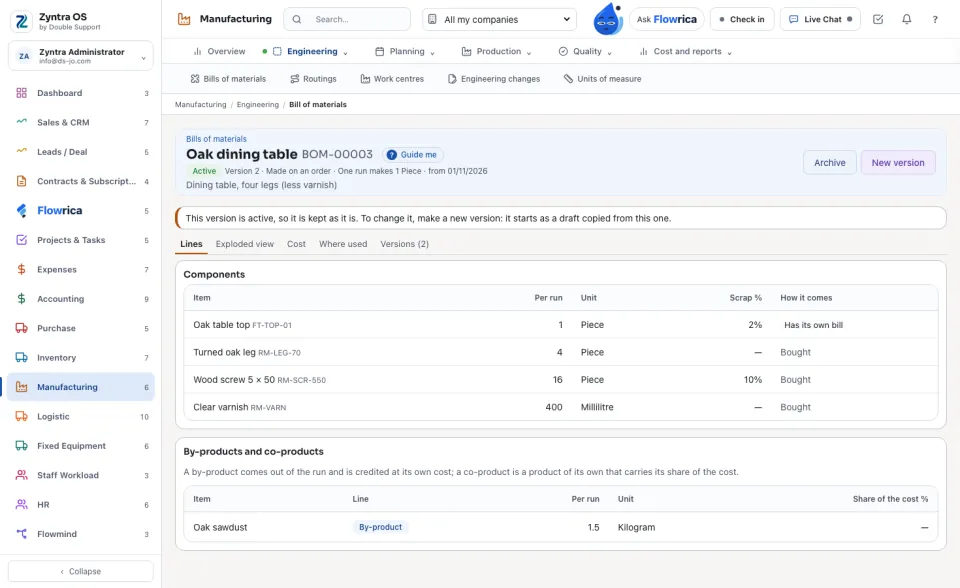
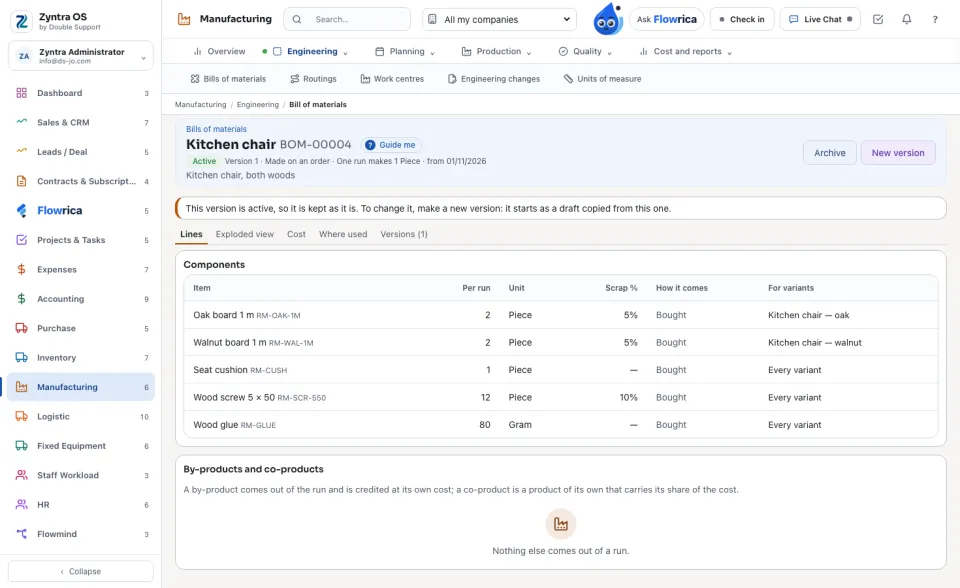
The Components show each part, its quantity Per run, its unit, its Scrap % and How it comes: Bought, Has its own bill (made first on its own order), Phantom or Kit. Under them, By-products and co-products: a by-product (sawdust) comes out of the run and is credited at its own cost; a co-product is a product of its own that carries its share of the cost.
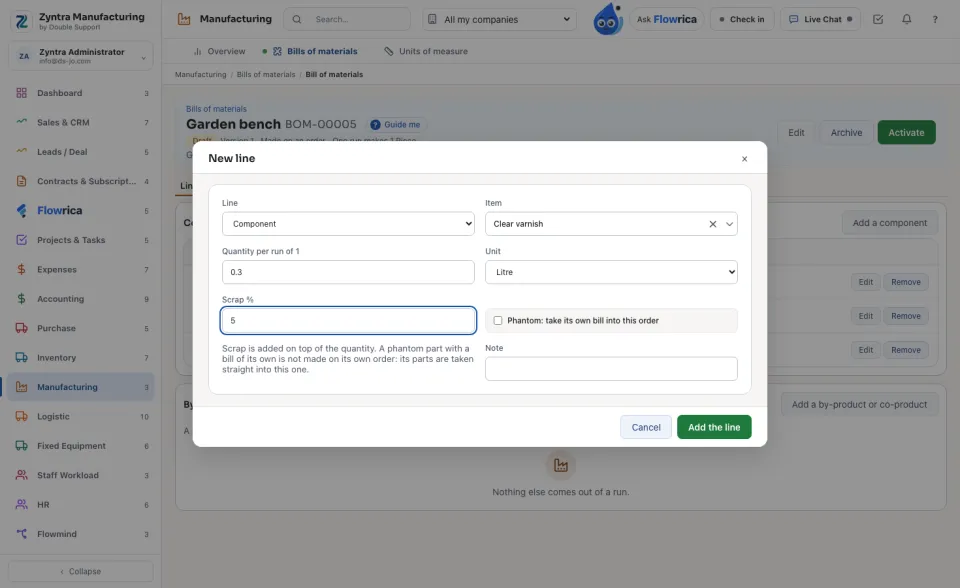
Activate a version
An active version is never changed. Press New version: a draft copied from it opens, with the next version number. Archive puts a version away; nothing is deleted, and a new version can be copied from an archived one any time.
The exploded view
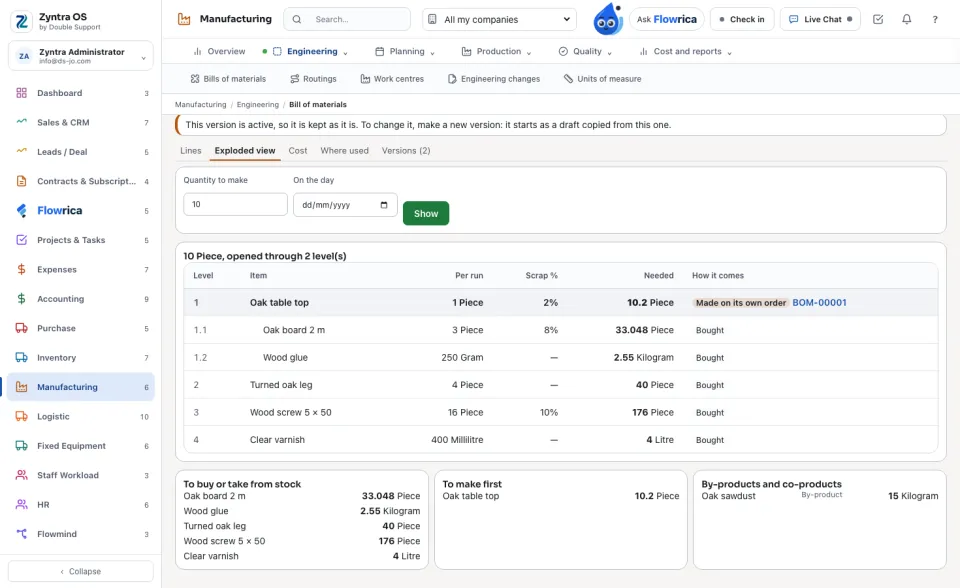
Type the Quantity to make, a day and (for a product with variants) the variant, then press Show. Every line of every level is listed with what is Needed: its quantity × the runs × (1 + scrap), in the unit the part is kept in. Below, the totals To buy or take from stock, To make first, and the by-products and co-products.
The cost
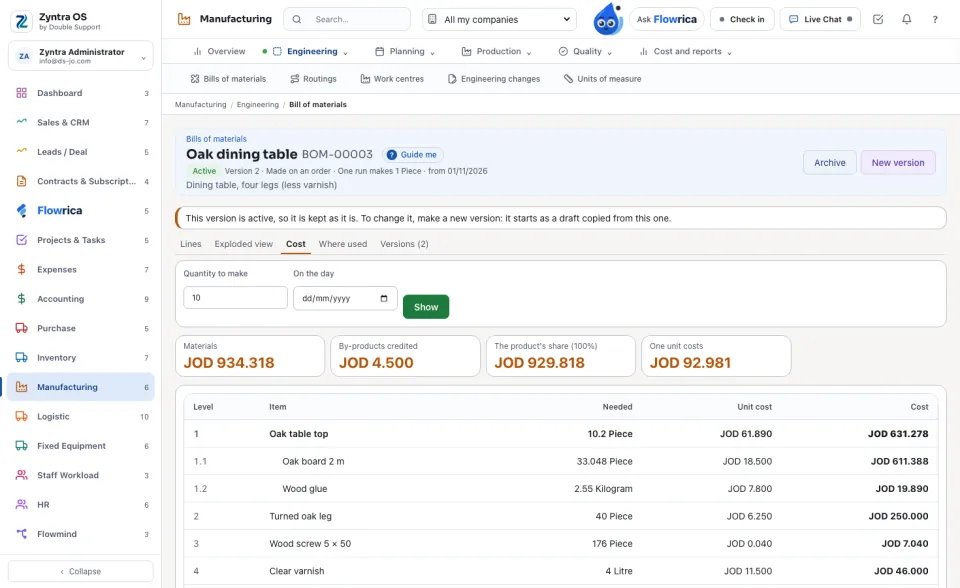
The Cost tab (with See costs) prices every bought part at what one unit costs on your company's shelves now, by each warehouse's own method (FIFO or weighted average), in your company's currency. A part made first costs what its own parts cost. By-products are credited; co-products take their share. The tiles show the Materials, the By-products credited, The product's share and what One unit costs.
Variants, where used and versions
A product with variants (a chair in oak or walnut) keeps one bill; each line can be kept for some variants only. A variant with no bill of its own reads its product's bill with the lines kept for it.
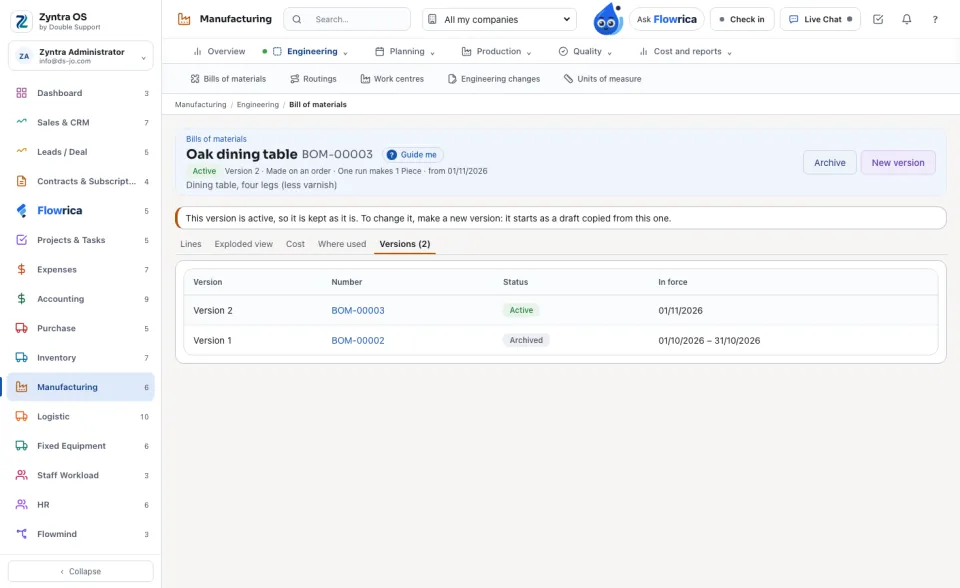
Where used lists every bill that takes this product, and the bills above those. Versions lists every version of the product with its days.
Questions
Where is “Bills of materials” in Zyntra OS?
Manufacturing › Bills of materials
Who can use “Bills of materials”?
View reads them and their exploded view; Create makes a draft or a new version; Edit changes a draft; Activate and Archive do what they say; See costs opens the Cost tab.