

 Zyntra OS
 Zyntra Legal
 Zyntra Real Estate
 Zyntra Hotel
 Zyntra E-commerce
 Zyntra Appointments
 Zyntra Repair
 Zyntra Garage
 Zyntra Concierge
 Zyntra Contracting
 Zyntra Clinic
 Zyntra Dental
 Zyntra School
 Zyntra University
 Zyntra Call Center
 Zyntra OTA
Where
Manufacturing › Cost and reports › Production reportsWho
Read production reports. Only the top role holds it at first.Read it
1
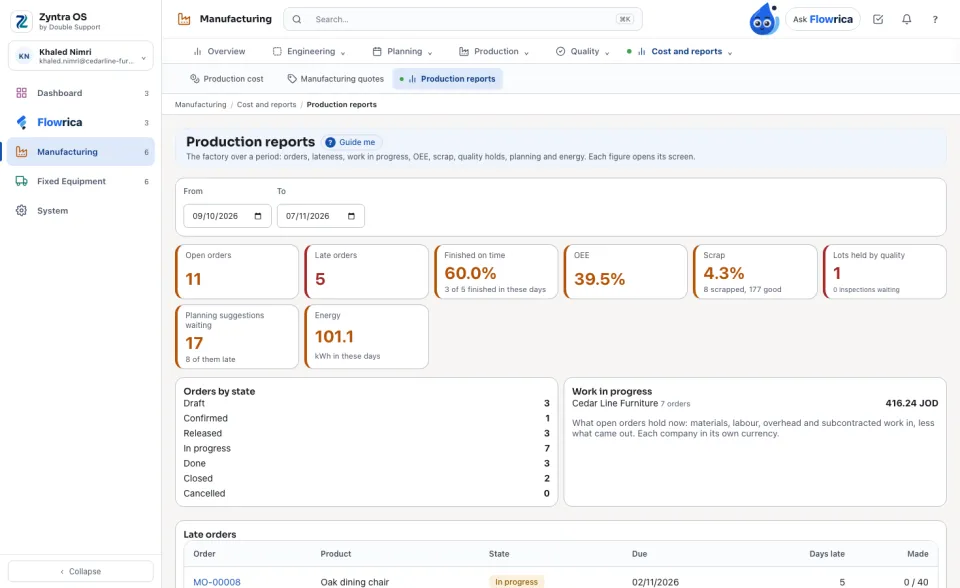
Choose From and To. The tiles count the Open orders, the Late orders, the orders Finished on time, OEE, Scrap, the Lots held by quality, the Planning suggestions waiting and the Energy the machines sent. Each tile opens its list.
2
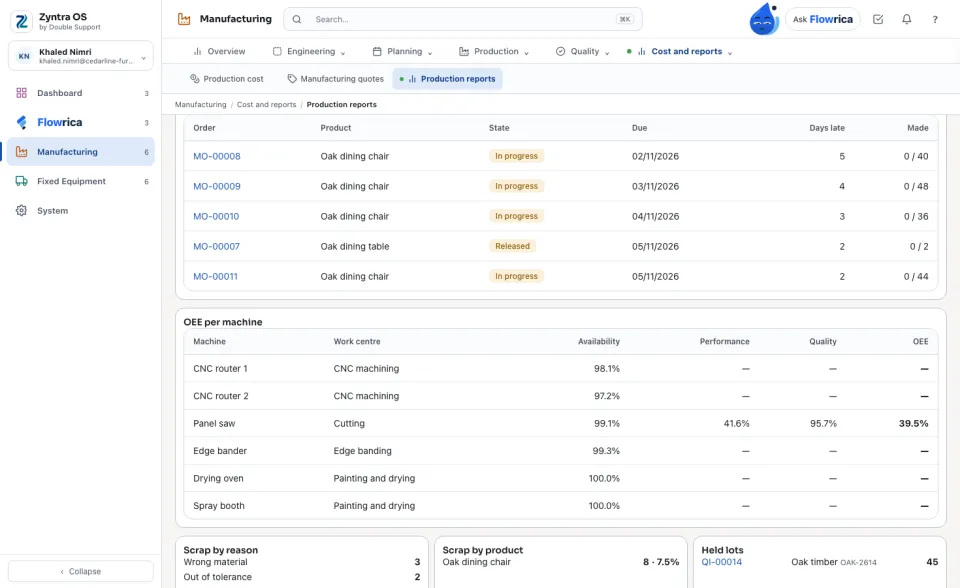
Below: the orders by state, the work in progress of each company in its own currency, the late orders with the days late, and OEE for each machine.
Flowrica on a production order
1
On a production order, Flowrica says where it is: how many operations are done, which one is running and at which work centre, and how many are made — and what is short, and why it is late when it is.
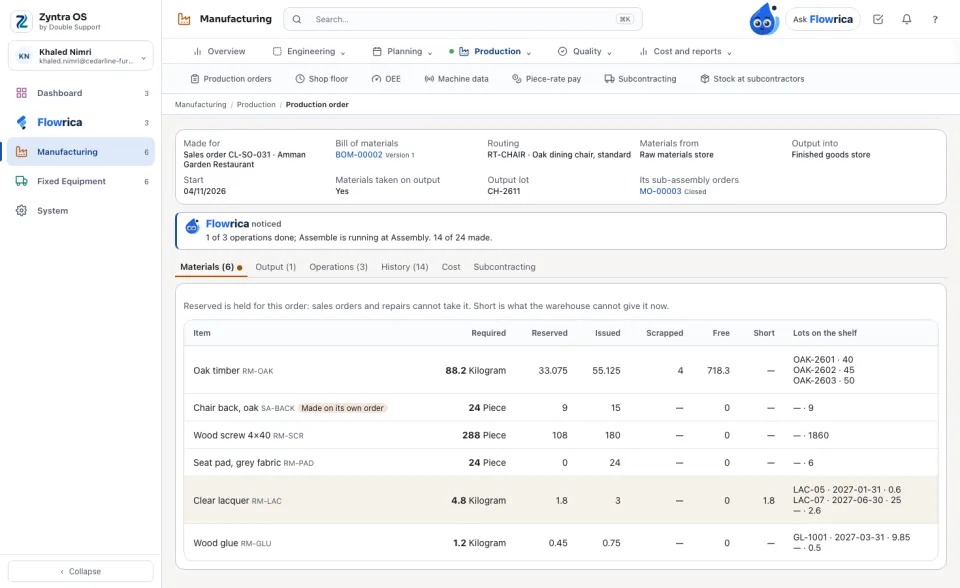
Flowrica reads the order; she changes nothing. Each figure is counted from the module's own rows: nothing is typed for a report.
Questions
Where is “Production reports” in Zyntra OS?
Manufacturing › Cost and reports › Production reports
Who can use “Production reports”?
Read production reports. Only the top role holds it at first.