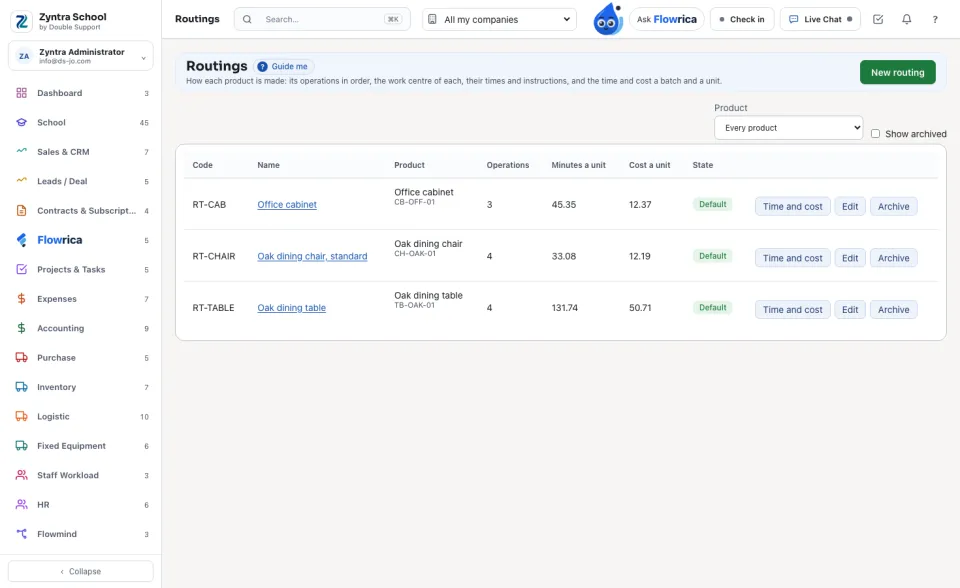
A routing is how one product is made: its operations in order, each a stage done at a work centre, with its times and its instructions. From it Zyntra works out how long a batch takes and what its work costs, for the batch and for one unit.
Where
Manufacturing › Routings
Who
«Read routings and their time and cost» reads them, their time and cost and their files. «Manage routings» adds, changes and archives them and adds and takes off their files.
The routings
Each routing shows its Product, its Operations, its Minutes a unit and its Cost a unit. A product may have several routings; one is its Default. Choose a Product above the list to see only its routings.
Add a routing
1
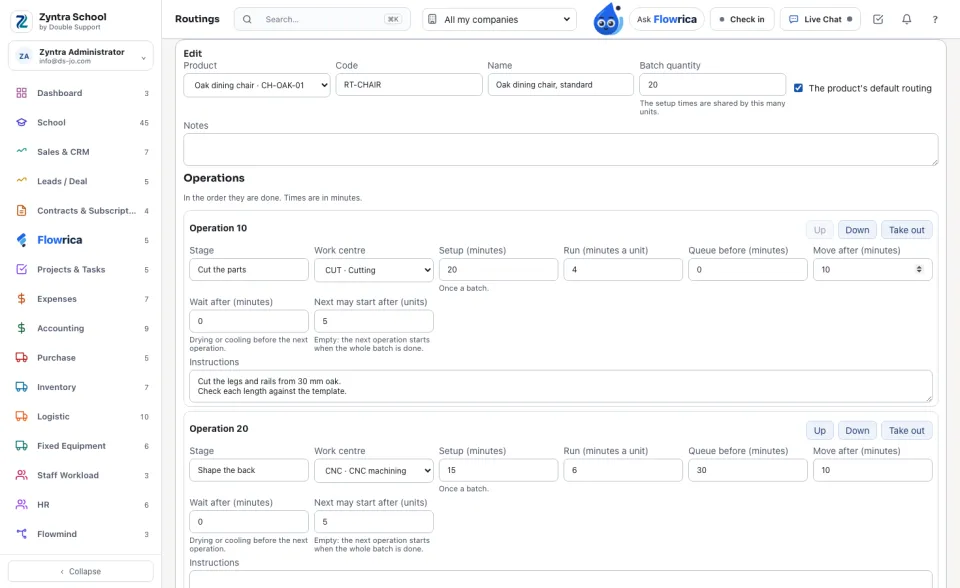
Press New routing. Choose the Product, type its Code and Name and its usual Batch quantity. The first routing of a product is its default; tick The product's default routing on another to make it the default instead.
2
For each operation type the Stage, choose the Work centre and type its times in minutes: Setup (once a batch), Run (minutes a unit), Queue before, Move after and Wait after — drying or cooling before the next operation may start.
3
Next may start after (units): when the next operation can start on the first finished units instead of waiting for the whole batch, type how many. The planning reads it; leave it empty to wait for the whole batch.
4
Write the Instructions, put the operations in order with Up and Down, add one with Add an operation, and press Save.
Time and cost
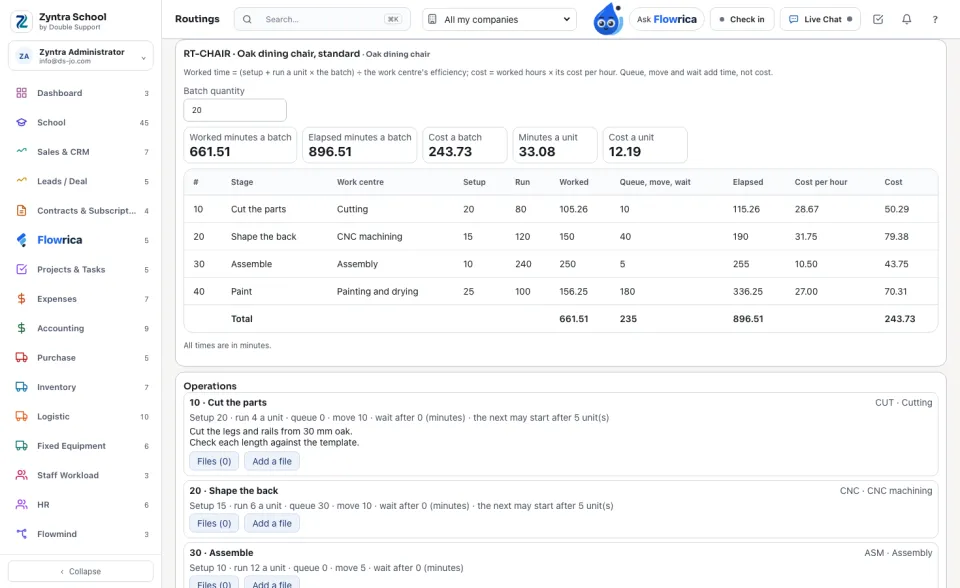
Press a routing's name or Time and cost. For each operation:
1
Worked = (setup + run a unit × the batch) ÷ the work centre's efficiency.
2
Elapsed = worked + queue + move + wait after.
3
Cost = the worked hours × the work centre's Cost per hour (its machine and its labour).
A unit's minutes and cost are the batch's divided by its quantity, so a bigger batch shares its setups. Change the Batch quantity on this card to see another batch; parts of a unit, such as 0.5, are allowed.
The cost is read from the work centres each time: a new machine rate or a person's new hourly rate shows in every routing that uses that work centre at once.
Instruction files
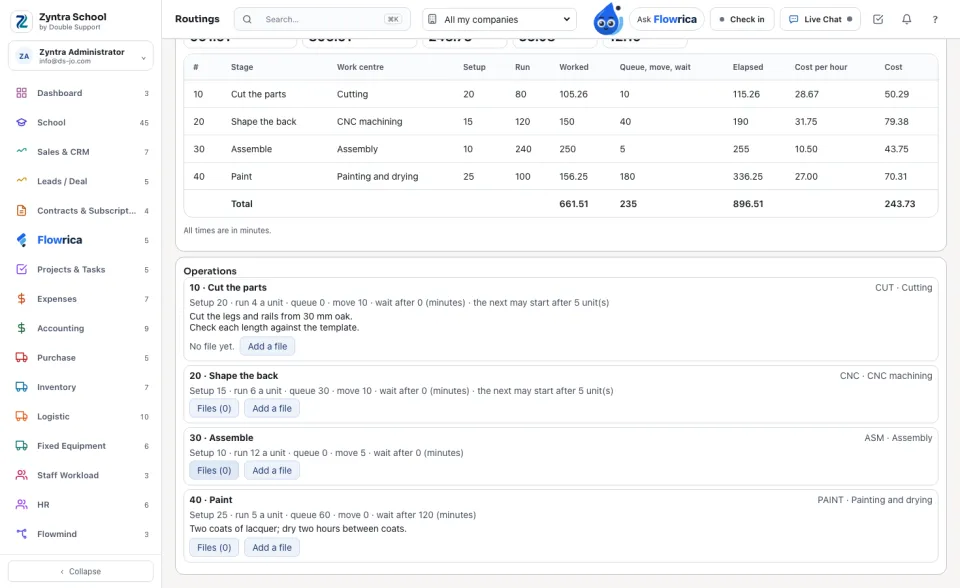
Under Operations, press Add a file on an operation to add its drawing, photo or method sheet; Files opens the list, and a file opens when its name is pressed. Files are added once the routing is saved.
Nothing of a routing is deleted. An operation taken out with Take out is put away with its date and its files; a file taken off is put away too; Archive puts a routing away (it stops being the default) and Open again brings it back.
Questions
Where is “Routings” in Zyntra OS?
Manufacturing › Routings
Who can use “Routings”?
«Read routings and their time and cost» reads them, their time and cost and their files. «Manage routings» adds, changes and archives them and adds and takes off their files.
FlowricaUsually replies instantly
We’d like to use Google Analytics to see how this site is used. Nothing is set unless you accept.


 Zyntra OS
 Zyntra Legal
 Zyntra Real Estate
 Zyntra Hotel
 Zyntra E-commerce
 Zyntra Appointments
 Zyntra Repair
 Zyntra Garage
 Zyntra Concierge
 Zyntra Contracting
 Zyntra Clinic
 Zyntra Dental
 Zyntra School
 Zyntra University
 Zyntra Call Center
 Zyntra OTA