

 Zyntra OS
 Zyntra Legal
 Zyntra Real Estate
 Zyntra Hotel
 Zyntra E-commerce
 Zyntra Appointments
 Zyntra Repair
 Zyntra Garage
 Zyntra Concierge
 Zyntra Contracting
 Zyntra Clinic
 Zyntra Dental
 Zyntra School
 Zyntra University
 Zyntra Call Center
 Zyntra OTA
Where
Manufacturing › TraceabilityWho
«Trace lots and serials» for the trace, its PDF and Excel, and the lot labels. «See the recall list» for the recall list, since it shows customers' contacts.Find a lot
1
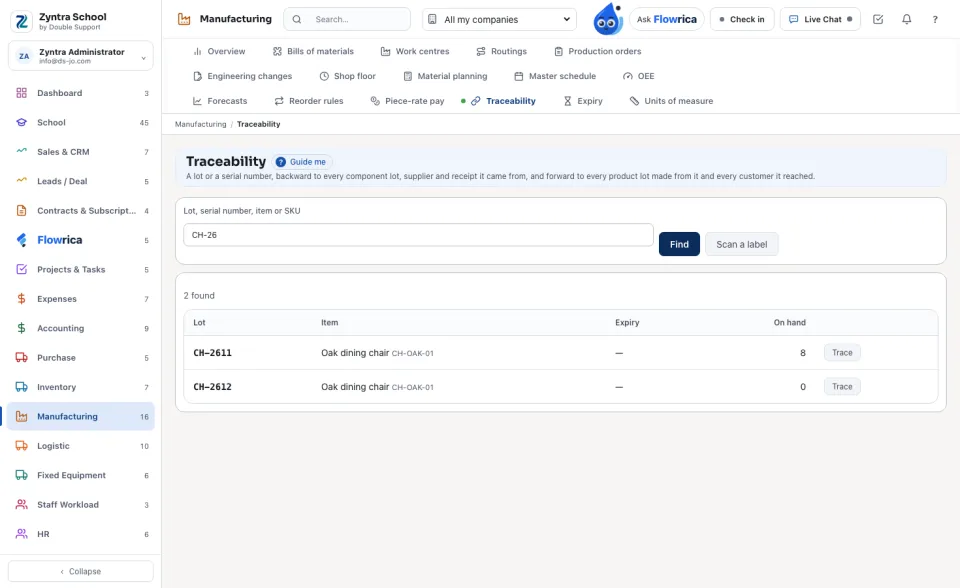
Type a lot, a serial number, an item's name or its SKU and press Find. Or press Scan a label and hold a lot label in front of the camera. When more than one lot matches, choose it with Trace.
Backward — where it came from
1
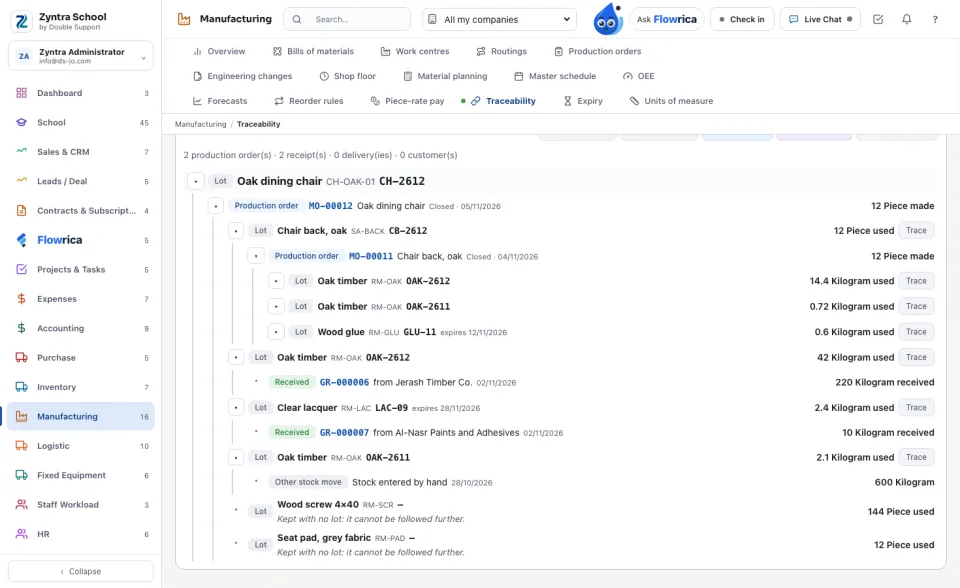
The lot opens on Backward — where it came from: the production order that made it, each component lot that order took and how much, the order that made each of those, down to the receiving voucher and the supplier of each raw lot.
2
Each line opens what it names: the production order, the receiving voucher, the delivery. Trace on a lot below makes that lot the one traced.
A component kept with no lot (screws, for example) is followed through the sub-assembly order made for it; when there is none, the line says it is kept with no lot.
Forward — where it went
1
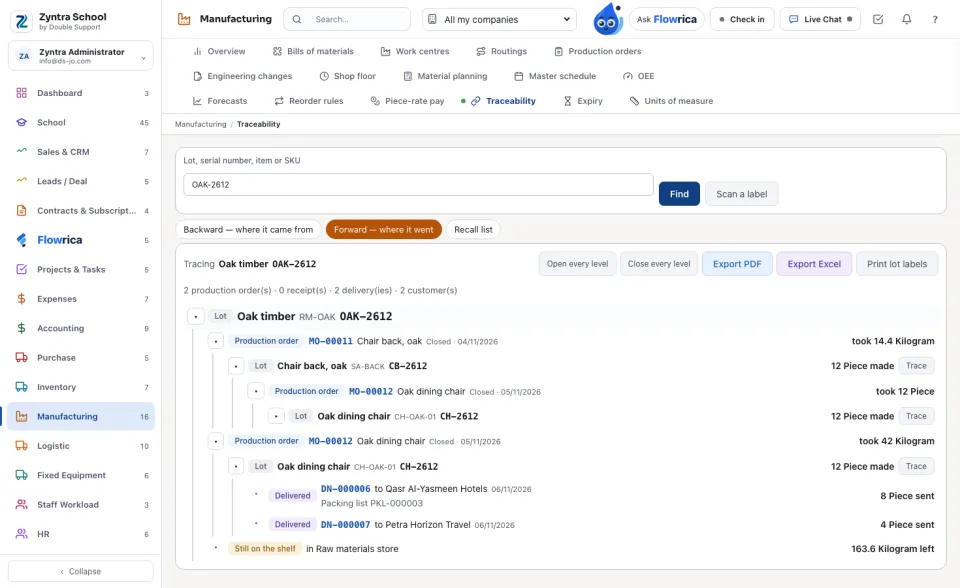
Forward — where it went shows every order that took the lot, the lots those orders made, every delivery and its customer and packing list, and what is still on a shelf.
The recall list
1
Recall list names every customer that received the lot or a product made from it, with the contact, phone and email, each delivery and how many. Under it, what of those lots is still on your shelves, to hold back.
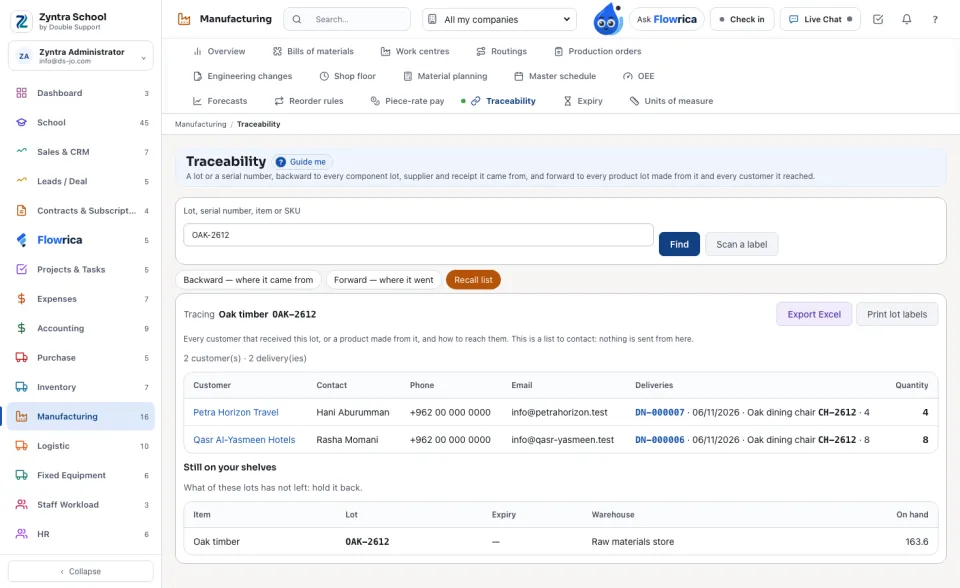
The recall list is a list to contact. Nothing is sent to anybody from it.
Papers and labels
1
Export PDF prints the tree as the screen shows it; Export Excel gives one row a line, its level beside it (on the recall list: one row a delivery with the customer's contacts).
2
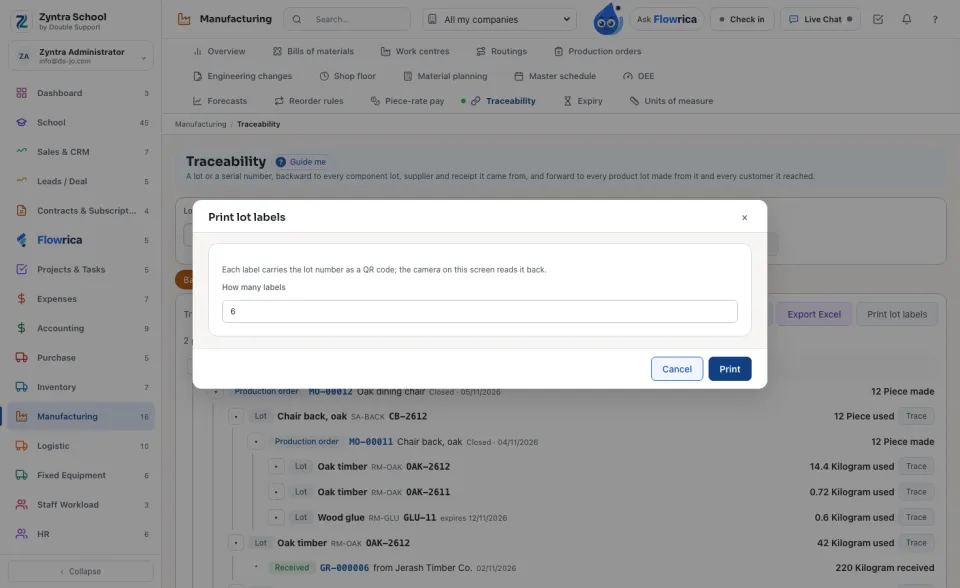
Print lot labels prints labels with the lot number as a QR code, the item, its SKU and the order that made it. The camera on this screen reads them back.
On a packing list
1
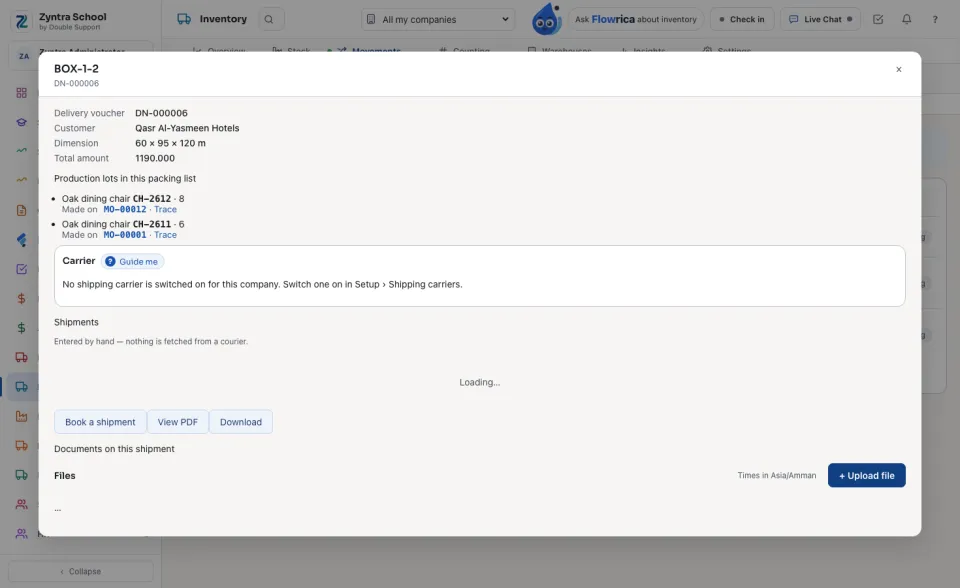
In Inventory, a packing list shows Production lots in this packing list: each lot its delivery took, the production order that made it, and Trace.
Questions
Where is “Traceability” in Zyntra OS?
Manufacturing › Traceability
Who can use “Traceability”?
«Trace lots and serials» for the trace, its PDF and Excel, and the lot labels. «See the recall list» for the recall list, since it shows customers' contacts.