

 Zyntra OS
 Zyntra Legal
 Zyntra Real Estate
 Zyntra Hotel
 Zyntra E-commerce
 Zyntra Appointments
 Zyntra Repair
 Zyntra Garage
 Zyntra Concierge
 Zyntra Contracting
 Zyntra Clinic
 Zyntra Dental
 Zyntra School
 Zyntra University
 Zyntra Call Center
 Zyntra OTA
Where
Manufacturing › Production ordersWho
The same rights as a production order: «Plan production orders» makes it, «Reserve and release production orders» confirms and releases it, «Report output and operation times» reports the units taken apart, «Close and cancel production orders» closes it.Make a disassembly order
1
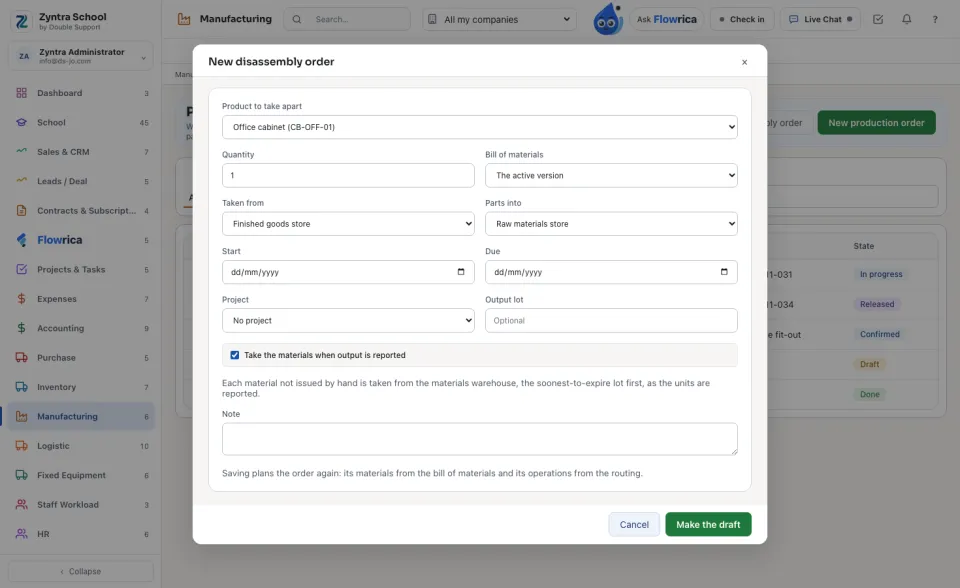
Press New disassembly order. Choose the Product to take apart and the Quantity; its Bill of materials says what each unit gives back.
2
Choose where the product is Taken from and where the Parts into go. Its number starts with its own prefix (DA-), set in Setup › Settings › Manufacturing.
Take it apart
1
Confirm and reserve reserves the product on its shelf; Release sends the order to the floor.
2
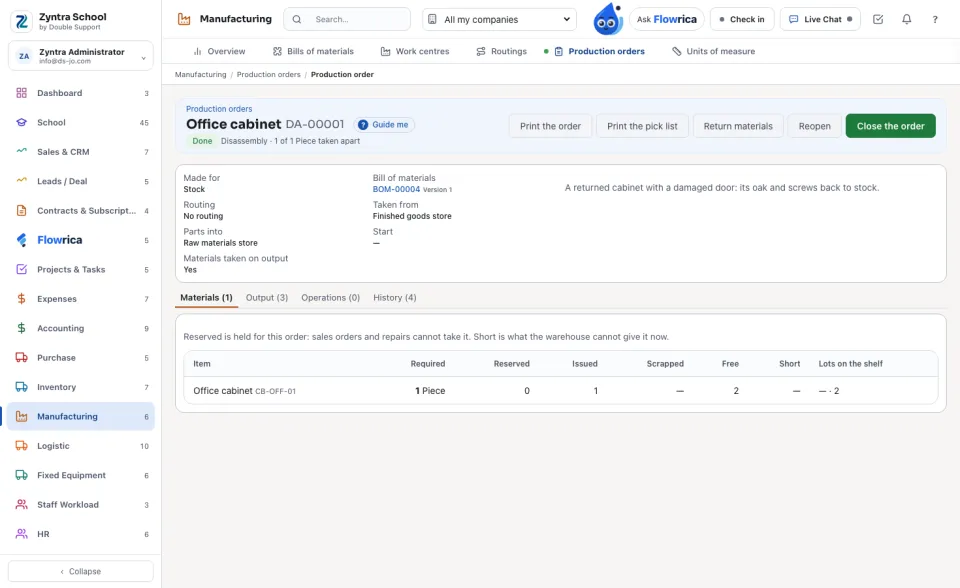
Report output with the Units taken apart: the product leaves its shelf, and each part comes back in its share of every unit.
The Output tab lists each Part with what was Planned and what was Made; History lists every move.
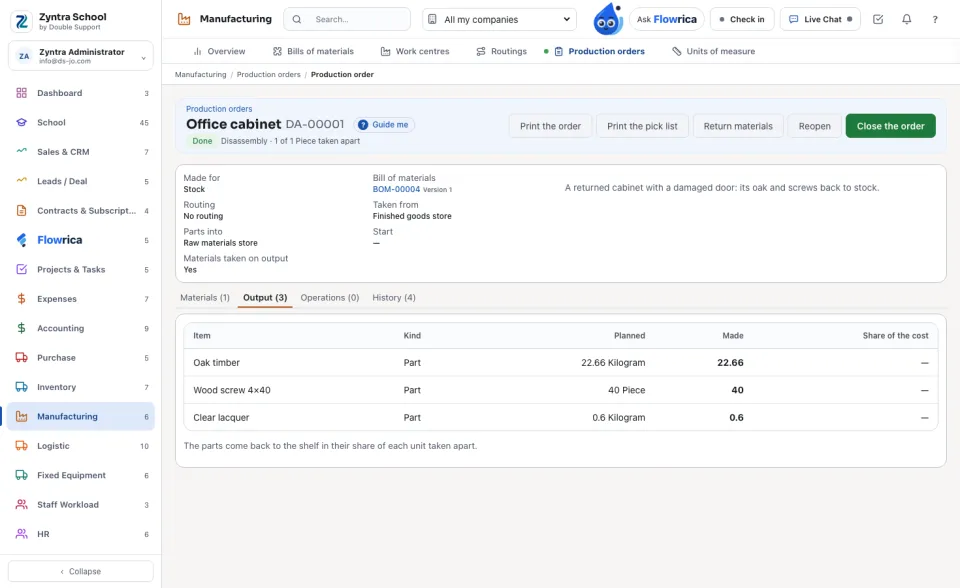
A part comes back at what one unit of it costs on the company's shelves now, by each warehouse's own method.
Nothing is deleted: a disassembly order is closed or cancelled like a production order.
Questions
Where is “Disassembly orders” in Zyntra OS?
Manufacturing › Production orders
Who can use “Disassembly orders”?
The same rights as a production order: «Plan production orders» makes it, «Reserve and release production orders» confirms and releases it, «Report output and operation times» reports the units taken apart, «Close and cancel production orders» closes it.