

 Zyntra OS
 Zyntra Legal
 Zyntra Real Estate
 Zyntra Hotel
 Zyntra E-commerce
 Zyntra Appointments
 Zyntra Repair
 Zyntra Garage
 Zyntra Concierge
 Zyntra Contracting
 Zyntra Clinic
 Zyntra Dental
 Zyntra School
 Zyntra University
 Zyntra Call Center
 Zyntra OTA
Where
Manufacturing › Material planningWho
«Read the material plan» reads it, «Run material planning» runs it, «Accept and ignore planning suggestions» decides. Accepting also asks the right of the document it makes: «Create» purchase requests, «Plan production orders», or «Create» internal transfers.Run the planning
1
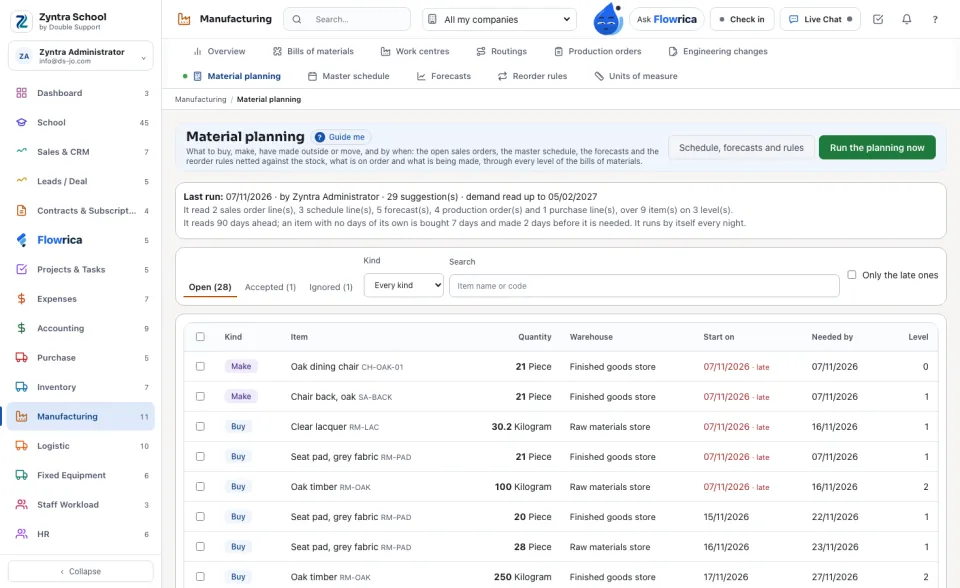
Press Run the planning now. It also runs by itself every night while Manufacturing is on (Setup › Settings › Manufacturing).
2
The card under the title says when it last ran, how many suggestions it made and what it read: sales order lines, schedule lines, forecasts, production orders, purchase lines, items and levels.
3
Each suggestion says its Kind (Buy, Make, Made outside, Move), the Quantity, the Warehouse, the day to Start on and the day it is Needed by. A start day that has already passed is said late. The Level is 0 for what is sold, 1 for its parts, and so on.
See why
1
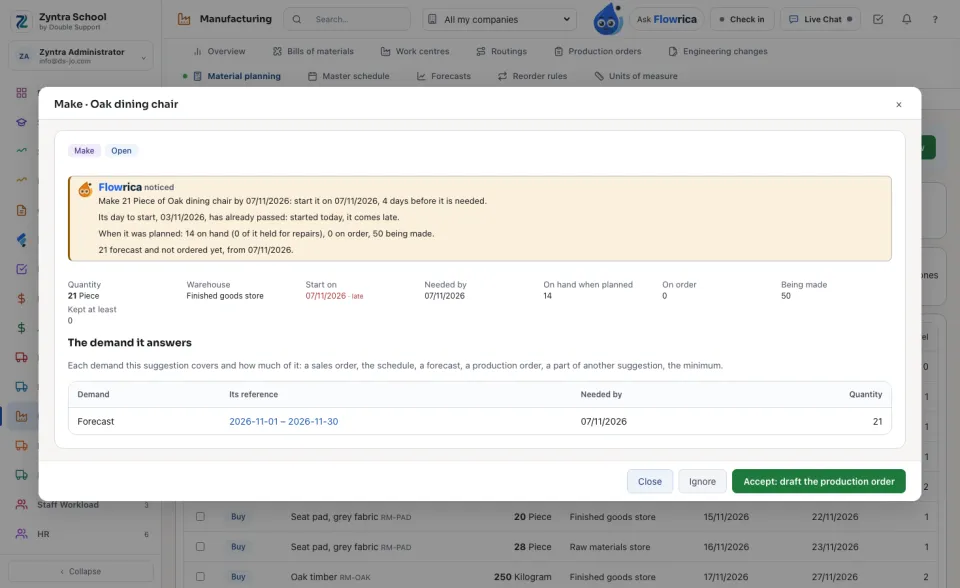
Open a suggestion. Flowrica says what it suggests, the day to start and why that day, what was on hand, on order and being made.
2
The demand it answers lists each demand and how much of it: a sales order, the master schedule, a forecast, a production order, a part of another suggestion, its minimum or maximum, its least order or multiple. A sales order and a production order open from their reference.
Accept or ignore
1
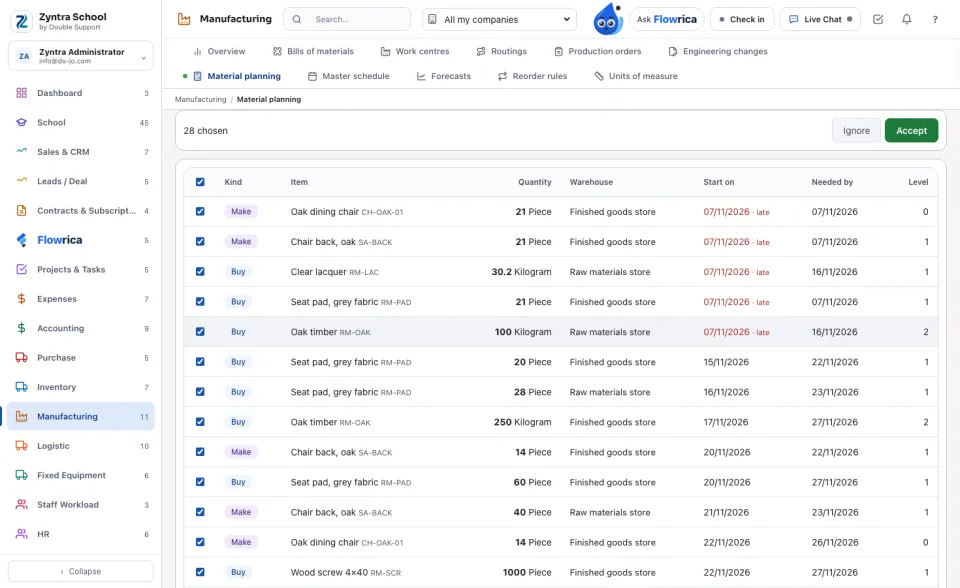
Tick one or many, then press Accept. Every buy accepted together becomes one purchase request; each make becomes a draft production order (for the sales order line when one line alone drove it); each move becomes an internal transfer waiting for its approval; a made-outside one is kept for subcontracting.
2
Ignore asks for a reason. An ignored suggestion is kept, and the same one in a later run stays ignored. Open it from the Ignored tab and press Open it again to undo.
Reorder rules
1
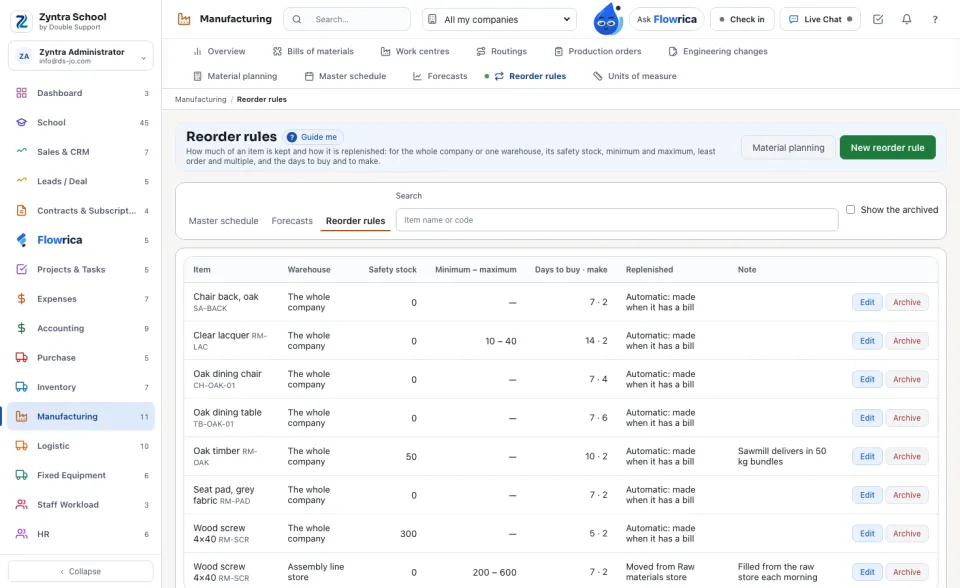
In Manufacturing › Reorder rules, a rule is for the whole company or for one warehouse: its Safety stock, Minimum and Maximum, Least order and multiple, and the Days to buy and Days to make.
2
Replenished says how: made when it has a bill of materials (else bought), bought, made, made outside, or moved from another warehouse. A warehouse moved into is filled up to its maximum from what the other warehouse has free.
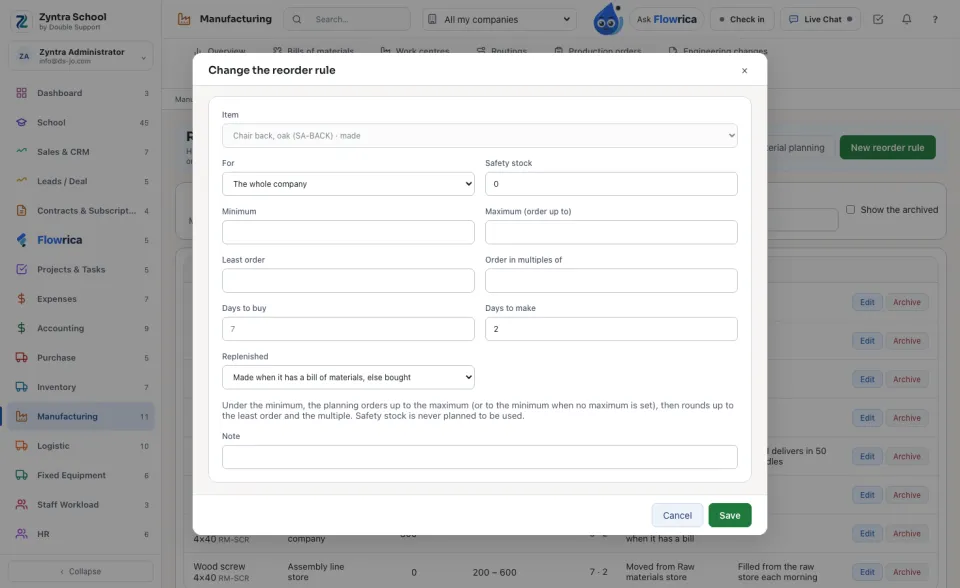
An item with no rule is planned by its own minimum and maximum (Inventory › Items) and by the days set in Setup › Settings › Manufacturing.
A run makes no document: nothing is bought or made until a suggestion is accepted. Nothing is deleted: a new run replaces the open suggestions of the last one and keeps them.
Questions
Where is “Material planning” in Zyntra OS?
Manufacturing › Material planning
Who can use “Material planning”?
«Read the material plan» reads it, «Run material planning» runs it, «Accept and ignore planning suggestions» decides. Accepting also asks the right of the document it makes: «Create» purchase requests, «Plan production orders», or «Create» internal transfers.