

 Zyntra OS
 Zyntra Legal
 Zyntra Real Estate
 Zyntra Hotel
 Zyntra E-commerce
 Zyntra Appointments
 Zyntra Repair
 Zyntra Garage
 Zyntra Concierge
 Zyntra Contracting
 Zyntra Clinic
 Zyntra Dental
 Zyntra School
 Zyntra University
 Zyntra Call Center
 Zyntra OTA
Where
Manufacturing › Non-conformanceWho
«Read non-conformance reports» reads them, and an action's owner marks it done. «Raise non-conformance reports and their actions» raises, writes, sends, closes and cancels them. «Approve non-conformance reports» approves or refuses.The reports
Each report shows its Number, what did not conform, the Item and lot, its Severity, how many of its Actions are done (and late) and its Status. The list opens on The open ones.
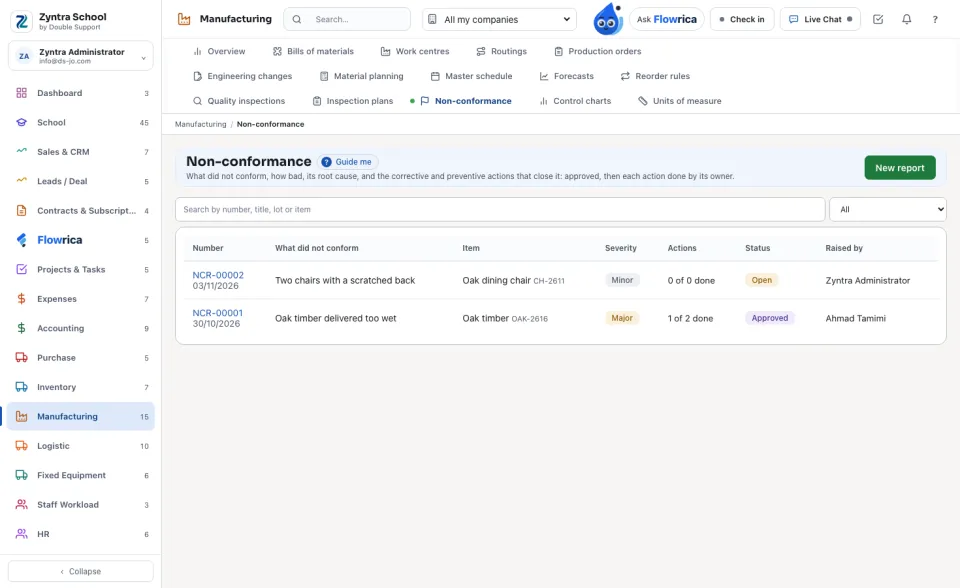
Raise a report
1
From a failed inspection, press Raise a non-conformance report: its item, lot, quantity and supplier are read from the inspection. Or press New report here and type them.
2
Write What did not conform, What was found, its Severity (minor, major, critical) and, once known, its Root cause.
3
Press Add an action for each thing to be done: Corrective corrects this fault, Preventive stops it coming back. Each has its Owner and its Due day.
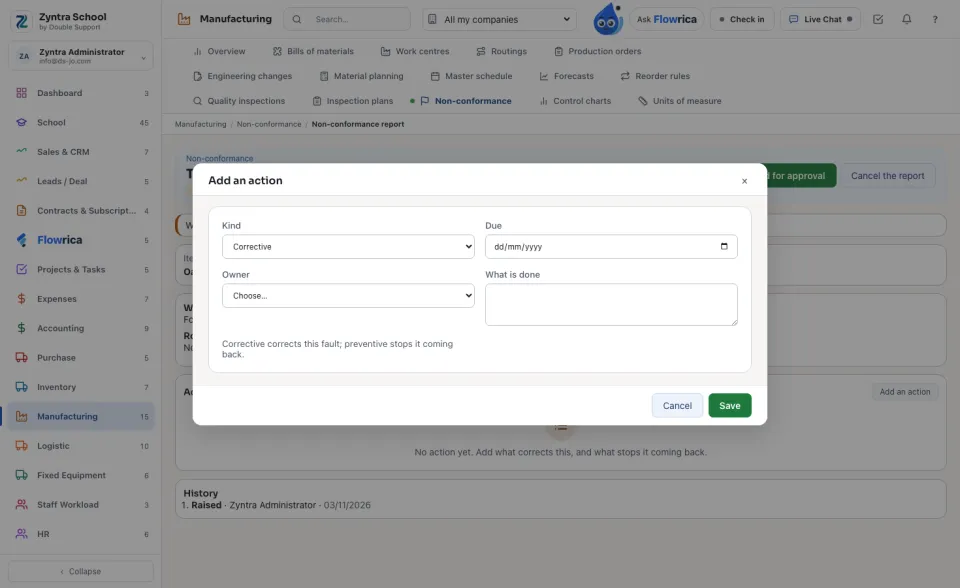
Approve, do, close
1
Press Send for approval. It is refused without its root cause or without a corrective action. From then on it is kept as the approvers see it.
2
When your company keeps an approval chain for non-conformance reports (Inventory › Settings › Approval Settings), its steps decide. Otherwise any holder of «Approve non-conformance reports» decides it, except who raised it. Refuse asks why, and the report goes back to open to be changed.
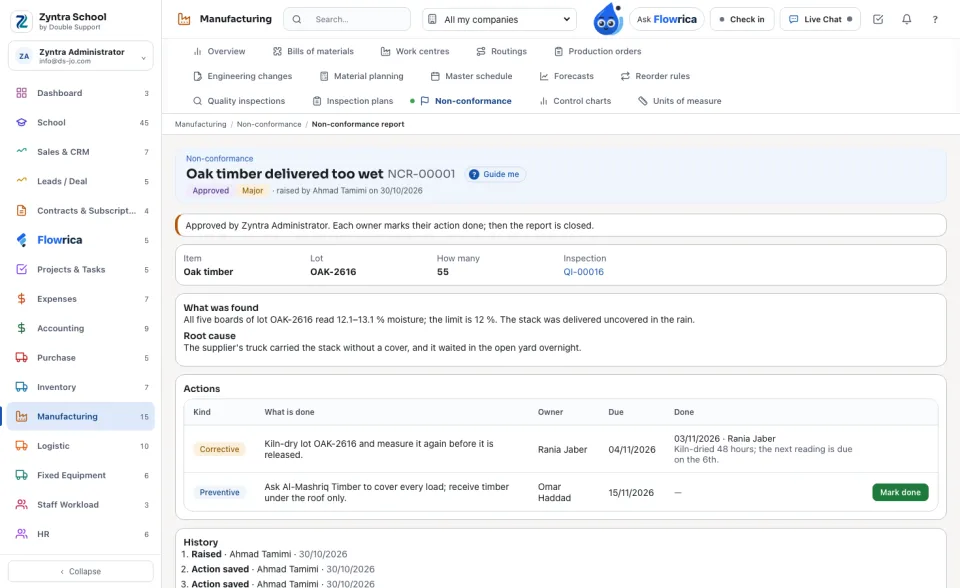
3
Each owner presses Mark done and says what was done. A late action is marked in red.
4
When every action is done, Close the report.
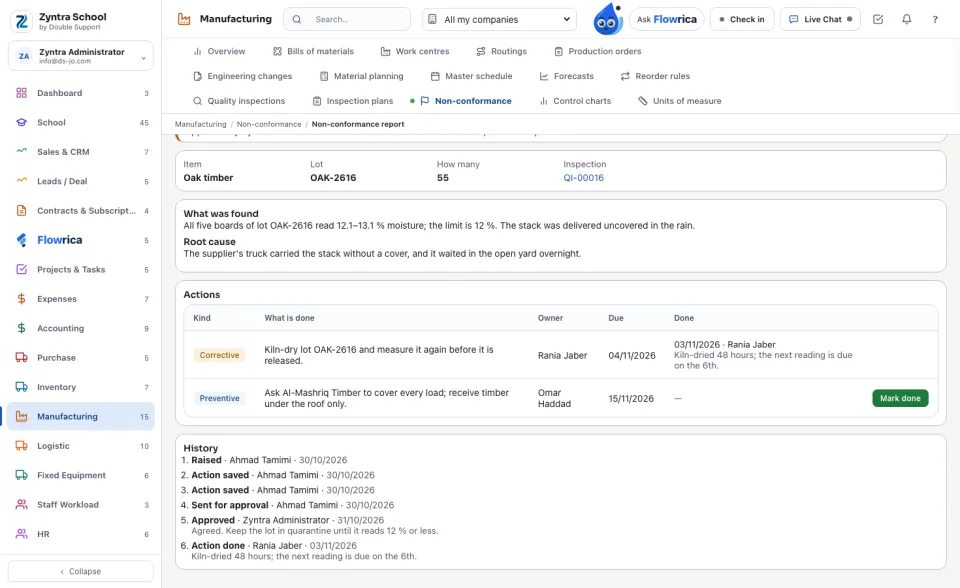
Nothing is deleted. An action taken off before the report is sent is kept; a cancelled report keeps its reason. The History shows every step, who did it and when.
Questions
Where is “Non-conformance” in Zyntra OS?
Manufacturing › Non-conformance
Who can use “Non-conformance”?
«Read non-conformance reports» reads them, and an action's owner marks it done. «Raise non-conformance reports and their actions» raises, writes, sends, closes and cancels them. «Approve non-conformance reports» approves or refuses.