

 Zyntra OS
 Zyntra Legal
 Zyntra Real Estate
 Zyntra Hotel
 Zyntra E-commerce
 Zyntra Appointments
 Zyntra Repair
 Zyntra Garage
 Zyntra Concierge
 Zyntra Contracting
 Zyntra Clinic
 Zyntra Dental
 Zyntra School
 Zyntra University
 Zyntra Call Center
 Zyntra OTA
Where
Manufacturing › Subcontracting, Manufacturing › Stock at subcontractors, and the Subcontracting tab of a production orderWho
«Read subcontracting» reads it all. «Keep subcontractors' terms» keeps the terms. «Send work and materials to subcontractors» sends work out (with Purchase's own right to create an order) and sends materials (with Inventory's right to make a transfer). «Receive work back from subcontractors» receives.Keep each subcontractor's terms
1
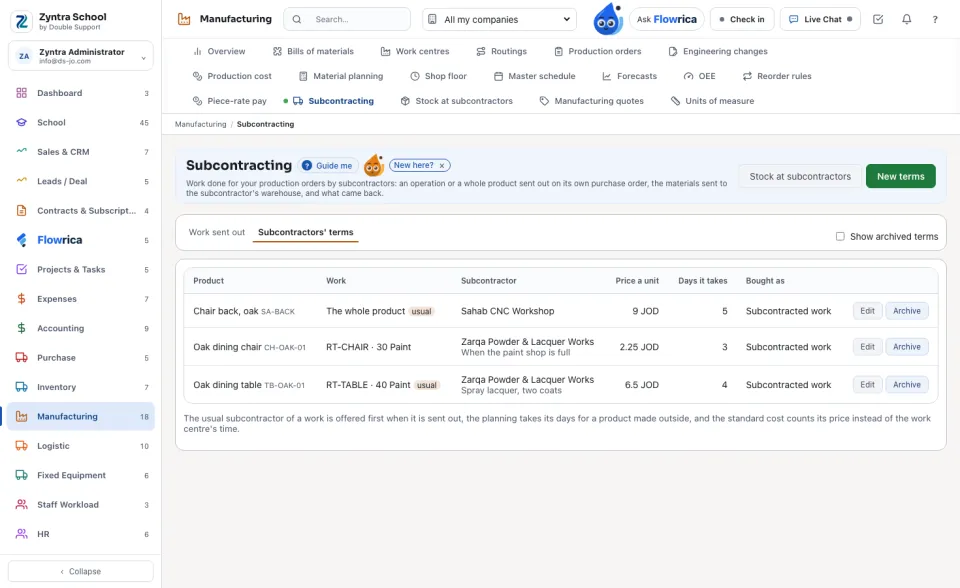
Open Subcontractors' terms. Each line is one work a vendor does for you: an operation of a product's routing, or The whole product, with its price a unit and the days it takes.
2
New terms: choose the subcontractor (one of your vendors), the product and the work, type the price a unit and its currency and the days. Tick This subcontractor normally does this work for the one sent to first: the planning takes its days and the standard cost counts its price instead of the work centre's time.
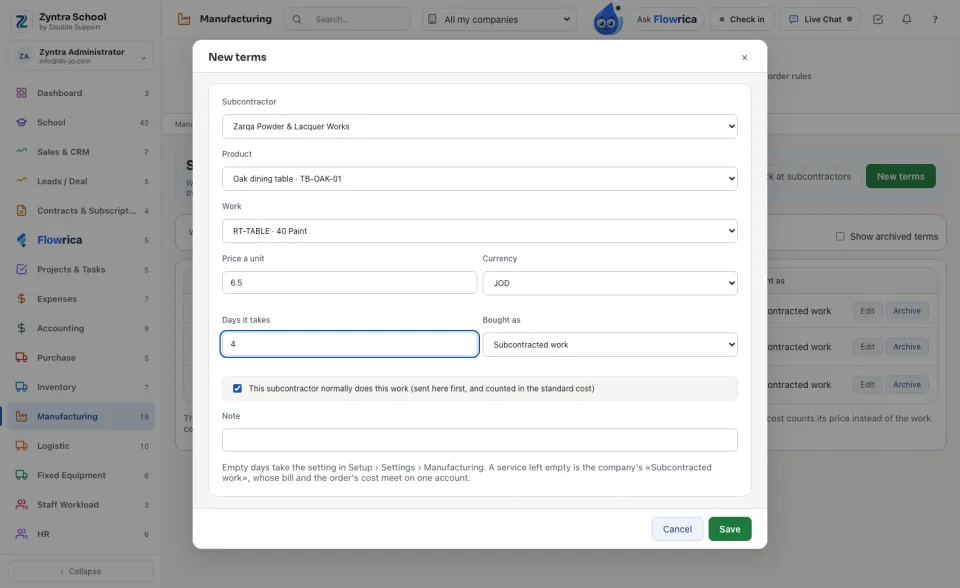
Left empty, Bought as is your company's «Subcontracted work» service. The vendor's bill for it and the order's cost meet on one account, «Subcontracted work absorbed into production», so the price reaches the order once.
Send work out from a production order
1
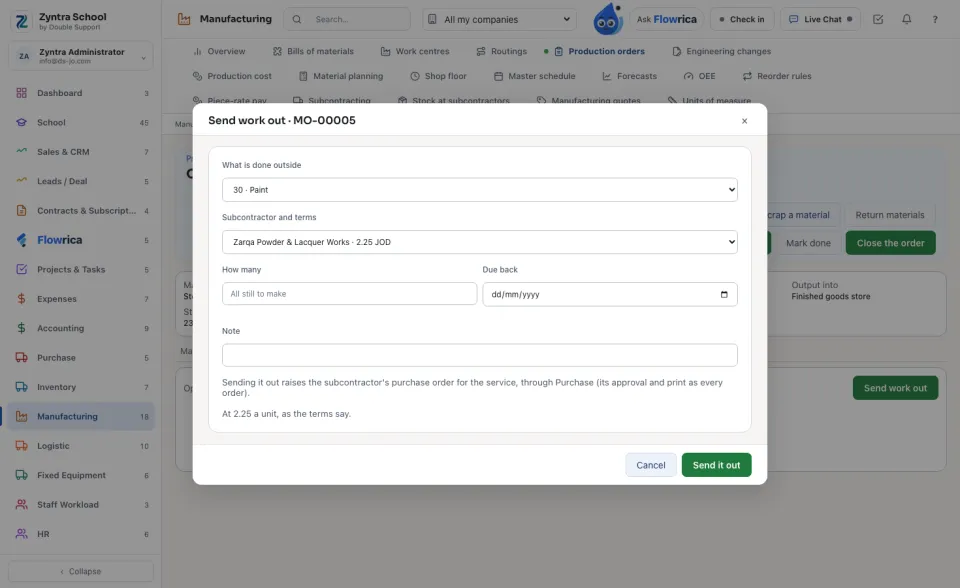
On the production order, open the Subcontracting tab and press Send work out. Choose what is done outside (an operation not yet done, or the whole product), the subcontractor (the usual one comes first) and how many. Press Send it out: the subcontractor's purchase order is raised in Purchase, with its own approval and print.
2
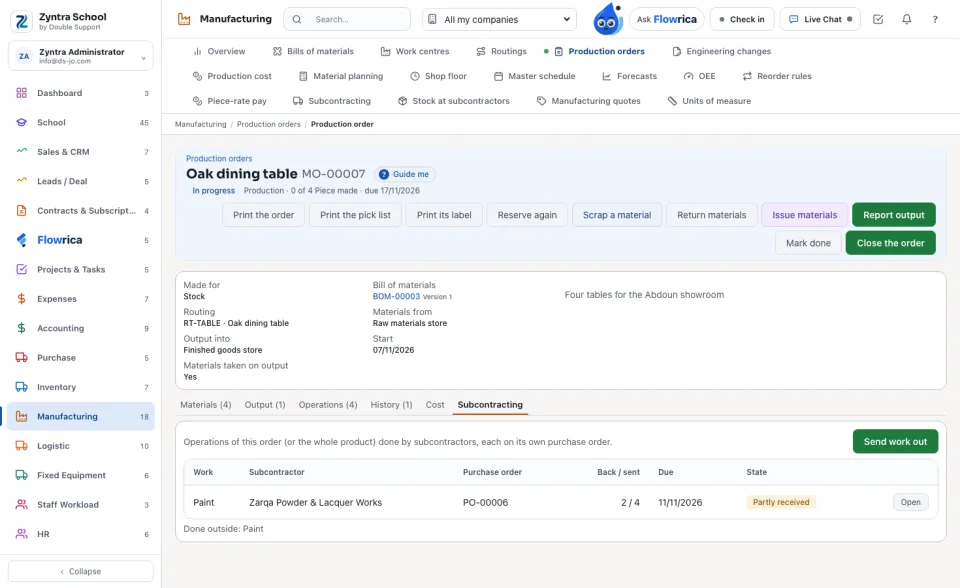
The tab lists each piece of work with its purchase order and how many came back. An operation done outside is marked on the Operations tab: its time is the subcontractor's, not the work centre's.
Materials to the subcontractor, and the work back
1
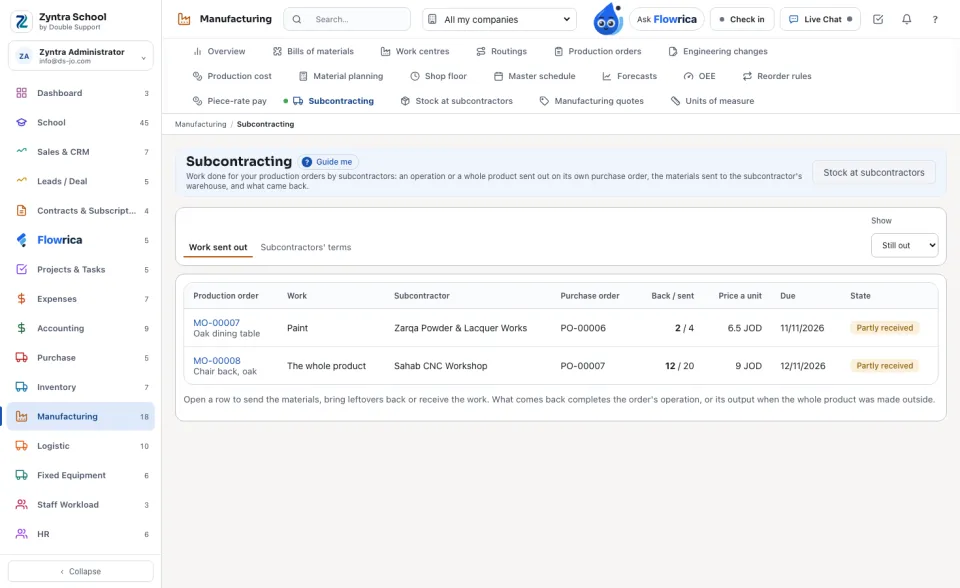
Manufacturing › Subcontracting lists the work still out with every subcontractor, by when it is due. Open a row.
2
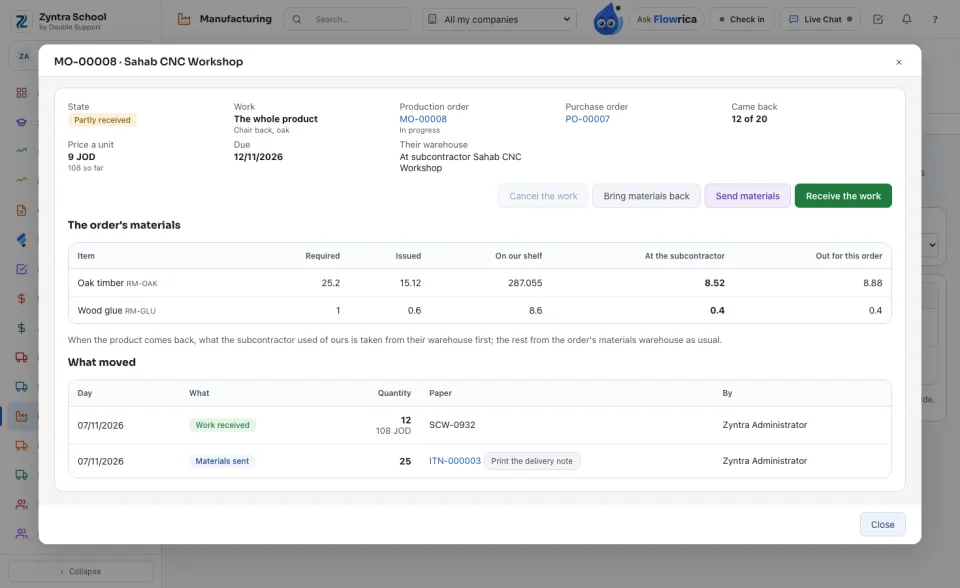
The piece of work shows the order's materials — on your shelf, at the subcontractor, out for this order — and everything that moved, each transfer with its printed delivery note.
3
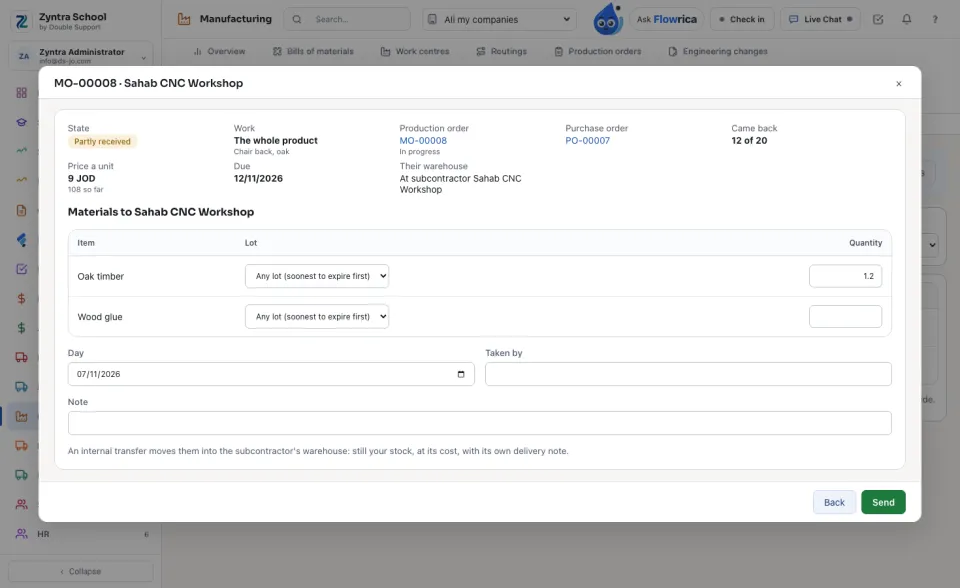
Send materials: what goes with the work (a whole product starts with what it still needs). An internal transfer moves it into the subcontractor's own warehouse — still your stock, at its cost — and stops holding it for the order on your shelf. A line with no lot takes the soonest to expire first.
4
Receive the work: the good units (and any the subcontractor scrapped, with why), their delivery paper, and for a whole product its lot and expiry. The purchase order counts them received; what the subcontractor used of yours is taken from its warehouse; an operation is recorded, and finished when everything is back; a whole product goes into the order's output warehouse and completes the order.
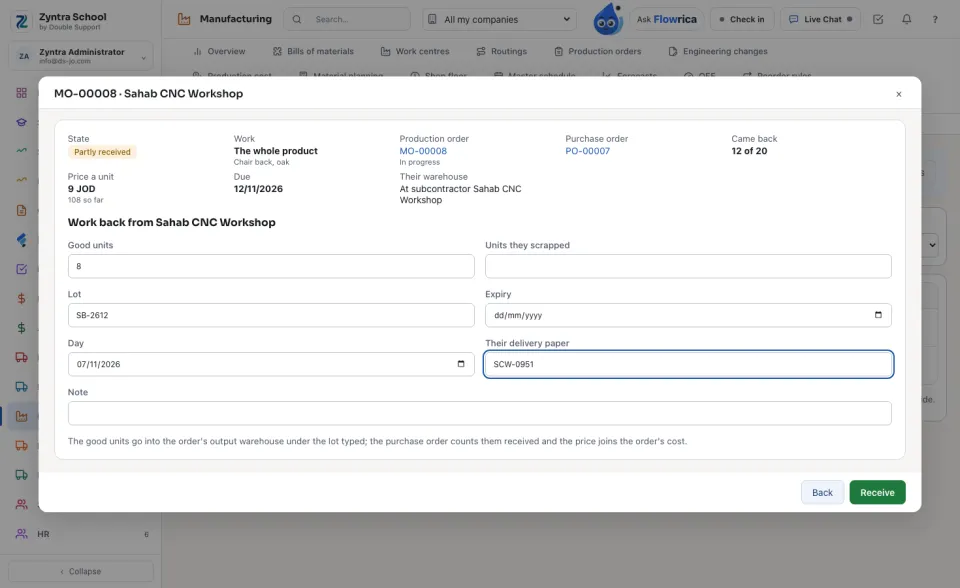
Nothing is received while the purchase order waits for its approval, before the production order is released, or beyond what is still out. Work nothing came back of may be cancelled with its reason; its purchase order stays for Purchase to cancel.
Stock at subcontractors
1
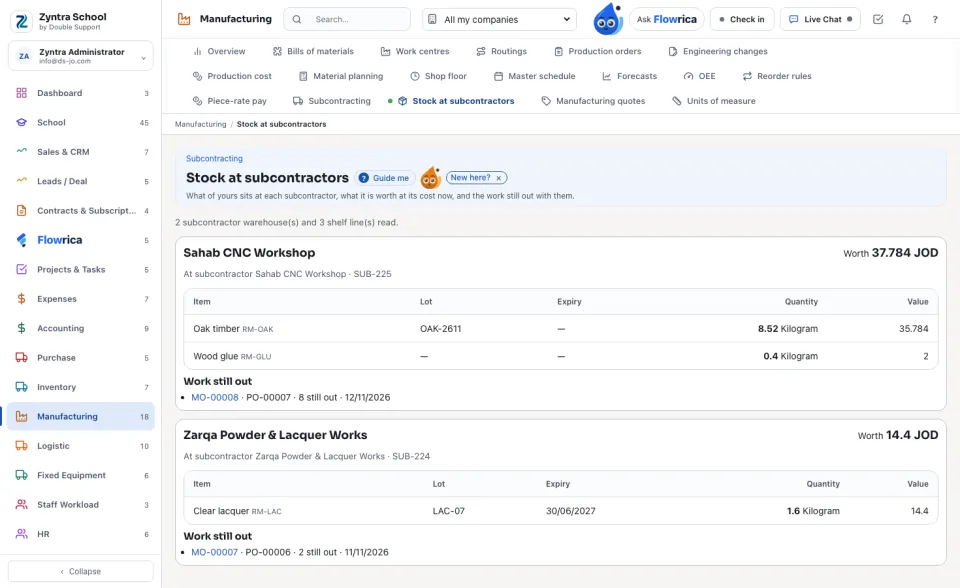
Each subcontractor's warehouse: each item and lot of yours there, how many, and what it is worth at its cost now, with the work still out with them. Bring materials back on a piece of work returns leftovers by a transfer.
The cost
1
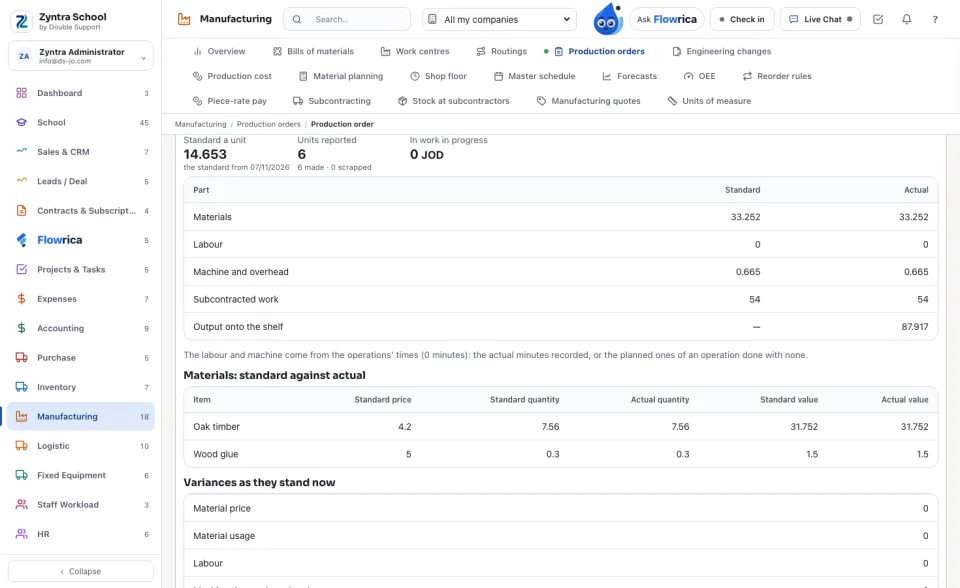
The order's Cost tab shows Subcontracted work: the standard (the usual terms' price) and the actual (each receipt's good units × the price). It reaches work in progress with the order's next entry, and a closed order's difference is its subcontracting variance.
From the material planning
1
A product whose reorder rule says Made outside is suggested by the material planning with its usual subcontractor's days. Accepted, it becomes a draft production order sent whole to that subcontractor, its purchase order raised; the suggestion names the purchase order.
Questions
Where is “Subcontracting” in Zyntra OS?
Manufacturing › Subcontracting, Manufacturing › Stock at subcontractors, and the Subcontracting tab of a production order
Who can use “Subcontracting”?
«Read subcontracting» reads it all. «Keep subcontractors' terms» keeps the terms. «Send work and materials to subcontractors» sends work out (with Purchase's own right to create an order) and sends materials (with Inventory's right to make a transfer). «Receive work back from subcontractors» receives.