

 Zyntra OS
 Zyntra Legal
 Zyntra Real Estate
 Zyntra Hotel
 Zyntra E-commerce
 Zyntra Appointments
 Zyntra Repair
 Zyntra Garage
 Zyntra Concierge
 Zyntra Contracting
 Zyntra Clinic
 Zyntra Dental
 Zyntra School
 Zyntra University
 Zyntra Call Center
 Zyntra OTA
Where
Manufacturing › Production scheduleWho
«Read the production schedule» reads it; «Schedule production» places it again, moves operations and sets priorities.Place the schedule
1
Choose the Direction: Forward from now starts each order's first operation at the first free moment; Backward from the due date places the last operation to end on the order's due day, and each one before it in time for the next. Press Schedule now.
2
The line under the filters says when it was placed, by whom, how many operations and orders, how many are late, not placed, or on an alternative centre. Late orders lists each late order with its due day, the moment its last operation ends, and by how much it is late.
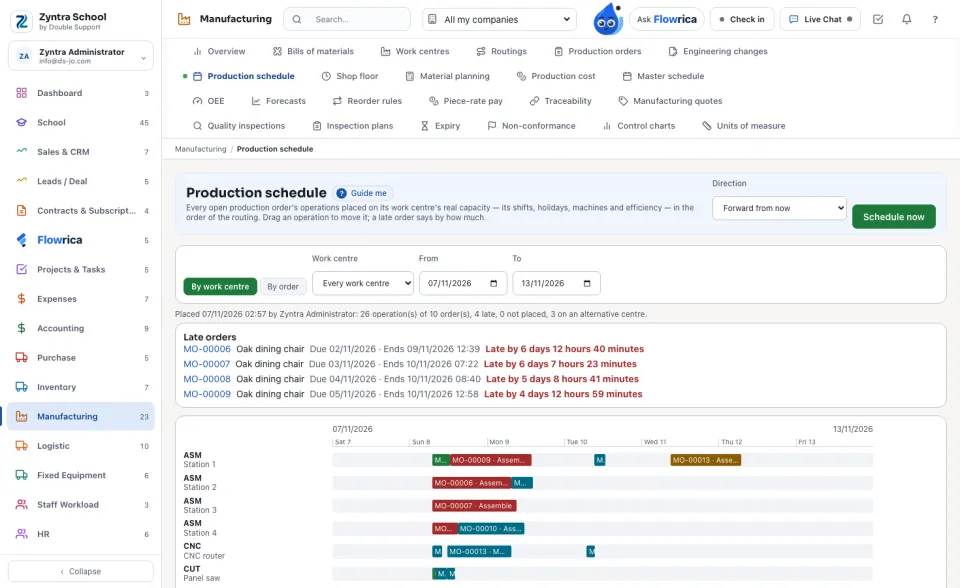
Confirmed, released and started orders are placed; drafts are not. A started operation stays where the floor has it. Urgent orders go first, then high, normal and low; within one priority, the earlier due day first.
Read the chart
1
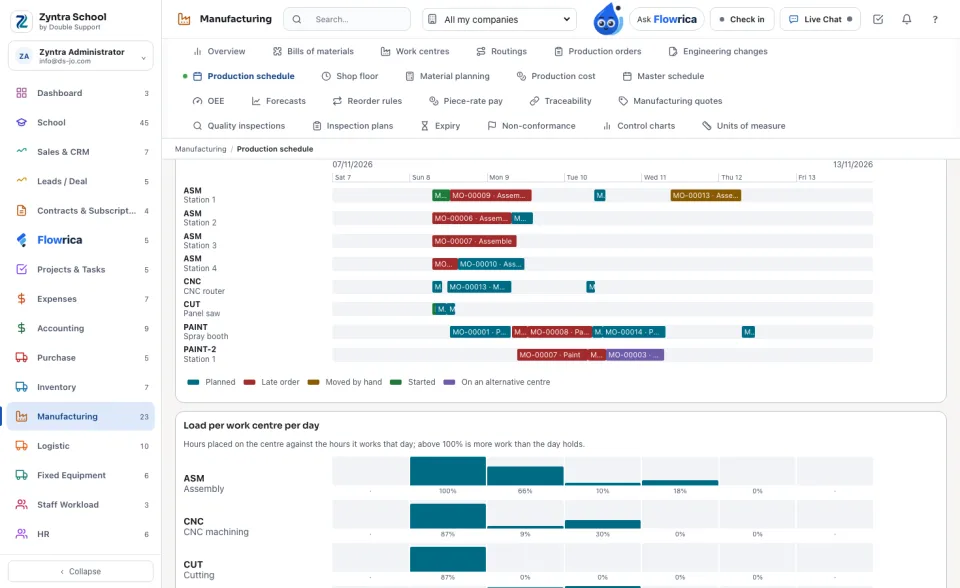
By work centre draws a row for each machine (or station) of each centre, with the operations on it. Two operations never share one machine at the same time. The colours say a planned operation, an operation of a late order, one moved by hand, one already started, and one placed on an alternative centre.
2
An operation waits for the one before it, plus that one's move time and wait after it (drying, cooling) and its own queue time. When the routing gives an overlap quantity, the next operation starts once that many units are made, and never ends before the one it follows.
3
When a centre is busy at the moment an operation could start, an alternative centre named on the work centre takes it if it finishes it sooner.
4
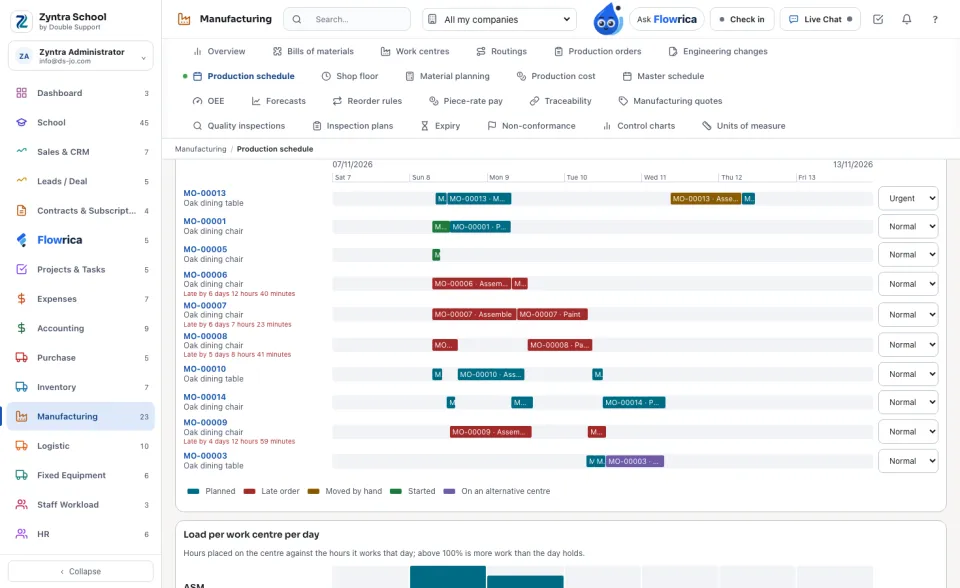
By order draws a row for each open order with its operations in their order, by how much it is late, and its Priority. Changing the priority places the schedule again.
Move an operation
1
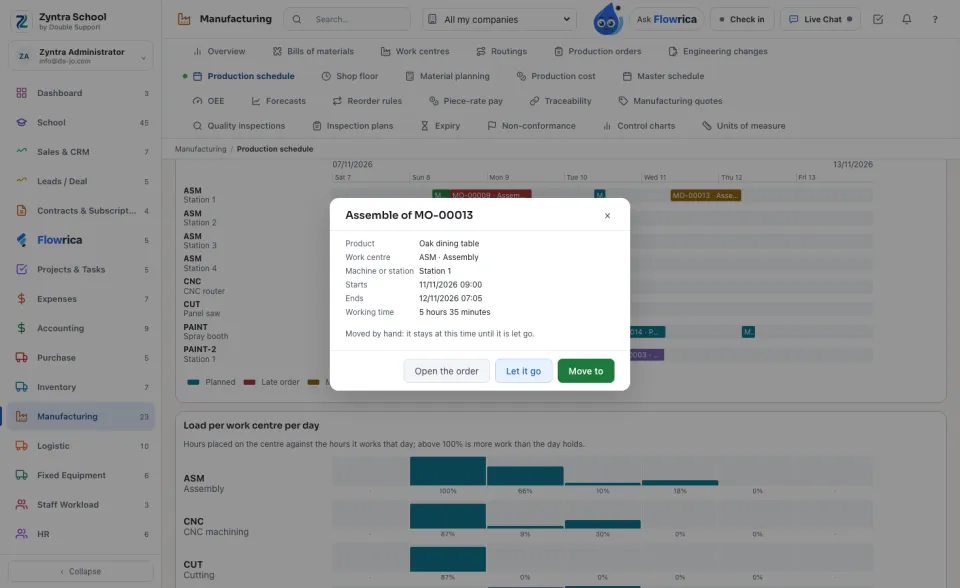
Click an operation to read it: its product, centre, machine, start, end and working time. Open the order opens its production order.
2
Drag the operation along its row, or press Move to. The window asks first, with the day and time and the centre (its own or an alternative). Move keeps it there and places the rest of the schedule around it.
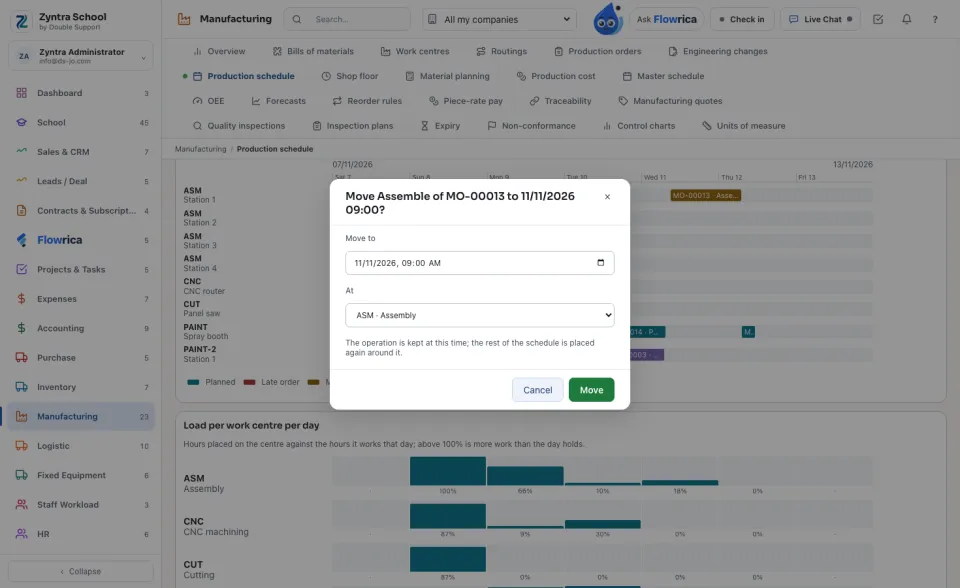
A move is refused when the moment has passed, when it comes before the operation it follows allows, when every machine of the centre is held then by a started or moved operation, or when the centre is neither its own nor an alternative.
3
An operation moved by hand stays at its time until you press Let it go; the schedule then places it again by its rules.
The load of each centre
1
Load per work centre per day shows the hours placed on each centre against the hours it works that day. Above 100% is more work than the day holds; a dot is a day it does not work.
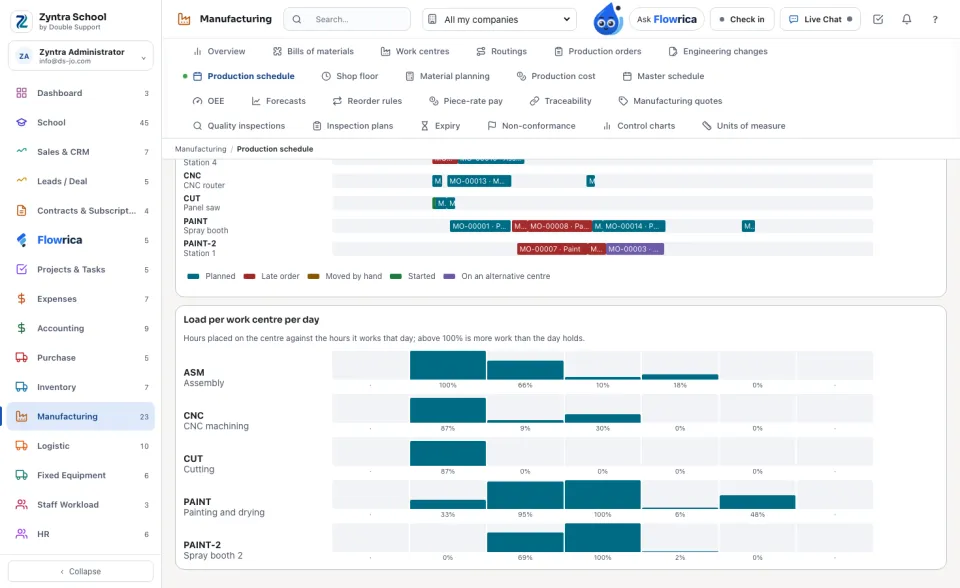
When it is placed again
1
When a production order is confirmed, released, changed, finished, closed or cancelled, or an operation is reported, the schedule is placed again by itself, once a company has been scheduled.
2
The shop floor tablet of each work centre lists its work in the schedule's order, including work an alternative centre was given.
Setup › Settings › Manufacturing: «Schedule production» (forward or backward), «Schedule again when an order changes», «Use alternative work centres» and «Schedule horizon (days)».
A work centre with no shift chosen is read as 08:00 to 16:00 on its working days, and the schedule says so. Choose its shifts in Manufacturing › Work centres.
Questions
Where is “Production schedule” in Zyntra OS?
Manufacturing › Production schedule
Who can use “Production schedule”?
«Read the production schedule» reads it; «Schedule production» places it again, moves operations and sets priorities.