

 Zyntra OS
 Zyntra Legal
 Zyntra Real Estate
 Zyntra Hotel
 Zyntra E-commerce
 Zyntra Appointments
 Zyntra Repair
 Zyntra Garage
 Zyntra Concierge
 Zyntra Contracting
 Zyntra Clinic
 Zyntra Dental
 Zyntra School
 Zyntra University
 Zyntra Call Center
 Zyntra OTA
Where
School › MessagesWho
A teacher with the right to answer their own students and families sees only the conversations opened with them. Reading every conversation, announcing, and the settings are each a right of their own.My conversations
Each line is one conversation: the student, their grade and section, who wrote (a Guardian or the Student) and the last message. A conversation whose family's last message has not been answered yet says Waits since with the time, and the new messages are counted. Waiting for an answer only keeps those alone, and the search box finds a student or the person who wrote. The tab counts the conversations waiting for you.
Press a line to read it: who wrote it, the student's class, and what you teach the student. The messages read from the oldest; your answers sit on the other side. When the family has read your answer, it says so under the messages.
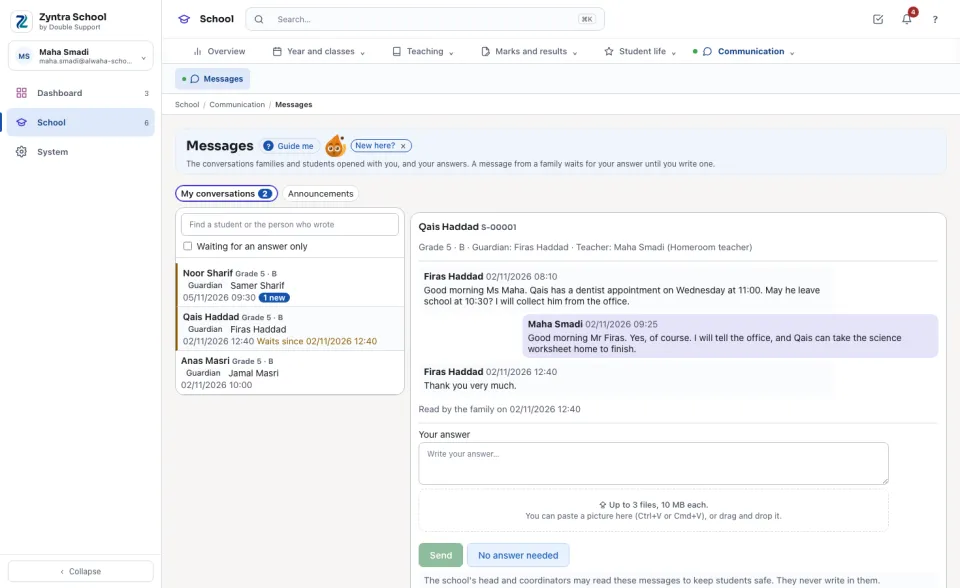
Answer
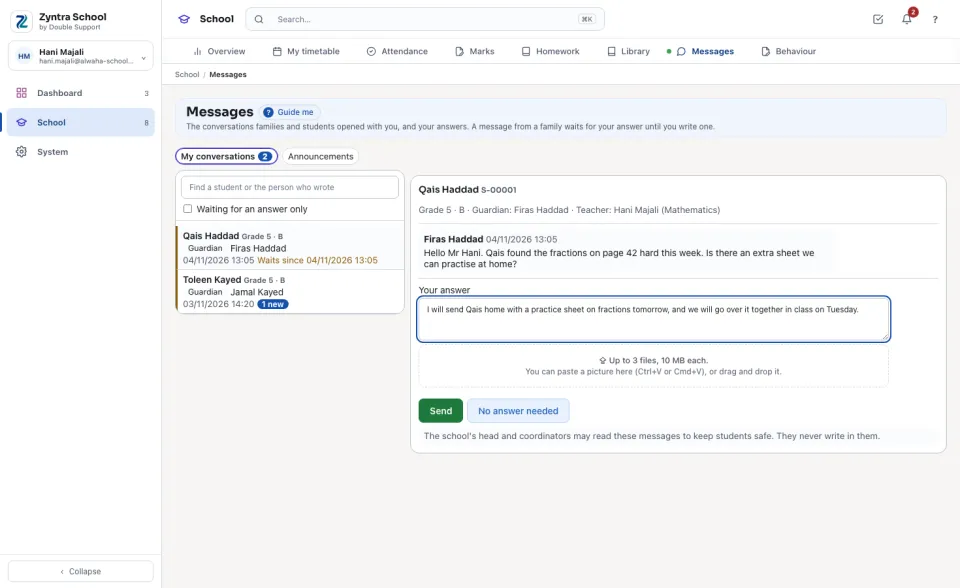
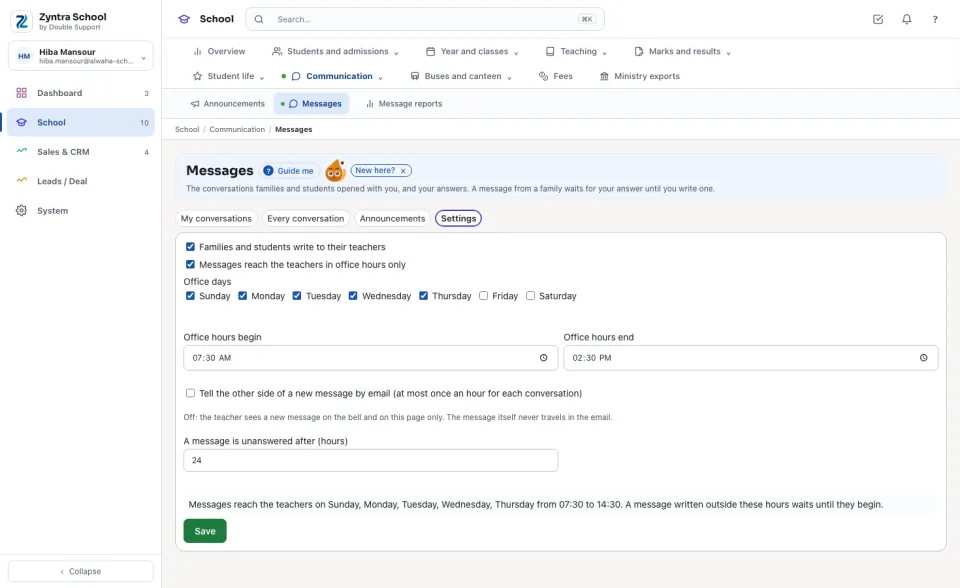
A new message from a family rings your bell. A family who writes outside the school's office hours is told when their message reaches you; it appears here, and rings your bell, when the office hours begin.
Every conversation (safeguarding)
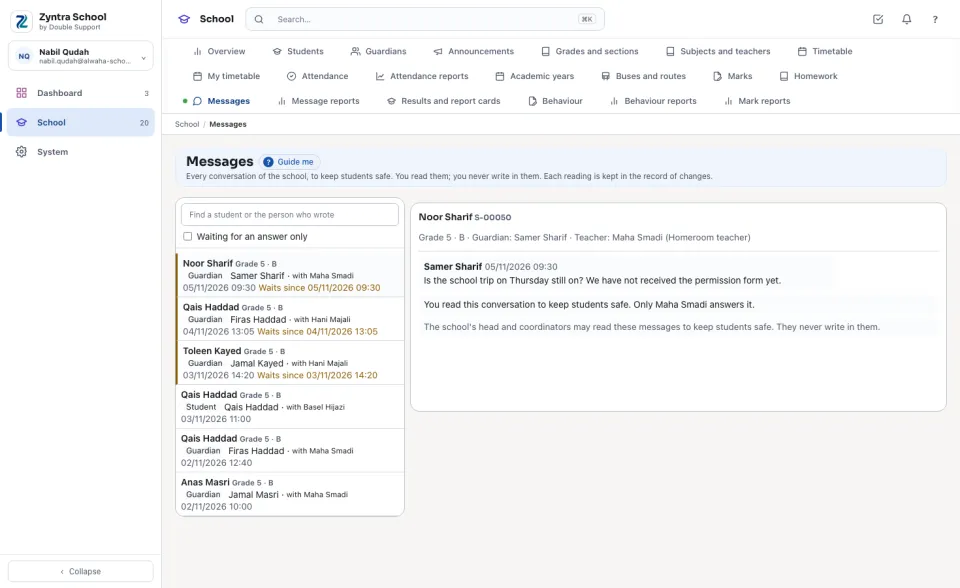
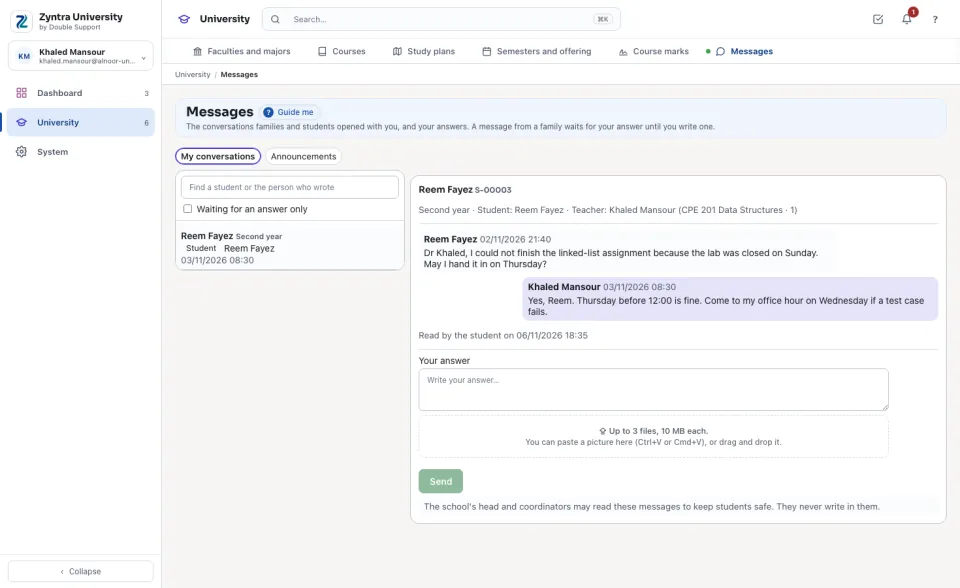
Who holds the right to read every conversation (the head and the coordinators) sees every conversation of the school, with the teacher each one is with. They read; they never write in one — the page says so, and each reading is kept in the record of changes. Both sides read the same sentence under every conversation: the school's head and coordinators may read these messages to keep students safe.
Announcements
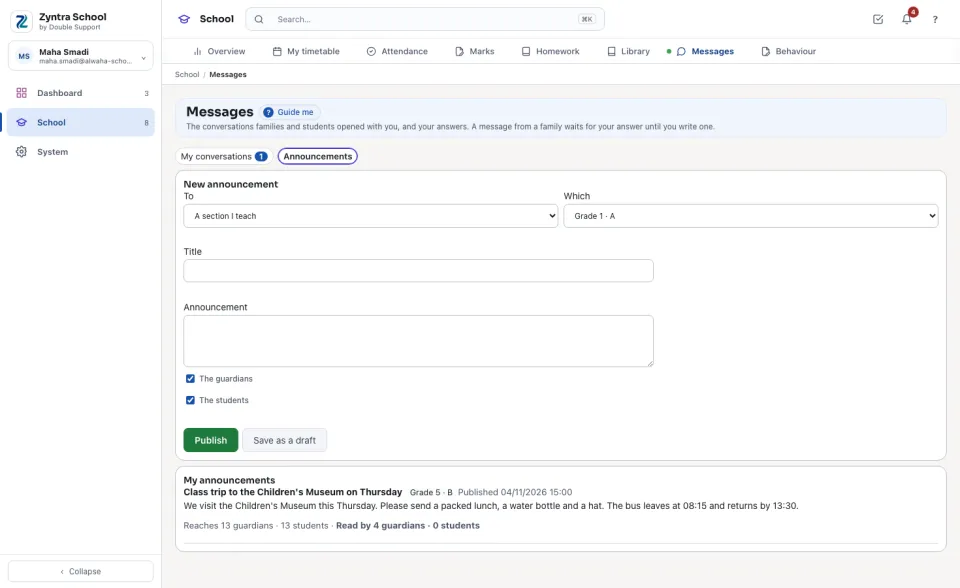
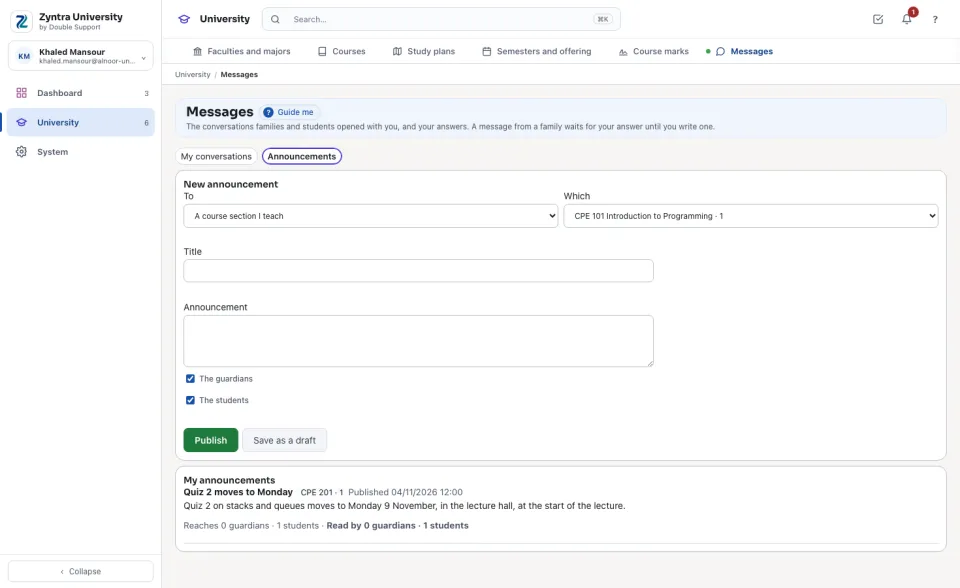
A teacher with the right to announce writes to A section I teach, A grade I teach or, in a university, A course section I teach — only those are offered. Tick The guardians, The students or both, then Publish, or Save as a draft.
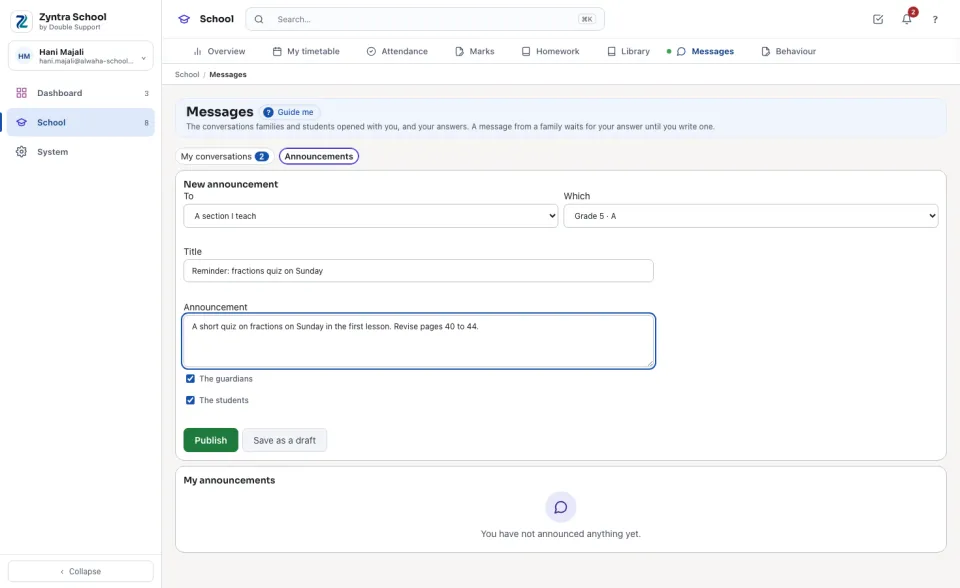
Under My announcements each one says how many guardians and students it reaches, and how many of them have read it on the portal. The school's own Announcements page lists them too.
Settings
Who holds the settings right chooses, for this school:
In a university
A student writes to the teacher of each section they are registered in this semester; the course and the section are named beside the teacher. The teacher answers here, and announces to a course section of theirs.
Questions
Where is “Messages” in Zyntra OS?
School › Messages
Who can use “Messages”?
A teacher with the right to answer their own students and families sees only the conversations opened with them. Reading every conversation, announcing, and the settings are each a right of their own.