

 Zyntra OS
 Zyntra Legal
 Zyntra Real Estate
 Zyntra Hotel
 Zyntra E-commerce
 Zyntra Appointments
 Zyntra Repair
 Zyntra Garage
 Zyntra Concierge
 Zyntra Contracting
 Zyntra Clinic
 Zyntra Dental
 Zyntra School
 Zyntra University
 Zyntra Call Center
 Zyntra OTA
Where
School › StudentsWho
School Students — View; the guardians are shown only with School Guardians — View.The list shows No., Name (in both languages), Age, Gender, the Grade and Section of the year chosen, Status (Applicant, Enrolled, Withdrawn, Graduated) and the Primary guardian with the phone.
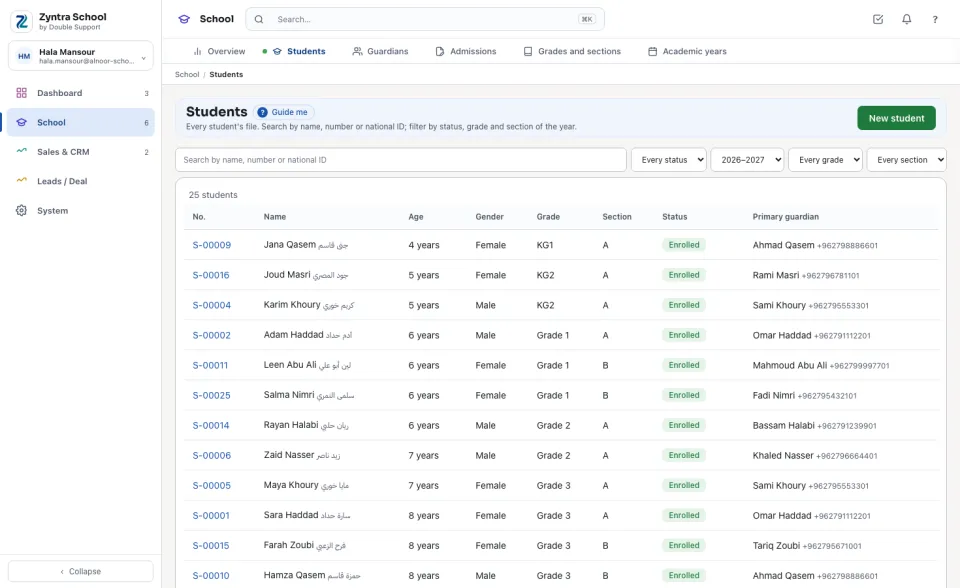
Make a student's file
1
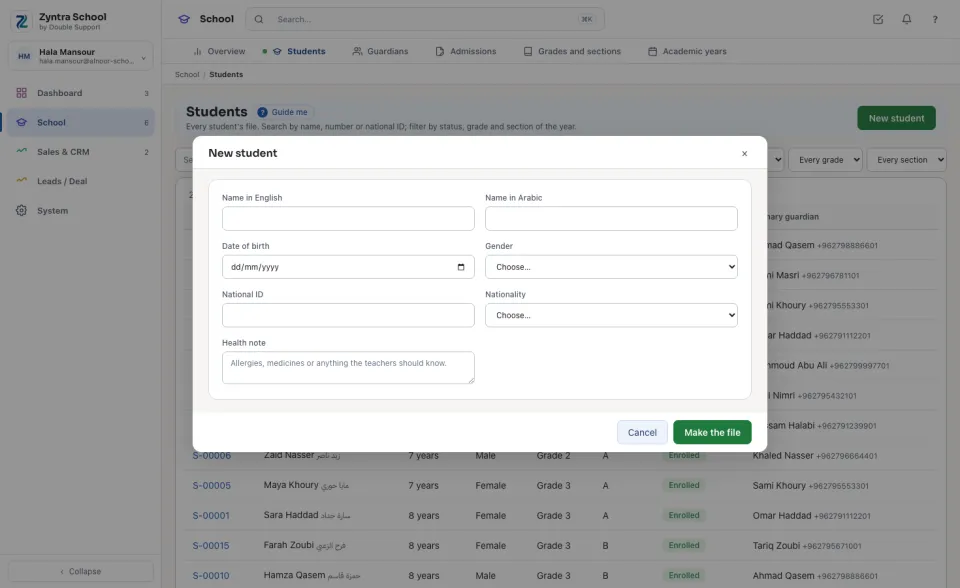
Press New student.
2
Type the Name in English and the Name in Arabic (at least one), the Date of birth, Gender, National ID, Nationality and a Health note the teachers should know.
3
Press Make the file. The student gets the company's next number and starts as Applicant.
The same national ID is never used twice in a company, and a date of birth cannot be in the future.
A student's page
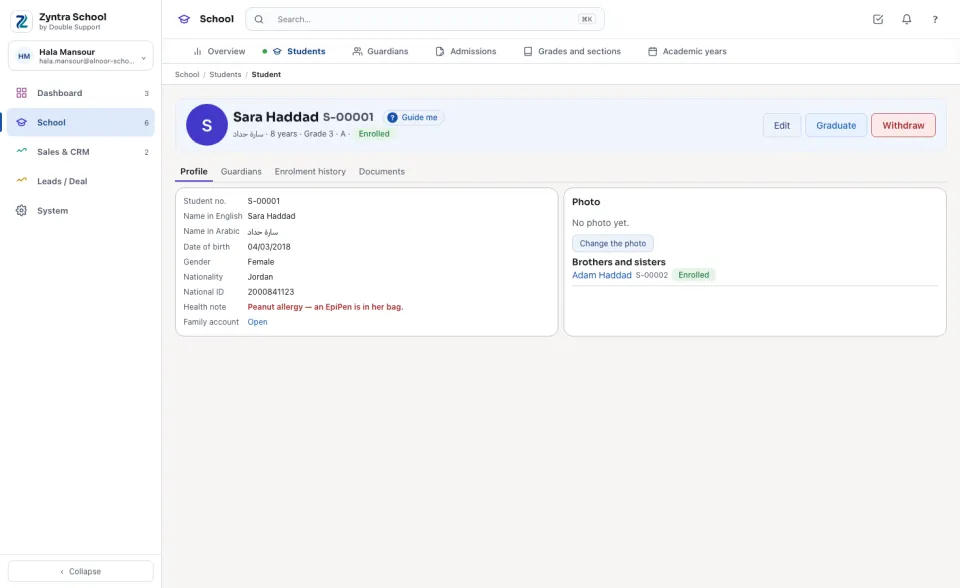
The name in both languages, the number, the age, the grade and section of the year and the status. Edit changes the file; Enrol, Graduate and Withdraw move the student; Delete is offered only for a file made by mistake that was never enrolled.
| Tab | What it holds |
|---|---|
| Profile | The file, the photo (Change the photo), Brothers and sisters at the school and the student's applications. |
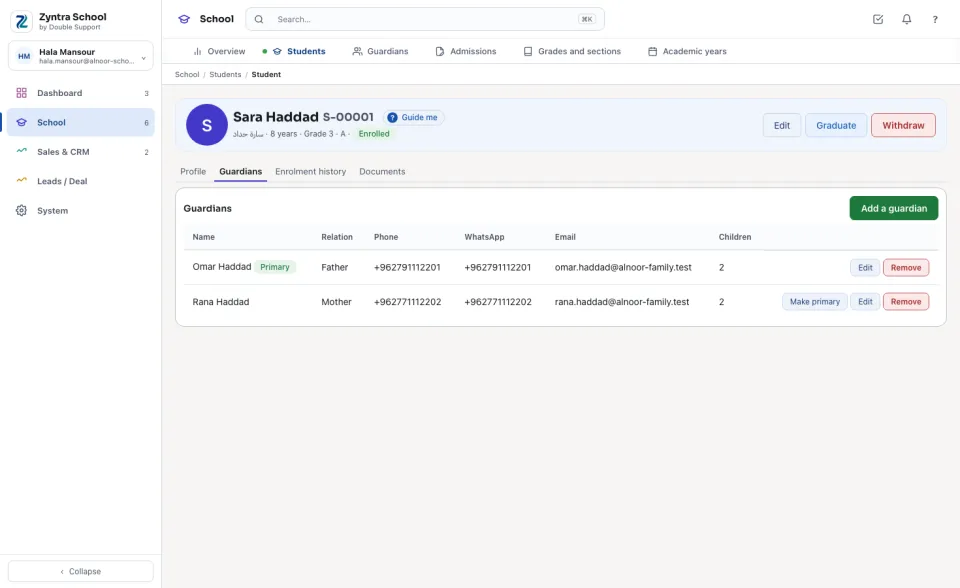
| Guardians | Each guardian with the relation, phone, WhatsApp, email and how many children they have at the school; the primary one first. |
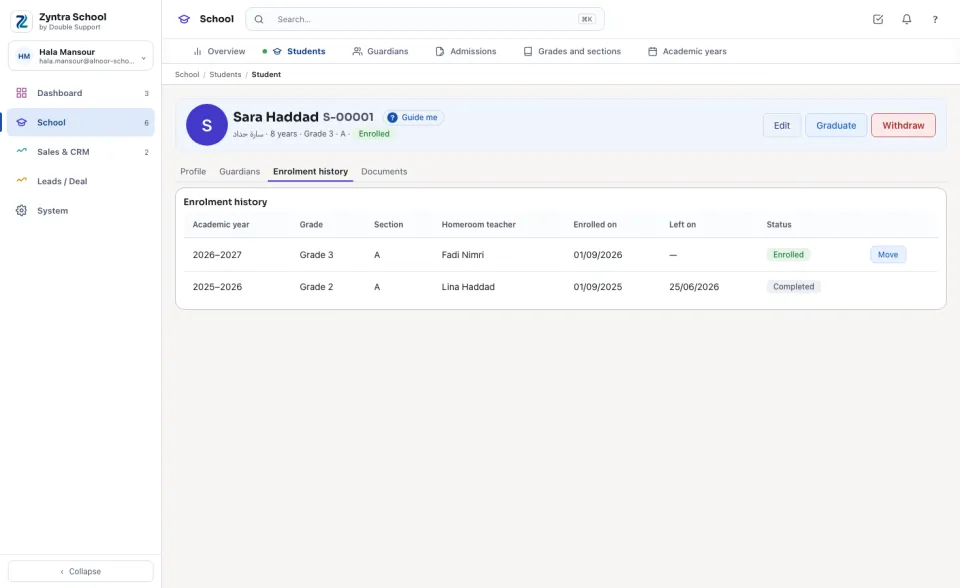
| Enrolment history | Every year's grade, section, homeroom teacher, days and status. |
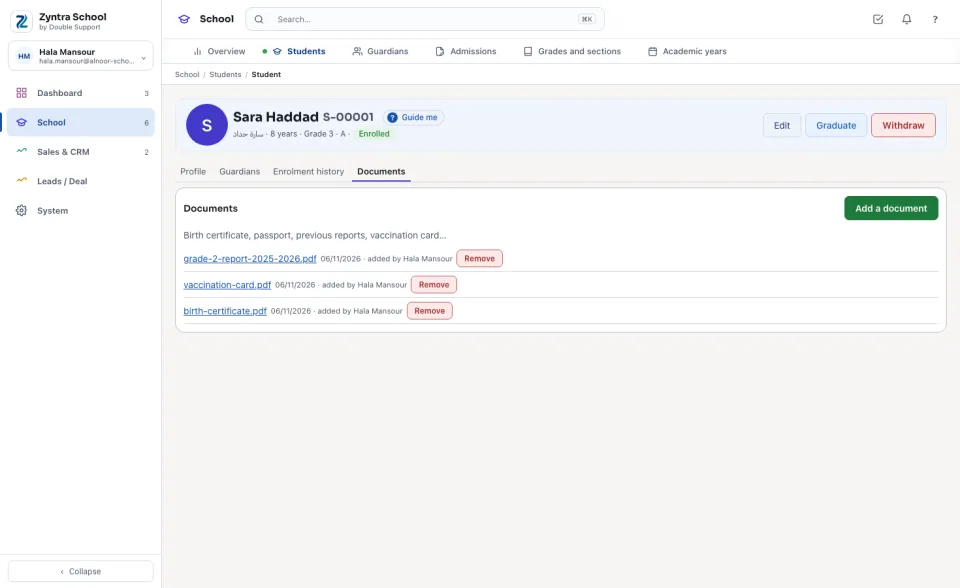
| Documents | Birth certificate, passport, reports and other papers, each opened in place. |
Guardians and the family
The first guardian of a child makes the Family account: one customer the school's fees are invoiced to, its guardians the customer's contacts. Brothers and sisters share it.
1
On the Guardians tab press Add a guardian.
2
Choose A new person (first and last name, phone, email), A guardian already known (the father of a brother or sister) or A contact you already have.
3
Choose the Relation, type the WhatsApp number, tick The primary guardian when they are, and press Add a guardian.
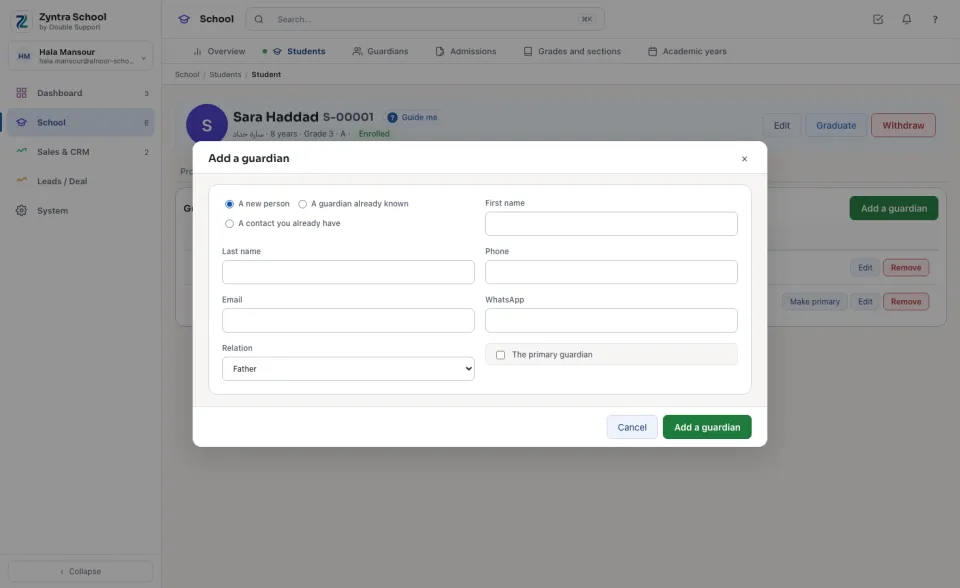
A guardian of another family is never added to a child. A guardian taken off a student stays in the family's account.
Enrol, move, withdraw
1
Enrol: choose the Academic year, the Grade and the Section — each section says how full it is — and the day. The student becomes Enrolled.
2
Move on the Enrolment history tab puts the student in another section of the same year.
3
Withdraw or Graduate asks for the day the student left; the year's enrolment is closed and kept.
Before: Grades and sections · Next: Guardians
Questions
Where is “Students” in Zyntra OS?
School › Students
Who can use “Students”?
School Students — View; the guardians are shown only with School Guardians — View.