

 Zyntra OS
 Zyntra Legal
 Zyntra Real Estate
 Zyntra Hotel
 Zyntra E-commerce
 Zyntra Appointments
 Zyntra Repair
 Zyntra Garage
 Zyntra Concierge
 Zyntra Contracting
 Zyntra Clinic
 Zyntra Dental
 Zyntra School
 Zyntra University
 Zyntra Call Center
 Zyntra OTA
Where
School › Timetable · School › My timetableWho
The right to view the school timetable reads every week; placing and taking off lessons have their own rights. A teacher given «View — only their own» opens My timetable.Choose the academic year and the section. The week reads the school days across and the bell times down; each lesson shows its subject in its colour, its teacher and its room. A free period shows +.
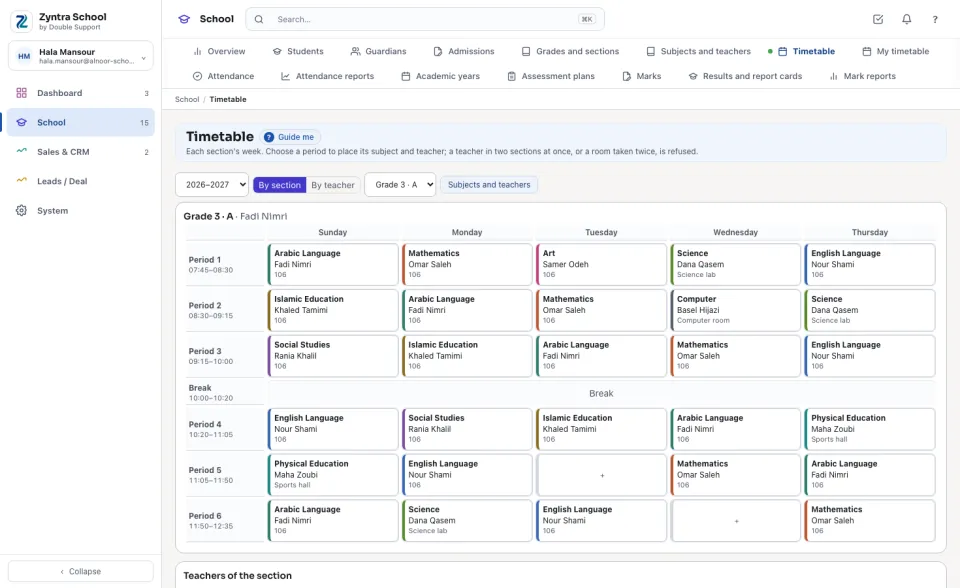
Place a lesson
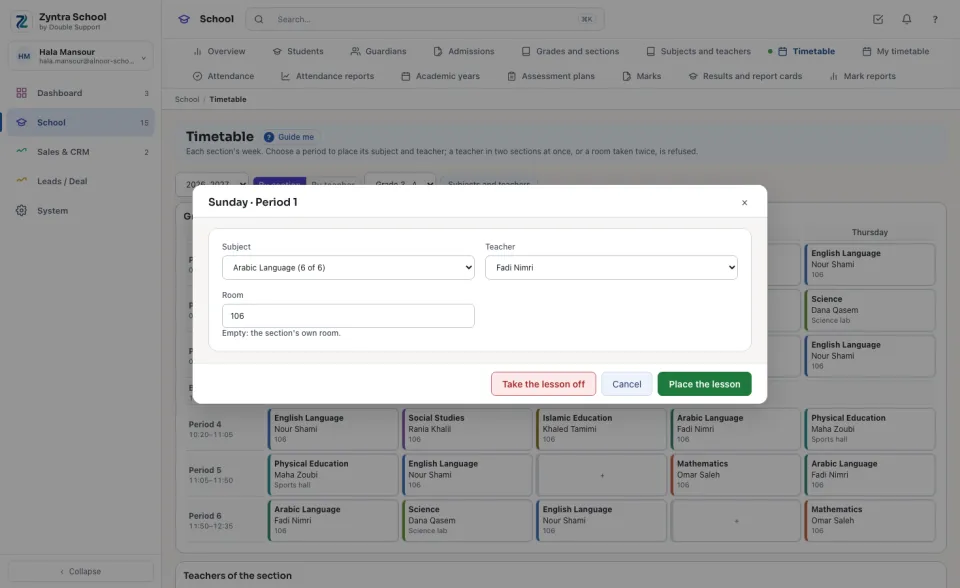
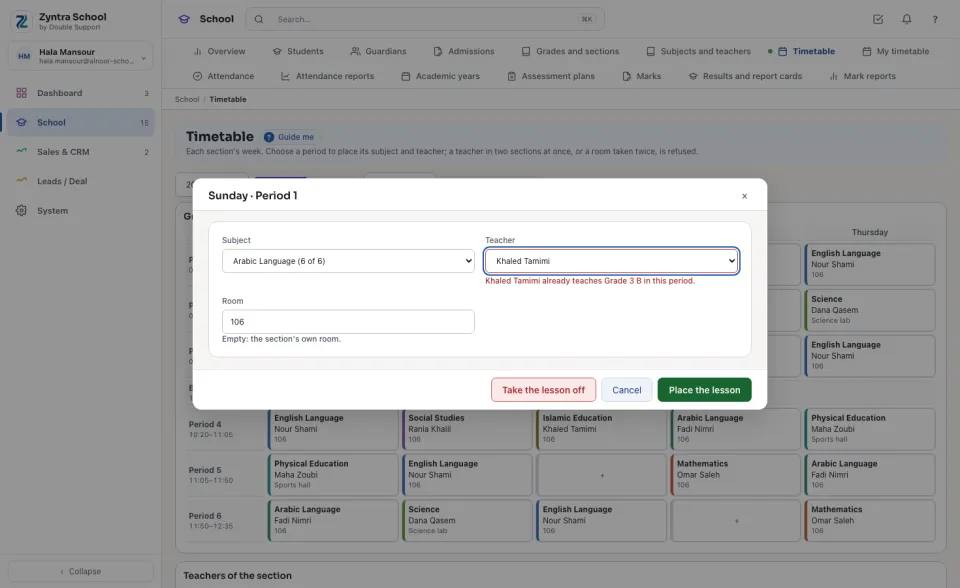
When the teacher already teaches another section in that period, or the room already holds another section, the lesson is refused and the sentence says which section has them.
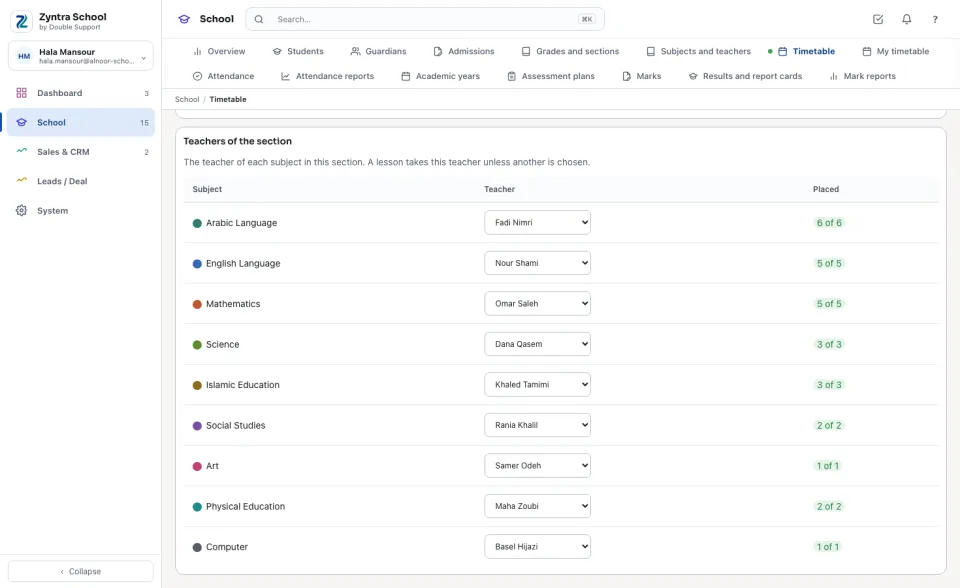
The teachers of the section
Under the week, Teachers of the section lists every subject of the grade with its Teacher and how many periods are Placed of those it takes a week. Choose each subject's teacher here once: every lesson of that subject placed afterwards takes them.
A teacher's week
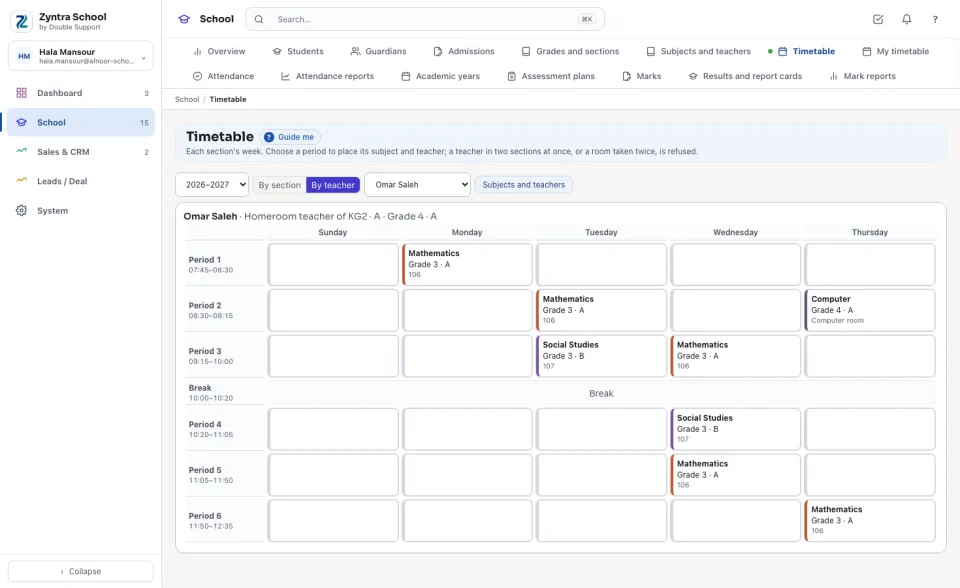
Press By teacher and choose the teacher: their lessons in every section, and the sections they are the homeroom teacher of.
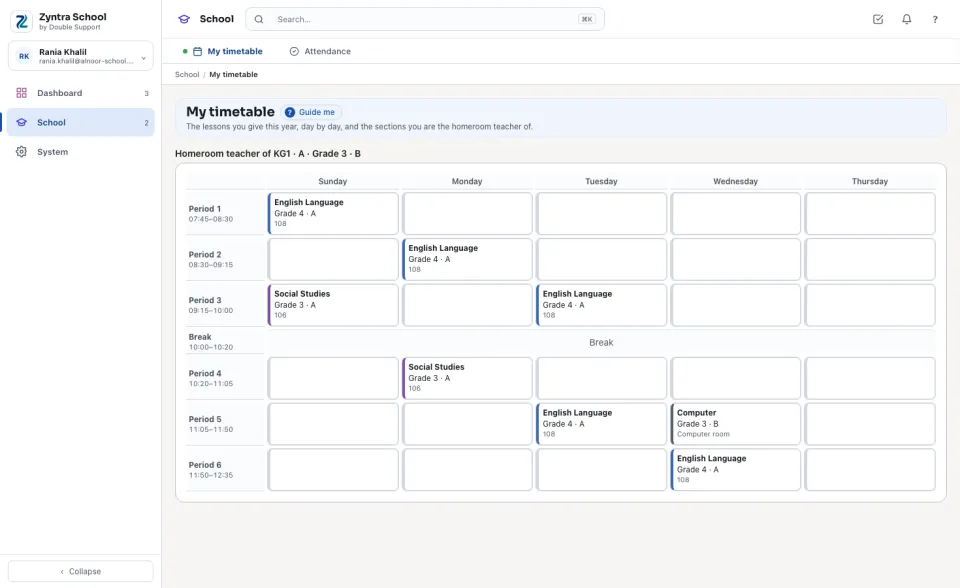
A teacher opens My timetable: the lessons they give this year, day by day, each with its section and room.
Questions
Where is “Timetable” in Zyntra OS?
School › Timetable · School › My timetable
Who can use “Timetable”?
The right to view the school timetable reads every week; placing and taking off lessons have their own rights. A teacher given «View — only their own» opens My timetable.